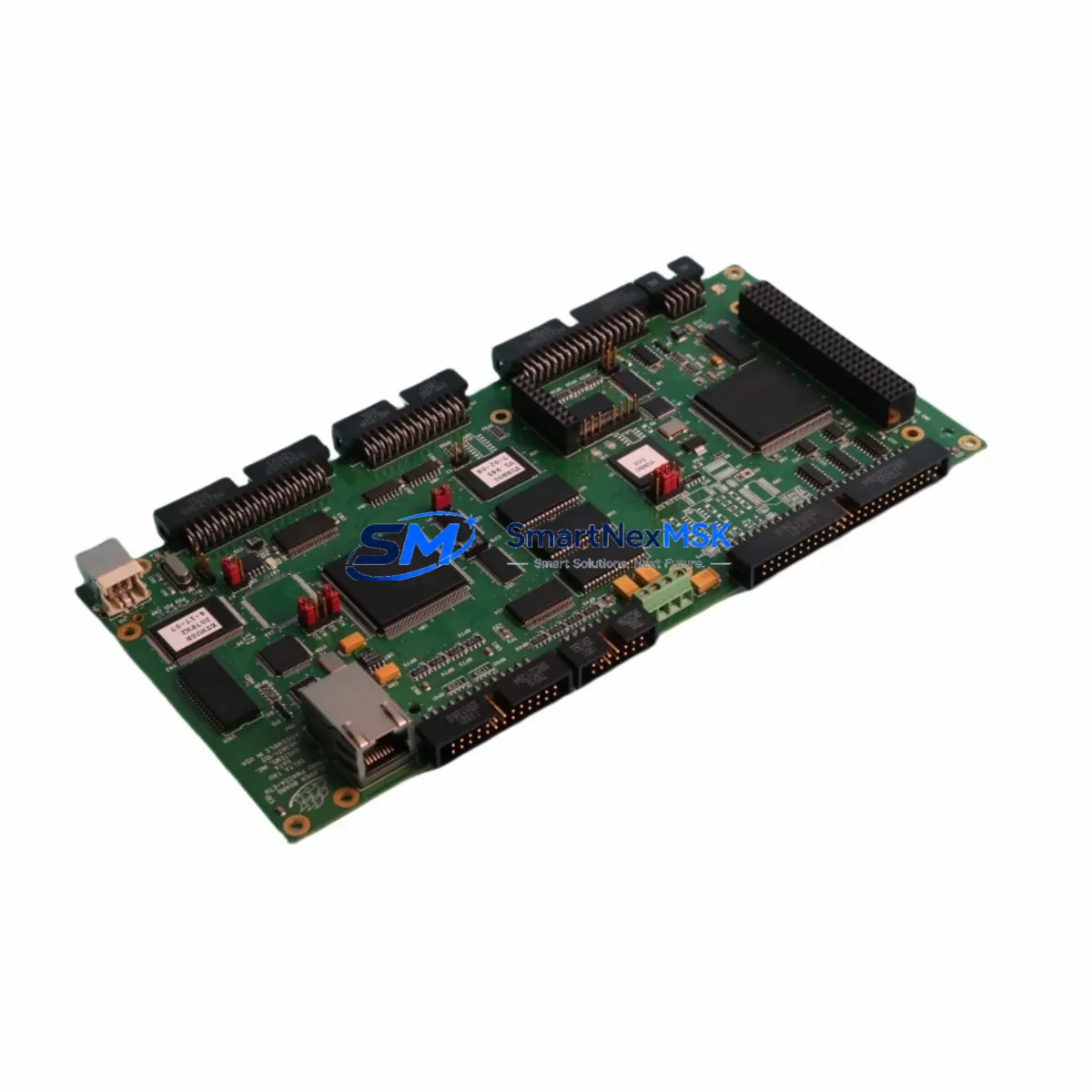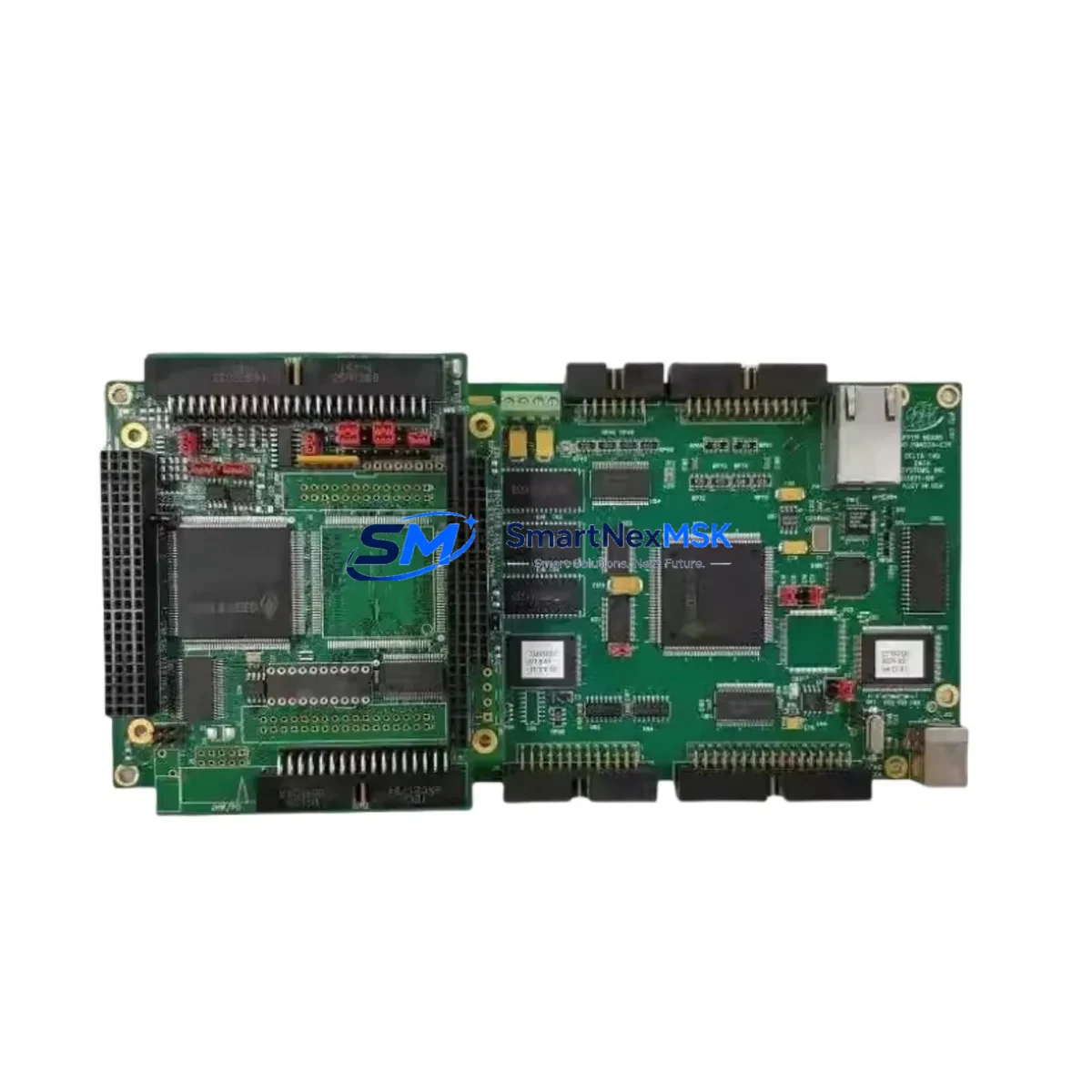
Delta Tau PMAC2A-ETH 603871-105 Maintenance-Ready Spare for Turbo PMAC2 Automation
The Delta Tau PMAC2A-ETH 603871-105 is a high-performance Ethernet-enabled motion controller card designed for the Turbo PMAC2 multi-axis control platform. In industrial automation environments — from CNC machining centers and semiconductor handling systems to precision test rigs and robotic assembly lines — this module serves as the central motion coordination hub. When this card fails or degrades, the entire motion system halts. Maintaining a verified spare on the shelf is not optional; it is a fundamental element of any serious downtime-reduction strategy.
At SMARTNEXMSK, every PMAC2A-ETH 603871-105 unit is sourced as an original Delta Tau component, subjected to functional verification prior to dispatch, and backed by a 12-month warranty. Our supply chain is structured for long-term availability, ensuring that maintenance engineers and procurement teams can access this part even as the broader market moves toward newer platforms.
Spare Maintenance Table
| Parameter | Specification / Detail |
|---|---|
| Part Number | PMAC2A-ETH 603871-105 |
| Brand | Delta Tau Data Systems |
| Series | Turbo PMAC2 |
| Product Type | Ethernet Motion Controller Card |
| Communication Interface | Ethernet (10/100 Base-T) |
| Axes Supported | Up to 32 axes (system-dependent) |
| Bus Compatibility | Turbo PMAC2 backplane / VME-compatible form factor |
| Operating Voltage | +5 VDC via backplane (verify backplane PSU output) |
| Operating Temperature | 0°C to 60°C (industrial panel environment) |
| Firmware | Turbo PMAC2 firmware — confirm revision compatibility before swap |
| Origin | USA (Original Delta Tau manufacture) |
| Condition | Original spare — tested before shipment |
| Warranty | 12 Months |
| Typical Application | CNC, semiconductor, robotics, precision motion control |
| Maintenance Recommendation | Replace on first sign of Ethernet link loss, axis fault, or firmware crash |
Maintenance Planning for Continuous Operation
When a PMAC2A-ETH 603871-105 is flagged for replacement during a planned shutdown or emergency callout, experienced maintenance engineers know that the motion controller card is rarely the only component under stress. A systematic inspection of the surrounding electrical environment is essential to prevent repeat failures after the new card is installed.
Begin with the Turbo PMAC2 backplane power supply. A degraded +5 VDC rail is one of the most common root causes of controller card failure and will destroy a replacement unit if not corrected first. Verify output voltage under load using a calibrated meter before inserting the new PMAC2A-ETH card. Alongside the PSU, inspect the PMAC2 backplane itself — connector pins, slot guides, and board seating — for oxidation, mechanical damage, or intermittent contact that could cause erratic axis behavior post-replacement.
The Ethernet communication cable and RJ45 termination connecting the PMAC2A-ETH to the host PC or network switch should be replaced as a matter of course. Ethernet link instability is frequently misdiagnosed as a controller card fault. Similarly, inspect the JMACH1 and JMACH2 motor amplifier interface connectors on the card for bent pins or loose crimps, as these carry the encoder feedback and DAC command signals that define axis accuracy.
For systems using Delta Tau ACC-24E2 or ACC-28E analog/digital I/O accessory boards mounted in the same chassis, verify their firmware versions are compatible with the replacement card’s firmware revision. A mismatch here can produce subtle axis tuning errors that are difficult to trace. If the system includes a UMAC or MACRO ring communication interface, confirm ring integrity and node addressing after the card swap.
On the software side, retrieve the current PMAC Executive or PEWIN32PRO2 configuration backup before removing the old card. Motor parameters, PID tuning values, and I-variable settings stored in the controller’s flash memory must be reloaded to the replacement unit. Failure to restore these settings will result in uncontrolled axis motion on first power-up — a serious safety risk in any production environment.
Finally, review the condition of the 24 VDC I/O power supply feeding any digital I/O expansion boards in the cabinet, the cabinet cooling fans and air filters (thermal stress accelerates controller card aging), and the UPS or surge protection device upstream of the control cabinet. A single transient event on the mains supply can damage multiple cards simultaneously; if the PMAC2A-ETH has failed, check whether any servo drive units or amplifier modules in the same cabinet show fault codes that predate the controller failure.
Site Replacement Workflow
Step 1 — Pre-replacement documentation: Record all axis parameters, I-variable settings, and firmware version from the existing PMAC2A-ETH 603871-105 using PEWIN32PRO2 or equivalent. Save the configuration file to a secure location before powering down.
Step 2 — Safe isolation: Follow site LOTO (Lockout/Tagout) procedures. De-energize the control cabinet, discharge any capacitive loads in the servo drive section, and verify zero-energy state before opening the enclosure.
Step 3 — Physical swap: Remove the faulty card from the Turbo PMAC2 backplane slot. Inspect the slot connector for damage. Insert the replacement PMAC2A-ETH 603871-105 firmly and evenly. Reconnect all interface cables — Ethernet, JMACH, and any accessory board ribbon cables — in the correct orientation.
Step 4 — Firmware and configuration restore: Power up the system and connect via Ethernet. Confirm the card is recognized by the host software. Load the saved firmware version if the replacement card ships with a different revision. Restore all motor parameters and I-variable settings from the saved configuration file.
Step 5 — Functional verification: Run each axis through a low-speed jog cycle before returning to production speed. Verify encoder feedback, following error limits, and end-of-travel limits are functioning correctly. Confirm Ethernet communication stability over a minimum 15-minute observation period before releasing the system to production.
This workflow minimizes total downtime to typically under two hours for a prepared maintenance team, compared to multi-day delays when spare parts must be sourced reactively.
Spare Parts Support FAQ
Q1: Is the PMAC2A-ETH 603871-105 compatible with all Turbo PMAC2 backplane configurations?
The PMAC2A-ETH 603871-105 is designed for the Turbo PMAC2 platform and is compatible with standard Turbo PMAC2 backplanes. However, firmware revision compatibility with accessory boards (ACC-24E2, ACC-28E, MACRO ring modules) must be verified against your existing system configuration. SMARTNEXMSK provides pre-shipment firmware confirmation upon request.
Q2: How is each unit tested before shipment?
Every PMAC2A-ETH 603871-105 unit undergoes functional power-on verification and Ethernet communication testing prior to dispatch. Units that do not pass testing are not shipped. A test report is available upon request for critical applications.
Q3: What does the 12-month warranty cover?
The 12-month warranty covers manufacturing defects and functional failures under normal operating conditions. It does not cover damage resulting from incorrect installation, overvoltage events, or physical mishandling. Warranty claims are processed with a replacement-first policy to minimize your downtime.
Q4: Can SMARTNEXMSK support long-term or blanket purchase orders for this part?
Yes. For maintenance teams managing aging Turbo PMAC2 installations, we support scheduled delivery agreements and reserved stock arrangements. Contact our team to discuss volume pricing, lead time guarantees, and multi-site supply programs tailored to your maintenance calendar.
© 2026 SMARTNEXMSK. All rights reserved.
Original Source: https://smartnexmsk.com
Contact: [email protected] | +86 18259474341