
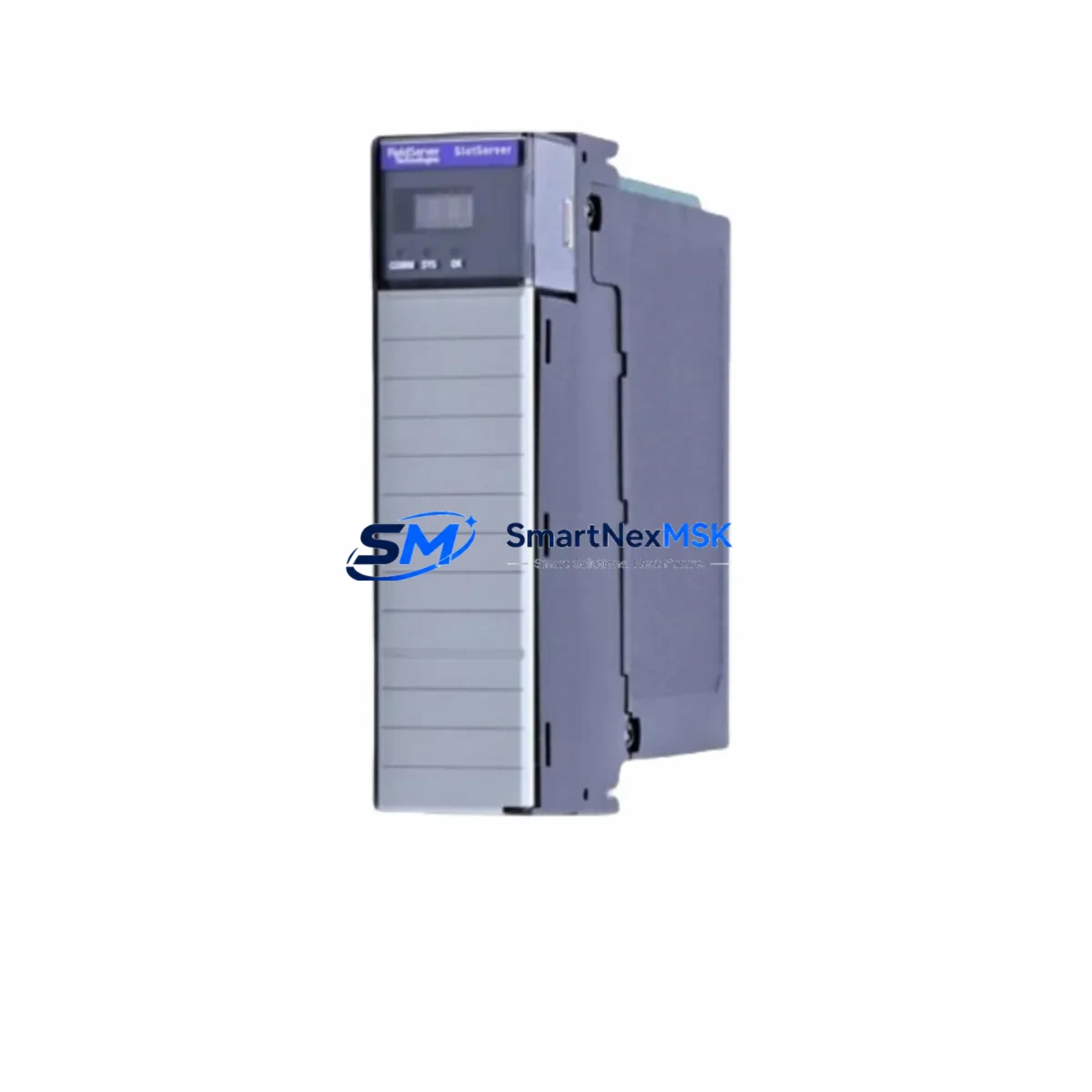
FieldServe PS56-BAS-073 Retrofit-Ready BACnet Module for PS56 Control Systems
The FieldServe PS56-BAS-073 is a retrofit-ready BACnet/IP communication module engineered for seamless integration into existing PS56 Series control systems. Whether you are replacing a discontinued legacy module, upgrading an aging building automation backbone, or migrating from a proprietary protocol to open BACnet/IP, the PS56-BAS-073 delivers the compatibility, reliability, and supply continuity that industrial and commercial automation engineers demand. With verified drop-in mechanical fit, matched terminal pinout, and full BACnet/IP stack compliance, this module eliminates the guesswork from retrofit planning and dramatically reduces on-site commissioning time.
Sourced directly from authorized distribution channels and subject to pre-shipment functional testing, every PS56-BAS-073 unit ships with a 12-month warranty covering manufacturing defects and communication faults. Stock is maintained on-hand to support urgent replacement orders, planned maintenance windows, and multi-unit retrofit projects across HVAC, process control, and facility management applications.
Upgrade Compatibility Table
| Parameter | PS56-BAS-073 (Replacement) | Legacy / Discontinued Module |
|---|---|---|
| Communication Protocol | BACnet/IP (ASHRAE 135) | Proprietary or BACnet MS/TP (varies) |
| Physical Interface | RJ-45 Ethernet, PS56 backplane connector | RS-485 or proprietary bus (model-dependent) |
| Backplane Slot Compatibility | PS56 Series rack, standard module slot | PS56 Series rack (same form factor) |
| Power Consumption | ≤ 3.5 W (verify PS56 PSU capacity) | Varies — confirm total rack load budget |
| Terminal Wiring | Matched PS56 terminal block layout | Confirm pin-for-pin before hot-swap |
| Module Address Configuration | Software-assigned via BACnet Device ID | DIP switch or jumper (legacy) |
| Program / Logic Compatibility | Requires BACnet object re-mapping in controller | Native tag references may need updating |
| HMI Screen Binding | Update BACnet object references in HMI project | Legacy HMI tags may not auto-migrate |
| Commissioning Tool | BACnet browser / PS56 configuration utility | Proprietary programming cable or software |
| Warranty | 12 Months (from ship date) | OEM warranty expired (discontinued) |
| Replacement Recommendation | Direct drop-in for PS56 BACnet slots | Verify firmware version before installation |
Retrofit Planning for Existing Automation Systems
A successful PS56-BAS-073 retrofit begins well before the module arrives on site. Engineers should start by auditing the existing PS56 rack configuration — confirming the number of occupied slots, the current PS56-PWR series power supply module output, and the total watt budget available for the new BACnet communication module. If the rack is running near capacity, a power supply upgrade may be required before the communication module swap proceeds.
Terminal wiring is the next critical checkpoint. The PS56-BAS-073 uses the standard PS56 Series terminal block layout, but field wiring connected to adjacent I/O modules — such as PS56-DI digital input cards, PS56-AO analog output modules, or PS56-RO relay output boards — must be documented and photographed before any module is removed. In systems where the PS56 rack shares a control cabinet with third-party variable frequency drives, safety relays, or distributed I/O nodes, the wiring diagram should be updated to reflect the new BACnet/IP network topology.
For sites migrating from a legacy MS/TP or proprietary network, the BACnet/IP transition requires attention to the network infrastructure layer. A managed Ethernet switch capable of supporting BACnet broadcast management (BBMD) should be installed if the PS56 controller will communicate across IP subnets. In multi-controller environments, each PS56 node will need a unique BACnet Device Instance assigned — this is configured through the PS56 system configuration utility and must not conflict with existing BACnet devices on the network, including third-party HVAC controllers, energy meters, or building management workstations.
Module address assignment on the PS56-BAS-073 is software-based, replacing the DIP switch addressing used on older PS56-COM legacy communication cards. After physical installation, the module is discovered automatically by the PS56 controller firmware — confirm minimum firmware revision compatibility before ordering. The BACnet object list — including Binary Inputs, Analog Values, and Schedule objects — must then be re-mapped to match the control logic in the PS56 application program. If the site uses a SCADA or BMS front-end, the operator workstation’s point database will also need to be updated to reference the new BACnet object identifiers.
HMI screen bindings are a commonly overlooked step in PS56 BACnet retrofits. Any graphic displays — whether running on a PS56-HMI panel-mounted touchscreen or a PC-based supervisory station — that reference legacy communication tags will need to be re-linked to the corresponding BACnet objects exposed by the PS56-BAS-073. This is typically performed using the HMI project editor offline, with the updated project downloaded to the HMI during the commissioning window. Keeping a backup of the original HMI project before making changes is strongly recommended.
Finally, before returning the system to normal operation, a full I/O checkout should be performed: verify that all analog inputs, digital outputs, and communication links are reading correctly through the new BACnet module. Loop controllers, PID setpoints, and alarm thresholds should be confirmed against the original control narrative. Where the PS56 rack interfaces with a fieldbus segment — such as a PS56-GW PROFIBUS/Modbus gateway — the gateway configuration should also be validated to ensure data continuity across the protocol boundary. In larger installations, a PS56-CPU controller module firmware audit is recommended as part of the same maintenance window to avoid compatibility gaps between the CPU and the new communication card.
Downtime Control During System Migration
Minimizing production downtime during a PS56-BAS-073 module swap requires a structured pre-outage preparation plan. The most effective approach is to complete all software-side work — BACnet object mapping, HMI project updates, controller program revisions, and network switch configuration — before the physical module is touched. This way, the on-site outage window is limited to the time required for mechanical removal, module insertion, and a structured I/O verification sequence.
Where process continuity is critical, consider staging the retrofit during a planned maintenance shutdown or a low-demand period. If the PS56 rack controls multiple independent process zones, it may be possible to isolate and migrate one zone at a time, keeping the remaining zones in service while the BACnet module is commissioned on the first zone. This phased approach is particularly effective in HVAC and building automation applications where zone-level control can be temporarily handed off to local setpoint controllers or standalone thermostats.
To protect the original program logic, always export and archive a full backup of the PS56 controller application — including all function block diagrams, variable tables, and communication configuration files — before beginning the retrofit. Store this backup on a secure engineering workstation and verify it can be restored successfully before proceeding. If the retrofit involves a firmware upgrade on the PS56-CPU controller module, perform the firmware update as a separate, pre-tested step rather than combining it with the communication module swap. A PS56 programming cable and the FieldServe configuration software should be on-hand throughout the commissioning window to allow rapid rollback if required.
During commissioning, use a BACnet browser tool to confirm that the PS56-BAS-073 is visible on the network, that its Device Instance is correct, and that all expected BACnet objects are present and returning valid values. Cross-reference the live BACnet object values against the PS56 controller’s internal variable monitor to confirm data integrity end-to-end. Once all points are verified, document the as-commissioned configuration and update the site’s control system record drawings before closing out the work order.
Retrofit Support FAQ
Q1: Is the PS56-BAS-073 a direct drop-in replacement for the original PS56 BACnet communication module?
A: Yes, the PS56-BAS-073 is designed to fit the standard PS56 Series module slot with the same mechanical form factor and terminal block layout as the original FieldServe BACnet communication card. However, you should verify the PS56 controller firmware version is compatible with the PS56-BAS-073 before installation. Contact our technical team with your PS56 CPU firmware revision for confirmation.
Q2: What wiring changes are required when installing the PS56-BAS-073?
A: In most PS56 retrofit scenarios, no field wiring changes are required for the communication module itself — the Ethernet RJ-45 connection replaces the legacy RS-485 or proprietary bus cable. However, if your existing network infrastructure does not support BACnet/IP, you will need to add a managed Ethernet switch and configure BBMD settings for multi-subnet environments. All terminal connections to adjacent PS56-DI, PS56-AO, and PS56-RO I/O modules remain unchanged.
Q3: How do I verify compatibility before ordering, and what is the lead time?
A: Provide your PS56 rack model number, current communication module part number, and controller firmware version to our sales team at [email protected]. We will confirm compatibility and advise on any firmware prerequisites. The PS56-BAS-073 is stocked for immediate dispatch — standard orders ship within 1–3 business days, with expedited options available for urgent retrofit projects.
Q4: What does the 12-month warranty cover, and is pre-shipment testing performed?
A: Every PS56-BAS-073 unit undergoes functional pre-shipment testing to verify BACnet/IP communication, backplane interface integrity, and power consumption within specification. The 12-month warranty (from ship date) covers manufacturing defects, communication faults, and hardware failures under normal operating conditions. Warranty claims are processed with priority turnaround to minimize site downtime. Physical damage, incorrect installation, or operation outside rated environmental conditions are excluded.
© 2026 SMARTNEXMSK. All rights reserved.
Original Source: https://smartnexmsk.com
Contact: [email protected] | +86 18259474341