
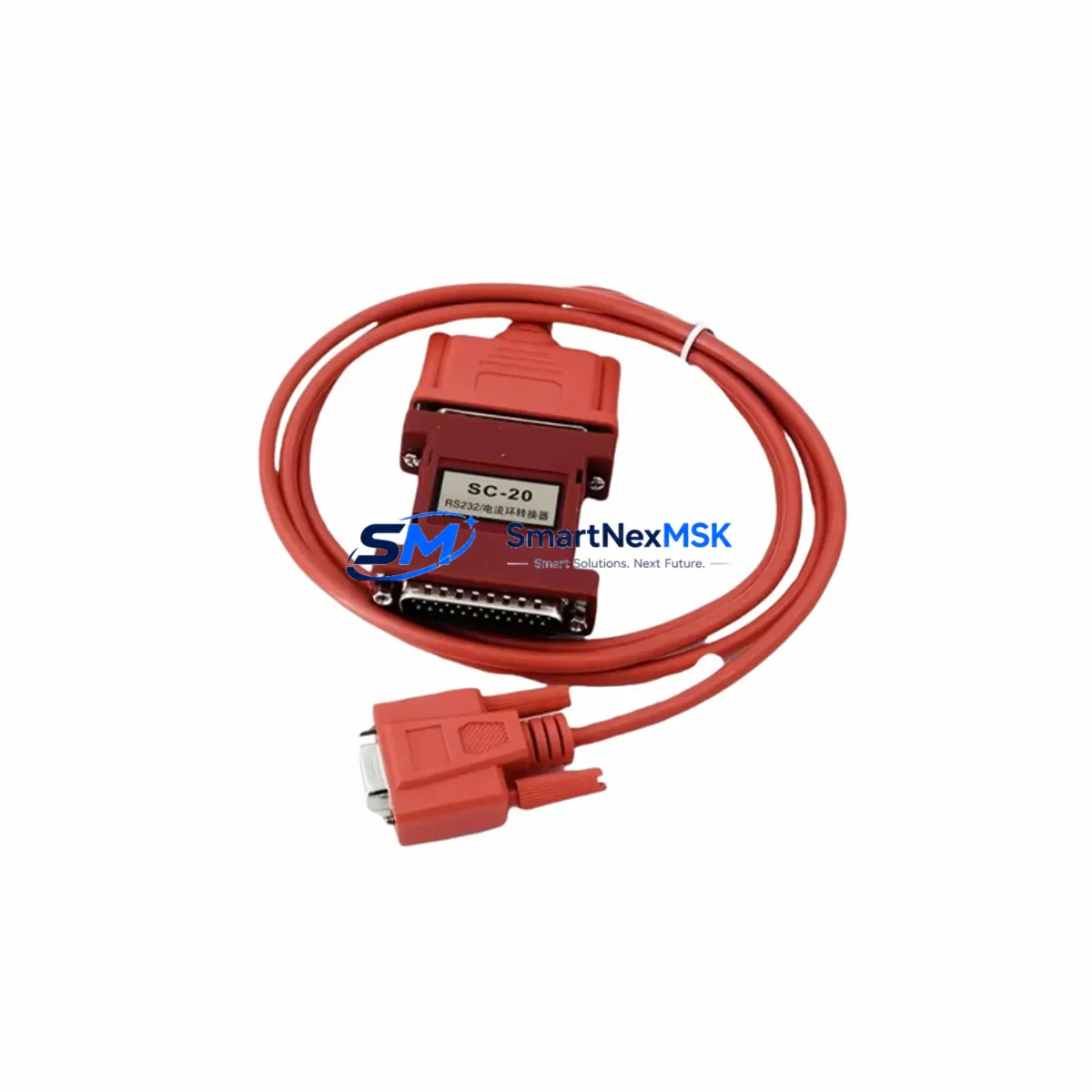
Four Star Electronics SC-20 Retrofit-Ready RS232/TTY Converter: Compatible Modernization for Legacy Control Systems
The Four Star Electronics SC-20 is a proven RS232 to TTY (20mA current loop) serial interface converter engineered for industrial environments where legacy communication infrastructure must be preserved during system upgrades. As automation engineers face the challenge of migrating aging PLCs, DCS controllers, and HMI terminals to modern platforms, the SC-20 provides a reliable, cost-effective bridge that eliminates the need for full wiring overhauls or controller replacement. With in-stock availability, factory-tested units, and a 12-month warranty, the SC-20 is a trusted solution for retrofit projects across manufacturing, utilities, and process control industries.
Many facilities still operate control systems built around 20mA current loop serial communication — a standard that predates RS232 dominance but remains embedded in thousands of active production lines. Replacing these systems outright is expensive and operationally risky. The SC-20 allows engineers to retain existing field wiring and terminal blocks while connecting modern RS232-capable devices, including updated PLCs, SCADA gateways, and programming terminals. This approach dramatically reduces retrofit scope, protects validated program logic, and shortens commissioning time.
Upgrade Compatibility Table
| Parameter | SC-20 Specification | Retrofit Notes |
|---|---|---|
| Interface Conversion | RS232 ↔ TTY 20mA Current Loop | Direct replacement for legacy current loop serial ports on PLCs and DCS |
| Connector Type | DB9 (RS232 side); screw terminal (TTY side) | Verify existing field wiring gauge; re-terminate if required |
| Power Supply | External DC supply (typically 5–24 VDC; confirm datasheet) | Check control cabinet power rail capacity before installation |
| Communication Speed | Up to 19,200 baud (application-dependent) | Match baud rate, parity, and stop bits to existing PLC configuration |
| Installation | DIN rail or panel mount | Confirm available DIN rail space in existing control cabinet |
| Protocol Compatibility | Transparent serial (hardware layer only) | Application protocol (Modbus RTU, proprietary) passes through unchanged |
| Replacement Scope | Drop-in for failed or discontinued current loop converters | No firmware changes required on connected PLC or HMI |
| Warranty | 12 Months | Covers manufacturing defects; includes pre-shipment functional test |
Retrofit Planning for Existing Automation Systems
A successful SC-20 retrofit begins with a thorough audit of the existing serial communication chain. In a typical legacy installation, the current loop circuit connects a PLC CPU module — such as an older Siemens S5-series processor or an Allen-Bradley SLC 500 controller — to a remote HMI terminal or a printer/logging device via a 20mA passive or active current loop. The SC-20 inserts cleanly into this chain, converting the TTY signal to RS232 at the point where the modern device connects.
Before installation, engineers should document the existing terminal block wiring layout, noting which terminals carry the transmit (TX) and receive (RX) current loop conductors. In many older cabinets, these are routed through marshalling panels alongside discrete I/O wiring from modules such as digital input cards and analog output modules. Confirming polarity and loop type (active vs. passive) is critical — an active loop provides its own current source, while a passive loop relies on the connected device. The SC-20 supports both configurations, but jumper or switch settings must be verified against the installation manual before powering up.
Power supply capacity is another key checkpoint. The SC-20 draws modest current from the DC bus, but in densely populated control cabinets — where a 24VDC rail may already be supplying multiple I/O expansion modules, communication modules, and relay output cards — engineers should verify that the existing power supply module has sufficient headroom. If the cabinet uses a dedicated 5VDC backplane supply for legacy rack-mounted modules, a separate 24VDC source may be needed for the SC-20.
For systems where the SC-20 replaces a failed converter in a running production line, the recommended approach is to pre-configure and bench-test the unit before the maintenance window. Connect the SC-20 to a laptop running a terminal emulator, simulate the baud rate and framing parameters of the target PLC, and confirm bidirectional data flow. This pre-commissioning step — which can be completed in under 30 minutes — eliminates the most common cause of extended downtime: discovering a configuration mismatch only after the line has been shut down.
In multi-drop serial architectures, where a single RS232 port on a SCADA gateway or programming terminal communicates with several field devices through a shared current loop bus, the SC-20 can be deployed at each node. Engineers should verify that the total loop resistance and current budget remain within specification after adding the converter. Address assignment and polling sequences in the host software — whether running on a dedicated industrial PC or embedded in a DCS workstation — do not require modification, as the SC-20 is fully transparent at the application layer.
Downtime Control During System Migration
Minimizing unplanned downtime is the primary operational concern in any serial communication retrofit. The SC-20’s transparent conversion architecture means that the PLC program, HMI screen layouts, and SCADA tag databases require no modification — the existing application logic continues to execute without change. This is a significant advantage over protocol migration projects, where engineers must remap I/O addresses, update communication drivers, and revalidate alarm setpoints.
The recommended migration sequence is: (1) complete all pre-commissioning bench tests before the scheduled maintenance window; (2) photograph and document existing terminal wiring before disconnection; (3) install the SC-20 and re-terminate field cables using the documented wiring diagram; (4) power up the converter and verify the LED status indicators confirm active loop current; (5) restore PLC power and confirm communication by monitoring live data on the HMI or SCADA system. In most straightforward replacements, this sequence can be completed within a single 2–4 hour maintenance window.
For critical processes where even a brief interruption is unacceptable, a parallel installation strategy is advisable. Install the SC-20 alongside the existing converter, route a secondary RS232 cable to the new device, and perform a controlled switchover during a low-production period. This approach allows the engineering team to validate the new communication path under live conditions before committing to the cutover, preserving full control continuity throughout the migration.
All units are shipped after a functional pre-shipment test, and the 12-month warranty covers manufacturing defects from the date of delivery. Replacement units for warranty claims are dispatched within 3 business days to minimize any impact on ongoing operations.
Retrofit Support FAQ
Q1: Is the SC-20 a direct drop-in replacement for other RS232/TTY converters from different manufacturers?
In most cases, yes. The SC-20 performs a standard hardware-layer conversion between RS232 and 20mA TTY current loop, which is a well-established interface standard. As long as the existing installation uses a passive or active 20mA loop with RS232 on the host side, the SC-20 can replace converters from other vendors without changes to the PLC program or HMI configuration. Verify connector pinout and loop type (active/passive) before installation.
Q2: What wiring checks are required before installing the SC-20 in an existing control cabinet?
Confirm the TX/RX polarity of the current loop terminals, identify whether the loop is active or passive, verify the DC supply voltage available in the cabinet, and check that the RS232 DB9 pinout matches the host device. Document all existing wiring with photographs before disconnecting any terminals. Refer to the SC-20 installation manual for jumper settings that select active or passive loop mode.
Q3: Will the SC-20 work with Modbus RTU or other application-layer protocols running over the serial link?
Yes. The SC-20 operates at the physical layer only and is fully transparent to application-layer protocols. Modbus RTU, proprietary PLC protocols, and any other serial protocol that runs over RS232 or TTY will pass through the SC-20 without modification. No driver updates or protocol configuration changes are required on the PLC, HMI, or SCADA system.
Q4: What does the 12-month warranty cover, and how is a warranty claim processed?
The 12-month warranty covers manufacturing defects in materials and workmanship from the date of delivery. Each unit undergoes a functional pre-shipment test before dispatch. To initiate a warranty claim, contact our sales team with the order reference and a description of the fault. Replacement units are dispatched within 3 business days. The warranty does not cover damage resulting from incorrect installation, overvoltage, or physical mishandling.
© 2026 SMARTNEXMSK. All rights reserved.
Original Source: https://smartnexmsk.com
Contact: [email protected] | +86 18259474341