
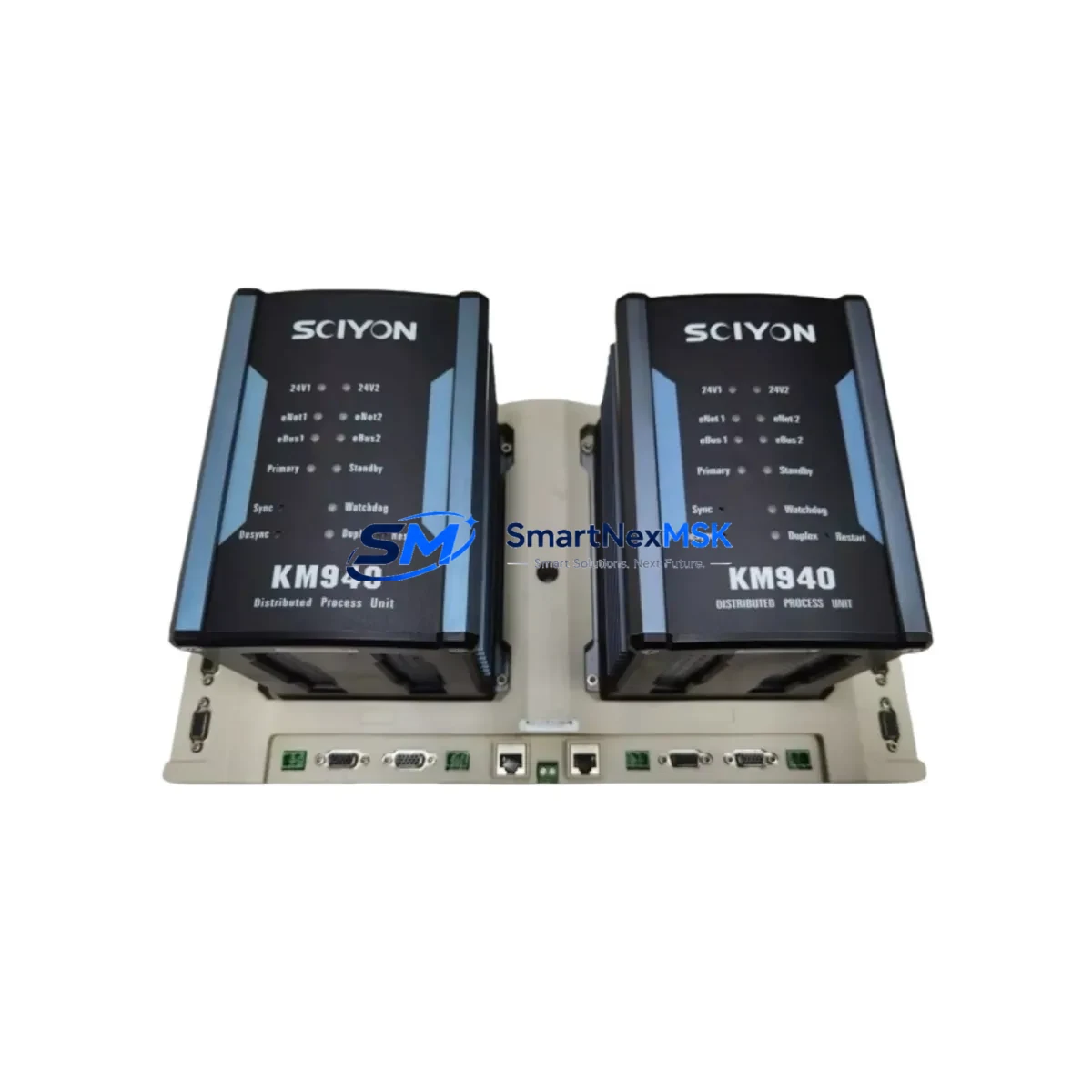
Kane KM940-A Maintenance-Ready Spare for KM900 Automation
The Kane KM940-A is an original analog input module engineered for the KM900 Series programmable logic controller platform. In industrial environments where process continuity is non-negotiable, maintaining a verified spare of the KM940-A in your parts inventory is a fundamental risk-control measure. Unplanned downtime caused by a failed analog input channel can cascade across an entire production line — halting temperature regulation, flow measurement, pressure monitoring, and level detection simultaneously. With a genuine KM940-A on the shelf, maintenance engineers can execute a controlled swap in minutes rather than waiting days for emergency procurement.
This module is sourced as an original Kane component, not a third-party substitute. Each unit undergoes functional testing prior to shipment, covering channel accuracy, signal range integrity, and communication handshake with the KM900 CPU rack. A 12-month warranty is included from the date of delivery, providing procurement engineers with the assurance needed to justify stocking this part in a long-term spare parts program.
The KM940-A is designed for seamless integration into existing KM900 backplane assemblies without firmware reconfiguration in most standard deployments. Its compatibility with the KM900 rack architecture means replacement does not require re-engineering the I/O map or modifying the PLC program — a critical advantage during emergency shutdowns where every minute of downtime carries measurable cost.
Spare Maintenance Table
| Parameter | Specification / Detail |
|---|---|
| Part Number / SKU | KM940-A |
| Brand | Kane |
| Series | KM900 |
| Module Type | PLC Analog Input Module |
| Signal Input Range | 4–20 mA / 0–10 V (configurable per channel) |
| Number of Channels | 8 channels (typical for KM940 series) |
| Resolution | 12-bit / 16-bit (channel-dependent) |
| Backplane Compatibility | KM900 Series rack / backplane |
| Operating Temperature | 0°C to +55°C (industrial grade) |
| Mounting | DIN rail / rack-mount via KM900 backplane slot |
| Origin | China (CN) |
| Condition | Original, new / tested surplus |
| Pre-shipment Testing | Functional channel test, signal integrity verification |
| Warranty | 12 months from date of delivery |
| Application Environment | Process automation, discrete manufacturing, utilities, HVAC control |
| Maintenance Recommendation | Inspect wiring terminals annually; verify channel calibration during planned shutdowns |
Maintenance Planning for Continuous Operation
When a KM940-A analog input module is flagged for replacement during a scheduled inspection or emergency fault isolation, experienced maintenance engineers know that the module itself is rarely the only component requiring attention. A thorough control cabinet audit at the time of replacement significantly reduces the risk of repeat failures and unplanned outages.
Begin by inspecting the KM900 Series power supply module — an aging or undersized power supply is a common root cause of intermittent analog signal errors that are misdiagnosed as module faults. Verify output voltage stability under load before reinstalling the new KM940-A. Next, check the KM900 CPU module firmware version to confirm compatibility with the replacement analog input module, particularly if the spare has been in storage for an extended period.
Terminal blocks and field wiring connected to the KM940-A’s analog input channels should be inspected for corrosion, loose crimps, and insulation degradation. In high-vibration environments, Phoenix Contact or equivalent screw-clamp terminal strips should be re-torqued to manufacturer specification. Signal cables carrying 4–20 mA loops are especially susceptible to ground loops — verify that signal isolators are functioning correctly on any channel connected to field transmitters with separate power supplies.
If the control cabinet includes a KM900 digital output module or KM900 digital input module in adjacent rack slots, inspect their status LEDs and connector seating during the same maintenance window. Backplane connector wear is cumulative, and a module swap is the ideal time to reseat neighboring modules. For systems using KM900 communication modules (Profibus, Modbus RTU, or Ethernet/IP variants), confirm that the network topology remains intact after the swap and that the CPU re-establishes communication with all remote I/O nodes.
Fuse holders and miniature circuit breakers protecting the analog input field loop circuits should be tested for continuity and rated interrupting capacity. Aging glass-tube or ceramic fuses in 24 VDC field circuits are a frequent source of nuisance trips that mimic analog module failures. Where the system includes a KM900 HMI panel or operator interface, verify that analog trend displays resume correctly after the module replacement and that alarm setpoints have not been reset by the CPU restart cycle.
For facilities managing legacy KM900 installations beyond their original design life, maintaining a structured spare parts kit — including the KM940-A analog input module, a backup CPU module, at least one power supply module, and a set of pre-terminated field wiring harnesses — is the most cost-effective strategy for extending system life without a full DCS migration.
Site Replacement Workflow
Step 1 — Fault Confirmation: Before pulling the KM940-A, use the KM900 CPU diagnostic interface or HMI to confirm which specific analog input channels are reporting faults. Document channel numbers, engineering unit values, and fault codes. This baseline is essential for post-replacement verification.
Step 2 — Safe Isolation: De-energize the field loop circuits connected to the affected module using the dedicated MCBs or fused disconnects in the cabinet. Do not rely solely on the PLC program to disable outputs — physically isolate field power before removing the module from the backplane.
Step 3 — Module Removal: Release the KM940-A from the KM900 backplane by unlocking the module latch and sliding it clear of the connector. Inspect the backplane connector pins for damage or contamination before inserting the replacement unit.
Step 4 — Replacement Installation: Insert the new KM940-A into the same rack slot. The module address is determined by slot position in the KM900 architecture — no DIP switch or rotary address setting is required in most configurations. Confirm the module status LED sequence matches the expected initialization pattern described in the KM900 hardware manual.
Step 5 — Verification: Re-energize field loop circuits and monitor each analog input channel from the HMI or engineering workstation. Compare live readings against known-good reference values or field transmitter local indicators. Document the post-replacement channel values and file the maintenance record.
This workflow is applicable whether the KM940-A is replacing a failed module in an emergency shutdown scenario or being installed as a proactive swap during a planned maintenance window. The identical procedure minimizes the risk of procedural errors under time pressure.
Spare Parts Support FAQ
Q1: Is the KM940-A supplied as a genuine original Kane component, or is it a compatible third-party replacement?
All KM940-A units supplied are original Kane components, not third-party substitutes or rebranded equivalents. Each unit is individually tested for channel functionality and signal integrity before shipment. A certificate of testing is available upon request for quality-controlled procurement programs.
Q2: What is the recommended inventory strategy for the KM940-A in a KM900-based control system?
For facilities operating multiple KM900 racks, the standard recommendation is to maintain a minimum of one KM940-A spare per four installed modules, with a floor of one spare regardless of installation count. For critical process lines where analog input failure triggers a full plant shutdown, a dedicated hot-spare kept in the control room is justified. Shelf life for properly stored electronic modules is typically 5–7 years when kept in anti-static packaging at controlled temperature and humidity.
Q3: How is compatibility with my specific KM900 system version confirmed before shipment?
Compatibility is verified based on the KM900 series backplane revision and CPU firmware version provided at the time of order. If you supply your CPU module part number and firmware revision, our technical team will cross-reference against the Kane compatibility matrix before the order is confirmed. For legacy installations, we also accept the existing module’s serial number or date code to match production batch compatibility.
Q4: What does the 12-month warranty cover, and what is the return process if a fault is detected after installation?
The 12-month warranty covers manufacturing defects and functional failures under normal operating conditions as specified in the KM900 hardware documentation. It does not cover damage caused by incorrect installation, overvoltage events, or environmental conditions outside the rated operating range. If a fault is detected post-installation, contact our technical support team with the fault description and installation date. Units confirmed defective under warranty are replaced at no charge, with priority shipment to minimize your downtime exposure.
© 2026 SMARTNEXMSK. All rights reserved.
Original Source: https://smartnexmsk.com
Contact: [email protected] | +86 18259474341