
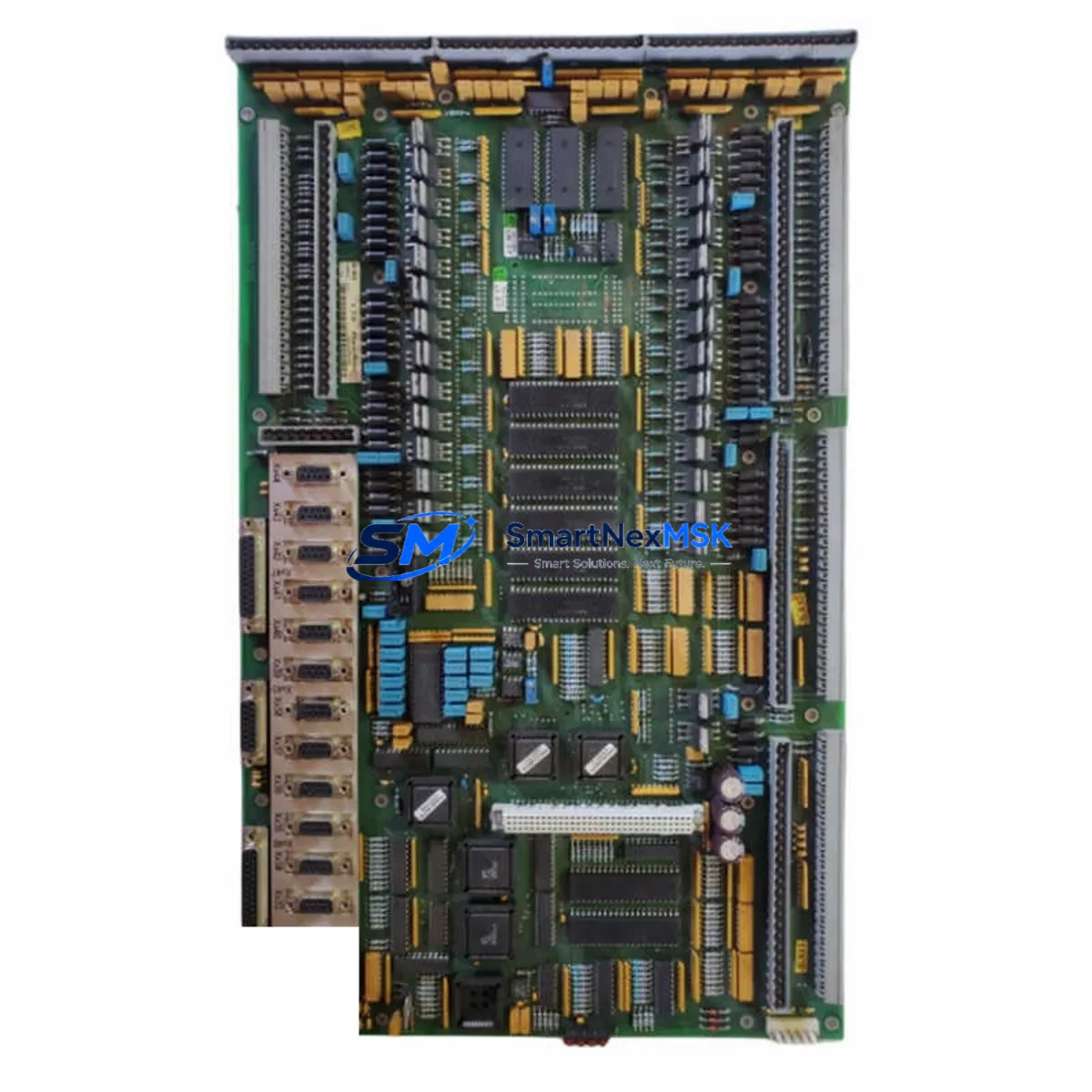
Krauss IO502 Retrofit-Ready I/O Module for IO Series Control Systems
The Krauss IO502 is a retrofit-ready digital I/O module engineered for seamless integration into IO Series distributed control architectures. As legacy automation systems reach end-of-life and original spare parts become increasingly difficult to source, the IO502 provides a verified, drop-in compatible replacement that preserves existing wiring layouts, backplane addressing, and program logic — minimizing engineering rework and unplanned downtime during system modernization projects.
Whether you are replacing a failed module in a running production line, upgrading a control cabinet to extend its operational lifespan, or migrating from a discontinued platform to a current-generation IO Series rack, the IO502 is designed to meet the demands of industrial environments where reliability and compatibility are non-negotiable.
Upgrade Compatibility Table
| Parameter | Details |
|---|---|
| Compatible Series | Krauss IO Series distributed I/O platforms |
| Installation Type | DIN rail / backplane slot mount — no mechanical modification required |
| Communication Compatibility | Compatible with PROFIBUS-DP, PROFINET, and Modbus RTU protocol stacks used in IO Series racks |
| Terminal Wiring | Retains original field terminal block layout; no rewiring required for direct replacement |
| Replacement Recommendation | Direct substitute for discontinued IO Series I/O modules; verify slot address assignment before installation |
| Commissioning Notes | Confirm module address via DIP switch or software configuration tool; validate I/O mapping in PLC program before restart |
| Warranty | 12-Month Warranty — covers manufacturing defects and functional failures under normal operating conditions |
Retrofit Planning for Existing Automation Systems
Successful retrofit projects begin well before the replacement module arrives on-site. When integrating the Krauss IO502 into an existing control system, engineers should conduct a full audit of the control cabinet to document the current rack configuration, including the backplane type, power supply capacity, and the number of occupied I/O slots. The IO502 draws its operating power from the rack backplane; confirm that the installed Krauss PS24 power supply module or equivalent unit can support the additional load without exceeding rated output current.
Terminal block wiring should be photographed and labeled before any module is removed. The IO502 uses the same 20-pin field terminal connector standard as earlier IO Series modules, which means existing cable harnesses can typically be transferred without modification. However, if the original installation used a Krauss TB20 terminal block adapter, verify that the adapter revision is compatible with the IO502’s connector pitch before reconnecting field wiring.
For systems communicating over PROFIBUS-DP, the IO502 must be assigned a unique station address that matches the GSD file entry in the master PLC configuration — typically managed through a Krauss PG programming cable connected to the rack’s service port or via the engineering workstation running the project. If the control system uses a Krauss CP340 or CP341 communications processor for serial Modbus links, confirm that the IO502’s I/O data block addresses do not conflict with existing Modbus register maps before going live.
In PROFINET environments, the IO502 is discovered and parameterized through the network’s PROFINET controller. Ensure the Krauss IM151 interface module or equivalent head-end module on the ET 200 style rack is running firmware that supports the IO502’s GSDML device description. Update the interface module firmware if necessary before adding the IO502 to the PROFINET device table.
HMI screens linked to the replaced I/O module’s data tags should be reviewed after the swap. If the original module used symbolic addressing, the IO502 will inherit the same tag structure automatically. For absolute-addressed systems, update the HMI project’s I/O variable table to reflect any address offset changes introduced during the retrofit. A Krauss TP700 or TP900 HMI panel connected to the same control network can be used to verify live process values immediately after commissioning.
Where the retrofit involves expanding I/O capacity rather than a like-for-like replacement, consider adding a Krauss IM153 expansion interface module to extend the rack with additional IO502 modules. This approach avoids changes to the main CPU rack and keeps the expansion logically isolated, simplifying future maintenance. Document all new slot assignments, module addresses, and wiring changes in the as-built drawings before returning the system to production.
Downtime Control During System Migration
Minimizing production interruption during a module swap requires a structured pre-outage preparation process. Before the planned maintenance window, export a full backup of the PLC program from the Krauss S7-300 or S7-400 compatible CPU (or the equivalent IO Series controller) using the project engineering software. Store the backup on an isolated engineering laptop and verify the backup file integrity by performing a test restore to an offline CPU if one is available.
During the outage, follow a strict sequence: isolate field power to the affected I/O circuit, remove the failed or legacy module, insert the IO502 into the same backplane slot, reconnect the terminal block, and restore field power before restarting the CPU. This sequence protects field devices from transient signals during the swap and prevents the CPU from generating spurious output commands while the module is unseated.
After the IO502 is installed and the CPU is restarted, perform a forced I/O test on each channel before releasing the system to automatic control. Use the PLC’s diagnostic buffer to confirm that the IO502 is recognized without hardware faults. If the system uses a Krauss ET 200M or ET 200S distributed I/O rack, the rack’s status LEDs will indicate module readiness before the CPU transitions to RUN mode. Total swap time for a prepared team is typically under 30 minutes, keeping unplanned downtime within acceptable limits for most continuous process applications.
For critical processes where even brief interruptions are unacceptable, consider a parallel commissioning approach: install and configure the IO502 in a test rack, validate all I/O channels against the live system’s signal list, and perform the final swap during a scheduled low-production window. This approach eliminates commissioning uncertainty during the live cutover and is strongly recommended for first-time IO502 deployments in unfamiliar rack configurations.
Retrofit Support FAQ
Q1: Is the Krauss IO502 a direct replacement for discontinued IO Series I/O modules?
Yes. The IO502 is designed as a form-fit-function replacement for IO Series digital I/O modules that have reached end-of-life or are no longer available through standard distribution channels. The backplane connector, slot dimensions, and terminal block interface are compatible with existing IO Series rack hardware. Verify the module address configuration matches the original before powering up.
Q2: What wiring changes are required when installing the IO502?
In most direct-replacement scenarios, no wiring changes are required. The IO502 uses the same terminal block connector standard as earlier IO Series modules. If the existing installation uses a non-standard wiring adapter or a custom terminal block, confirm physical compatibility before installation. Always photograph and label existing wiring before removing the original module.
Q3: How is the IO502 commissioned after installation?
After physical installation, assign the module address using the DIP switch bank on the module face or through the engineering software connected via a programming cable. Download the updated hardware configuration to the CPU, perform a forced I/O test on all channels, and verify that the PLC diagnostic buffer shows no hardware faults. For PROFINET systems, update the GSDML device table in the engineering project before going online.
Q4: What does the 12-month warranty cover?
The 12-month warranty covers manufacturing defects and functional failures under normal industrial operating conditions from the date of shipment. Modules that fail due to incorrect installation, overvoltage, reverse polarity, or physical damage are not covered. All units are function-tested prior to shipment. Contact [email protected] to initiate a warranty claim or request a pre-shipment test report.
© 2026 SMARTNEXMSK. All rights reserved.
Original Source: https://smartnexmsk.com
Contact: [email protected] | +86 18259474341