
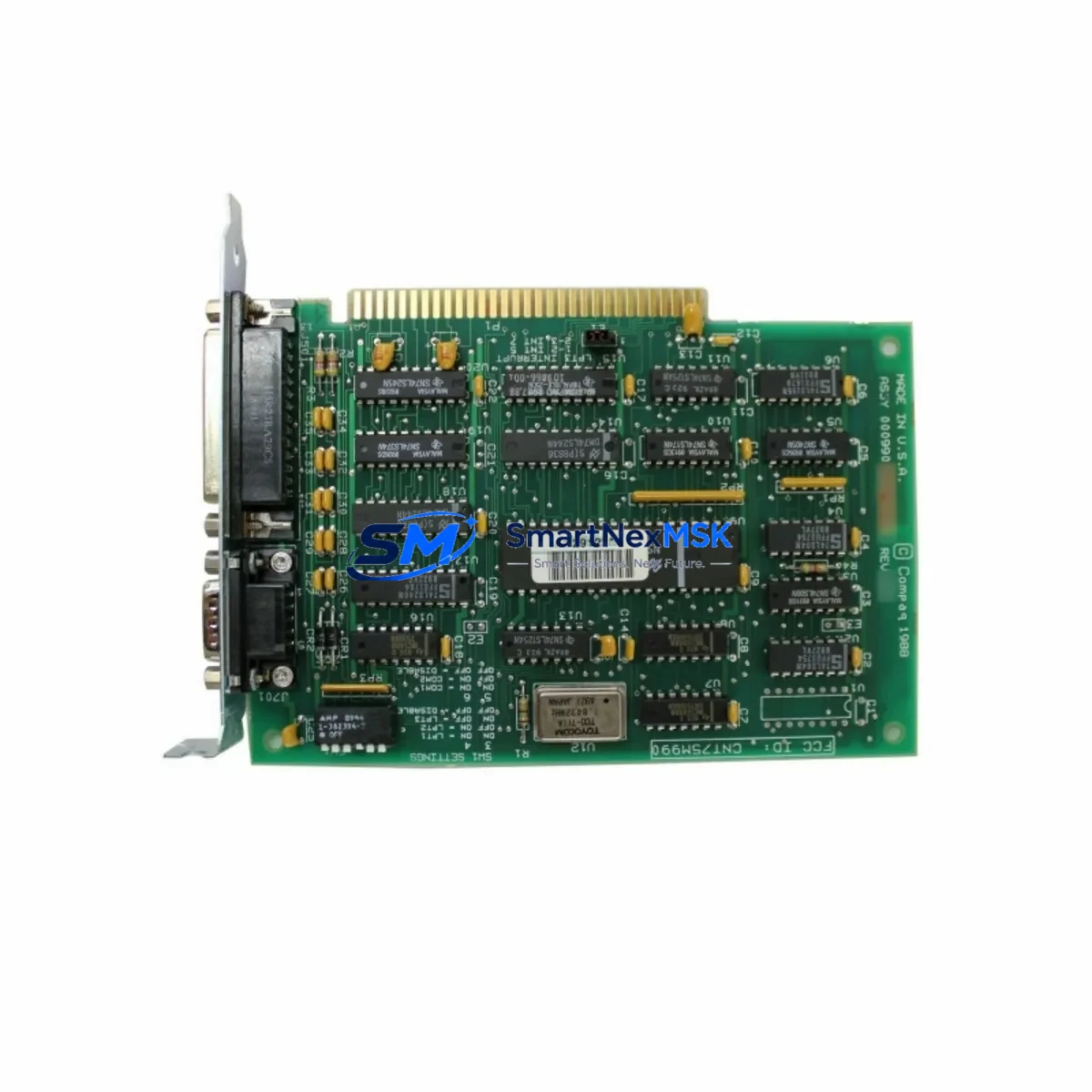
MKS AS00800-10 Retrofit-Ready CPCI Communication Board for SCOM Control Systems
The MKS AS00800-10 (also identified as SCOM-0800, part references 0190-41127 and 0021-39792) is a high-reliability CPCI communication board engineered for seamless integration into legacy and current-generation SCOM control platforms. As a verified drop-in replacement for the 6SL3130-6AE15-0AB0 — a widely deployed but now discontinued communication module — the AS00800-10 is the preferred solution for engineers managing aging automation infrastructure, mid-life control cabinet upgrades, and production-line continuity projects.
Whether you are restoring a failed communication link in a running plant, modernizing a CPCI backplane assembly, or executing a phased migration from an end-of-life control architecture, the AS00800-10 delivers the electrical compatibility, protocol support, and mechanical form factor required to minimize engineering rework and reduce unplanned downtime.
Upgrade Compatibility Table
| Parameter | Detail |
|---|---|
| SKU / Part Number | AS00800-10 | SCOM-0800 | 0190-41127 | 0021-39792 |
| Direct Replacement For | 6SL3130-6AE15-0AB0 (discontinued) |
| Form Factor | CPCI (CompactPCI) — standard 3U/6U compatible |
| Backplane Interface | CPCI J1/J2 connector — verify slot pitch before installation |
| Communication Protocol | SCOM proprietary serial; confirm baud rate and parity with existing HMI configuration |
| Power Supply Requirement | +5 VDC via backplane; verify PSU capacity before hot-swap or cold-swap installation |
| Module Address Setting | DIP switch or firmware-configurable; match original module address to avoid bus conflict |
| Program Compatibility | Fully compatible with existing ladder logic and function block programs — no recompilation required in standard retrofit scenarios |
| HMI Screen Compatibility | Retains original tag mapping; verify communication driver version on HMI panel |
| Installation Type | Cold-swap recommended; hot-swap permissible on supported backplane configurations |
| Commissioning Requirement | Module address verification, communication link test, I/O scan confirmation |
| Origin | China (CN) |
| Warranty | 12 Months — covers manufacturing defects and functional failure under normal operating conditions |
Retrofit Planning for Existing Automation Systems
Successful integration of the AS00800-10 into an existing control system begins well before the module arrives on site. Engineers should start by auditing the current CPCI rack configuration — identifying the backplane model, occupied slot positions, and the power budget available from the installed power supply module. In many legacy SCOM installations, the rack power supply is already operating near capacity, particularly in cabinets that have been expanded over time with additional I/O modules or communication adapters. Confirming that the replacement board’s +5 VDC draw is within the headroom of the existing PSU is a non-negotiable pre-installation step.
Terminal wiring on the AS00800-10 follows the same pinout convention as the 6SL3130-6AE15-0AB0, but field engineers should always cross-reference the as-built wiring diagram for the specific cabinet. In older installations, field modifications may have been made that deviate from the original schematic. Photograph and document all terminal connections before removal of the legacy board.
The CPCI backplane itself — whether a 4-slot, 8-slot, or 16-slot chassis — must be inspected for connector wear, particularly on the J1 and J2 edge connectors. Corroded or bent pins on the backplane are a common cause of intermittent communication faults after a board swap and should be addressed before the new module is seated. In systems where the backplane is shared with a CPU module, a digital I/O module, and an analog input module, the communication bus arbitration must be verified post-installation to ensure no address conflicts exist.
For sites running mixed-generation equipment — for example, a SCOM controller communicating upstream to a SCADA system via a serial-to-Ethernet gateway, and downstream to field devices through a dedicated I/O expansion module — the AS00800-10 must be validated at each communication boundary. This includes confirming that the baud rate, data bits, stop bits, and parity settings on the replacement board match those configured in the HMI panel and in the SCADA driver. In installations where the HMI is a legacy touch panel running an older communication driver, a driver update may be required to recognize the new board’s firmware revision.
Where the control system includes a programming cable connection for online monitoring or program upload — such as a USB-to-serial adapter or a dedicated programming interface module — engineers should verify that the programming software version supports the AS00800-10 firmware. This is particularly relevant in systems where the original board was installed more than five years ago and the programming environment has since been updated. A backup of the existing program should always be taken before any hardware change, stored both locally and on a remote server.
In multi-rack configurations where the AS00800-10 serves as the inter-rack communication bridge between a primary controller rack and a remote I/O rack, the fiber optic or copper communication cable connecting the racks should be tested for signal integrity before the new board is commissioned. Degraded cabling is frequently overlooked during board-level replacements and can produce symptoms that are incorrectly attributed to the replacement module.
Downtime Control During System Migration
Minimizing production downtime during a CPCI communication board replacement requires a structured approach that protects the existing program logic, preserves field device states, and maintains control continuity throughout the swap window.
The recommended procedure begins with a full program backup from the controller, including all data blocks, retentive memory values, and communication configuration parameters. This backup should be verified by performing a compare function in the programming software before the maintenance window begins — not during it. In systems where the controller supports online program storage, the backup should also be saved to the controller’s internal memory card or SD slot if available.
Prior to powering down the rack, the field team should place all output modules in a safe state — either by commanding outputs to their fail-safe positions through the HMI or by physically switching the output module to local/manual mode if the hardware supports it. This prevents uncontrolled actuator movement during the board swap interval. Analog output modules and digital output modules connected to critical process equipment — such as variable frequency drives, solenoid valve banks, or motor starters — require particular attention.
Once the AS00800-10 is seated and the rack is powered, the communication link should be verified in sequence: first the physical layer (LED indicators on the board and on the connected device), then the data link layer (communication driver status in the HMI or SCADA), and finally the application layer (tag values updating correctly in the HMI screen). Only after all three layers are confirmed should the outputs be returned to automatic control mode.
For sites where a planned maintenance window is not feasible, the AS00800-10 supports cold-swap replacement in most CPCI backplane configurations, allowing the board to be changed during a brief, controlled stop without requiring a full system shutdown. This approach is particularly effective in redundant controller architectures where a standby controller can assume control while the primary rack is serviced.
All replacement units supplied by SMARTNEXMSK undergo functional testing prior to shipment, including communication loop-back testing and power-on self-test verification, reducing the risk of commissioning delays caused by a defective replacement unit.
Retrofit Support FAQ
Q1: Is the AS00800-10 a direct plug-in replacement for the 6SL3130-6AE15-0AB0 without any program changes?
In the majority of standard SCOM CPCI installations, yes — the AS00800-10 is electrically and mechanically compatible with the 6SL3130-6AE15-0AB0 and does not require program recompilation. However, engineers should verify the module address DIP switch settings and confirm that the firmware revision is recognized by the installed programming software version before declaring the replacement complete.
Q2: What wiring checks are required before installing the AS00800-10?
Cross-reference the as-built cabinet wiring diagram against the actual terminal connections on the legacy board before removal. Verify that the CPCI backplane J1/J2 connector pins are clean and undamaged. Confirm that the power supply module has sufficient +5 VDC capacity to support the replacement board under full load conditions.
Q3: How is communication compatibility with the existing HMI and SCADA system verified?
After installation, confirm that the baud rate, parity, data bits, and stop bits configured on the AS00800-10 match the settings in the HMI communication driver and the SCADA server. Check that tag values are updating at the expected scan rate and that no communication error flags are active in the controller diagnostic buffer. If the HMI panel is running an older driver version, a driver update may be required.
Q4: What does the 12-month warranty cover, and what is the process for a warranty claim?
The 12-month warranty covers manufacturing defects and functional failure under normal operating conditions from the date of shipment. It does not cover damage resulting from incorrect installation, overvoltage, or physical impact. To initiate a warranty claim, contact SMARTNEXMSK with the order reference, a description of the fault, and photographic evidence of the installation. Replacement or repair will be arranged within the warranty period at no additional cost.
© 2026 SMARTNEXMSK. All rights reserved.
Original Source: https://smartnexmsk.com
Contact: [email protected] | +86 18259474341