
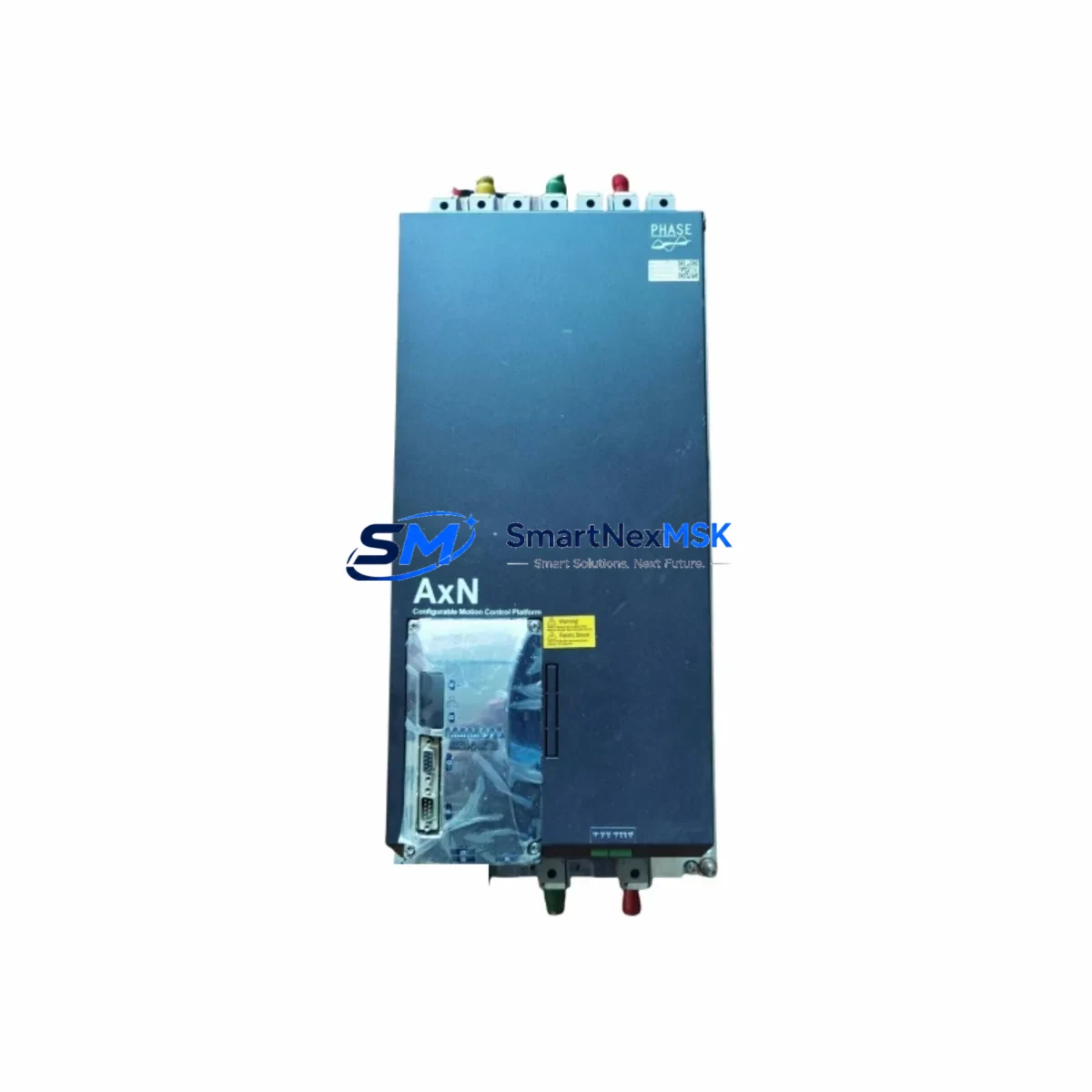
PHASE AxN110.200.4C000F00000 Maintenance-Ready Spare for AxN Automation
When a servo motion controller fails on the production floor, every minute of unplanned downtime translates directly into lost output and escalating recovery costs. The PHASE AxN110.200.4C000F00000 is a multi-axis servo motion controller from the AxN Series — a platform widely deployed in precision motion, CNC, robotics, and coordinated-axis automation systems across European and Asian industrial facilities. Sourced as an original spare, this unit is pre-tested, inspection-verified, and ready for immediate site installation to restore system operation with minimal disruption.
Maintenance engineers and procurement teams managing aging AxN-based control architectures rely on verified spare availability to execute planned shutdowns on schedule and respond to emergency failures without extended lead times. This listing provides a direct replacement path for the AxN110.200.4C000F00000, backed by a 12-month warranty and full pre-shipment functional testing.
Spare Maintenance Table
| SKU / Part Number | AxN110.200.4C000F00000 |
| Brand | PHASE (Italy) |
| Series | AxN — Multi-Axis Servo Motion Controller Series |
| Product Type | Servo Motion Controller |
| Axis Count (Inferred) | Multi-axis coordinated motion (AxN110 platform) |
| Communication Interface | Fieldbus-compatible (EtherCAT / CANopen per AxN platform standard) |
| Power Supply Requirement | 24 VDC logic supply; servo bus voltage per drive configuration |
| Mounting | DIN rail / panel mount, standard AxN Series form factor |
| Operating Temperature | 0°C to +55°C (standard industrial enclosure) |
| Origin | Italy (Original PHASE manufacture) |
| Compatibility | Direct replacement for AxN110.200.4C000F00000 in existing AxN Series installations |
| Condition | Original spare — pre-shipment functional test completed |
| Warranty | 12 Months from date of shipment |
| Shipping | ESD-safe packaging; express international available |
| Application | CNC, robotics, coordinated servo axes, precision motion automation |
Maintenance Planning for Continuous Operation
Replacing the AxN110.200.4C000F00000 in a live production environment requires a structured approach that goes beyond swapping the controller itself. Experienced maintenance engineers treat a servo motion controller replacement as a trigger for a broader control-cabinet inspection to prevent secondary failures and ensure the restored system operates reliably through the next planned maintenance window.
Before commissioning the replacement unit, verify the integrity of the 24 VDC logic power supply module feeding the AxN rack — a degraded PSU is a common root cause of controller faults that goes undetected until the new spare exhibits the same symptoms. Inspect the servo drive units paired to each axis on the AxN110 platform; drive firmware versions must be compatible with the replacement controller’s firmware revision to avoid axis initialization errors. Check all feedback encoder cables and connectors for insulation damage, connector corrosion, or intermittent continuity — encoder signal integrity is critical for closed-loop position control and a frequent source of nuisance faults after controller replacement.
Review the EtherCAT or CANopen communication cabling between the motion controller and upstream PLC or CNC host. Damaged shielding or incorrect termination resistors on the fieldbus segment can cause sporadic communication timeouts that are difficult to diagnose after the fact. Inspect I/O terminal blocks and wiring harnesses connected to the AxN I/O expansion modules — loose terminations on digital input/output circuits are a leading cause of post-replacement commissioning delays. If the system includes signal isolators on analog command or feedback channels, verify isolation resistance and output accuracy before enabling servo loops.
For cabinets with safety relay modules or STO (Safe Torque Off) circuits wired to the AxN drives, confirm that the safety circuit wiring and relay contacts are intact and that the STO function tests correctly after controller swap. Check fuse ratings and fuse condition on the servo bus and logic supply branches — a blown fuse on the logic rail is sometimes the actual fault, not the controller. If the installation includes an HMI panel communicating with the AxN controller over serial or Ethernet, verify the HMI project version matches the controller configuration to avoid parameter mismatch alarms on startup. Finally, inspect the backplane connectors of the AxN rack for oxidation or mechanical damage before seating the replacement module, as poor backplane contact is a known failure mode in high-vibration environments.
Stocking one spare AxN110.200.4C000F00000 per production line — alongside matched spare drive units and a set of pre-terminated encoder cables — reduces mean time to repair (MTTR) from hours to under 30 minutes for most field teams.
Site Replacement Workflow
Step 1 — Pre-Replacement Backup: Export the current motion controller configuration, axis parameters, cam profiles, and PLC program from the existing AxN110.200.4C000F00000 using the PHASE commissioning software. Store the backup on a local engineering laptop and a network share before powering down.
Step 2 — Safe Isolation: Follow LOTO (Lockout/Tagout) procedures. Isolate servo bus power and logic supply. Confirm STO is active on all drive axes before opening the cabinet.
Step 3 — Module Removal: Disconnect all fieldbus, I/O, and power connectors from the existing controller. Note connector positions with labels or photographs. Remove the module from the DIN rail or backplane.
Step 4 — Inspection Window: Use the open cabinet time to inspect power supply output voltage, encoder cable condition, terminal block torque, fuse continuity, and communication cable shielding as described above.
Step 5 — Installation: Seat the replacement AxN110.200.4C000F00000 and reconnect all connectors in documented order. Verify backplane seating is firm and locking tabs are engaged.
Step 6 — Configuration Restore: Load the backed-up configuration via PHASE commissioning software. Verify firmware compatibility and update if required before parameter restore.
Step 7 — Functional Test: Power up in manual/jog mode. Verify all axes initialize, encoder feedback is valid, and fieldbus communication is established. Run a slow-speed test cycle before returning to automatic production mode.
This workflow is compatible with direct replacement of legacy AxN110 variants and supports system life extension without requiring hardware redesign or PLC reprogramming.
Spare Parts Support FAQ
Q1: Is the AxN110.200.4C000F00000 a direct drop-in replacement for my existing unit?
Yes. This spare is sourced as an original PHASE component matching the AxN110.200.4C000F00000 part number. It is a direct mechanical and electrical replacement for the same SKU in existing AxN Series installations. Configuration restore via PHASE software is required after installation, as with any controller replacement.
Q2: What pre-shipment testing is performed?
Each unit undergoes functional power-on verification and communication interface testing prior to shipment. Units are packed in ESD-safe anti-static bags with foam cushioning to prevent transit damage. A test report is available on request.
Q3: How should I manage long-term spare inventory for AxN Series systems?
For production lines with more than two AxN-controlled axes, we recommend maintaining at least one AxN110.200.4C000F00000 on-site as a hot spare. Given the extended lead times for new manufacture of legacy motion controllers, sourcing a spare before a failure occurs is significantly more cost-effective than emergency procurement during an unplanned outage.
Q4: What is covered under the 12-month warranty?
The 12-month warranty covers manufacturing defects and functional failures under normal operating conditions from the date of shipment. It does not cover damage resulting from incorrect installation, overvoltage events, or physical mishandling. Our technical team provides pre-installation support to help ensure correct commissioning and avoid warranty-voiding installation errors.
© 2026 SMARTNEXMSK. All rights reserved.
Original Source: https://smartnexmsk.com
Contact: [email protected] | +86 18259474341