
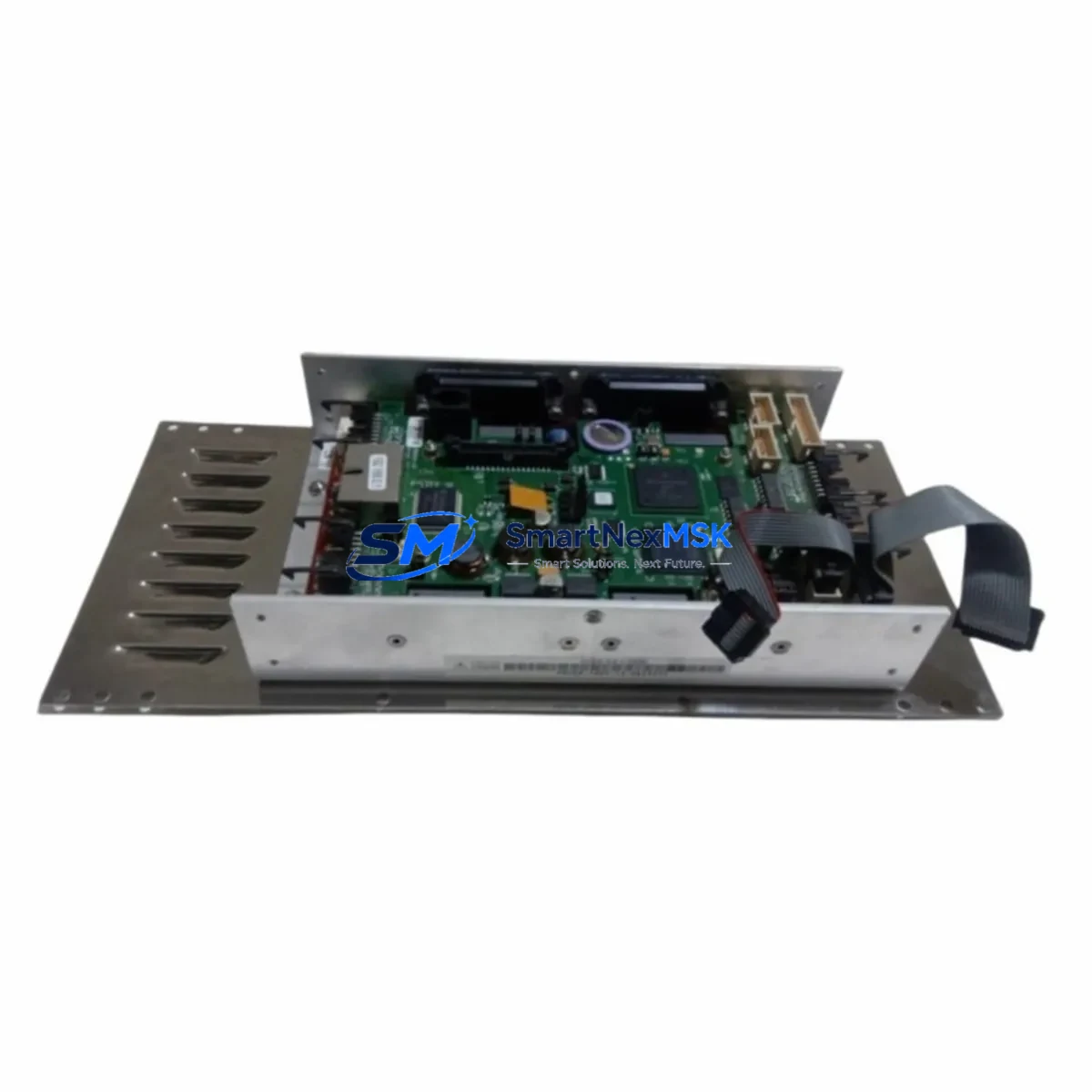
Precise Automation G2XE-EA-C2420 Spare G2 Automation: Spare Replacement & Industrial Downtime Risk Control
The Precise Automation G2XE-EA-C2420 is a core guidance controller module within the G2 Series robot platform, widely deployed in precision assembly, semiconductor handling, laboratory automation, and light industrial pick-and-place applications. When this controller fails or degrades, the entire robotic cell is at risk of unplanned downtime — a scenario that maintenance engineers and procurement teams must plan against proactively.
At SMARTNEXMSK, we stock the G2XE-EA-C2420 as a verified original spare, tested prior to shipment and backed by a 12-month warranty. Our supply chain is structured for rapid dispatch, supporting both emergency replacement and planned maintenance cycles. Whether you are managing a single-cell robot installation or a multi-axis automation line, having this controller in your spare parts inventory is a critical risk mitigation measure.
Spare Maintenance Table
| Parameter | Specification / Detail |
|---|---|
| Part Number / SKU | G2XE-EA-C2420 |
| Brand | Precise Automation |
| Series | G2 Series Robot Platform |
| Module Type | Robot Guidance / Motion Controller |
| Compatibility | G2 Series 4-axis SCARA robots; G2XE platform variants |
| Application Environment | Semiconductor, laboratory automation, precision assembly, light industrial |
| Installation | Controller cabinet / robot base integration; OEM-matched connector pinout |
| Origin | USA (Precise Automation) |
| Condition | Original spare — new or refurbished-to-spec, tested before shipment |
| Warranty | 12 Months from date of shipment |
| Lead Time | In-stock: ships within 1–3 business days |
| Maintenance Recommendation | Inspect every 12 months or after any motion fault event; replace proactively in aging G2 systems |
Maintenance Planning for Continuous Operation
When a G2XE-EA-C2420 controller is flagged for replacement during a scheduled inspection or after a fault event, experienced maintenance engineers know that the controller itself is rarely the only component requiring attention. A thorough site assessment should accompany any controller swap to prevent repeat failures and ensure full system restoration.
Begin by inspecting the 24VDC control power supply feeding the G2XE controller — voltage sag or ripple is a common root cause of controller instability and premature failure. Check the E-stop relay module and safety relay chain for contact wear, as these interact directly with the controller’s enable circuit. The teach pendant cable and connector (if applicable to your G2XE variant) should be tested for continuity and insulation integrity, since intermittent pendant faults can trigger false controller errors.
Review the I/O terminal block wiring at the robot base — loose or corroded terminals on digital input/output lines are a frequent source of nuisance faults that are misdiagnosed as controller failures. If your installation uses a DeviceNet or RS-232 communication interface for host PC integration, verify cable shielding and termination resistors before commissioning the replacement controller.
For systems with a Precise Automation PreciseFlex or G2 Series amplifier board, inspect the amplifier’s status LEDs and check for any stored fault codes before powering the new controller. The motor encoder feedback cables for each axis should be inspected for chafing or connector damage — encoder signal errors will immediately generate controller faults on the replacement unit if not addressed. Similarly, the brake release circuit for each axis should be verified functional before running any motion program.
If your facility uses a PLC (such as an Allen-Bradley CompactLogix or Siemens S7-300) to coordinate the robot cell, confirm that the handshake I/O signals between the PLC and the G2XE controller are correctly mapped and that no address conflicts exist after the controller swap. For cells with a vision system or barcode reader integrated via serial or Ethernet, re-validate the communication parameters after controller replacement, as some G2XE firmware versions require re-initialization of peripheral device settings.
Finally, update your spare parts inventory record to reflect the consumed G2XE-EA-C2420 unit and initiate a replenishment order. Best practice for high-availability automation lines is to maintain at least one G2XE-EA-C2420 controller in local stock at all times, given the lead times associated with OEM procurement channels.
Site Replacement Workflow
Step 1 — Isolation: De-energize the robot cell via the main disconnect. Lock out / tag out (LOTO) per site safety procedures. Confirm zero energy state on the 24VDC control bus and the AC servo power bus before opening the controller cabinet.
Step 2 — Documentation: Photograph all wiring connections to the existing G2XE-EA-C2420 before disconnection. Record any DIP switch or jumper settings visible on the controller board. Note the firmware version displayed on the teach pendant or host PC interface.
Step 3 — Removal: Disconnect all I/O, power, communication, and encoder connectors from the existing controller in the sequence specified in the G2 Series maintenance manual. Remove the controller from its mounting position, taking care to avoid ESD damage to the PCB.
Step 4 — Installation: Mount the replacement G2XE-EA-C2420 and reconnect all connectors per your documentation photographs. Verify DIP switch and jumper settings match the removed unit. Restore power and confirm the controller initializes without fault codes.
Step 5 — Commissioning: Run the robot through a low-speed manual jog cycle on all axes to confirm motion control is restored. Execute the site’s standard robot acceptance test cycle before returning the cell to production. Document the replacement in the maintenance log with date, part number, and technician name.
This workflow minimizes downtime, preserves system compatibility, and ensures the replacement controller is correctly configured for your specific G2XE installation — avoiding the secondary faults that often occur when replacement procedures are rushed.
Spare Parts Support FAQ
Q1: Is the G2XE-EA-C2420 a direct drop-in replacement for the original controller in my G2 Series robot?
Yes. The G2XE-EA-C2420 is designed as an OEM-matched spare for G2 Series SCARA robots. It uses the same connector pinout, mounting footprint, and firmware interface as the original unit. No hardware modifications are required for a standard replacement. Confirm your robot’s serial number and build date with our technical team if you are uncertain about variant compatibility.
Q2: What pre-shipment testing is performed on the G2XE-EA-C2420?
Each unit undergoes functional power-on testing and communication interface verification before dispatch. Units are inspected for physical damage, connector integrity, and correct firmware version. A test report is available upon request for quality-critical applications.
Q3: What is the warranty coverage and what does it include?
All G2XE-EA-C2420 units supplied by SMARTNEXMSK carry a 12-month warranty from the date of shipment. The warranty covers manufacturing defects and functional failures under normal operating conditions. It does not cover damage resulting from incorrect installation, overvoltage events, or physical mishandling. Warranty claims are processed with a replacement unit dispatched after fault confirmation.
Q4: Can you support long-term or recurring spare parts orders for our maintenance program?
Yes. SMARTNEXMSK supports blanket purchase orders and scheduled replenishment programs for maintenance teams managing multiple G2 Series robot installations. Contact our sales team to discuss volume pricing, reserved stock arrangements, and lead time commitments tailored to your planned maintenance schedule.
© 2026 SMARTNEXMSK. All rights reserved.
Original Source: https://smartnexmsk.com
Contact: [email protected] | +86 18259474341