
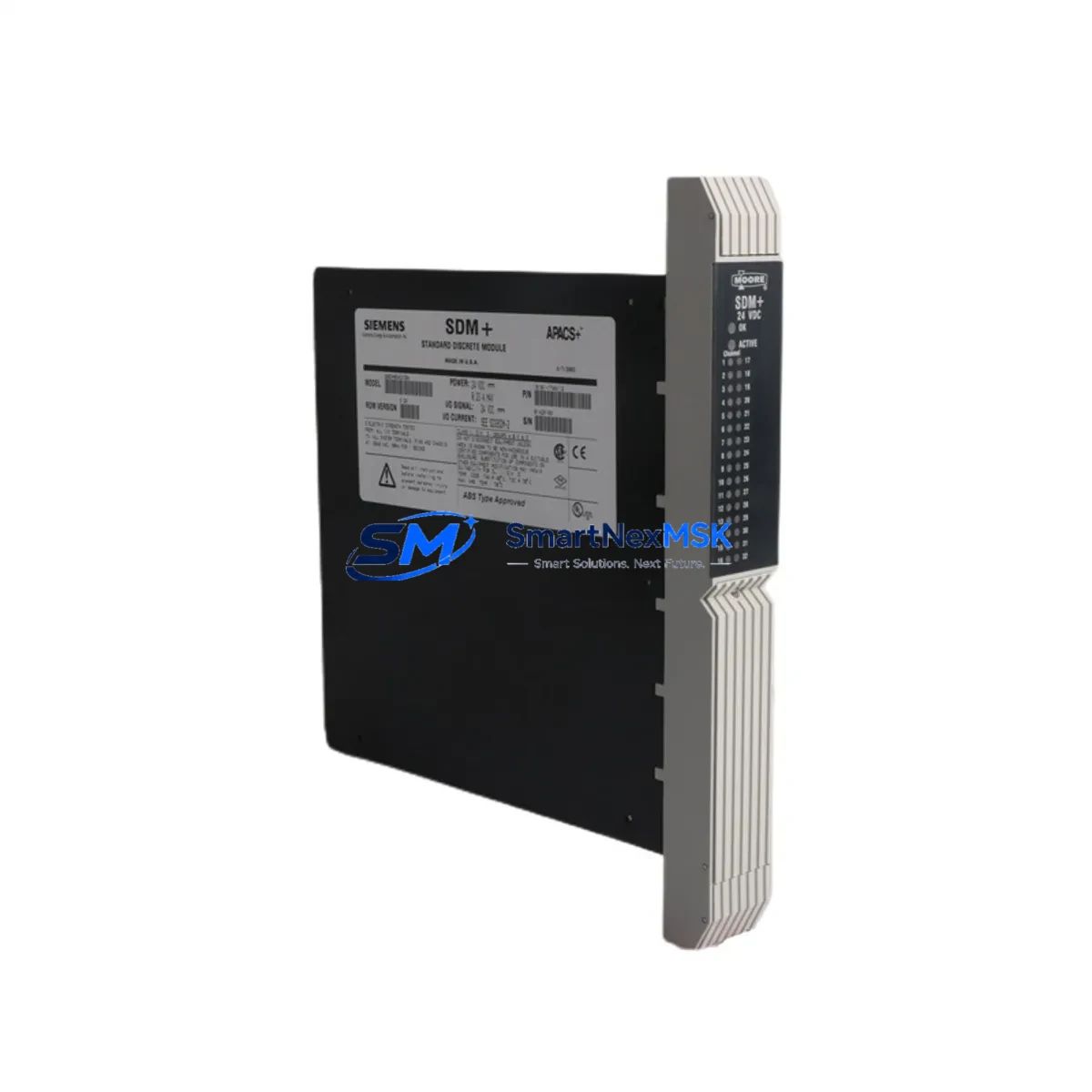
SIEMENS 39SDM024DCCBN Retrofit-Ready I/O for TELEPERM Control Systems: Seamless Compatibility and Legacy System Upgrade
The SIEMENS 39SDM024DCCBN (Part No. 16101-174/12) is a discrete I/O module engineered for the TELEPERM DCS platform — one of Siemens’ most widely deployed distributed control system families in process industries including chemical, petrochemical, power generation, and water treatment. As original TELEPERM hardware reaches end-of-life and spare parts become increasingly scarce, the 39SDM024DCCBN represents a critical retrofit-ready solution for engineers tasked with maintaining control system continuity without committing to a full platform migration.
This module provides 24 discrete I/O channels with direct compatibility with the TELEPERM M and TELEPERM ME backplane architectures. It is designed to slot into existing rack assemblies without mechanical modification, preserving the original wiring harness, terminal block layout, and field device connections. For facilities operating aging TELEPERM control cabinets, this means zero structural changes to the control panel — a significant advantage when downtime windows are measured in hours, not days.
When planning a retrofit around the 39SDM024DCCBN, engineers must verify several key parameters before installation. Power supply capacity is the first checkpoint: the module draws from the backplane bus, and the existing SIEMENS PS930 or PS931 power supply units must have sufficient headroom to support the replacement module alongside any co-installed analog input modules such as the 6DS1310 or 6DS1312. Overloading the power rail is a common cause of intermittent faults during post-retrofit commissioning.
Terminal wiring compatibility must be confirmed against the original I/O list. The 39SDM024DCCBN uses a standard 40-pin front connector, consistent with the TELEPERM M I/O module family. Field cables terminated on the original module’s front connector can typically be transferred directly, but engineers should verify signal polarity, common ground references, and any field-side fusing that may have been added during the original installation.
Backplane slot addressing is another critical factor. In TELEPERM systems, module addresses are determined by physical slot position within the rack — typically a 19-inch subrack such as the UR2 or UR5 chassis. The replacement module must occupy the same slot as the original to preserve the address mapping recognized by the central processing unit, whether that is a SIEMENS AS230, AS235, or AS488/TM controller. Changing the slot position without updating the configuration database will result in address conflicts and loss of I/O visibility in the operator station.
Program logic compatibility should be reviewed in the engineering workstation before the module is swapped. TELEPERM applications programmed in STEP 5 or the TELEPERM-specific function block language reference I/O channels by absolute address. Provided the slot address is preserved, no program changes are required. However, if the retrofit is part of a broader migration toward a SIMATIC S7-400 or PCS 7 platform, the I/O mapping will need to be re-engineered, and the 39SDM024DCCBN can serve as an interim solution while the new control strategy is validated in parallel.
For sites that include HMI integration, the operator station — often running WinCC or an older COROS LS-B terminal — references process tags by name rather than hardware address. Tag databases should be audited to confirm that the channel assignments for the replaced module remain consistent. Any discrepancy between the physical I/O address and the tag database entry will cause alarm suppression or incorrect process value display, which is unacceptable in safety-critical applications.
Communication link integrity must also be verified. TELEPERM systems typically use the SINEC H1 or TELEPERM bus for inter-controller communication. The 39SDM024DCCBN does not participate directly in the communication bus, but its host controller’s bus interface — such as the CP1430 or CP143 communication processor — must remain online throughout the swap to avoid triggering redundancy failover or bus timeout alarms in adjacent controllers.
On-site commissioning after installation should follow a structured sequence: power-on self-test verification, channel-by-channel I/O forcing from the engineering workstation, confirmation of correct signal states at the field terminal strip, and a final review of the alarm and event log for any unexpected fault codes. Our team recommends a minimum 30-minute soak test under live process conditions before returning the loop to automatic control.
All units supplied by SMARTNEXMSK are subject to pre-shipment functional testing, including power-on verification and I/O channel continuity checks. Each module ships with a 12-month warranty covering manufacturing defects and functional failure under normal operating conditions. Inventory is maintained in-stock for immediate dispatch, supporting urgent maintenance scenarios where extended lead times from OEM channels are not acceptable.
Upgrade Compatibility Table
| Parameter | Detail |
|---|---|
| Module SKU | 39SDM024DCCBN / 16101-174/12 |
| Compatible Platform | SIEMENS TELEPERM M / TELEPERM ME DCS |
| I/O Type | Discrete (Digital) I/O, 24 Channels |
| Backplane Interface | TELEPERM M Subrack (UR2 / UR5 compatible) |
| Front Connector | 40-pin, direct transfer from original module |
| Compatible Controllers | AS230, AS235, AS488/TM |
| Communication Compatibility | SINEC H1, TELEPERM Bus (via host controller) |
| Power Supply Compatibility | PS930, PS931 (verify headroom before install) |
| Replacement Recommendation | Direct drop-in; verify slot address before swap |
| Programming Environment | STEP 5 / TELEPERM function block (no change required if slot preserved) |
| Commissioning Requirement | I/O force test + 30-min soak under live process |
| Warranty | 12 Months — functional failure and manufacturing defects |
| Pre-shipment Test | Power-on self-test + channel continuity verification |
| Stock Status | In Stock — immediate dispatch available |
Retrofit Planning for Existing Automation Systems
A successful retrofit around the 39SDM024DCCBN typically involves more than a single module swap. In most TELEPERM installations, the discrete I/O module operates alongside a range of companion hardware that must be assessed as part of the overall upgrade plan. The 6DS1310 analog input module and 6DS1312 analog output module are frequently co-installed in the same subrack and share the same backplane power bus — their condition should be evaluated at the same time to avoid a second unplanned outage shortly after the I/O module replacement.
The SIEMENS AS235 automation station is the most common host controller for 39SDM024DCCBN deployments in mid-scale process plants. If the AS235 CPU itself is approaching end-of-life, a phased migration plan should be developed in parallel, potentially targeting the SIMATIC S7-400 with ET 200M remote I/O as the long-term replacement architecture. The ET 200M’s IM153 interface module supports PROFIBUS DP, enabling a gradual migration of field I/O without requiring simultaneous replacement of all control hardware.
For control cabinets that include COROS LS-B operator panels or early WinCC HMI stations, the retrofit plan must account for tag re-mapping if any I/O channel addresses change during the upgrade. The CP1430 TF communication processor managing the SINEC H1 network link should also be inspected — aging communication processors are a common source of intermittent network faults that are often misdiagnosed as I/O module failures.
Terminal block assemblies, particularly SIEMENS TELEPERM-compatible marshalling racks and associated field junction boxes, should be inspected for corrosion, loose terminations, and degraded cable insulation. Replacing the I/O module while leaving deteriorated field wiring in place will not resolve underlying signal quality issues. A complete retrofit should include a terminal torque check and insulation resistance test on all field cables connected to the replaced module.
Where the retrofit scope includes communication protocol migration — for example, moving from SINEC H1 to PROFIBUS DP or Industrial Ethernet — a protocol gateway or media converter may be required as an interim bridge device. This allows the legacy TELEPERM controller to continue operating while new PROFIBUS-capable I/O stations are commissioned in parallel, minimizing the risk of a hard cutover under live process conditions.
Downtime Control During System Migration
Minimizing unplanned downtime is the primary operational constraint in any TELEPERM retrofit project. The 39SDM024DCCBN’s direct slot compatibility with the existing subrack means the physical swap can typically be completed in under 15 minutes by a qualified technician — far shorter than the time required to re-terminate field wiring or reconfigure a non-compatible replacement module.
To protect original program logic, a full backup of the STEP 5 project or TELEPERM application database should be taken from the engineering workstation before any hardware is disturbed. This backup should be stored on an offline medium and verified for completeness. If the host controller supports online backup via the programming interface — typically a PG740 or PG760 programming device connected via the MPI or SINEC L2 port — this should be performed with the system in a safe, stable state.
Field control continuity during the swap can be maintained by placing affected control loops in manual mode at the operator station before the module is removed. For critical loops where manual operation is not acceptable, a temporary hardwired bypass using a portable loop calibrator can hold the field device output at its last known good value while the module is exchanged. This technique is particularly valuable for flow control and pressure regulation loops where even a brief loss of output signal could trigger a process upset.
After reinstallation, the module should be powered up with the controller in stop mode, allowing the self-test to complete before the CPU is restarted. A controlled restart sequence — CPU run, I/O enable, loop transfer to automatic — ensures that any latent faults are detected before the process is returned to closed-loop control. Event log review immediately after restart will confirm that no unexpected fault codes have been generated by the replacement module or its neighboring hardware.
Retrofit Support FAQ
Q: Is the 39SDM024DCCBN a direct drop-in replacement for the original TELEPERM discrete I/O module?
A: Yes, provided the replacement module occupies the same backplane slot as the original. The 40-pin front connector and subrack mechanical dimensions are consistent with the TELEPERM M I/O module family, allowing direct transfer of field wiring without re-termination. Slot address must be preserved to avoid I/O mapping conflicts in the controller database.
Q: What commissioning steps are required after installation?
A: After physical installation, perform a power-on self-test verification, then use the engineering workstation to force each I/O channel individually and confirm correct signal states at the field terminal strip. Complete a minimum 30-minute soak test under live process conditions before returning affected loops to automatic control. Review the controller event log for any fault codes before sign-off.
Q: How is wiring compatibility confirmed before the swap?
A: Verify the original I/O list against the 39SDM024DCCBN channel assignment table. Confirm signal polarity, common ground references, and field-side fusing. The 40-pin front connector is mechanically compatible, but signal wiring should be checked against the module’s terminal assignment drawing to confirm pin-for-pin correspondence with the original module’s wiring schedule.
Q: What does the 12-month warranty cover, and how is it claimed?
A: The 12-month warranty covers functional failure and manufacturing defects under normal operating conditions. It does not cover damage resulting from incorrect installation, overvoltage, or physical impact. To initiate a warranty claim, contact SMARTNEXMSK at [email protected] with the module serial number, purchase order reference, and a description of the fault. Replacement or repair will be arranged within the warranty period at no additional cost.
© 2026 SMARTNEXMSK. All rights reserved.
Original Source: https://smartnexmsk.com
Contact: [email protected] | +86 18259474341



