
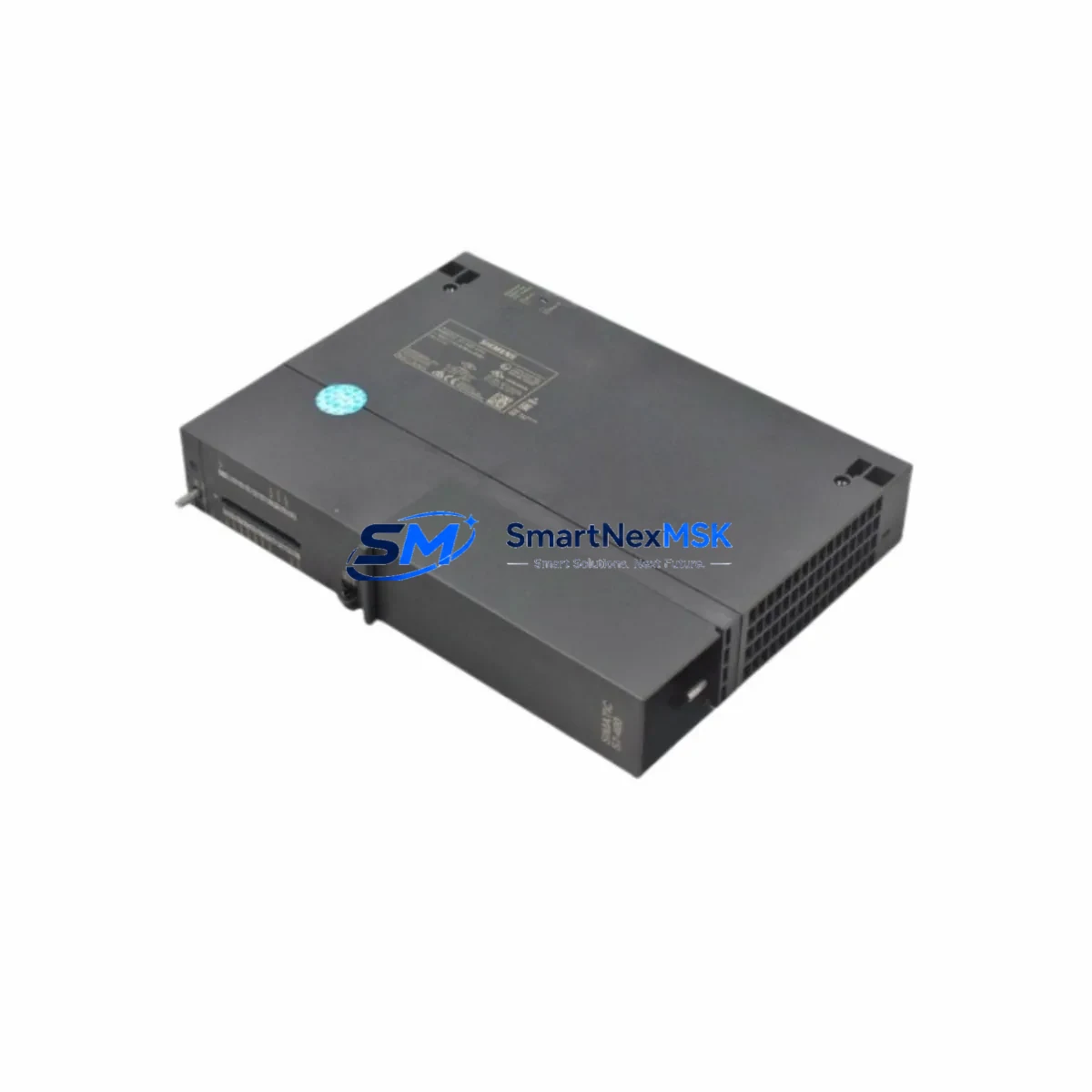
Siemens 6ES7414-4HM14-0AB0 Retrofit-Ready CPU for S7-400H Control Systems
The Siemens 6ES7414-4HM14-0AB0 is a high-availability CPU module designed for the SIMATIC S7-400H hot-standby redundant control platform. As legacy S7-400 installations approach end-of-life and spare parts become increasingly scarce, this CPU represents the most direct and validated retrofit path for engineers managing critical process control infrastructure. Whether you are replacing a failed unit in a running plant, upgrading an aging control cabinet, or migrating from an earlier 6ES7414-4HJ00-0AB0 or 6ES7414-4HM08-0AB0 revision, the 6ES7414-4HM14-0AB0 delivers backward-compatible performance with minimal re-engineering effort.
Upgrade Compatibility Table
| Parameter | Details |
|---|---|
| SKU / Order Number | 6ES7414-4HM14-0AB0 |
| Series | SIMATIC S7-400H (Hot-Standby Redundant) |
| Replaces | 6ES7414-4HJ00-0AB0, 6ES7414-4HM08-0AB0 |
| Backplane Interface | S7-400 UR1 / UR2 universal rack, slots 1–4 |
| Communication Ports | MPI/DP integrated; expandable via CP 443-1, CP 443-5 |
| Sync Module Compatibility | 6ES7960-1AA04-0XA0 fiber-optic sync cable required for H-system pairing |
| Power Supply Compatibility | PS 407 10A (6ES7407-0KA02-0AA0) or PS 407 20A |
| Installation Requirement | Slot 1 or 3 of UR1/UR2 rack; partner CPU in slot 2 or 4 |
| Protocol Compatibility | PROFIBUS-DP, MPI, Industrial Ethernet via CP module |
| Firmware | V6.0 and above; STEP 7 V5.5 SP4 or higher recommended |
| Replacement Recommendation | Direct swap; verify module address and rack configuration in HW Config |
| Commissioning Focus | H-system synchronization, DP master configuration, OB35/OB86 alarm handling |
| Warranty | 12 Months — covers hardware defects, DOA replacement, and functional verification |
Retrofit Planning for Existing Automation Systems
Successful integration of the 6ES7414-4HM14-0AB0 into an existing S7-400H system begins well before the module arrives on site. Engineers should start by auditing the current rack layout: confirm that the UR1 or UR2 universal rack has the correct slot assignments for both the active and standby CPUs, and that the 6ES7960-1AA04-0XA0 fiber-optic synchronization cable connecting the two CPU modules is undamaged and within specification. A degraded sync link is one of the most common causes of H-system switchover failures after a CPU replacement.
Power budget verification is equally critical. The PS 407 power supply module — typically a 6ES7407-0KA02-0AA0 (10 A) or the 20 A variant — must supply sufficient current for the new CPU plus all installed I/O and communication modules. Calculate the total current draw from the rack’s signal modules (SM 321 digital input, SM 322 digital output, SM 331 analog input, SM 332 analog output) and any installed CP 443-1 Ethernet or CP 443-5 PROFIBUS communication processors. If the existing power supply is already near its rated capacity, plan for a parallel upgrade.
Terminal wiring on the signal modules does not change during a CPU swap, but engineers should photograph and document all terminal assignments before beginning work. For systems using distributed I/O over PROFIBUS-DP — such as ET 200M or ET 200S remote stations — verify that the DP master configuration in STEP 7 HW Config matches the physical network topology. After installing the replacement CPU, re-download the hardware configuration to both the active and standby CPUs before attempting H-system synchronization.
For plants that have migrated or are planning to migrate communications from PROFIBUS to PROFINET, the 6ES7414-4HM14-0AB0 supports coexistence with a CP 443-1 Advanced Ethernet module, allowing phased protocol migration without a full system cutover. This is particularly valuable in facilities where some field devices — variable frequency drives, remote valve positioners, or third-party controllers — still operate exclusively on PROFIBUS-DP and cannot be migrated in a single maintenance window.
HMI connectivity should also be reviewed. WinCC or SIMATIC Panel HMIs communicating via MPI or S7 routing will continue to operate without modification after the CPU replacement, provided the MPI address and baud rate settings are preserved. If the plant uses a SIMATIC HMI TP or MP series panel connected via Ethernet through a CP 443-1, confirm that the S7 connection parameters in the HMI project match the new CPU’s IP address configuration.
Downtime Control During System Migration
One of the primary advantages of the S7-400H architecture is its ability to perform a CPU replacement with zero unplanned downtime when the system is operating in redundant mode. If the H-system is currently running with both CPUs active and synchronized, the failed or aging CPU can be replaced while the partner CPU maintains full control of the process. This hot-swap capability is only available when the synchronization link via the fiber-optic cable is intact and the system is in SYNCRUN state.
Before initiating the swap, place the system into single-CPU mode by deliberately switching the standby CPU to STOP via STEP 7 or the mode selector switch. This prevents an uncontrolled switchover during the physical replacement. After installing the 6ES7414-4HM14-0AB0, power the new module and allow it to boot. The active CPU will automatically initiate a synchronization sequence, copying the current process image and program data to the new standby CPU. Monitor the diagnostic buffer in STEP 7 or via the CPU’s SF/BF LEDs to confirm successful synchronization before returning the system to full redundant operation.
For systems where both CPUs have failed simultaneously — a scenario more common in aging installations where the original modules were purchased in the same production batch — a cold restart procedure is required. In this case, load the last validated STEP 7 project from the engineering station, download to the new CPU, and perform a complete I/O force check before releasing the system to automatic control. Retain a copy of the original program on a SIMATIC Memory Card (6ES7954-8LF03-0AA0 or equivalent) as a recovery backup.
Throughout the migration, maintain a live record of any OB86 (rack failure) or OB122 (I/O access error) events in the diagnostic buffer. These organization blocks provide the earliest indication of wiring faults, address conflicts, or DP slave communication errors that could cause process upsets after the CPU is returned to service.
Retrofit Support FAQ
Q1: Is the 6ES7414-4HM14-0AB0 a direct replacement for the 6ES7414-4HM08-0AB0?
Yes. The -0AB0 hardware revision suffix indicates full backward compatibility within the 414-4H CPU family. The hardware configuration in STEP 7 HW Config will recognize the new module automatically after a firmware-level update if required. No changes to the user program or I/O addressing are necessary in most cases. Always verify the firmware version compatibility table in the Siemens Product Support portal before installation.
Q2: What wiring or terminal changes are required during installation?
None. The 6ES7414-4HM14-0AB0 installs directly into the existing UR1 or UR2 rack slot. All field wiring remains on the signal modules (SM 321, SM 322, SM 331, SM 332) and is not disturbed during the CPU replacement. The only physical connections to the CPU itself are the rack backplane (automatic), the MPI/DP port cable if used for programming, and the fiber-optic sync cable to the partner CPU.
Q3: How is commissioning and functional testing performed after installation?
After installing the module and downloading the hardware configuration, perform the following sequence: (1) Confirm H-system synchronization via STEP 7 diagnostic view or CPU LEDs. (2) Force-test a representative sample of digital and analog I/O channels to verify signal integrity. (3) Simulate a controlled CPU switchover by stopping the active CPU and confirming that the standby assumes control without process interruption. (4) Review the diagnostic buffer for any latent faults. All units supplied by SMARTNEXMSK are pre-tested prior to shipment to confirm basic functionality.
Q4: What does the 12-month warranty cover?
The 12-month warranty covers hardware defects, dead-on-arrival (DOA) failures, and any functional anomalies attributable to the module itself under normal operating conditions. Warranty claims are processed via [email protected] with a fault description and, where possible, a STEP 7 diagnostic buffer export. Replacement or repair is initiated within 5 business days of claim verification. The warranty does not cover damage resulting from incorrect installation, overvoltage events, or use outside the module’s rated environmental specifications.
© 2026 SMARTNEXMSK. All rights reserved.
Original Source: https://smartnexmsk.com
Contact: [email protected] | +86 18259474341



