
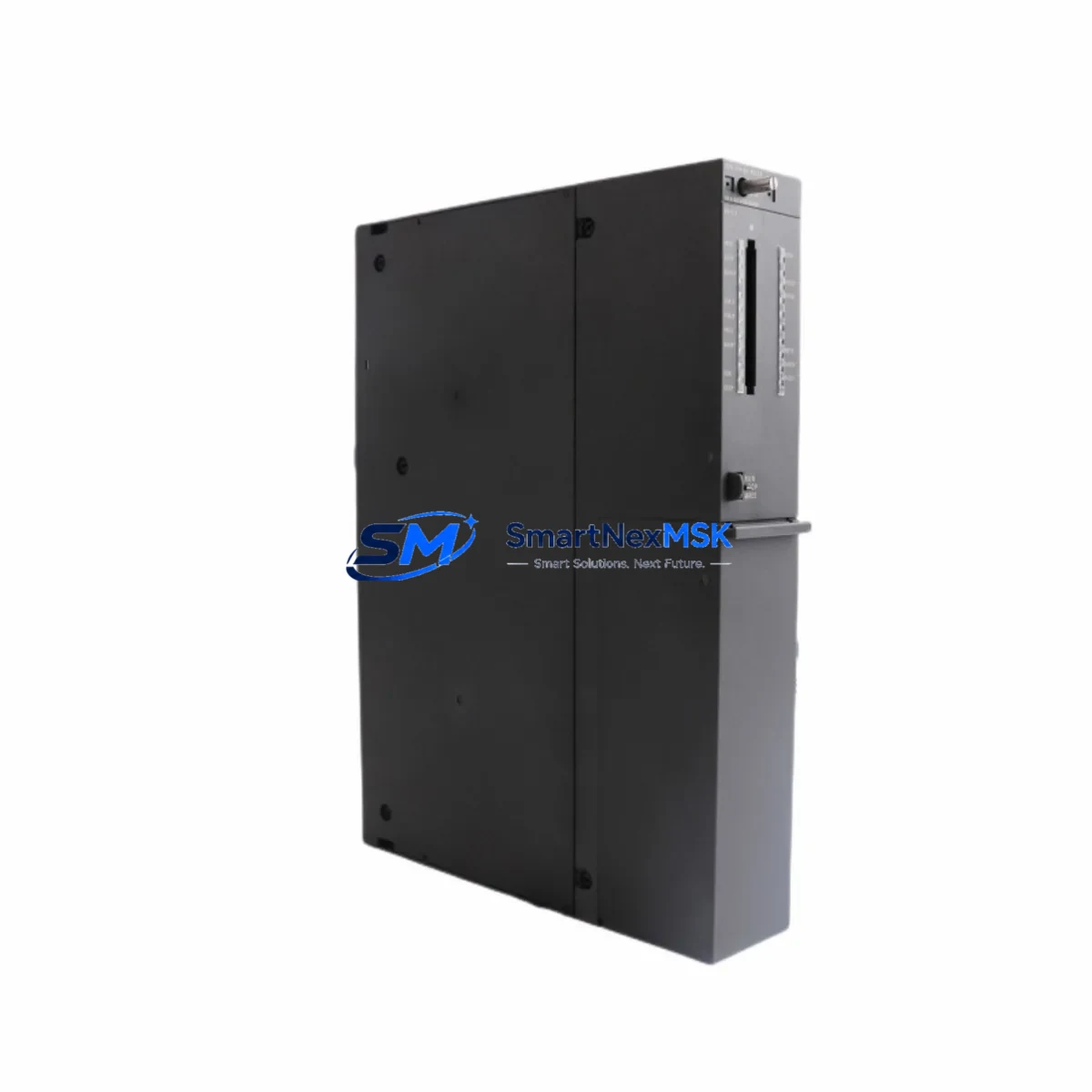
Siemens 6ES7414-5HM06-0AB0 Spare for S7-400H Automation: Redundant CPU Replacement & Downtime Risk Control
The Siemens 6ES7414-5HM06-0AB0 is the CPU 414-5H central processing unit designed specifically for the SIMATIC S7-400H high-availability redundant automation system. In process industries — petrochemical, power generation, water treatment, and continuous manufacturing — the S7-400H architecture is deployed precisely because unplanned downtime carries severe operational and safety consequences. When a CPU 414-5H fault occurs, having a verified, tested spare on the shelf is the single most effective strategy to restore redundancy and protect production continuity.
This unit ships as an original Siemens spare, fully tested prior to dispatch, and is backed by a 12-month warranty covering manufacturing defects and functional performance. Each unit is inspected against Siemens factory specifications before release, ensuring that the replacement module integrates seamlessly into your existing S7-400H rack without firmware conflicts or compatibility issues.
Spare Maintenance Table
| Parameter | Specification |
|---|---|
| SKU / Order Number | 6ES7414-5HM06-0AB0 |
| Product Series | SIMATIC S7-400H |
| Module Type | CPU 414-5H Redundant PLC CPU |
| Working Memory | 4 MB (expandable via memory card) |
| Communication Interfaces | MPI/DP integrated; PROFIBUS DP master/slave |
| Sync Submodule Slots | 2 × sync submodule slots for H-system coupling |
| Rack Compatibility | UR1/UR2 universal racks; S7-400H redundant rack pairs |
| Operating Voltage | DC 5 V via backplane bus (PS 407 power supply) |
| Operating Temperature | 0 °C to +60 °C |
| Protection Class | IP20 |
| Country of Origin | Germany |
| Weight | 1,140 g |
| Firmware Version | V6.0 and above (confirm with existing H-system partner CPU) |
| Compatibility | S7-400H redundant systems; replaces earlier 6ES7414-5HM05-0AB0 and 6ES7414-5HM04-0AB0 |
| Application Environment | Continuous process control, safety-critical automation, high-availability PLC architectures |
| Maintenance Recommendation | Replace in pairs when possible; verify sync fiber cable integrity after swap |
| Warranty | 12 Months — covers manufacturing defects and functional performance |
| Pre-shipment Testing | Full functional test performed before dispatch |
Maintenance Planning for Continuous Operation
Replacing the 6ES7414-5HM06-0AB0 in a live S7-400H system requires a structured approach that goes beyond swapping the CPU module itself. Maintenance engineers should treat this event as a full control cabinet inspection opportunity. Begin by verifying the PS 407 power supply module (e.g., 6ES7407-0KA02-0AA0) — the CPU 414-5H draws regulated 5 V DC from the backplane, and a degraded power supply is a common root cause of intermittent CPU faults that are misdiagnosed as CPU failures.
Next, inspect the IM 460/461 interface modules if your S7-400H system uses expansion racks. A faulty interface module can cause the CPU to report rack communication errors that mimic CPU hardware faults. Check the fiber optic sync cables connecting the two H-CPU modules — these are the physical medium for the redundancy synchronization protocol, and any contamination, bend radius violation, or connector wear will prevent the standby CPU from achieving sync-ready status after replacement.
During the same maintenance window, inspect the CP 443-1 or CP 443-5 communication processor modules installed in the rack. These handle Industrial Ethernet and PROFIBUS DP network connectivity; a failing CP module can cause the SCADA or DCS layer to lose visibility of the PLC, which is often mistaken for a CPU fault during initial fault isolation. Similarly, review the FM 458-1 DP function module if your application uses advanced closed-loop control — these modules operate in close coordination with the CPU and should be confirmed operational before returning the system to automatic mode.
On the field side, verify the SM 321/SM 322 digital I/O modules and SM 331/SM 332 analog I/O modules in the associated racks. A shorted field device connected to an I/O module can generate bus errors that propagate to the CPU and trigger protective shutdowns. Check terminal block assemblies and signal cables for loose connections, corrosion, or insulation damage — these are frequent contributors to intermittent faults in aging control cabinets.
For sites running PROFIBUS DP field networks, inspect the DP bus connectors and termination resistors at both ends of the segment. A missing or failed termination resistor causes reflections that degrade communication quality and can cause the CPU to log DP slave errors. If the system includes ET 200M or ET 200S remote I/O stations, confirm their IM 153 or IM 151 interface modules are functioning correctly, as these are common failure points in distributed architectures.
Finally, review the SIMATIC HMI panel (e.g., TP1500 or MP377) connected to the system. After a CPU replacement, the HMI may require a project download or communication parameter reset to re-establish the MPI/DP connection. Confirm that the HMI is displaying live process values before signing off on the maintenance task.
Site Replacement Workflow
Step 1 — Pre-replacement verification: Confirm the standby CPU (H-partner) is in RUN-Redundant mode and the system is operating in full redundancy before initiating any work. Do not replace the CPU if the system is already in single-CPU mode without a formal risk assessment and process hold.
Step 2 — Firmware compatibility check: Verify that the replacement 6ES7414-5HM06-0AB0 carries the same or compatible firmware version as the partner CPU. Mismatched firmware versions will prevent the H-system from achieving synchronization. Use STEP 7 or TIA Portal to read the current firmware version from the operational CPU before ordering or installing the spare.
Step 3 — Controlled switchover: Use the STEP 7 H-System diagnostics to force a controlled switchover to the standby CPU. This transfers process control to the partner CPU and allows the faulty unit to be de-energized safely without process interruption.
Step 4 — Module swap: Remove the faulty CPU from the rack. Install the replacement 6ES7414-5HM06-0AB0 in the same slot. Reconnect the sync fiber cables and MPI/DP connectors. Power up the module and observe the LED status indicators — RUN (green), STOP (yellow), and BUSF (red) — to confirm normal startup.
Step 5 — Synchronization and return to redundancy: Monitor the H-system diagnostics in STEP 7 until the replacement CPU achieves SYNCUP status and the system returns to RUN-Redundant mode. This process typically takes 1–5 minutes depending on the size of the process image and the volume of data to be synchronized.
Step 6 — Functional verification: Confirm all I/O modules, communication processors, and field devices are reporting correctly. Verify SCADA/DCS connectivity and HMI display. Document the replacement in the site maintenance log.
This workflow is applicable to sites migrating from earlier CPU 414-5H variants (6ES7414-5HM05-0AB0, 6ES7414-5HM04-0AB0) to the current -0AB0 revision, ensuring backward compatibility with existing S7-400H hardware configurations and STEP 7 V5.x / TIA Portal V15+ projects.
Spare Parts Support FAQ
Q1: Is the 6ES7414-5HM06-0AB0 compatible with my existing S7-400H system running an older CPU 414-5H revision?
Yes. The -0AB0 revision is backward compatible with earlier S7-400H rack configurations. However, both H-partner CPUs must run the same or compatible firmware version for the redundancy synchronization to function correctly. We recommend confirming the firmware version of your operational CPU before installation. Our technical team can assist with compatibility verification prior to shipment.
Q2: What pre-shipment testing is performed on this unit?
Every 6ES7414-5HM06-0AB0 unit undergoes a full functional test before dispatch. This includes power-on self-test verification, memory integrity check, and communication interface validation. Units that do not pass all test criteria are not shipped. A test report is available upon request for quality-critical procurement processes.
Q3: What does the 12-month warranty cover, and how is a warranty claim processed?
The 12-month warranty covers manufacturing defects and functional failures under normal operating conditions. It does not cover damage caused by incorrect installation, overvoltage events, or physical mishandling. To initiate a warranty claim, contact our support team with the order number, a description of the fault, and any available diagnostic data from STEP 7 or TIA Portal. Replacement or repair will be arranged promptly to minimize your downtime.
Q4: Can you supply multiple units for a long-term spare parts inventory program?
Yes. We maintain stock of the 6ES7414-5HM06-0AB0 and can fulfill both single-unit emergency orders and bulk procurement for planned spare parts programs. For sites with multiple S7-400H systems or long maintenance intervals, we recommend holding at least one spare CPU per H-system pair. Contact us to discuss volume pricing, lead times, and long-term supply agreements.
© 2026 SMARTNEXMSK. All rights reserved.
Original Source: https://smartnexmsk.com
Contact: [email protected] | +86 18259474341



