
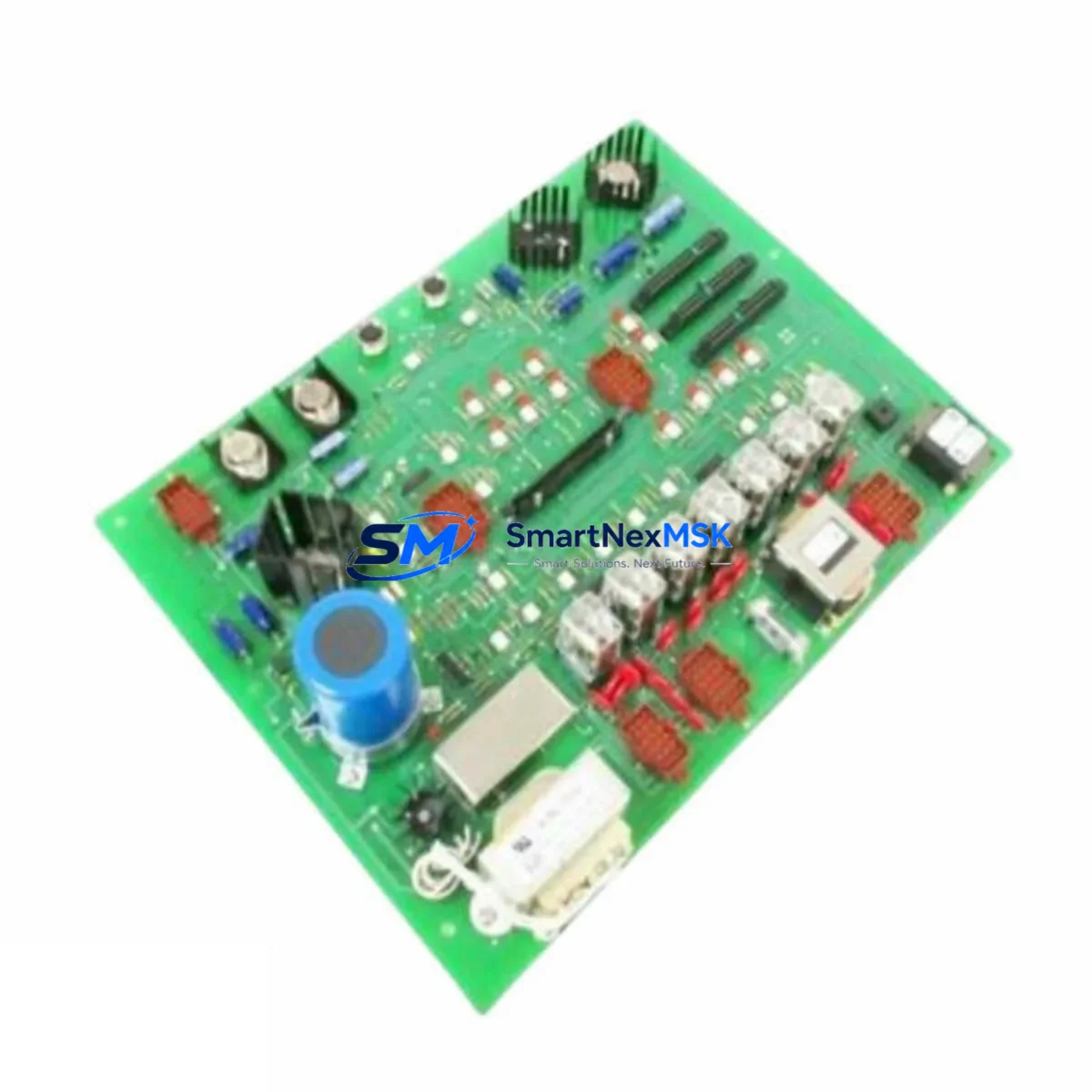
STOCK D21232-1 Retrofit-Ready Control Board for Legacy PLC Control Systems
The STOCK D21232-1 is a retrofit-ready replacement control board engineered for seamless integration into aging industrial automation systems originally built around the D21231 and A21125-B platforms. As legacy PLC control boards reach end-of-life or become unavailable through OEM channels, the D21232-1 provides a verified, wiring-compatible upgrade path that minimizes engineering rework and eliminates the need for full system redesign. Whether you are managing a planned modernization project or responding to an unplanned board failure, the D21232-1 is stocked and ready to ship from Xiamen with a 12-month warranty.
Industrial facilities running older distributed control architectures frequently encounter the challenge of sourcing discontinued control boards. The D21232-1 addresses this directly by maintaining backward compatibility with the original terminal layout, backplane connector pinout, and module addressing scheme used in the D21231 generation. Engineers responsible for control cabinet upgrades can install the D21232-1 without modifying existing field wiring, reducing retrofit labor and the risk of wiring errors during changeover.
Before proceeding with installation, technicians should verify the following: power supply capacity at the rack level (typically 24 VDC or 5 VDC depending on backplane configuration), terminal block wiring assignments against the original I/O schedule, backplane slot compatibility and module address DIP switch settings, and any program logic dependencies tied to the original board’s firmware revision. If the control system includes a STOCK D21230 or D21233 in adjacent rack slots, confirm that inter-module communication parameters remain consistent after the swap.
For systems that also rely on a STOCK A21125-B as a companion analog input board, the D21232-1 retrofit should be coordinated with a review of the analog signal scaling configuration in the host PLC program. Mismatched scaling between the replacement board and the existing ladder logic or function block diagram can produce process variable errors that are difficult to diagnose during commissioning. It is recommended to export and archive the current program before any hardware change.
Upgrade Compatibility Table
| Parameter | D21231 (Original) | D21232-1 (Replacement) | Notes |
|---|---|---|---|
| Backplane Interface | Standard STOCK rack bus | Compatible — same connector | No backplane modification required |
| Terminal Wiring | Original field wiring | Drop-in compatible | Verify terminal numbering against I/O schedule |
| Module Address | DIP switch configured | DIP switch configured | Match original address before power-on |
| Communication Protocol | Proprietary STOCK bus | Compatible | No protocol migration required |
| Power Requirement | 24 VDC / 5 VDC (rack) | Same | Confirm rack PSU capacity before installation |
| Installation Format | Standard rack-mount | Same form factor | No mechanical modification needed |
| Program Compatibility | Original PLC program | Compatible — no rewrite required | Archive program before swap; verify I/O mapping |
| HMI Screen Mapping | Existing HMI tags | Compatible | Confirm tag addresses post-installation |
| Warranty | OEM (expired / discontinued) | 12-Month Warranty | Covered from date of shipment |
| Availability | Discontinued / limited OEM stock | In stock — ships from Xiamen | Contact for lead time confirmation |
Retrofit Planning for Existing Automation Systems
A successful D21232-1 retrofit begins well before the board arrives on site. The first step is a full audit of the control cabinet to document every module currently installed in the rack. In a typical legacy STOCK control system, the rack may house a combination of the main CPU module, the D21232-1 target slot, analog input boards such as the A21125-B, digital output modules, and a dedicated power supply module. Understanding the physical slot layout and the logical I/O address map is essential before any hardware is removed.
Communication infrastructure also requires attention. If the existing system uses a serial communication link — for example, RS-232 or RS-485 — between the PLC rack and an upstream SCADA or DCS host, the communication module in the rack (such as a STOCK D21220 or equivalent serial interface card) must remain undisturbed during the board swap. Disrupting the communication link without a planned switchover procedure can cause the SCADA system to log false alarms or lose process data continuity.
For facilities that have integrated a STOCK D21240 or similar I/O expansion module to extend the original rack’s channel count, the retrofit plan must account for the expanded I/O addressing. The D21232-1 must be configured to recognize the same I/O range as the D21231 it replaces, including any extended addresses assigned to downstream expansion racks connected via the backplane bus.
HMI integration is another critical checkpoint. If the control system drives a panel-mounted operator interface — whether a legacy character display or a modern touchscreen HMI — the tag database linked to the D21231’s I/O points must be verified against the D21232-1’s output register map. In most cases, the register addresses are preserved, but a point-by-point comparison between the HMI tag list and the new board’s documentation is recommended before returning the system to automatic mode.
Programming cables and engineering workstations should be prepared in advance. If the site uses a STOCK programming cable compatible with the original D21231 platform, confirm that the same cable and software version support the D21232-1. In some retrofit scenarios, a firmware update on the replacement board may be required to align with the host CPU’s communication expectations. This step should be completed on the bench before installation to avoid extended downtime at the machine.
Finally, consider the broader system context. If the control cabinet also contains a STOCK D21250 power distribution module or a dedicated 24 VDC rack power supply, verify that the total current draw after installing the D21232-1 remains within the power supply’s rated output. Adding a replacement board with a slightly different current profile — even within the same product family — can occasionally push an aging power supply beyond its comfortable operating range, particularly in high-ambient-temperature environments.
Downtime Control During System Migration
Minimizing production downtime during a control board replacement requires a structured approach that begins before the maintenance window opens. The most effective strategy is to prepare the D21232-1 fully on the bench: set the module address DIP switches to match the original D21231 configuration, verify the board passes a basic power-on self-test, and confirm that the programming cable communicates correctly with the replacement board before it enters the cabinet.
During the maintenance window, the sequence should follow a defined procedure: isolate the affected rack from field power, document the existing terminal wiring with photographs or a wiring schedule, remove the D21231, install the D21232-1 into the same slot, reconnect field wiring terminal by terminal against the documented schedule, restore rack power, and verify module status indicators before enabling automatic control. The entire swap, when pre-staged correctly, can typically be completed within a single planned maintenance shift.
To protect the original program logic, always upload and archive the current PLC program to the engineering workstation before beginning any hardware work. If the host CPU loses communication with the control board during the swap — even briefly — some PLC platforms will flag a hardware fault that requires a manual program reload. Having the archived program immediately available eliminates the risk of extended downtime caused by a program recovery delay.
After the D21232-1 is installed and powered, perform a structured commissioning check: confirm all I/O points respond correctly in manual mode, verify that the HMI displays the correct process values, check communication link status between the board and the host CPU, and run the system in manual for a defined observation period before returning to automatic. This structured approach ensures that any residual configuration issues are identified and resolved before full production resumes. All units supplied by SMARTNEXMSK are pre-tested prior to shipment and covered by a 12-month warranty from the date of delivery.
Retrofit Support FAQ
Q: Is the D21232-1 a direct drop-in replacement for the D21231?
A: Yes. The D21232-1 is designed as a wiring-compatible replacement for the D21231, sharing the same backplane connector, terminal layout, and module addressing scheme. In most installations, no field wiring modifications are required. We recommend verifying the DIP switch address settings and confirming power supply capacity before installation.
Q: Does the D21232-1 also replace the A21125-B?
A: The D21232-1 and A21125-B serve different functions within the same control platform. The A21125-B is an analog input board, while the D21232-1 is a control board. If your system uses both, they can coexist in the same rack. Contact our technical team if you need a replacement for the A21125-B specifically.
Q: What commissioning steps are required after installing the D21232-1?
A: After installation, verify the module address DIP switches match the original configuration, confirm all I/O points respond correctly in manual mode, check HMI tag mapping, and validate communication link status with the host CPU. Run the system in manual for an observation period before returning to automatic control. All units are pre-tested before shipment.
Q: What warranty coverage is provided?
A: All D21232-1 units supplied by SMARTNEXMSK are covered by a 12-month warranty from the date of shipment. The warranty covers manufacturing defects and functional failures under normal operating conditions. Pre-shipment testing is performed on every unit to verify basic functionality before dispatch.
© 2026 SMARTNEXMSK. All rights reserved.
Original Source: https://smartnexmsk.com
Contact: [email protected] | +86 18259474341