
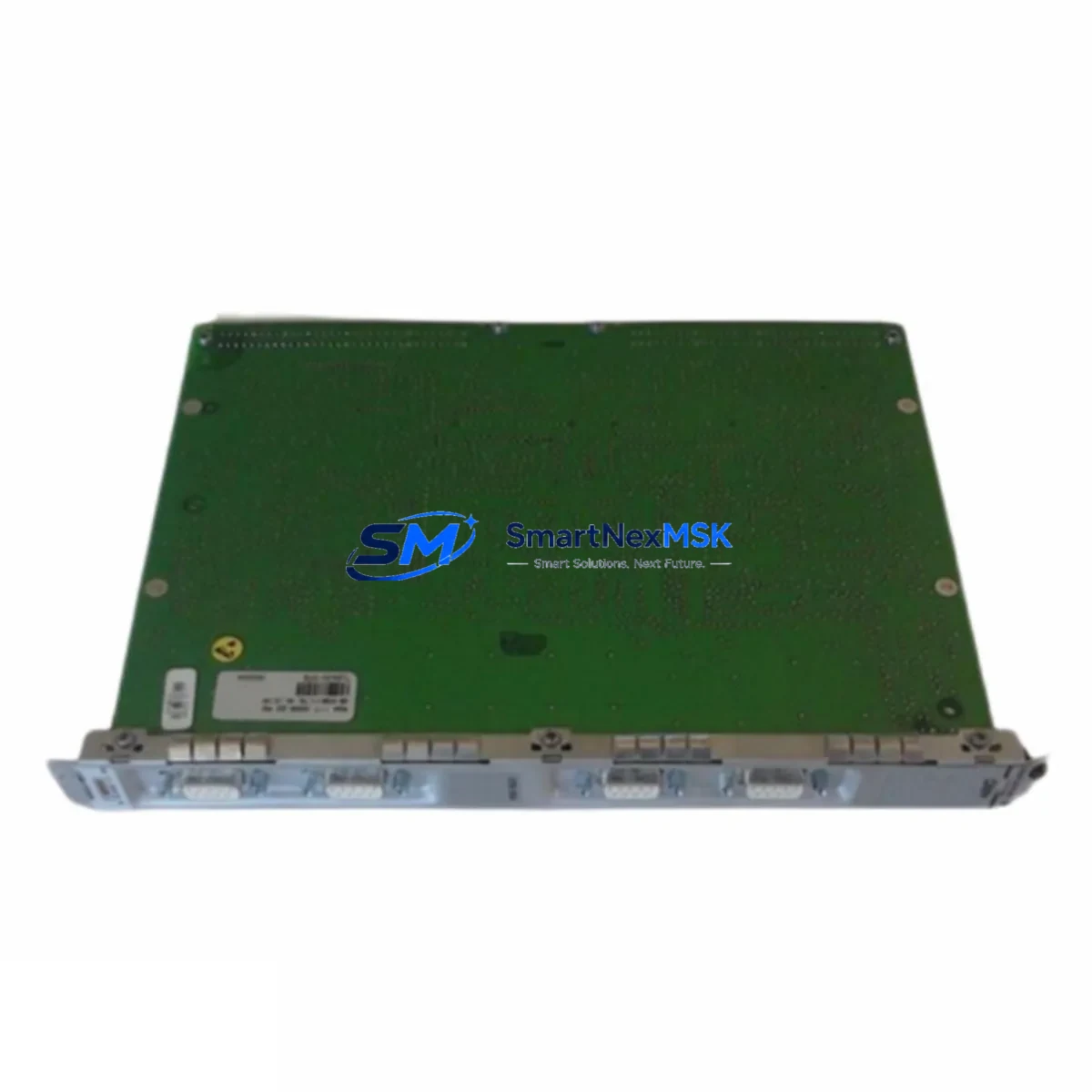
TELLABS G703-120-Q HMQ509V31 Spare for HMQ-509 Automation
The TELLABS G703-120-Q HMQ509V31 (HMQ-509-V31) is a G.703-compliant 120Ω balanced E1 interface module designed for continuous-duty telecom and industrial automation environments. As a maintenance-ready spare, it supports direct replacement in HMQ-509 series chassis without requiring firmware changes or re-engineering of the existing control architecture. For maintenance engineers managing aging transmission infrastructure or hybrid PLC/DCS-integrated communication racks, having a verified, pre-tested unit on the shelf is the single most effective strategy for controlling unplanned downtime.
The G703-120-Q HMQ509V31 operates as the physical-layer E1 termination point within the HMQ-509 platform, handling 2.048 Mbit/s synchronous data streams between field controllers, RTUs, and central SCADA or DCS hosts. Its 120Ω balanced interface is compatible with standard twisted-pair E1 cabling and integrates directly with the HMQ-509 backplane bus, making it a transparent drop-in for the original factory-installed unit. Procurement engineers sourcing this module should confirm the revision suffix (V31) against the installed base to ensure full pin and firmware compatibility.
Spare Maintenance Table
| Parameter | Specification |
|---|---|
| Part Number | G703-120-Q HMQ509V31 (HMQ-509-V31) |
| Brand | TELLABS |
| Series | HMQ-509 |
| Interface Standard | ITU-T G.703, 120Ω Balanced E1 |
| Data Rate | 2.048 Mbit/s |
| Connector Type | RJ-45 / Terminal Block (per chassis variant) |
| Backplane Compatibility | HMQ-509 Series Chassis |
| Operating Voltage | -48 VDC (nominal, chassis-supplied) |
| Operating Temperature | -5°C to +55°C |
| Weight | 720 g (module + packaging) |
| Origin | China |
| Replacement Compatibility | Direct replacement for HMQ509V31 installed units |
| Maintenance Recommendation | Inspect E1 line termination, clock sync, and alarm relay contacts during replacement |
| Warranty | 12-Month Warranty — tested before shipment |
Maintenance Planning for Continuous Operation
Effective maintenance planning for the G703-120-Q HMQ509V31 goes beyond simply stocking the module itself. When a maintenance engineer schedules a replacement cycle or responds to an E1 link alarm, the surrounding components in the same control cabinet and communication rack must be inspected simultaneously to prevent cascading failures.
The HMQ-509 chassis backplane distributes -48 VDC power to all installed interface cards. Before inserting a replacement G703-120-Q HMQ509V31, verify that the chassis power supply module — typically a redundant PSU pair within the HMQ-509 rack — is delivering stable voltage within tolerance. A degraded power supply is a common root cause of repeated interface module failures that are misdiagnosed as card-level faults.
E1 signal integrity depends on the quality of the physical transmission path. Inspect the E1 patch cables and terminal blocks connecting the HMQ-509 chassis to the upstream multiplexer or PBX. Corroded terminals, loose RJ-45 connectors, or damaged shielded twisted-pair runs will cause BER (bit error rate) alarms to persist even after a module swap. Signal isolation barriers or surge protection modules installed at the cabinet entry point should also be checked for continuity and proper grounding.
In systems where the HMQ-509 platform interfaces with a PLC or DCS — for example, feeding E1-based serial data to a Siemens S7-400 CP module or an ABB AC800M communication controller — the upstream I/O configuration must be verified after replacement. Check that the PLC’s communication function block still recognizes the E1 channel address and that no watchdog timeout has been triggered in the controller’s diagnostic buffer. If the system uses a dedicated protocol converter or media converter between the E1 interface and the PLC’s Ethernet or PROFIBUS port, confirm that the converter’s link LED is active and that the baud rate and framing parameters match the restored module.
HMI screens connected to the SCADA host should be reviewed post-replacement to confirm that E1 link status tags have returned to normal and that no latched alarms remain in the operator display. In older installations, alarm relay contacts wired from the HMQ-509 chassis to a relay module or annunciator panel may need manual reset after the module is restored to service. Fuse holders and miniature circuit breakers protecting the -48 VDC feed to the chassis should be inspected for signs of thermal stress or contact wear as part of the same maintenance window.
For sites running multiple HMQ-509 chassis in a ring or linear E1 topology, it is advisable to stock at least one G703-120-Q HMQ509V31 spare per site, alongside a spare HMQ-509 clock synchronization card and a set of E1 line interface cables, to ensure that any single-point failure can be resolved within one shift without waiting for logistics.
Site Replacement Workflow
When the G703-120-Q HMQ509V31 is identified as the failed component — either through chassis alarm LEDs, SNMP trap analysis, or E1 BER threshold breach — follow this structured replacement workflow to minimize downtime and protect system integrity.
Step 1 — Isolate and document: Log the current alarm state from the HMQ-509 chassis management interface or the connected NMS/SCADA. Record the slot number, module address, and any active alarm codes. Notify the control room operator that the E1 link will be interrupted during replacement.
Step 2 — Power and ESD precautions: The HMQ-509 supports hot-swap on most chassis variants, but confirm this against the installed firmware version before proceeding. If hot-swap is not supported, coordinate a controlled shutdown of the affected E1 channel with the upstream network operations center. Use an ESD wrist strap and anti-static mat when handling the replacement G703-120-Q HMQ509V31.
Step 3 — Physical swap: Release the module locking lever, slide out the faulty unit, and insert the replacement G703-120-Q HMQ509V31 into the same slot. Ensure the backplane connector is fully seated. The chassis should recognize the new module within 30–60 seconds and begin auto-configuration if the slot profile is stored in the chassis controller.
Step 4 — Verify and restore: Confirm E1 link synchronization via the chassis LED indicators (typically a green SYNC LED). Check the NMS or SCADA for alarm clearance. Verify that the connected PLC or DCS communication function block has re-established the data link. Perform a brief loopback test if the maintenance window permits, to confirm end-to-end E1 path integrity before returning the system to normal operation.
Step 5 — Document and close: Update the maintenance log with the replacement date, module serial number, and post-replacement test results. Return the faulty unit for failure analysis if required by site maintenance procedures.
Spare Parts Support FAQ
Q1: Is the G703-120-Q HMQ509V31 a direct replacement for all HMQ-509 series E1 interface cards?
The G703-120-Q HMQ509V31 (revision V31) is a direct replacement for units with the same revision suffix installed in HMQ-509 series chassis. If your installed unit carries a different revision (e.g., V30 or V32), contact our technical team to confirm cross-compatibility before ordering. In most cases, the hardware interface and backplane pinout are identical across minor revisions, but firmware behavior may differ.
Q2: How is the module tested before shipment?
Every G703-120-Q HMQ509V31 unit is powered up and subjected to functional verification — including E1 framing, clock synchronization, and alarm relay output checks — before packaging. A test report is available upon request. Units are shipped in anti-static packaging with physical protection to prevent transit damage.
Q3: What is the warranty coverage and what does it include?
All units carry a 12-month warranty from the date of shipment. The warranty covers manufacturing defects and functional failures under normal operating conditions. It does not cover damage caused by incorrect installation, overvoltage, or physical mishandling. Warranty claims are processed with a replacement-first policy to minimize your downtime.
Q4: Can you support long-term or blanket purchase orders for ongoing maintenance programs?
Yes. For maintenance engineers managing multi-site HMQ-509 deployments or annual spare parts budgets, we support scheduled delivery agreements and reserved inventory allocation. Contact our sales team to discuss volume pricing, lead time commitments, and consignment stock arrangements tailored to your maintenance cycle.
© 2026 SMARTNEXMSK. All rights reserved.
Original Source: https://smartnexmsk.com
Contact: [email protected] | +86 18259474341