
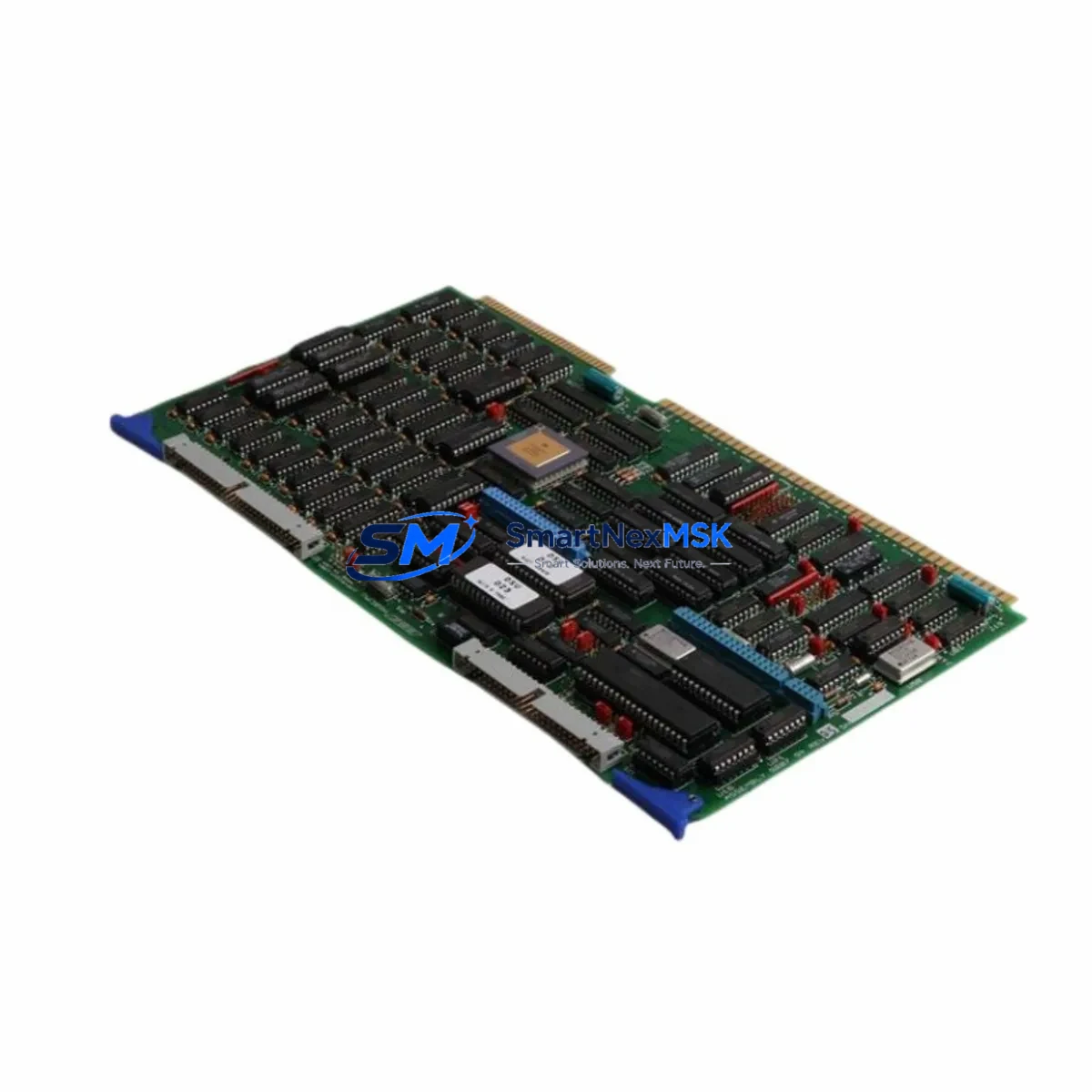
ABB 1948024G1 Maintenance-Ready Spare for AC500 Automation
The ABB 1948024G1 is an original CPU module designed for the ABB AC500 programmable logic controller series — one of the most widely deployed PLC platforms in industrial process automation, machine control, and infrastructure applications. For maintenance engineers managing aging AC500 installations, securing a verified spare of the 1948024G1 is a critical step in any downtime-reduction strategy. Unplanned CPU failures in PLC-controlled systems can halt entire production lines, trigger safety shutdowns, or compromise process continuity. Having a tested, ready-to-deploy 1948024G1 on the shelf eliminates the most dangerous variable in emergency recovery: lead time.
This unit is sourced as an original ABB component, manufactured in Germany, and fully compatible with the AC500 modular architecture. Before shipment, each unit undergoes functional verification to confirm communication integrity, I/O bus operation, and firmware readiness. The 1948024G1 ships with a 12-month warranty covering manufacturing defects and operational failures under normal industrial use conditions.
Whether you are executing a planned overhaul, responding to a fault alarm, or building out your critical spare inventory, the 1948024G1 represents a reliable, specification-accurate replacement that preserves your existing AC500 system investment without requiring hardware redesign or software migration.
Spare Maintenance Table
| Parameter | Specification / Detail |
|---|---|
| Part Number / SKU | 1948024G1 |
| Brand | ABB |
| Series | AC500 |
| Product Type | PLC CPU Module |
| Country of Origin | Germany (DE) |
| Compatibility | ABB AC500 modular PLC platform; compatible with AC500 I/O expansion modules, communication modules, and AC500 backplanes |
| Mounting | DIN rail via AC500 backplane / terminal base |
| Communication Interfaces | Ethernet (PROFINET / Modbus TCP), serial (CS31 bus), onboard USB programming port |
| Programming Standard | IEC 61131-3 (Automation Builder / PS501 Control Builder) |
| Operating Temperature | -25°C to +60°C (industrial grade) |
| Protection Rating | IP20 (panel-mounted, control cabinet installation) |
| Power Supply | Supplied via AC500 backplane (24 VDC system bus) |
| Unit Weight | 340 g |
| Pre-Shipment Test | Functional verification: communication, I/O bus, firmware boot |
| Warranty | 12 months from date of shipment |
| Condition | Original spare — new or refurbished-to-spec, clearly stated at order confirmation |
| Lead Time | In-stock units ship within 1–3 business days |
Maintenance Planning for Continuous Operation
When a 1948024G1 CPU module is flagged for replacement — whether due to a fault code, communication dropout, or scheduled lifecycle swap — experienced maintenance engineers know that the CPU is rarely the only component that needs attention. A thorough inspection of the surrounding AC500 system is essential to prevent repeat failures and ensure a clean restart.
Begin with the AC500 power supply module (such as the PM573 or PM591 series power units). A degraded or undersized power supply is a common root cause of CPU instability and should be load-tested before the new 1948024G1 is commissioned. Next, inspect the AC500 backplane or terminal base for corrosion, loose contacts, or mechanical damage — a faulty backplane connector can cause intermittent CPU faults that are difficult to diagnose without physical inspection.
Review the AC500 digital I/O modules (DA501, DA502, DI524, DO524 series) connected to the CPU. Verify that all I/O module status LEDs are normal and that no modules are reporting bus errors. If the system uses AC500 analog I/O modules (AX521, AX522), check signal wiring and shielding integrity, as analog signal noise can cause erratic CPU behavior in sensitive process control loops.
For systems with fieldbus communication, inspect the AC500 communication modules — PROFIBUS DP master/slave modules (CI502, CI504), PROFINET interface modules, or Modbus RTU adapters. A failed communication module can cause the CPU to enter fault mode even when the CPU hardware itself is functional. Similarly, check CS31 bus couplers and remote I/O stations if the installation uses distributed I/O architecture.
Do not overlook the 24 VDC control cabinet power distribution: inspect fuse blocks, miniature circuit breakers, and terminal strips for signs of overheating or loose terminations. Verify that surge protection devices on the power rail and signal lines are intact — particularly in installations exposed to lightning risk or heavy motor switching. If the cabinet includes an HMI panel (such as an ABB CP600 or CP620 series operator panel), confirm that the HMI communication link to the new CPU is re-established after replacement and that any IP address or node configuration is correctly restored.
Finally, review the UPS or battery backup module if the AC500 system uses one for program retention. Confirm that the CPU’s internal memory backup battery (if applicable) is within its service life, and update the maintenance log with the replacement date and firmware version of the new 1948024G1.
Site Replacement Workflow
Step 1 — Pre-replacement documentation: Export the current PLC program from the existing 1948024G1 using ABB Automation Builder or PS501 Control Builder. Save the project file, including all hardware configuration, network settings, and variable tables. Photograph the wiring and module arrangement before any disassembly.
Step 2 — Power isolation: Follow your site’s lockout/tagout (LOTO) procedure. Isolate the AC500 system from the 24 VDC supply. Allow capacitors to discharge before handling the CPU module.
Step 3 — Module removal: Release the CPU from the terminal base or backplane by pressing the release lever. Slide the module out carefully. Inspect the backplane connector pins for damage before installing the replacement unit.
Step 4 — Replacement installation: Seat the new 1948024G1 firmly into the terminal base until the locking mechanism clicks. Restore power and observe the CPU status LEDs. A normal boot sequence should show the RUN/STOP and ERR indicators cycling through their startup states before settling into normal operation.
Step 5 — Program restore and verification: Download the saved project to the new CPU via USB or Ethernet. Verify all I/O module assignments, communication node addresses, and network parameters match the original configuration. Perform a controlled test run before returning the system to production.
Step 6 — Documentation update: Record the replacement in the equipment maintenance log. Note the new unit’s serial number, firmware version, installation date, and warranty expiry. Update your spare parts inventory to reorder a replacement 1948024G1 for future contingency stock.
Spare Parts Support FAQ
Q1: Is the 1948024G1 a direct drop-in replacement for the existing AC500 CPU without software changes?
In most cases, yes. The 1948024G1 is designed as a form-fit-function replacement within the AC500 platform. However, if the outgoing unit runs a different firmware version, a firmware update or downgrade may be required to match the project file. Always verify firmware compatibility in ABB Automation Builder before downloading the program to the replacement CPU.
Q2: How is the unit tested before shipment?
Each 1948024G1 unit undergoes a pre-shipment functional check covering power-on boot sequence, communication port activity (Ethernet and serial), and I/O bus initialization. Units that fail any test are quarantined and not shipped. A test record is available upon request for quality-critical procurement processes.
Q3: What does the 12-month warranty cover, and how is a warranty claim handled?
The 12-month warranty covers manufacturing defects and component failures under normal operating conditions as defined by ABB’s AC500 installation guidelines. It does not cover damage from incorrect installation, overvoltage events, or unauthorized modification. To initiate a warranty claim, contact [email protected] with the order number, unit serial number, and a description of the fault. Replacement or repair will be arranged within the agreed service timeline.
Q4: Can you supply multiple units for a long-term spare parts agreement?
Yes. For facilities managing multiple AC500 installations or planning a multi-year maintenance contract, we can discuss volume pricing and reserved stock arrangements for the 1948024G1 and related AC500 components. Long-term supply agreements help procurement engineers lock in pricing and guarantee availability for critical spare parts without relying on spot-market sourcing.
© 2026 SMARTNEXMSK. All rights reserved.
Original Source: https://smartnexmsk.com
Contact: [email protected] | +86 18259474341



