
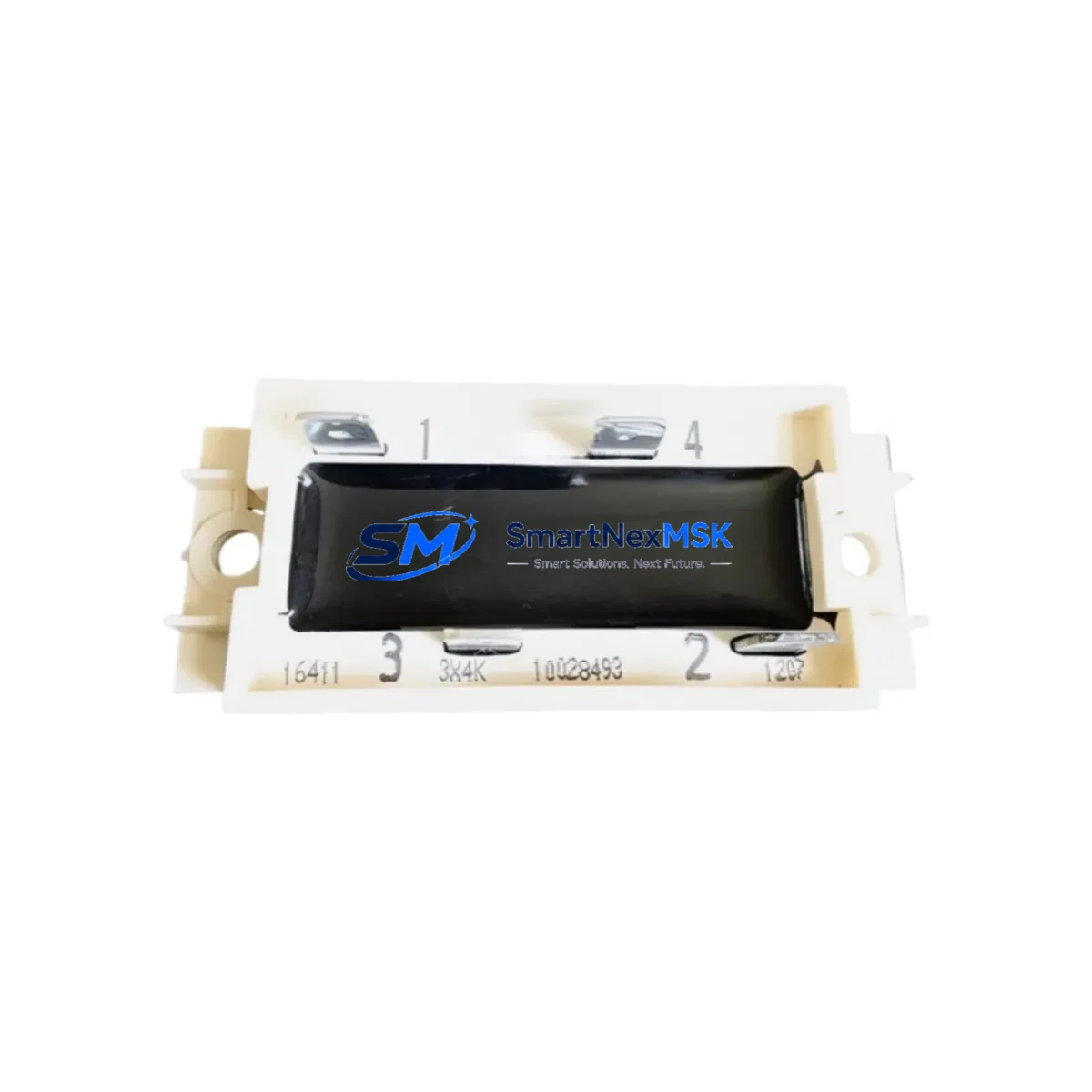
ABB 3X4K7 Retrofit-Ready I/O Module for AC500 Control Systems
The ABB 3X4K7 is a retrofit-ready I/O module engineered for seamless integration into ABB AC500 PLC control systems. Whether you are replacing a discontinued component on an aging production line, upgrading a legacy control cabinet, or recovering a system after an unplanned failure, the 3X4K7 delivers the electrical compatibility, communication protocol alignment, and mechanical fit required for a smooth, low-risk migration. Sourced directly from verified supply channels and backed by a 12-month warranty, this module is a trusted solution for industrial engineers managing brownfield automation environments across manufacturing, energy, water treatment, and process industries.
The 3X4K7 is designed to slot into existing AC500 backplane racks without requiring structural modifications to the control cabinet. Its terminal wiring layout mirrors the original ABB I/O module footprint, which significantly reduces rewiring time during replacement. Engineers familiar with the AC500 platform will find that the module’s addressing scheme is consistent with the existing rack configuration, allowing the original PLC program logic to remain intact without requiring a full recompile or re-download in most retrofit scenarios.
When planning a retrofit using the 3X4K7, field engineers should verify the following before installation: confirm that the power supply module — such as the ABB PS501 or PS502 — provides sufficient current capacity to support the additional I/O load; inspect the backplane connector on the rack for pin integrity, particularly on older TB511 or TB521 terminal base units; validate the module address assignment in the hardware configuration tool (Automation Builder or PS501 Control Builder) to ensure no address conflicts exist with adjacent modules such as the AI523 analog input module or the DI524 digital input module; and confirm that any HMI screens referencing the replaced module’s data tags are updated to reflect the new module’s variable mapping.
Upgrade Compatibility Table
| Parameter | Details |
|---|---|
| Compatible Series | ABB AC500 (PM571, PM581, PM591, PM595) |
| Backplane Interface | AC500 standard rack bus (TB511 / TB521 terminal base) |
| Communication Protocol | PROFIBUS-DP, Modbus RTU/TCP, CANopen (series-dependent) |
| Installation Requirement | DIN rail mount; no cabinet modification required |
| Replacement Recommendation | Direct drop-in for discontinued AC500 I/O variants |
| Commissioning Focus | Address assignment, terminal wiring verification, program download |
| Warranty | 12 months from date of shipment |
Retrofit Planning for Existing Automation Systems
A successful retrofit begins well before the module arrives on site. Start by auditing the existing rack layout: document the slot positions of all installed modules, including the CPU module (e.g., PM581 or PM591), the communication processor (e.g., CM572-DP for PROFIBUS or CM575-DN for DeviceNet), and any analog or digital I/O modules currently in service. This audit will confirm whether the 3X4K7 can be installed in the target slot without displacing a module that carries critical I/O assignments.
Next, review the power budget. The AC500 power supply module — whether a PS501-ETH or a PS502 — has a defined current output for the backplane bus. Adding or replacing an I/O module changes the total load. Calculate the aggregate current draw of all modules in the rack, including the 3X4K7, and confirm it remains within the power supply’s rated output. If the existing power supply is already near its limit, a parallel power supply or a rack expansion using an additional TA526 expansion rack may be required before the retrofit can proceed safely.
For systems using PROFIBUS-DP as the primary fieldbus, verify that the 3X4K7’s GSD file is loaded into the master configuration and that the slave address is set correctly using the module’s rotary address switches. In Modbus TCP environments, confirm the IP address assignment and subnet mask are consistent with the plant network segment. If the system uses a CP600 HMI panel or a third-party SCADA interface, update the communication driver configuration to reflect any changes in register mapping introduced by the new module.
Terminal wiring is another critical checkpoint. The 3X4K7 uses a standard AC500 terminal base, but field wiring connected to the old module must be verified against the new module’s channel assignments. Use the original wiring diagram and cross-reference it with the 3X4K7 datasheet to confirm that sensor inputs, actuator outputs, and shield connections are correctly mapped. Pay particular attention to analog channels where signal scaling (4–20 mA or 0–10 V) must be reconfigured in the software if the new module uses a different default range.
Downtime Control During System Migration
Minimizing production downtime during a module replacement requires a structured approach. Begin by creating a full backup of the PLC program using Automation Builder or the PS501 Control Builder software before any hardware is touched. Store the backup on a local engineering laptop and a secure network location. This ensures that if the replacement introduces any unexpected behavior, the original program can be restored within minutes.
Where possible, schedule the physical swap during a planned maintenance window. If an emergency replacement is required due to module failure, use the AC500’s online change capability — available on PM581 and PM591 CPUs — to download configuration changes without a full PLC stop. This feature allows engineers to update the hardware configuration and re-map I/O addresses while the controller remains in RUN mode, preserving control continuity for non-affected parts of the system.
After installing the 3X4K7, perform a structured commissioning sequence: power up the rack and confirm the module’s status LED indicates normal operation; verify I/O channel diagnostics in the PLC programming environment; run a point-to-point I/O test for each channel before enabling automatic control; and confirm that all HMI alarm and status displays associated with the replaced module are functioning correctly. Document the commissioning results and update the plant’s as-built drawings to reflect the new module installation. All units shipped by SMARTNEXMSK undergo pre-shipment functional testing to reduce on-site commissioning risk.
Retrofit Support FAQ
Q: Is the ABB 3X4K7 a direct replacement for my existing AC500 I/O module?
A: The 3X4K7 is designed as a compatible replacement for AC500-series I/O modules sharing the same terminal base and backplane interface. We recommend confirming the slot type and terminal base model (TB511 or TB521) before ordering. Our technical team can assist with compatibility verification based on your existing rack configuration.
Q: Will I need to modify my PLC program after installing the 3X4K7?
A: In most cases, the existing program logic can be retained. You will need to update the hardware configuration in Automation Builder to recognize the new module and re-download the configuration to the CPU. If the 3X4K7 has different channel counts or signal types compared to the original module, corresponding adjustments to I/O variable assignments will be required.
Q: What wiring checks are required before powering up the replacement module?
A: Verify that all field wiring is connected to the correct terminals per the 3X4K7 wiring diagram, confirm that signal types (digital/analog, voltage/current) match the channel configuration in software, check that cable shields are grounded at one end only, and ensure the terminal base locking mechanism is fully engaged before applying power.
Q: What does the 12-month warranty cover, and what pre-shipment testing is performed?
A: Every ABB 3X4K7 unit shipped by SMARTNEXMSK undergoes functional testing prior to dispatch, including power-on verification and I/O channel continuity checks. The 12-month warranty covers manufacturing defects and functional failures under normal operating conditions. Units showing physical damage caused by incorrect installation or overvoltage are not covered. Contact [email protected] for warranty claims or technical support.
© 2026 SMARTNEXMSK. All rights reserved.
Original Source: https://smartnexmsk.com
Contact: [email protected] | +86 18259474341



