
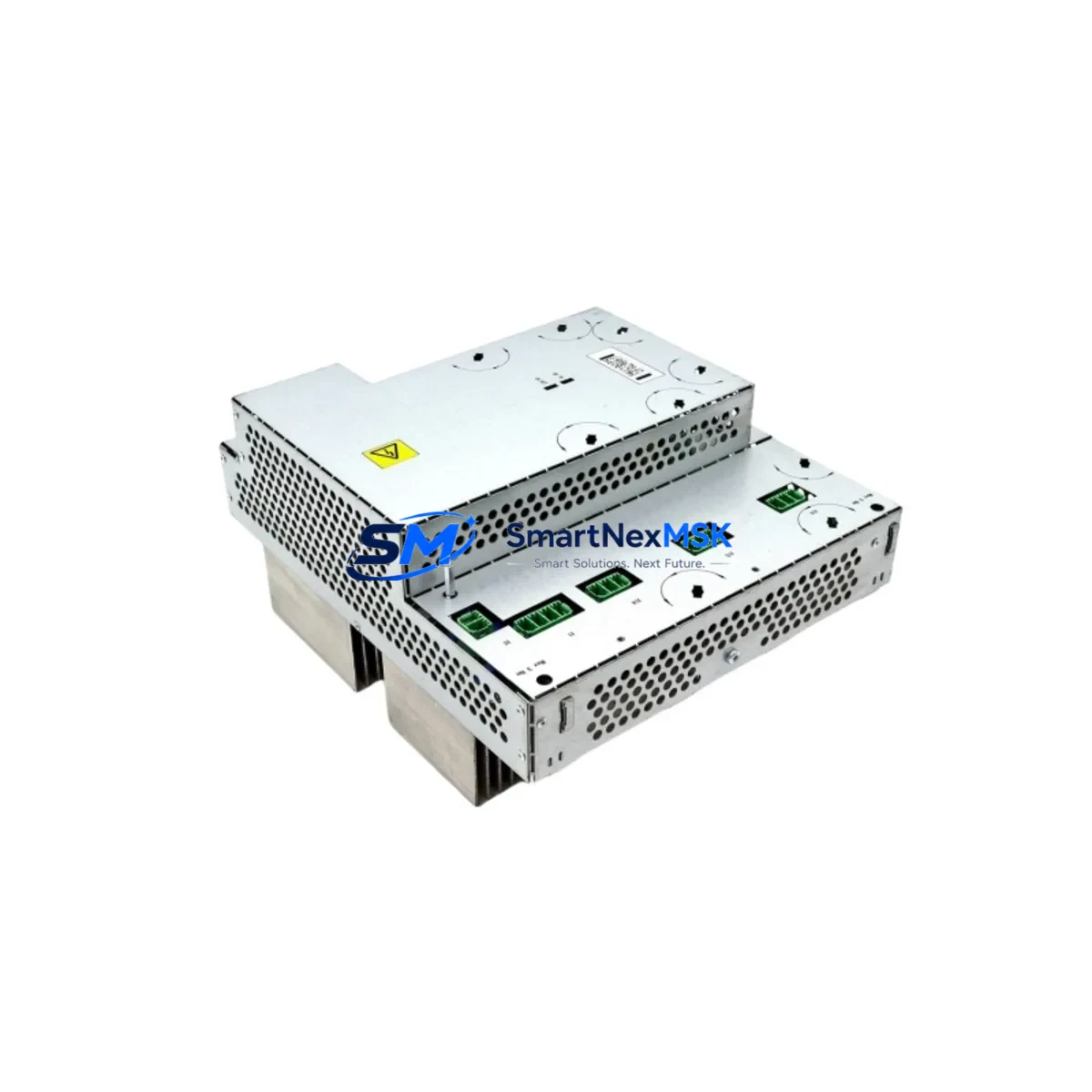
ABB DSQC406 3HAC035301-001 Retrofit-Ready Servo Drive Interface for IRC5 Control Systems
The ABB DSQC406 (part number 3HAC035301-001) is a servo drive interface card engineered for the ABB IRC5 robot controller platform. Designed as a direct retrofit replacement for aging or failed drive interface boards, this module enables seamless integration into existing IRC5 single-cabinet and dual-cabinet configurations without requiring controller reprogramming or mechanical rework. Whether you are recovering from an unplanned drive fault, executing a planned control cabinet upgrade, or migrating a legacy IRB series robot to a modernized drive architecture, the DSQC406 delivers the electrical compatibility, communication integrity, and mechanical fit your production line demands.
Industrial automation teams managing ABB robot fleets frequently encounter DSQC406 failures as part of broader IRC5 drive system degradation. The card interfaces directly with the DSQC400 drive unit and communicates over the internal INTERBUS-based drive bus, coordinating axis torque commands, encoder feedback, and safety interlock signals between the DSQC400 power electronics and the DSQC373 main computer board. A failed or degraded DSQC406 typically manifests as axis fault codes 50056, 50057, or 50058 in the IRC5 FlexPendant, often accompanied by loss of drive enable signals or erratic servo behavior during program execution.
This replacement unit ships fully tested and is verified against the original ABB factory specification for the 3HAC035301-001 revision. Each unit undergoes bench-level power-on testing, drive bus communication verification, and connector integrity inspection prior to dispatch. A 12-month warranty is included with every shipment, covering manufacturing defects and functional failures under normal operating conditions.
Upgrade Compatibility Table
| Parameter | Detail |
|---|---|
| Compatible Controller | ABB IRC5 Single Cabinet, Dual Cabinet, Panel Mounted Controller (PMC) |
| Replaces Part Number | 3HAC035301-001 (Rev. 01, 02, 03) |
| Drive Unit Interface | DSQC400 / DSQC401 drive unit backplane connector |
| Communication Protocol | Internal IRC5 drive bus (INTERBUS derivative); not fieldbus-dependent |
| Axis Support | Up to 6 axes (standard IRC5); compatible with 7th-axis expansion via DSQC354 |
| Installation Type | Direct board swap; no firmware flashing required on replacement |
| Power Supply Requirement | 24 VDC logic supply from DSQC609 or DSQC661 power distribution board |
| Connector Type | Molex-style board-to-board and ribbon cable; matches original harness |
| Commissioning Requirement | Axis calibration verification recommended post-swap; no new robot parameters required |
| Warranty | 12 Months — covers functional failure under normal operating conditions |
Retrofit Planning for Existing Automation Systems
A successful DSQC406 retrofit begins well before the replacement card arrives on-site. Maintenance engineers should start by pulling the IRC5 system log from the DSQC373 main computer via RobotStudio or the FlexPendant service panel to confirm that the fault origin is isolated to the drive interface layer rather than the DSQC400 drive unit itself or the axis motor resolver chain. Confusing a DSQC406 failure with a DSQC400 power stage fault is a common and costly mistake that results in unnecessary downtime.
Before powering down the cabinet, document the current axis calibration offsets stored in the DSQC373 system parameters. These values are preserved in the controller’s non-volatile memory and will survive the board swap, but having a printed or exported backup prevents recovery delays if the main computer requires a cold restart during the procedure. If the IRC5 cabinet also houses a DSQC643 DeviceNet master board or a DSQC688 PROFIBUS adapter, verify that the fieldbus network remains isolated during the swap to avoid triggering PLC-side safety faults on the connected Siemens S7 or Allen-Bradley ControlLogix line controller.
The physical replacement procedure requires removing the drive unit tray from the IRC5 cabinet base section. Disconnect the 24 VDC logic harness routed from the DSQC609 power distribution board, release the board-to-board connector linking the DSQC406 to the DSQC400 backplane, and carefully extract the card. Install the replacement DSQC406, reconnect all harnesses in reverse order, and verify connector seating before restoring cabinet power. After power-on, the IRC5 system will perform an automatic drive bus enumeration; confirm that all six axes appear in the drive status panel without fault codes before releasing the robot to automatic mode.
For systems running IRB 6600, IRB 6640, or IRB 7600 robots where the DSQC406 interfaces with high-inertia axis drives, it is advisable to run a reduced-speed warm-up cycle after the swap to allow the servo loop to stabilize before returning to full production speed. If the cabinet also contains a DSQC352 I/O expansion board or a DSQC328 analog I/O module connected to external sensors or conveyor encoders, verify that the I/O mapping in the RAPID program remains intact and that no address conflicts have been introduced during the restart sequence.
Downtime Control During System Migration
Minimizing unplanned downtime during a DSQC406 replacement requires a structured pre-swap preparation protocol. The most effective approach is to maintain a cold-spare DSQC406 in the plant’s spare parts inventory alongside other high-failure-rate IRC5 consumables such as the DSQC609 power board and the FlexPendant teach pendant cable assembly. When a drive interface fault is detected, a pre-staged spare allows the swap to be completed within a single shift rather than waiting for expedited freight.
Before initiating the swap, back up the complete IRC5 system configuration using RobotStudio’s backup function or the FlexPendant backup wizard. This captures the RAPID program modules, system parameters, I/O configuration, and safety controller settings in a single archive. Store the backup on an external USB drive and on a network share accessible to the maintenance team. If the IRC5 is connected to a DSQC1000 SafeMove safety controller board, ensure the safety configuration backup is also exported separately, as SafeMove parameters require a dedicated restore procedure distinct from the standard system backup.
During the swap window, communicate the expected downtime to the upstream and downstream production cells. If the robot is part of a welding or material handling line controlled by a Siemens S7-300 or S7-1500 PLC via PROFIBUS or PROFINET, place the PLC in manual mode and inhibit the robot-ready interlock signal to prevent the line controller from generating cascade faults. After the DSQC406 is replaced and the IRC5 has completed its boot sequence, restore the PLC to automatic mode and verify the robot-ready handshake before resuming production. Total controlled downtime for a prepared team is typically 45 to 90 minutes, compared to 4 to 8 hours for an unprepared emergency response.
Retrofit Support FAQ
Q: Is the DSQC406 (3HAC035301-001) a direct drop-in replacement for all IRC5 revisions?
A: Yes. The DSQC406 is compatible with IRC5 single-cabinet, dual-cabinet, and panel-mounted controller variants across all production years. Revision 01, 02, and 03 of the 3HAC035301-001 part number are functionally interchangeable. No firmware update or parameter change is required after installation.
Q: What commissioning steps are required after replacing the DSQC406?
A: After installation, power on the IRC5 and confirm that all axes enumerate correctly on the drive bus status screen. Run a manual jog test on each axis at reduced speed to verify encoder feedback and torque response. If axis calibration offsets appear shifted, perform a fine calibration using the calibration pendulum or the robot’s reference marks. No new robot parameters need to be loaded unless the main computer (DSQC373) was also replaced simultaneously.
Q: Can the DSQC406 be used in systems that have been upgraded with a DSQC1000 SafeMove board?
A: Yes. The DSQC406 operates at the drive interface layer and is independent of the SafeMove safety controller. After the swap, restore the SafeMove configuration from backup and perform the required safety validation test (typically a speed and position monitoring check) before returning the robot to automatic mode in safety-rated applications.
Q: What does the 12-month warranty cover, and how is it claimed?
A: The 12-month warranty covers functional failure of the DSQC406 under normal operating conditions, including drive bus communication faults, connector failures, and component-level defects. It does not cover damage caused by incorrect installation, overvoltage events, or physical impact. To initiate a warranty claim, contact our technical support team with the order number and a description of the fault. We will arrange a replacement shipment or repair at no additional cost within the warranty period.
© 2026 SMARTNEXMSK. All rights reserved.
Original Source: https://smartnexmsk.com
Contact: [email protected] | +86 18259474341



