
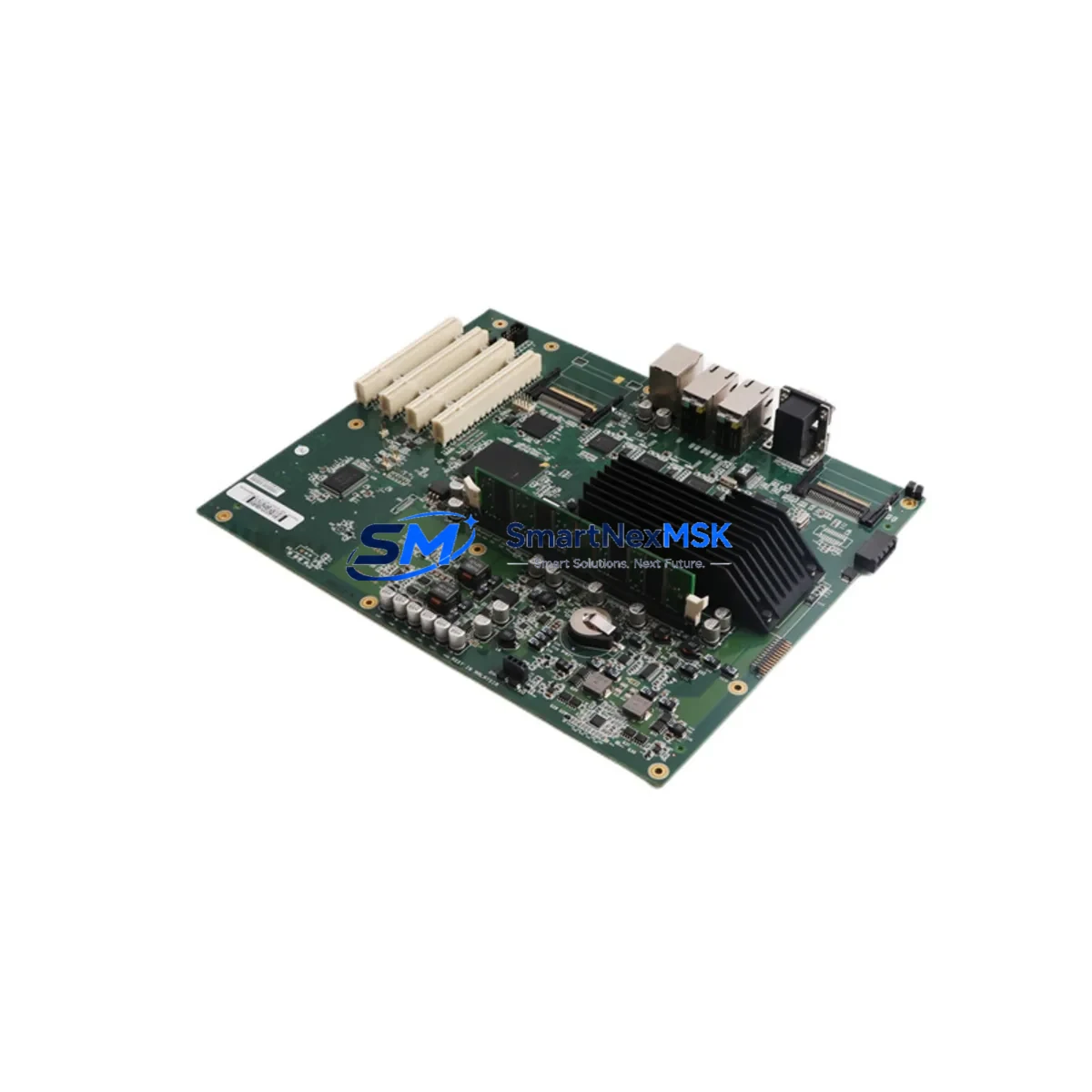
ABB DSQC639 3HAC025097-001 Retrofit-Ready Main Computer for IRC5 Control Systems
The ABB DSQC639 (part number 3HAC025097-001) is the central processing unit of the ABB IRC5 robot controller cabinet, responsible for coordinating motion control, I/O management, fieldbus communication, and real-time program execution across the entire robotic cell. As ABB’s installed base of IRC5 controllers continues to age, the DSQC639 has become one of the most frequently requested replacement and retrofit components in the industrial automation aftermarket. Whether you are recovering from a controller fault, executing a planned system upgrade, or modernizing a legacy production line, sourcing a verified DSQC639 is the critical first step in restoring full robot functionality with minimal disruption.
SMARTNEXMSK maintains ready stock of the DSQC639 / 3HAC025097-001, fully tested prior to shipment and backed by a 12-month warranty. Each unit undergoes functional verification covering boot sequence, memory integrity, and communication interface checks before dispatch, ensuring that your replacement module arrives ready for installation.
Upgrade Compatibility Table
| Parameter | Details |
|---|---|
| Compatible Controller | ABB IRC5 Single Cabinet, Dual Cabinet, Panel Mounted Controller (PMC) |
| Part Number | DSQC639 / 3HAC025097-001 |
| Replaces / Supersedes | DSQC609 (3HAC020148-001) — direct upgrade path; verify RobotWare version compatibility |
| Backplane Interface | IRC5 internal backplane bus; slot position must match original installation |
| Communication Interfaces | Ethernet (LAN/WAN), USB, serial; supports PROFIBUS, DeviceNet, EtherNet/IP via DSQC bus adapters |
| Power Supply Requirement | Supplied via IRC5 internal PSU (DSQC661 / 3HAC026253-001); verify PSU output capacity before swap |
| RobotWare Compatibility | RobotWare 5.x and 6.x; license key tied to controller serial number — confirm with ABB or backup existing license |
| Installation Requirement | ESD precautions required; controller must be fully de-energized before module removal |
| Commissioning Notes | IP address reassignment, system parameter restore, and I/O configuration reload required after swap |
| Warranty | 12 months from date of shipment — covers manufacturing defects and functional failure under normal operating conditions |
Retrofit Planning for Existing Automation Systems
A successful DSQC639 retrofit begins well before the replacement module arrives on site. Engineers responsible for the IRC5 controller should first audit the complete controller cabinet to establish a baseline of all installed modules and their current firmware revisions. In a typical IRC5 cabinet, the DSQC639 main computer works in close coordination with the DSQC662 axis computer (3HAC026254-001), which handles servo drive communication and motion interpolation. If the DSQC639 has failed due to a power surge or environmental stress, it is prudent to inspect the DSQC662 simultaneously, as both modules share the same backplane and power rail.
The IRC5 internal power supply — commonly the DSQC661 (3HAC026253-001) — must be verified to deliver stable 24 VDC and 5 VDC rails before the new DSQC639 is installed. An undersized or degraded PSU is a frequent root cause of repeated main computer failures and should be replaced or load-tested as part of the retrofit scope. Terminal wiring on the DSQC652 I/O module (3HAC025784-001) and any DSQC651 digital I/O boards should be documented with photographs before the cabinet is opened, as connector positions can shift during module handling.
For systems using fieldbus communication — particularly those running PROFIBUS-DP via the DSQC658 (3HAC025338-001) or DeviceNet via the DSQC377B — the fieldbus adapter configuration stored in the system parameters must be backed up prior to the swap. After the DSQC639 is replaced, the fieldbus master address, baud rate, and node assignments must be restored exactly to avoid communication faults with downstream PLCs, remote I/O racks, or third-party vision systems. In lines where the IRC5 communicates upstream to a Siemens S7-300 or S7-400 PLC via PROFIBUS, even a single-node address mismatch will cause the entire cell to fault on startup.
HMI panels connected to the IRC5 — including the ABB FlexPendant (3HAC028357-001) — communicate with the main computer over a dedicated Ethernet link. After the DSQC639 swap, the controller IP address must be reassigned to match the original network configuration, and the FlexPendant pairing must be re-established. If the production cell uses an external SCADA or MES system polling the robot controller via OPC-UA or a custom TCP socket, the network team should be notified in advance to avoid false alarms during the commissioning window.
Rack and backplane integrity should also be assessed during the retrofit. The IRC5 backplane connector on the DSQC639 uses a high-density edge connector that can develop intermittent contact resistance after years of thermal cycling. Cleaning the backplane contacts with isopropyl alcohol and inspecting for bent pins before seating the new module is a standard best practice that prevents nuisance faults post-installation. If the controller uses a dual-cabinet configuration with a DSQC668 inter-cabinet communication board, verify that the fiber optic link between cabinets is intact and that the DSQC668 firmware is compatible with the RobotWare version that will be loaded onto the new DSQC639.
Downtime Control During System Migration
Minimizing unplanned downtime during a DSQC639 replacement requires a structured pre-swap checklist executed while the robot is still operational. The most time-critical step is creating a full system backup using RobotStudio or the FlexPendant backup function, which captures the RAPID program, system parameters, I/O configuration, safety configuration, and calibration data in a single compressed archive. This backup should be stored on at least two separate media — typically a USB drive and a network share — before any hardware is touched.
Once the backup is confirmed, the planned maintenance window can be significantly compressed. A prepared technician with the correct ESD strap, a torque screwdriver, and the pre-configured replacement DSQC639 can complete the physical swap in under 30 minutes. The majority of the commissioning time is then spent on system restore, IP configuration, and a structured test cycle that validates each axis, each I/O point, and each fieldbus node before the robot is returned to automatic mode.
For production environments where even a two-hour window is difficult to schedule, SMARTNEXMSK recommends maintaining a cold-spare DSQC639 on-site. Given the age profile of most IRC5 fleets, a single spare unit can protect multiple robots across a facility and pays for itself the first time it prevents an unplanned line stoppage. Our team can assist with pre-configuration and labeling of spare units to match your specific controller serial numbers and RobotWare license requirements.
Retrofit Support FAQ
Q1: Is the DSQC639 a direct drop-in replacement for the DSQC609?
The DSQC639 is the designated upgrade successor to the DSQC609 (3HAC020148-001) within the IRC5 platform. The physical form factor and backplane connector are compatible, but the RobotWare license associated with the original DSQC609 is not transferable. You will need to obtain a new RobotWare license tied to the DSQC639 serial number, or work with ABB to migrate the existing license. SMARTNEXMSK can advise on the license transfer process based on your controller’s serial number and current RobotWare version.
Q2: What commissioning steps are required after installing the DSQC639?
After physical installation, the standard commissioning sequence includes: (1) power-on self-test verification via the FlexPendant status display; (2) system restore from the pre-swap backup; (3) IP address and hostname configuration; (4) fieldbus adapter re-initialization and node scan; (5) I/O signal verification against the original I/O list; (6) axis calibration check using the stored calibration data; and (7) a supervised automatic cycle run at reduced speed before returning to full production speed. The entire sequence typically takes 2–4 hours depending on system complexity.
Q3: How do I verify wiring compatibility before the swap?
The DSQC639 does not have direct field wiring — all I/O connections are made through the DSQC652 and DSQC651 I/O modules, which remain in place during the main computer swap. The only connectors that need to be transferred are the backplane edge connector (integral to the module), the Ethernet cables to the FlexPendant and plant network, and the USB connections if used for programming. Photograph all cable positions before removal and verify cable labels match the wiring diagram in the controller documentation.
Q4: What does the 12-month warranty cover?
The 12-month warranty covers manufacturing defects and functional failure under normal operating conditions from the date of shipment. It includes free replacement or repair of the DSQC639 unit if it fails due to a verified component or assembly defect. The warranty does not cover damage caused by incorrect installation, overvoltage, ESD mishandling, or use outside the specified operating environment. All warranty claims are processed through SMARTNEXMSK’s technical support team at [email protected].
© 2026 SMARTNEXMSK. All rights reserved.
Original Source: https://smartnexmsk.com
Contact: [email protected] | +86 18259474341



