
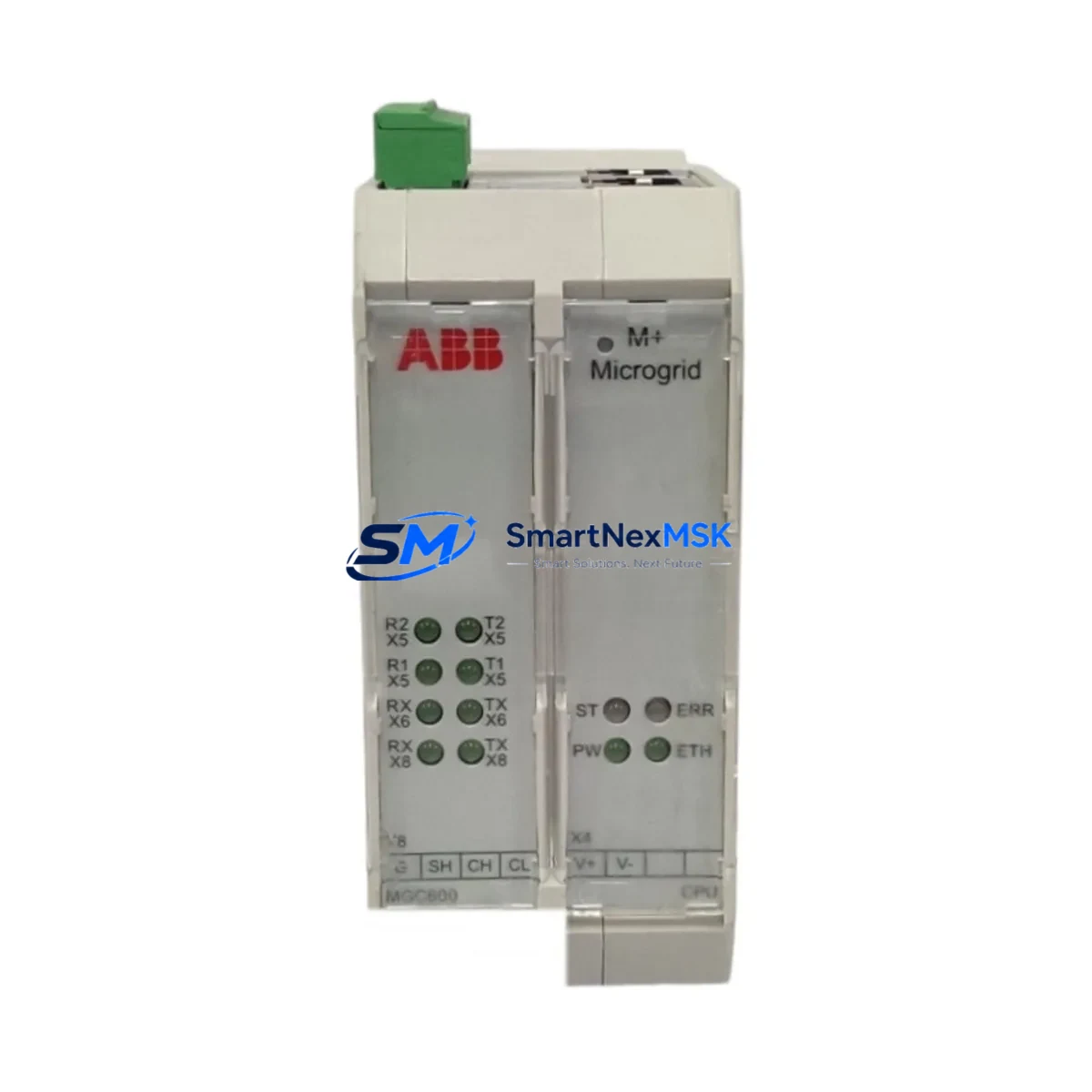
ABB MGC600-CPU Spare for MGC600 Series Automation
The ABB MGC600-CPU is a central processing unit module designed for the MGC600 Series distributed control and PLC automation platform. As a maintenance-ready original spare part, it is engineered to deliver direct drop-in replacement capability for aging or failed CPU modules in industrial control cabinets, minimizing unplanned downtime and restoring system operation with full compatibility. For maintenance engineers managing continuous process lines, power generation assets, or discrete manufacturing cells, having a verified MGC600-CPU spare on the shelf is a critical element of any proactive maintenance strategy.
This module supports the full MGC600 Series architecture, including rack-mounted backplane integration, deterministic scan-cycle execution, and standard I/O bus communication. It is suitable for environments requiring high-availability control logic execution, where CPU failure directly translates to production loss. The MGC600-CPU is tested prior to shipment, covered by a 12-month warranty, and sourced to meet the original ABB specification — making it a reliable choice for both emergency replacement and planned spare inventory replenishment.
Spare Maintenance Table
| Parameter | Specification |
|---|---|
| Part Number / SKU | MGC600-CPU |
| Brand | ABB |
| Series | MGC600 |
| Module Type | CPU / Central Processing Unit |
| Platform Compatibility | MGC600 Series DCS/PLC Control Systems |
| Mounting | Rack-mounted, backplane bus interface |
| Communication Interface | MGC600 internal bus; supports standard fieldbus protocols |
| Operating Voltage | 24 VDC (via backplane power rail) |
| Operating Temperature | 0°C to +55°C |
| Origin | Germany (ABB) |
| Condition | Original, new or refurbished-to-spec |
| Pre-shipment Test | Yes — functional and communication verified |
| Warranty | 12 Months |
| Typical Application | Process control, power automation, discrete manufacturing |
| Maintenance Recommendation | Replace at first sign of CPU fault alarm; keep one unit in spare inventory |
Maintenance Planning for Continuous Operation
When replacing the MGC600-CPU in the field, a disciplined maintenance engineer will treat the CPU swap as an opportunity to inspect the entire control cabinet for latent faults. The MGC600-CPU interfaces directly with the MGC600 power supply module, which should be checked for output voltage stability and capacitor aging — a degraded power supply is a common root cause of CPU instability and should be replaced concurrently if it shows any sign of ripple or voltage sag.
The backplane or rack assembly that houses the MGC600-CPU should be inspected for connector oxidation, bent pins, and secure module seating. Adjacent I/O modules — including digital input modules, digital output modules, and analog input/output modules within the same MGC600 rack — should be verified for correct addressing and communication handshake after the CPU is reseated or replaced. Any I/O module showing intermittent fault flags prior to the CPU failure should be treated as a suspect and tested independently.
Communication continuity is equally important. The MGC600 Series typically operates with a PROFIBUS DP or Modbus RTU fieldbus backbone; after CPU replacement, the fieldbus master-slave configuration should be re-verified and all slave device addresses confirmed. If the system includes a dedicated communication module or gateway card, its firmware version should be checked for compatibility with the replacement CPU firmware revision.
For systems that include relay output modules or solid-state relay interfaces, contact wear and coil resistance should be checked as part of the same maintenance window. Signal isolators and loop-powered transmitters connected to analog input channels should be verified for correct 4–20 mA loop integrity. Terminal blocks and field wiring terminations in the same cabinet should be inspected for loose screws and corrosion, particularly in high-vibration or high-humidity environments.
If the control system includes an HMI panel — such as an ABB CP600 or equivalent operator panel — the HMI communication link to the CPU should be tested after replacement to confirm tag mapping and alarm display are functioning correctly. For older MGC600 installations, it is also advisable to review the UPS or battery backup module that protects the CPU memory and real-time clock, replacing the battery if it is beyond its rated service life.
Maintaining a structured spare parts kit for the MGC600 platform — including at minimum one CPU module, one power supply module, one communication module, and a set of I/O modules matching the installed configuration — is the most effective strategy for reducing mean time to repair (MTTR) and protecting production continuity.
Site Replacement Workflow
Step 1 — Preparation: Obtain the replacement MGC600-CPU and verify the part number against the installed module label. Download or print the current PLC program backup from the engineering workstation before beginning any hardware work. Confirm the system can be safely de-energized or that a hot-swap procedure is supported by the installed firmware version.
Step 2 — Safe Isolation: Follow site lockout/tagout (LOTO) procedures. De-energize the control cabinet. Allow capacitors to discharge per ABB safety guidelines before handling the CPU module.
Step 3 — Module Removal: Release the module locking mechanism, disconnect any front-panel communication cables, and slide the MGC600-CPU out of the backplane slot. Note the slot position for correct reinstallation of the replacement unit.
Step 4 — Replacement Installation: Insert the new MGC600-CPU into the correct backplane slot. Ensure the module is fully seated and the locking tab is engaged. Reconnect any front-panel cables in the correct orientation.
Step 5 — Power-Up and Verification: Re-energize the cabinet. Observe the CPU status LEDs for normal run indication. Load the program backup if required. Verify all I/O modules are communicating correctly and that the HMI displays expected process values. Confirm no active fault alarms remain.
Step 6 — Documentation: Record the replacement date, new module serial number, and any observations in the site maintenance log. Update the spare parts inventory to reflect the consumed unit and initiate a replenishment order to maintain minimum stock levels.
This workflow applies equally to planned maintenance replacements and emergency fault recovery scenarios. Using a pre-tested, warranted MGC600-CPU spare from a reliable supplier eliminates the uncertainty of field-testing an unknown module during a production outage.
Spare Parts Support FAQ
Q1: What is the shelf life and storage recommendation for the MGC600-CPU spare?
When stored in original anti-static packaging in a dry, temperature-controlled environment (10°C–30°C, relative humidity below 70%), the MGC600-CPU can be stored for 3–5 years without degradation. Inspect the module annually and verify firmware compatibility with your installed system version before deployment.
Q2: How do I confirm compatibility between the replacement MGC600-CPU and my existing MGC600 rack?
Match the hardware revision and firmware version of the replacement CPU to your installed system documentation. ABB MGC600 Series modules are designed for backward compatibility within the same series generation, but it is recommended to verify the firmware revision with your system integrator or ABB technical support before installation in safety-critical applications.
Q3: Is the MGC600-CPU tested before shipment, and what does the 12-month warranty cover?
Yes — every MGC600-CPU unit is functionally tested for power-up, communication bus integrity, and I/O handshake before dispatch. The 12-month warranty covers manufacturing defects and functional failures under normal operating conditions. It does not cover damage caused by incorrect installation, overvoltage, or environmental conditions outside the rated specification.
Q4: Can I use the MGC600-CPU to replace an older or discontinued ABB CPU module in the same control cabinet?
In many MGC600 Series installations, the MGC600-CPU is a direct replacement for earlier CPU revisions within the same platform generation. For cross-generation or cross-series substitutions, a compatibility assessment is required. Contact our technical team with your existing module part number and system configuration for a verified compatibility confirmation before ordering.
© 2026 SMARTNEXMSK. All rights reserved.
Original Source: https://smartnexmsk.com
Contact: [email protected] | +86 18259474341



