
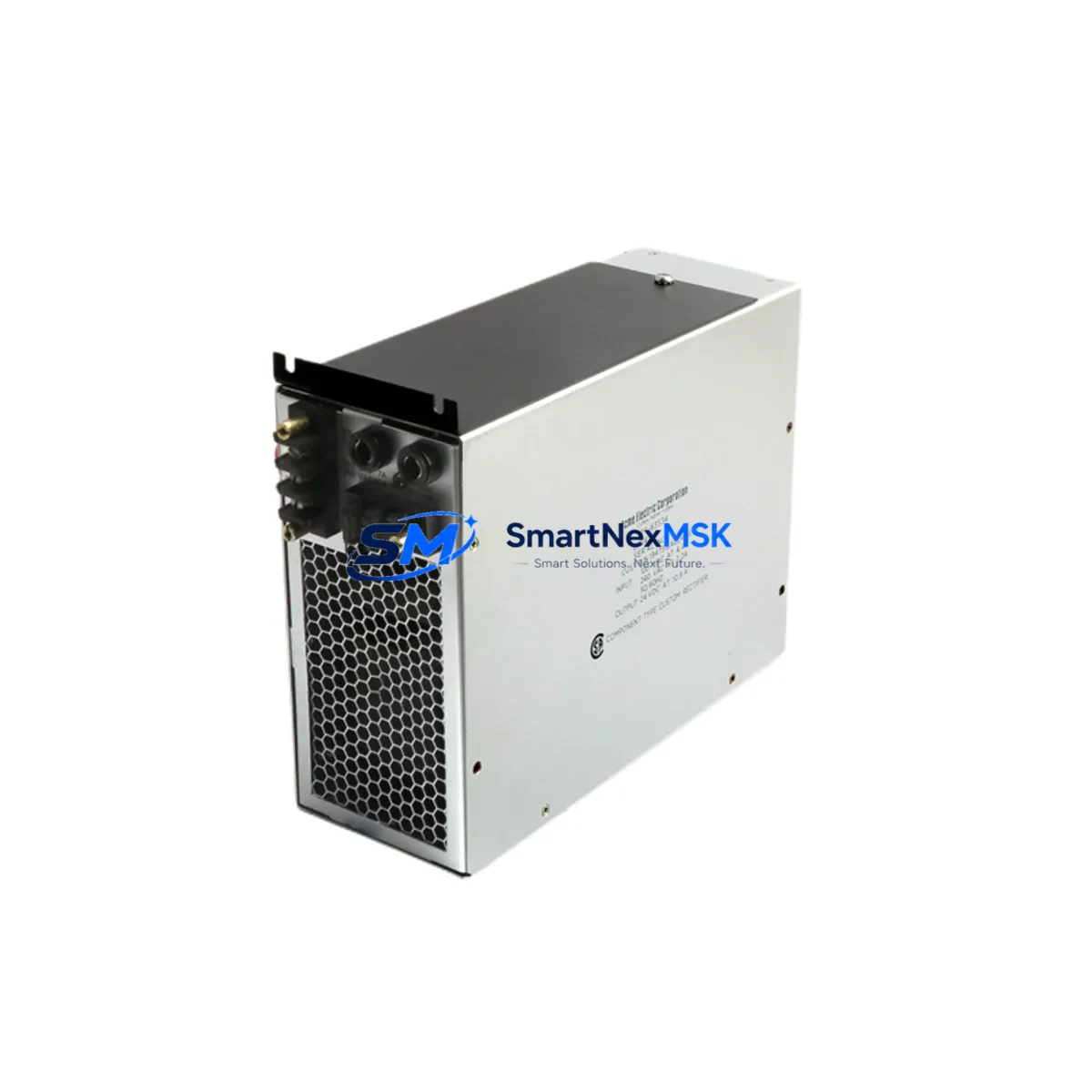
ABB NPCI03 Maintenance-Ready Spare for AC500 Automation
The ABB NPCI03 is an original I/O power supply module engineered for the AC500 PLC platform — one of ABB’s most widely deployed programmable logic controller families in industrial automation, process control, and critical infrastructure applications. When an NPCI03 fails or degrades in service, the downstream impact is immediate: I/O racks lose regulated power, field signals drop, and the control system enters a fault state. Unplanned downtime in these scenarios can cost thousands of dollars per hour. Stocking a verified NPCI03 spare is the single most effective measure a maintenance team can take to protect uptime in AC500-based control cabinets.
This listing supplies an original ABB NPCI03 sourced through established industrial distribution channels. Each unit undergoes pre-shipment functional verification covering output voltage regulation, inrush current behavior, and thermal performance under load. The module ships with a 12-month warranty and full traceability documentation, supporting both planned maintenance cycles and emergency replacement scenarios.
Spare Maintenance Table
| Parameter | Specification / Detail |
|---|---|
| Part Number / SKU | NPCI03 |
| Brand | ABB |
| Series | AC500 |
| Module Function | I/O Power Supply Module |
| Product Type | PLC I/O Power Supply Module |
| Country of Origin | Germany |
| Compatibility | ABB AC500 PLC I/O expansion racks; compatible with SM500 series I/O modules and TB500 terminal bases |
| Installation | DIN-rail mount; snap-fit into AC500 I/O rack; no tools required for module swap |
| Application Environment | Industrial control panels, process automation cabinets, machine control enclosures |
| Operating Temperature | -25°C to +60°C (typical AC500 I/O range) |
| Condition | Original, new or fully refurbished; pre-tested before shipment |
| Maintenance Recommendation | Replace at first sign of output voltage deviation, overtemperature alarm, or I/O rack power fault |
| Warranty | 12 Months |
| Lead Time | In-stock units ship within 1–3 business days |
Maintenance Planning for Continuous Operation
Experienced maintenance engineers know that an NPCI03 failure rarely occurs in isolation. The I/O power supply sits at the center of a power distribution chain that feeds multiple downstream components. When planning a replacement or conducting a scheduled cabinet inspection, the following associated components should be evaluated concurrently to prevent repeat failures and ensure the control system returns to full operational status.
Begin with the AC500 CPU module (such as the PM573 or PM591) — verify that the CPU’s internal diagnostics show no residual fault codes after the NPCI03 is replaced, and confirm firmware compatibility with the replacement module. Next, inspect the SM500-series digital and analog I/O modules seated in the same rack: a power supply fault can cause transient overvoltage or undervoltage events that stress I/O module input circuits, particularly on 24 VDC digital input cards and analog signal conditioning modules.
The TB500 terminal bases connecting field wiring to the I/O modules should be checked for loose terminations and signs of arcing or discoloration — symptoms that often accompany a power supply fault event. While the cabinet is open, inspect the 24 VDC system power supply (such as an ABB CP-E or equivalent SITOP unit) that feeds the AC500 rack: a degraded external PSU is a common root cause of repeated NPCI03 failures and should be load-tested before the system is returned to service.
For cabinets with communication-intensive architectures, verify the CM579 PROFIBUS DP master module or CM589 PROFINET interface module — communication modules are sensitive to power rail instability and may require a firmware re-initialization after a power supply replacement. If the system includes signal isolators on analog loops (4–20 mA or thermocouple inputs), confirm that isolation barriers have not been compromised by the fault event.
Protective devices also warrant attention: check miniature circuit breakers and fuse holders on the 24 VDC distribution rail for signs of thermal stress, and verify that surge protection devices (SPDs) on I/O signal lines are still within their rated clamping performance. Finally, if the control cabinet includes an HMI panel (such as an ABB CP600 or CP400 series), confirm that the HMI communication link to the AC500 CPU has re-established cleanly after the power restoration — a hung communication driver is a common post-maintenance issue that can be mistaken for a hardware fault.
Site Replacement Workflow
Replacing the NPCI03 on-site is a straightforward procedure when the correct spare is available and the replacement sequence is followed systematically. Begin by placing the AC500 CPU in STOP mode and documenting the current I/O rack configuration using the engineering tool (Automation Builder or PS501 Control Builder). This step ensures that the I/O module addressing and parameter assignments are preserved and can be verified after the replacement.
De-energize the 24 VDC supply to the I/O rack before removing the NPCI03. The module releases from the rack with a single lever action — no special tooling is required. Inspect the rack connector for contamination or pin damage before inserting the replacement unit. After seating the new NPCI03, restore power and observe the module’s status LED: a steady green indication confirms that the output voltage is within specification and the rack has completed its initialization sequence.
Return the CPU to RUN mode and verify that all I/O modules in the rack report healthy status in the diagnostic buffer. Conduct a functional test of critical I/O channels — particularly any safety-rated or process-critical signals — before releasing the system to production. Log the replacement in the site maintenance record, noting the date, the replaced module’s serial number, and the post-replacement test results. This documentation supports warranty claims and provides traceability for future audits.
For sites managing legacy AC500 installations where the NPCI03 has been in service for more than five years, consider establishing a proactive replacement interval as part of the planned maintenance schedule. Electrolytic capacitors in power supply modules have a finite service life, and scheduled replacement before failure eliminates the risk of unplanned downtime in aging control systems.
Spare Parts Support FAQ
Q1: Is this NPCI03 compatible with all AC500 I/O rack configurations?
The NPCI03 is designed for the ABB AC500 I/O expansion rack platform and is compatible with SM500-series I/O modules mounted on TB500 terminal bases. Compatibility with specific rack configurations depends on the firmware revision of the CPU module and the rack hardware generation. We recommend confirming the rack hardware revision against ABB’s compatibility matrix before installation. Our technical team can assist with compatibility verification prior to shipment.
Q2: What pre-shipment testing does each NPCI03 unit undergo?
Each unit is functionally tested under load conditions before shipment. Testing covers output voltage regulation at rated current, inrush current behavior at power-on, and thermal performance during a sustained load cycle. Units that do not meet ABB’s original performance specifications are not shipped. A test report is available upon request for quality-critical applications.
Q3: How should I manage NPCI03 inventory for a multi-site AC500 installation?
For facilities operating multiple AC500 racks across several production lines or sites, we recommend maintaining a minimum of one NPCI03 spare per five installed racks, with a higher ratio for critical or continuous-process applications. Centralized spare parts pooling — where a single regional warehouse supplies multiple sites — is an effective strategy for reducing total inventory cost while maintaining acceptable response times. We support blanket order arrangements and scheduled replenishment programs for high-volume customers.
Q4: What does the 12-month warranty cover, and how is a warranty claim processed?
The 12-month warranty covers defects in materials and workmanship under normal operating conditions. It does not cover damage resulting from incorrect installation, overvoltage events, or operation outside the module’s rated environmental parameters. To initiate a warranty claim, contact our sales team with the order reference, the module’s serial number, and a description of the fault symptom. We will arrange return shipping and provide a replacement or repair within an agreed lead time. Warranty claims are typically resolved within 10 business days of receiving the returned unit.
© 2026 SMARTNEXMSK. All rights reserved.
Original Source: https://smartnexmsk.com
Contact: [email protected] | +86 18259474341



