
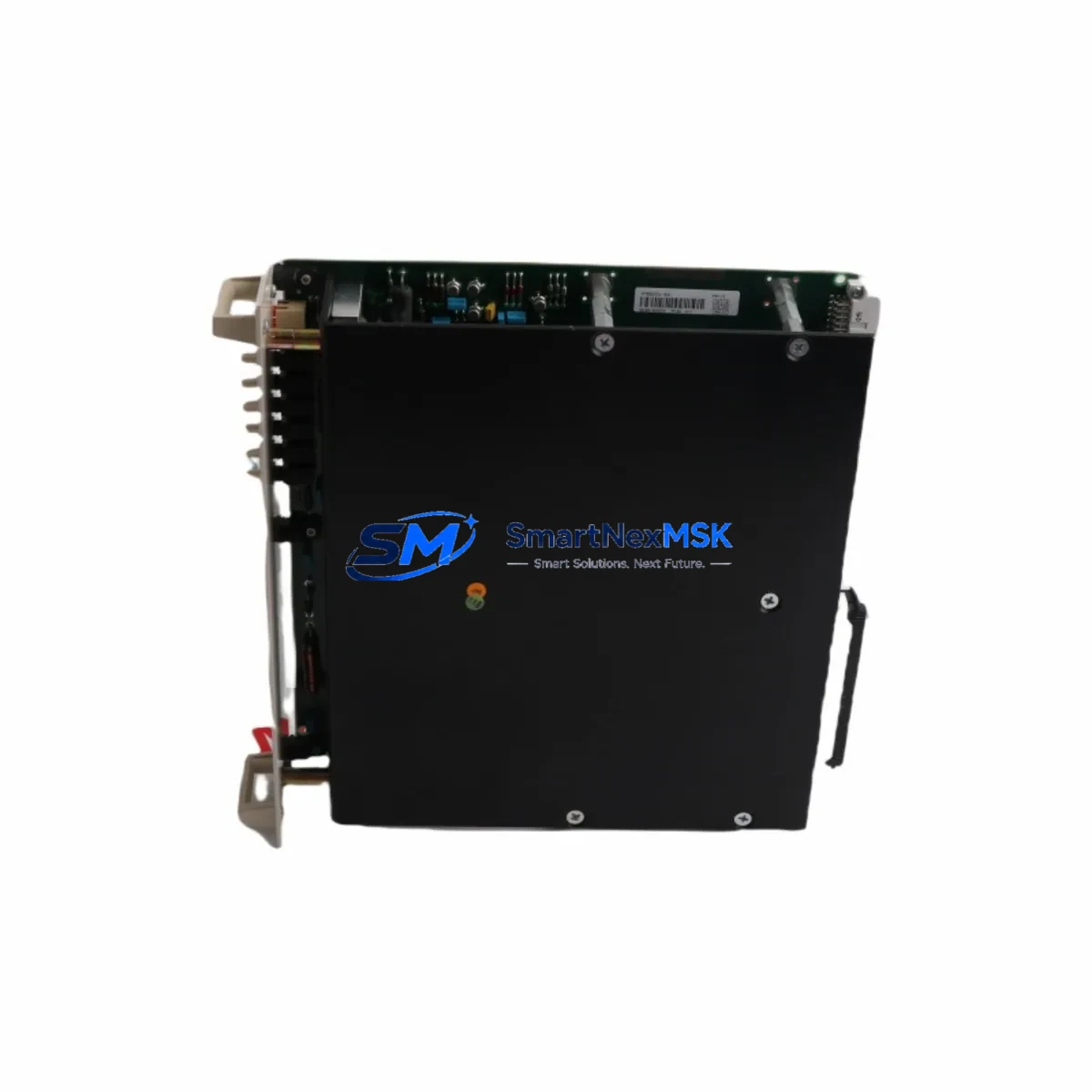
ABB PCPJ-11 Maintenance-Ready Spare for AC500 Automation
The ABB PCPJ-11 is a CPU module designed for the AC500 programmable logic controller platform — one of ABB’s most widely deployed automation architectures in process control, machine automation, and infrastructure applications. When a PCPJ-11 fails or reaches end-of-service life, the downstream impact is immediate: production lines halt, process loops open, and maintenance teams face unplanned downtime that can cascade across an entire control system. Sourcing a verified, original-specification spare is the fastest path to restoring operation without compromising system integrity.
This listing provides a maintenance-ready PCPJ-11 unit, sourced, inspected, and dispatched to support rapid field replacement. Each unit is function-tested prior to shipment and backed by a 12-month warranty covering manufacturing defects and operational failure under normal industrial service conditions. Whether you are managing a planned overhaul, responding to an emergency fault, or building a strategic spare parts buffer for a critical AC500 installation, this unit is ready to ship.
Spare Maintenance Table
| Parameter | Specification / Detail |
|---|---|
| Part Number / SKU | PCPJ-11 |
| Brand | ABB |
| Series | AC500 |
| Module Type | PLC CPU Module |
| Origin | Germany (DE) |
| Compatibility | ABB AC500 PLC backplane; compatible with PM5xx and PM5xx-ETH CPU families and associated I/O expansion racks |
| Communication Interfaces | Supports PROFIBUS DP, Modbus RTU/TCP, CANopen, and Ethernet-based fieldbus depending on firmware configuration |
| Operating Voltage | 24 V DC (supplied via AC500 power supply module, e.g. PS501 or PS502 series) |
| Operating Temperature | -25 °C to +60 °C (standard industrial range) |
| Mounting | DIN rail via AC500 backplane / terminal unit |
| Protection Class | IP20 (control cabinet installation) |
| Application Environment | Process automation, machine control, infrastructure, utilities, oil & gas, water treatment |
| Maintenance Recommendation | Replace CPU module when persistent fault codes, communication dropouts, or program execution errors cannot be resolved by firmware reload or battery replacement |
| Condition | Original specification; function-tested before dispatch |
| Warranty | 12 Months — covers manufacturing defects and operational failure under normal service conditions |
Maintenance Planning for Continuous Operation
A PCPJ-11 replacement should never be treated as an isolated swap. The AC500 CPU module sits at the center of a tightly integrated control architecture, and a failure event — whether sudden or gradual — is often a signal that adjacent components deserve inspection before the system is returned to service.
When replacing the PCPJ-11, maintenance engineers should systematically verify the condition of the PS501 or PS502 power supply module feeding the backplane. Voltage ripple, output sag under load, or capacitor aging in the PSU can stress the CPU and cause intermittent resets that are misdiagnosed as CPU faults. Confirm output voltage is within specification under full I/O load before commissioning the replacement CPU.
The TB521 or TB523 terminal base (or equivalent terminal unit for the PCPJ-11 form factor) should be inspected for contact oxidation, mechanical damage, and secure DIN rail seating. A degraded terminal base is a common source of intermittent CPU communication errors that survive a module swap if the base is not replaced simultaneously.
Review the DC532 or DA501 digital I/O expansion modules connected to the same backplane. After a CPU fault, I/O modules may retain latched output states or require a forced reset. Confirm all I/O channels return to their defined safe states before resuming automatic control.
If the AC500 system uses CM572-DP PROFIBUS DP communication modules or CM589-PNIO PROFINET interface modules, verify that fieldbus communication is re-established cleanly after CPU replacement. Network topology, node addresses, and GSD/GSDML configuration files should be confirmed against the as-built documentation.
For systems with CI590-CS31-HA CS31 bus couplers or remote I/O racks, check that all remote nodes are recognized by the new CPU after program download. Remote I/O dropouts following a CPU swap are frequently caused by mismatched firmware versions or corrupted configuration data rather than hardware faults in the remote nodes themselves.
Inspect fuse holders and miniature circuit breakers in the 24 V DC distribution circuit supplying the AC500 rack. A CPU failure caused by a transient overvoltage or short circuit may have stressed upstream protection devices. Replace any fuse that shows signs of thermal discoloration or has operated near its rated current.
If the installation includes signal isolators or loop-powered transmitter barriers on analog input channels (AI523 or AI531 modules), verify that 4–20 mA loop integrity is maintained after the CPU restart. Signal isolators can mask wiring faults that only become apparent when the CPU re-initializes its analog input scanning.
Finally, confirm that the SD memory card or CF card used for program backup and data logging is readable and contains the current, validated program version. A corrupted backup card is one of the most common causes of extended downtime following what should be a straightforward CPU replacement.
Site Replacement Workflow
Step 1 — Pre-replacement documentation. Before removing the PCPJ-11, record all active fault codes from the AC500 diagnostic buffer, photograph wiring and module positions, and confirm the program version stored on the SD/CF card matches the validated production build. Export a full hardware configuration backup from Automation Builder if a programming terminal is available on site.
Step 2 — Safe isolation. Place the process in manual or safe state. De-energize the AC500 rack via the main 24 V DC supply isolator. Do not rely on software-controlled outputs to achieve a safe state — verify with a calibrated voltage tester that the backplane supply is at zero before handling modules.
Step 3 — Module extraction. Release the PCPJ-11 from its terminal base by pressing the release lever and withdrawing the module vertically. Handle by the housing only — avoid contact with connector pins or PCB surfaces. Place the removed module in an anti-static bag for return or disposal.
Step 4 — Replacement installation. Insert the new PCPJ-11 into the terminal base until the locking lever engages. Confirm the module is fully seated — partial engagement is a common cause of intermittent communication faults after replacement.
Step 5 — Program restore and commissioning. Re-energize the rack and allow the CPU to complete its self-test sequence. Load the validated program from the SD/CF card or via Automation Builder. Confirm all I/O modules are recognized, all fieldbus nodes are online, and all analog channels are reading within expected ranges before returning the system to automatic control.
Step 6 — Post-replacement verification. Monitor the system for a minimum of 30 minutes under normal operating load. Check the AC500 diagnostic buffer for any residual fault codes. Document the replacement in the site maintenance log, including the serial number of the removed and installed modules and the date of replacement.
Spare Parts Support FAQ
Q: Is this PCPJ-11 unit compatible with all AC500 backplane configurations?
A: The PCPJ-11 is designed for the ABB AC500 platform and is compatible with standard AC500 terminal bases and backplane configurations. Compatibility with specific hardware revisions or firmware versions should be confirmed against your as-built system documentation and the ABB AC500 hardware compatibility matrix. Contact our technical team with your existing hardware revision if you require confirmation before ordering.
Q: What testing is performed before shipment?
A: Each PCPJ-11 unit undergoes functional testing prior to dispatch, including power-on self-test verification and communication interface checks. Units that do not pass functional testing are not dispatched. A test report is available on request for critical installations.
Q: What does the 12-month warranty cover?
A: The 12-month warranty covers manufacturing defects and operational failure under normal industrial service conditions from the date of shipment. It does not cover damage resulting from incorrect installation, overvoltage events, physical impact, or use outside the module’s rated environmental specifications. Warranty claims are processed with return of the defective unit for inspection.
Q: Can you support long-term or repeat supply of PCPJ-11 units for a multi-site maintenance program?
A: Yes. We support scheduled spare parts programs for maintenance teams managing multiple AC500 installations. Contact our sales team to discuss volume pricing, reserved stock arrangements, and lead time commitments for ongoing supply agreements.
© 2026 SMARTNEXMSK. All rights reserved.
Original Source: https://smartnexmsk.com
Contact: [email protected] | +86 18259474341



