
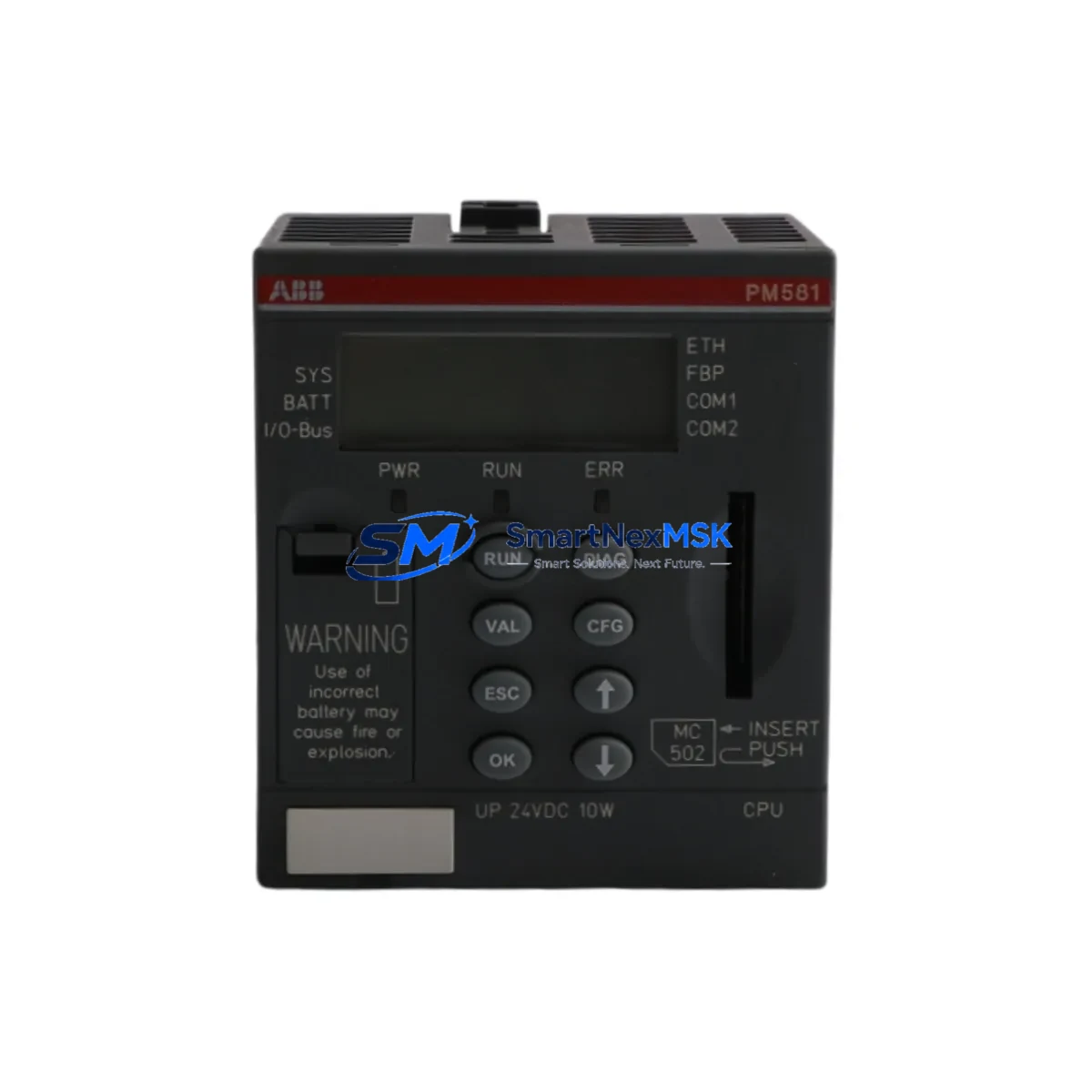
ABB PM581-ETH 1SAP140100R0170 Retrofit-Ready CPU for AC500 Control Systems
The ABB PM581-ETH (order reference 1SAP140100R0170) is a high-performance CPU module designed for the ABB AC500 programmable logic controller platform. As legacy control systems age and original equipment manufacturers discontinue older CPU variants, the PM581-ETH has become a preferred retrofit and drop-in replacement solution for industrial facilities operating AC500-based control cabinets. Whether you are upgrading from an earlier PM551 or PM571 series processor, migrating from a non-Ethernet CPU to an Ethernet-enabled architecture, or simply restoring a failed controller with a stocked spare, the PM581-ETH delivers the processing power, communication flexibility, and backward compatibility required for smooth system continuity.
Upgrade Compatibility Table
| Parameter | Details |
|---|---|
| Compatible Series | ABB AC500 (S500 I/O system) |
| Replaces / Upgrades From | PM551, PM571, PM581 (non-ETH variants) |
| Backplane Interface | AC500 CPU backplane slot (standard rack mount) |
| Communication Ports | Ethernet (10/100 Mbps), 2× serial (RS-232/RS-485) |
| Protocol Compatibility | MODBUS TCP, MODBUS RTU, CS31, CANopen (via CM modules) |
| Programming Environment | ABB Automation Builder / PS501 Control Builder Plus |
| I/O Expansion | Up to 10 S500 I/O modules per local bus segment |
| Installation Requirement | DIN rail or panel mount; standard AC500 rack |
| Retrofit Recommendation | Verify power supply capacity (DC 24 V, ≥3 A recommended) |
| Commissioning Note | Re-download program via Automation Builder; verify node addresses |
| Warranty | 12 Months from shipment date |
Retrofit Planning for Existing Automation Systems
Successful retrofit of the PM581-ETH into an existing AC500 control cabinet begins well before the physical swap. Engineers must first audit the existing power supply module — typically a CP-E 24VDC/10.0A or CP-E 24VDC/20.0A — to confirm it can sustain the combined current draw of the new CPU alongside all installed S500 I/O modules such as the DC532, AX522, or DA502 analog output cards. Terminal wiring on the TB521 or TB541 terminal base units should be photographed and documented before removal, as connector pinouts are preserved across AC500 generations but field wiring labels may have degraded over years of operation.
On the backplane side, the PM581-ETH occupies the standard CPU slot on the AC500 rack. If the existing installation uses a TA526 or TA527 expansion rack connected via the internal bus coupler, the new CPU will automatically enumerate all downstream I/O modules provided the rack addressing switches are set correctly. Engineers should verify module slot addresses using Automation Builder’s hardware configuration view before going live, as address conflicts between the local rack and expansion racks are a common source of startup faults during retrofit projects.
Communication migration is another critical planning step. Sites running legacy MODBUS RTU over RS-485 through a CM572-DP or CM577-ETHCAT communication module will need to confirm that the new Ethernet port on the PM581-ETH can absorb SCADA polling traffic without disrupting existing serial links. In many brownfield installations, the HMI — often a CP600 or CP635 panel — communicates with the CPU via a dedicated Ethernet segment; this link must be re-established with the correct IP address and gateway settings after the CPU swap. PROFIBUS DP networks connected through a CM572-DP coupler remain unaffected by the CPU change as long as the DP master configuration is re-downloaded intact.
Program compatibility is generally maintained when moving from PM551 or PM571 to PM581-ETH within the same AC500 generation, but engineers should perform a full compile and syntax check in PS501 Control Builder Plus or Automation Builder 2.x before the maintenance window. Any function blocks referencing CPU-specific memory areas or task cycle times should be reviewed, as the PM581-ETH supports faster task execution and may alter timing-sensitive sequences. A cold-start test on a bench rack using a TA526 test backplane is strongly recommended before field installation.
Downtime Control During System Migration
Minimizing production downtime during a CPU retrofit requires a structured changeover plan. Begin by exporting the full project archive from the existing CPU using Automation Builder’s online backup function — this preserves the program, hardware configuration, and retain variable values in a single file. Schedule the physical swap during a planned maintenance window, ideally with the process in a safe hold state and all field devices confirmed in manual mode.
During the swap, replace only the CPU module; leave all S500 I/O modules, the power supply, and the communication modules in place to avoid disturbing field wiring. After seating the PM581-ETH, restore power and allow the CPU to complete its self-test sequence before connecting the programming laptop. Download the archived project, verify the hardware configuration matches the physical rack, and perform a forced I/O scan to confirm all digital and analog channels respond correctly before releasing the system to automatic mode. Total changeover time for a prepared team is typically under two hours, keeping unplanned downtime to a minimum.
Retrofit Support FAQ
Q: Is the PM581-ETH a direct drop-in replacement for the PM571?
A: Yes, the PM581-ETH is mechanically and electrically compatible with the AC500 CPU slot occupied by the PM571. The primary difference is the addition of a dedicated Ethernet port. The existing program can be reloaded without modification in most cases, though a full compile check in Automation Builder is recommended before commissioning.
Q: What wiring changes are required during the retrofit?
A: No field wiring changes are required on the I/O terminal bases. The only new connection is the Ethernet cable to the PM581-ETH’s RJ45 port if Ethernet communication is being activated. Serial port wiring on the CPU’s COM1/COM2 connectors should be verified against the original documentation.
Q: How is the unit tested before shipment?
A: Each PM581-ETH unit undergoes power-on functional verification, communication port testing, and firmware version confirmation prior to shipment. Units are shipped with original or equivalent protective packaging to prevent ESD damage in transit.
Q: What does the 12-month warranty cover?
A: The 12-month warranty covers manufacturing defects and functional failures under normal operating conditions. It does not cover damage resulting from incorrect installation, overvoltage, or physical impact. Warranty claims are processed within 5 business days of receipt of the returned unit.
© 2026 SMARTNEXMSK. All rights reserved.
Original Source: https://smartnexmsk.com
Contact: [email protected] | +86 18259474341



