
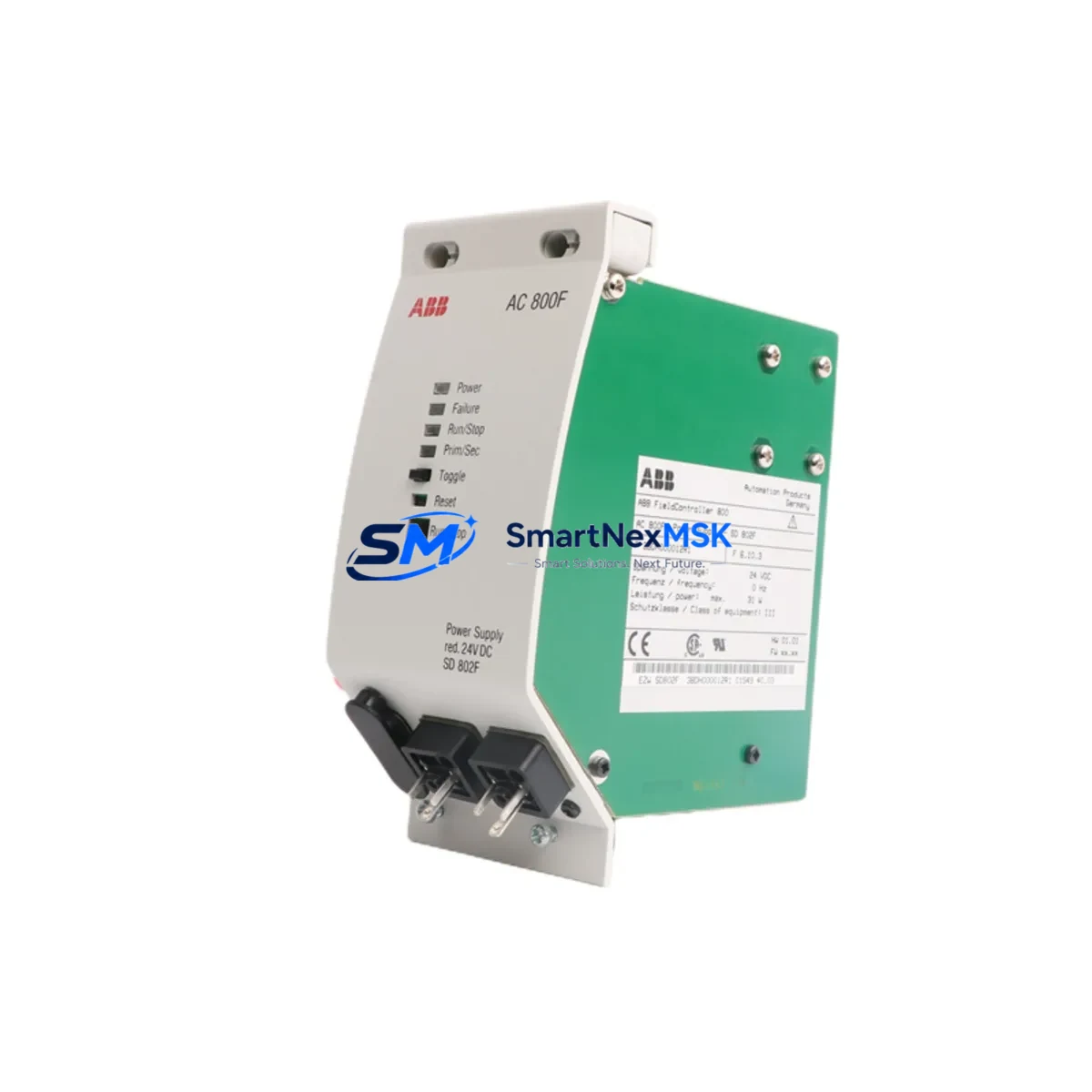
ABB SD802F 3BDH000012R1 Retrofit-Ready Power Supply for AC800M Control Systems
The ABB SD802F (3BDH000012R1) is a redundant power supply module engineered for the ABB AC800M Distributed Control System platform. As legacy AC800M installations approach end-of-life support cycles, the SD802F remains one of the most sought-after retrofit components for engineers tasked with sustaining continuous process control without a full system overhaul. Whether you are replacing a failed unit in a running plant, upgrading an aging control cabinet, or building a spare-parts inventory for a long-term maintenance contract, the SD802F delivers the electrical reliability and form-factor compatibility that AC800M-based architectures demand.
This module supplies regulated DC power to the AC800M controller backplane, supporting redundant power configurations that are critical in industries such as oil and gas, chemical processing, pulp and paper, and power generation. When paired with a second SD802F in a redundant arrangement, the system achieves seamless power-source switchover with no interruption to the controller’s execution cycle — a key requirement for processes where even a momentary loss of control can trigger costly shutdowns or safety events.
Upgrade Compatibility Table
| Parameter | SD802F (3BDH000012R1) | Notes / Retrofit Guidance |
|---|---|---|
| Compatible Platform | ABB AC800M (PM861, PM864, PM866, PM891) | Verify controller firmware version before installation |
| Input Voltage Range | 24 VDC (nominal) | Confirm site power rail tolerance; use SA801F or SA811F power adapter if required |
| Redundancy Mode | 1+1 Hot Standby | Second SD802F required for full redundancy; both units must be same revision |
| Backplane Interface | AC800M Rack (TB820V2, TB840A compatible) | Confirm rack slot assignment; do not mix with S800 I/O backplanes |
| Communication Compatibility | MMS / IEC 61850 via PM8xx controller | No direct protocol change required; controller handles communication layer |
| Replacement for Discontinued | SD801F, SD802 (earlier revisions) | Check terminal wiring map; connector pinout is backward compatible |
| Installation Method | DIN-rail / rack-mount via AC800M chassis | No additional mounting hardware required for standard AC800M cabinets |
| Commissioning Requirement | No firmware flash required | Module is recognized automatically by AC800M on power-up |
| Warranty | 12 Months | Covers manufacturing defects; includes pre-shipment functional test |
Retrofit Planning for Existing Automation Systems
A successful SD802F retrofit begins well before the module arrives on site. Engineers should start by auditing the existing AC800M cabinet layout, confirming the rack type — typically a TB820V2 or TB840A rack — and verifying that the power slot is correctly assigned in the hardware configuration tool. If the site runs Control Builder M (ABB’s engineering environment for AC800M), the hardware configuration file should be exported and backed up before any physical work begins.
Terminal wiring is the next critical checkpoint. The SD802F connects to the 24 VDC supply rail via a dedicated terminal block on the rack. Technicians should measure the incoming supply voltage under load before disconnecting the old module, and confirm that the site’s SA801F or SA811F power adapter — if present — is delivering within the specified tolerance. Loose or corroded terminals are a common root cause of intermittent power faults that are often misdiagnosed as controller failures.
For sites running redundant controller pairs (PM864 or PM866 in hot-standby mode), the power supply replacement should be performed on the standby controller first, with the primary controller remaining in service. After confirming that the new SD802F is recognized and the redundancy status LED is green, the engineer can initiate a controlled switchover and replace the second unit. This approach keeps the process running throughout the maintenance window and eliminates the need for a planned shutdown.
I/O module continuity is equally important. The AC800M platform typically connects to S800 I/O stations via ModuleBus or PROFIBUS DP, using communication modules such as the CI854A (PROFIBUS) or CI801 (ModuleBus). These communication links remain unaffected by a power supply swap, but technicians should verify that all I/O modules — including AI810 analog input, AO810V2 analog output, DI810 digital input, and DO810 digital output modules — are reporting correctly in the diagnostic view after the replacement is complete.
HMI screens connected to the AC800M via OPC DA/UA or direct Ethernet should be monitored during the switchover. If the site uses ABB System 800xA as the supervisory layer, the operator station will display a brief redundancy event alarm during the power supply swap; this is expected behavior and does not indicate a process fault. Alarm suppression for the maintenance window should be coordinated with the control room operator in advance.
Downtime Control During System Migration
Minimizing unplanned downtime is the primary driver behind most SD802F retrofit projects. The module’s hot-swap capability within a redundant AC800M configuration means that, in most cases, the replacement can be completed with zero process interruption. The key is preparation: the replacement SD802F should be on-site and pre-inspected before the maintenance window opens, and the engineering team should have a clear rollback plan in case the new module does not initialize correctly.
Before the swap, download and save the current AC800M application program from Control Builder M. Even though a power supply replacement does not alter the program memory in the PM861 or PM864 controller module, having a verified backup eliminates any ambiguity if a subsequent fault occurs. The backup should include the hardware configuration, function block diagram (FBD) or structured text (ST) programs, and the I/O signal list.
During the swap, use a calibrated DC clamp meter to verify that the new SD802F is supplying the correct output voltage to the backplane before closing the cabinet door. The AC800M’s built-in diagnostics will flag any power rail deviation within seconds of module insertion. If the redundancy LED does not illuminate within 30 seconds of installation, check the module seating and terminal connections before escalating to a deeper diagnostic.
Post-installation, run a full I/O scan from the engineering station and confirm that all field signals are reading correctly. For sites with safety instrumented systems (SIS) interfaced to the AC800M, coordinate with the SIS engineer to verify that the safety loop integrity has not been affected. Document the replacement with a timestamped maintenance record, including the old module’s serial number, the new module’s serial number, and the pre/post voltage measurements. This documentation supports the 12-month warranty claim process if a defect is identified after installation.
Retrofit Support FAQ
Q1: Is the SD802F 3BDH000012R1 a direct drop-in replacement for the SD801F?
Yes. The SD802F is the current-generation successor to the SD801F and earlier SD802 revisions. The connector interface and rack slot assignment are backward compatible with all standard AC800M chassis. No hardware modification is required. Verify that both power supply slots in the rack are populated with the same revision of the SD802F when operating in redundant mode.
Q2: Does replacing the SD802F require any changes to the Control Builder M hardware configuration?
No. The AC800M automatically detects the SD802F on power-up and does not require a hardware configuration update for a like-for-like replacement. If you are upgrading from an earlier power supply revision that was explicitly defined in the hardware configuration, open Control Builder M, update the hardware tree to reflect the SD802F, and download the updated configuration to the controller during the next available maintenance window.
Q3: What wiring checks should be performed before installing the SD802F?
Measure the 24 VDC input at the terminal block under full load before disconnecting the old module. Confirm that the supply voltage is within the specified tolerance (typically 24 VDC ±20%). Inspect the terminal screws for tightness and the wire insulation for heat damage. If the site uses an SA801F or SA811F power adapter upstream, verify its output before proceeding. Loose terminals are the most common cause of premature power supply failure in AC800M cabinets.
Q4: What does the 12-month warranty cover, and how is it claimed?
The 12-month warranty covers manufacturing defects and functional failures under normal operating conditions. Each SD802F unit undergoes a pre-shipment functional test before dispatch. To initiate a warranty claim, contact [email protected] with the module serial number, purchase order reference, and a description of the fault. Replacement units are dispatched from stock, and the defective module must be returned for inspection within 30 days of the claim being approved.
© 2026 SMARTNEXMSK. All rights reserved.
Original Source: https://smartnexmsk.com
Contact: [email protected] | +86 18259474341



