
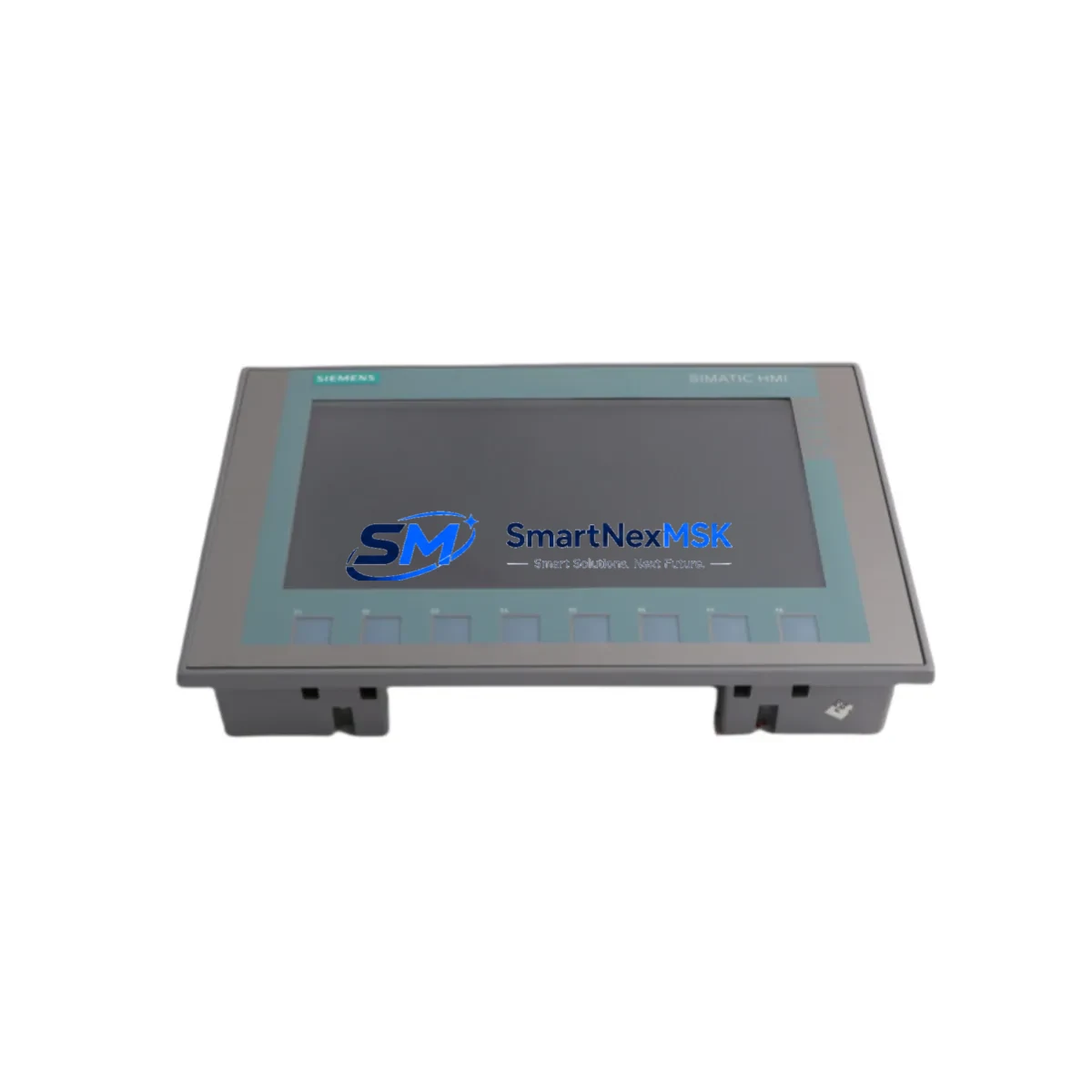
Siemens 6AV2123-2JB03-0AX0 Maintenance-Ready Spare for SIMATIC KTP700 HMI Automation
The Siemens 6AV2123-2JB03-0AX0 is the SIMATIC KTP700 Basic 7-inch HMI touch panel, a cornerstone operator interface in countless SIMATIC S7-1200 and S7-1500 control architectures. As production lines age and original panels accumulate operating hours, maintaining a verified spare of the 6AV2123-2JB03-0AX0 is a critical element of any industrial maintenance strategy. Whether you are managing a scheduled overhaul, responding to an unplanned screen failure, or building a resilient spare parts inventory for a multi-line facility, this unit delivers the compatibility, reliability, and fast-swap capability that maintenance engineers depend on.
The KTP700 Basic panel communicates via PROFINET, integrating directly with SIMATIC S7-1200 CPUs such as the 6ES7214-1AG40-0XB0 and S7-1500 controllers without requiring driver reconfiguration when the replacement unit carries the same order number. The 7-inch widescreen TFT display with 800×480 resolution and 8 configurable function keys supports TIA Portal-based HMI projects, meaning your existing WinCC Basic or WinCC Comfort screens transfer without modification. For maintenance teams, this eliminates the most time-consuming step in an HMI replacement: screen re-engineering.
During a planned inspection or emergency replacement, engineers should simultaneously verify the condition of the 24 VDC power supply feeding the panel — units such as the SITOP PSU100S 6EP1334-2BA20 are commonly paired with KTP700 installations and should be load-tested before the new panel is commissioned. The PROFINET patch cable connecting the panel to the managed switch or CPU should be inspected for connector wear, and the switch port configuration verified to ensure the IP address assignment matches the project settings in TIA Portal. If the control cabinet also houses a SIMATIC S7-1200 SM 1223 digital I/O expansion module, confirm that the I/O mapping in the HMI project still reflects the current hardware configuration after any CPU firmware updates.
For facilities running mixed SIMATIC generations, the 6AV2123-2JB03-0AX0 can coexist on the same PROFINET segment as older OP 77B or TP 177B panels, provided the network is properly segmented. When replacing a legacy TP 177B 6AV6642-0BA01-1AX1 with the KTP700 Basic, the primary engineering task is migrating the WinCC flexible project to TIA Portal WinCC Basic — a one-time effort that future-proofs the HMI layer for the remaining service life of the machine. Maintenance planners should schedule this migration during a planned shutdown rather than attempting it under emergency conditions.
In control cabinets where the KTP700 panel is mounted alongside a SIMATIC ET 200SP distributed I/O station, the BaseUnit BU15-P16+A0+2D and associated I/O modules should be inspected during the same maintenance window. Dust accumulation on terminal blocks, loose 24 VDC wiring at the power distribution rail, and degraded ferrule crimps are common root causes of intermittent HMI communication faults that are often misdiagnosed as panel failures. A thorough cabinet inspection — including the SITOP buffer module if installed — reduces the risk of repeat failures after the panel is replaced.
For facilities with SIMATIC WinCC SCADA supervision, verify that the HMI tag communication between the KTP700 and the SCADA server remains intact after replacement. The OPC UA or S7 communication driver configuration in WinCC should be reviewed to confirm the panel’s IP address and device name are correctly registered. If the plant uses a SCALANCE X208 managed switch for PROFINET traffic, confirm that the port mirroring and VLAN settings have not been altered since the original panel was commissioned.
All units are pre-shipment tested, supplied with a 12-month warranty, and available for fast global dispatch from verified stock. Long-term supply continuity is maintained to support multi-year maintenance contracts and scheduled spare parts replenishment programs.
Spare Maintenance Table
| Parameter | Specification |
|---|---|
| Order Number | 6AV2123-2JB03-0AX0 |
| Product Family | SIMATIC KTP700 Basic |
| Display Size | 7″ Widescreen TFT, 800×480 px |
| Touch Type | Resistive touch + 8 function keys |
| Communication Interface | PROFINET (1× RJ45) |
| Supply Voltage | 24 VDC (20.4–28.8 V) |
| Power Consumption | Approx. 4.5 W typical |
| Compatible Controllers | SIMATIC S7-1200, S7-1500, S7-300 (via PN) |
| Engineering Software | TIA Portal V13 SP1 and above (WinCC Basic) |
| Operating Temperature | 0 °C to +50 °C |
| Protection Rating | IP65 (front panel) |
| Weight | 530 g |
| Country of Origin | Germany |
| Warranty | 12 Months — covers manufacturing defects and functional failure under normal operating conditions |
| Compatibility Verification | Pre-shipment functional test performed on each unit |
| Replacement For | 6AV2123-2JB03-0AX0 (same order number), TP 177B (with project migration) |
Maintenance Planning for Continuous Operation
Effective maintenance planning for a KTP700 Basic installation extends well beyond the panel itself. When scheduling a replacement of the 6AV2123-2JB03-0AX0, maintenance engineers should treat the event as a cabinet-level inspection opportunity. The 24 VDC SITOP PSU100S power supply should be load-tested and its output voltage verified at the panel terminal — voltage sag under load is a leading cause of premature HMI touchscreen degradation. The PROFINET cable run from the panel to the nearest SCALANCE X208 switch port should be continuity-tested and the RJ45 connectors inspected for pin corrosion.
If the cabinet also contains a SIMATIC S7-1200 CPU 1214C or CPU 1215C, this is an appropriate time to verify the CPU firmware version and confirm TIA Portal project compatibility with the replacement panel’s firmware. The SM 1221 digital input module and SM 1222 digital output module wiring should be checked for terminal looseness, particularly on high-cycle I/O points. Any SIMATIC ET 200SP BaseUnit modules in the same cabinet should have their status LEDs verified and their 24 VDC supply rail voltage confirmed.
For cabinets with signal isolation requirements, Phoenix Contact MINI MCR signal isolators or equivalent units in the same DIN rail section should be inspected for overheating signs. Terminal blocks — particularly Weidmüller or Phoenix Contact feed-through terminals on the 24 VDC distribution rail — should be torque-checked. Fuse holders protecting the HMI supply circuit should be verified for continuity and the fuse rating confirmed against the original design specification. If a SIMATIC HMI KP300 Basic or KP400 Comfort is installed as a secondary operator station in the same system, its communication status should also be confirmed during the maintenance window to avoid discovering a second fault after the primary panel is restored.
Site Replacement Workflow
Replacing the 6AV2123-2JB03-0AX0 on-site follows a structured sequence designed to minimize downtime and eliminate configuration errors. Before powering down the cabinet, export the current HMI project from TIA Portal and save a backup of the panel’s runtime configuration. Note the panel’s IP address, device name, and subnet mask — these must be re-entered identically on the replacement unit using the TIA Portal device configuration or the panel’s startup menu.
Power down the 24 VDC supply to the panel, disconnect the PROFINET cable and power terminals, and remove the panel from the cutout by releasing the mounting clamps from the rear. Install the replacement 6AV2123-2JB03-0AX0, reconnect power and PROFINET, and power up. Use TIA Portal’s “Download to Device” function to transfer the HMI project to the new panel. Verify all screen navigation, alarm displays, and I/O tag values against the process before returning the system to production. Total replacement time for a prepared maintenance team is typically 30–60 minutes, excluding project download time.
For systems where the original panel has accumulated significant runtime hours, consider replacing the PROFINET patch cable and re-torquing all 24 VDC terminal connections as part of the same work order. This eliminates the most common sources of early re-failure and extends the effective service interval of the replacement unit.
Spare Parts Support FAQ
Q1: Is the 6AV2123-2JB03-0AX0 a direct drop-in replacement for an existing KTP700 Basic panel?
Yes. Units sharing the same order number are functionally identical and accept the same TIA Portal HMI project without modification. IP address and device name must be re-configured on the replacement unit to match the original network settings.
Q2: Can this panel replace a legacy TP 177B or OP 77B HMI?
Yes, with a project migration step. The existing WinCC flexible project must be migrated to TIA Portal WinCC Basic. This is a one-time engineering task and results in a fully supported, future-ready HMI configuration. We recommend scheduling this migration during a planned shutdown.
Q3: What pre-shipment testing is performed on each unit?
Each 6AV2123-2JB03-0AX0 undergoes power-on functional verification, display uniformity check, touchscreen calibration test, and PROFINET communication validation before dispatch. A 12-month warranty covering manufacturing defects and functional failure under normal operating conditions is included with every unit.
Q4: How quickly can replacement units be dispatched, and is long-term supply guaranteed?
In-stock units are dispatched within 1–2 business days. We maintain ongoing inventory of the 6AV2123-2JB03-0AX0 to support multi-year maintenance contracts and scheduled spare parts programs. Contact our team to discuss volume pricing and reserved stock arrangements for critical production lines.
© 2026 SMARTNEXMSK. All rights reserved.
Original Source: https://smartnexmsk.com
Contact: [email protected] | +86 18259474341