
Industrial Sensor Model Matching: Output, Connector and Mounting Checklist
Verify industrial sensor replacements with output type, connector, mounting, sensing range, power, cable, and environment details.
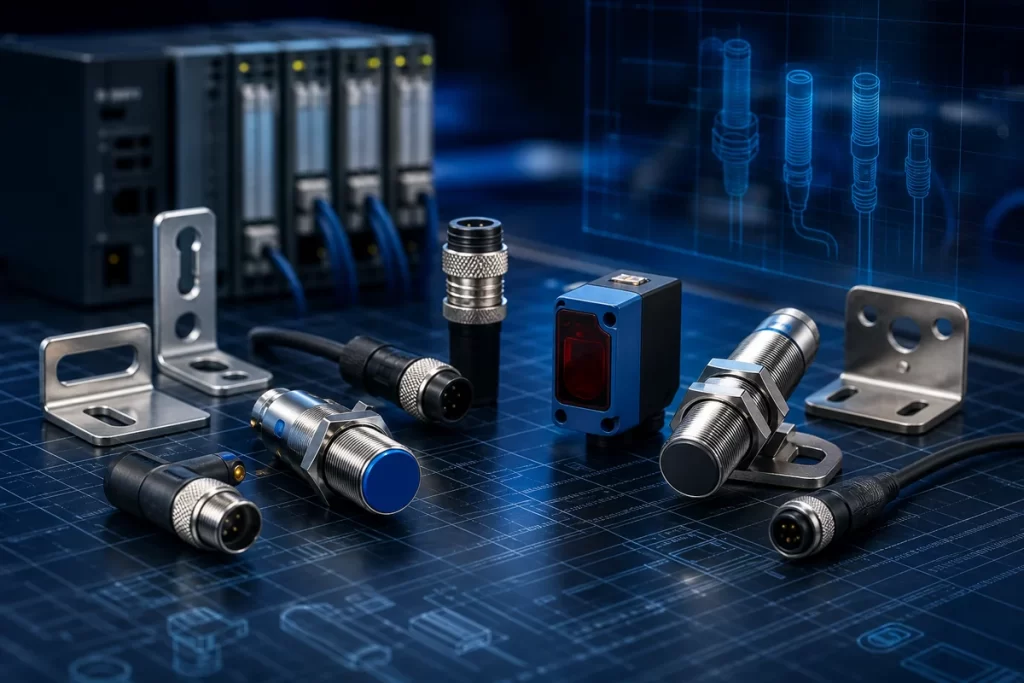
Industrial sensor requests can become slow when the inquiry only says “same sensor” or includes a blurry photo. Sensor matching depends on output type, sensing distance, connector, cable length, mounting thread, voltage, body shape, and environment. This guide helps buyers send a clearer RFQ for proximity sensors, photoelectric sensors such as the SICK WS18-3D430 photoelectric sensor, pressure sensors, encoders, probes, and measurement devices.
Start with the label and the application
For brands such as SICK, IFM, Turck, Pepperl+Fuchs, Balluff, Keyence, Omron, Banner, Baumer, Siemens, and Honeywell, many sensor models have close variants. A single letter can change output type, connector, housing material, or sensing distance. Send the exact model number and a short note about what the sensor detects.
- Full sensor model number
- Sensor type and application
- PNP/NPN, NO/NC, analog, IO-Link, relay, or special output
- Voltage and wiring style
- Connector type, cable length, or pin count
- Thread size, body length, and mounting position
Replacement details that matter
When an exact model is unavailable, the replacement must match the electrical output and physical installation. A sensor with the wrong output can damage input logic or fail to trigger. A sensor with the wrong connector or body length may not fit the bracket. A photoelectric sensor may also require matching reflector, receiver, or teaching function.
Use the Industrial Sensors category for sensor sourcing, or search model numbers directly in the Parts Catalog. If the sensor is part of a larger maintenance spare list, include it with the PLC, HMI, drive, or power supply items so the RFQ can be organized by urgency.
Photos to send
- Close-up model label
- Connector or cable end
- Installed mounting position
- Target object or machine area if relevant
- Old bracket or wiring photo for replacement checks
Best RFQ format
Send brand, model, quantity, destination, and application notes. If no exact model is visible, provide photos and mark the request as a replacement review. SmartNexMSK can check exact sourcing, equivalent model options, and export packing details before quotation.
Match output, connector, sensing distance, and mounting context
Sensor RFQs need exact labels or clear connector and mounting photos, especially when replacement options are acceptable.
Related Insights
Continue with sourcing and model matching guides
 Sep 8, 2026
SANYO DENKI QS1E Spares: Save Parameters First
When a SANMOTION Q axis stops, the purchasing request often becomes a model number: “Please quote QS1E01AA0H4A3P1T.” That is a useful starting point, but…
Read guide Sep 6, 2026
Yaskawa SGDH-05DE-OY Spares: Check the Servo Chain
A servo drive fault often produces a deceptively simple purchasing request: “Replace the SGDH-05DE-OY.” In a running machine, however, the amplifier is only one…
Read guide Sep 5, 2026
GE IS220PCLAH1A Spares: Check Mark VIe Fit
When a Mark VIe cabinet develops an intermittent control fault, the urgent request often becomes a single line: “Please quote IS220PCLAH1A.” That is understandable…
Read guide