
KUKA KSD1-16 Spares: Verify the Cabinet Before Replacement
A KUKA robot can stop for a reason that looks small on the maintenance screen but is expensive in production: a drive-cabinet fault, a missing archive, or a replacement module that does not belong to the installed controller generation. When the request is reduced to “KSD1-16 spare,” procurement may find a part quickly and still […]
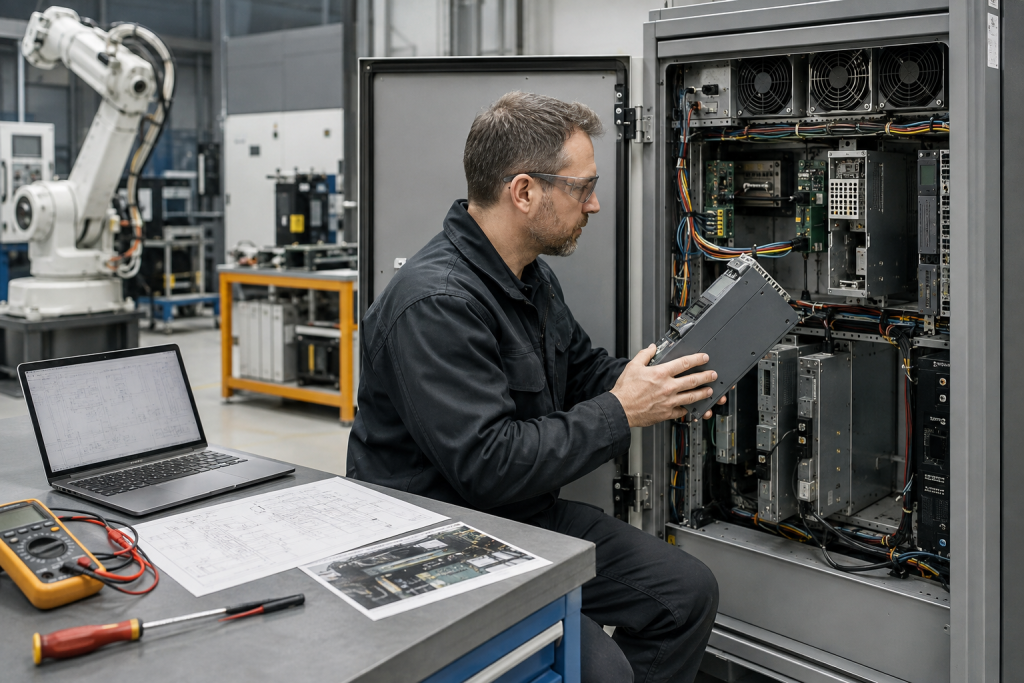
A KUKA robot can stop for a reason that looks small on the maintenance screen but is expensive in production: a drive-cabinet fault, a missing archive, or a replacement module that does not belong to the installed controller generation. When the request is reduced to “KSD1-16 spare,” procurement may find a part quickly and still leave the commissioning team without the evidence needed to return the cell to service.
The better approach is to treat the part as one element in a robot system. Identify the controller generation, cabinet, axis assignment, software environment, connectors, and archive before the purchase is approved. KUKA’s service material also makes the wider lifecycle point: product-specific documentation and spare-part information matter when technicians are diagnosing, repairing, or upgrading legacy equipment.
Confirm what the KSD1-16 is doing in the cell
Start with the installed cabinet and the robot asset record, not a marketplace title. Photograph the module label, cabinet label, connectors, mounting position, adjacent boards, cooling path, and any fault display. Record the robot model, controller generation, software version, teach pendant type, and the axis or drive position associated with the suspected module.
The published KUKA brand catalog is useful for organizing the manufacturer context. The specific KUKA KSD1-16 KSD Series spare page can then be used as a model-level sourcing reference. Neither page replaces the installed cabinet drawing, KUKA documentation, or an approved compatibility check.
Evidence to collect before ordering
1. Controller generation and cabinet identity
KUKA robot generations can share similar mechanical assemblies while using different controller hardware, software, and drive arrangements. Confirm whether the asset is associated with a KRC2, KRC4, or another controller family, then record the cabinet type and the exact position of the candidate module. A KSD reference without controller context is incomplete because the same-looking spare can have different commissioning requirements in another cabinet.
2. Electrical and interface details
Compare connector keys, terminal arrangement, power requirements, cooling method, mounting dimensions, and any feedback or communication interface. Check the cabinet schematic and wiring photographs against the candidate. Do not approve a substitute from a similar family only because its housing fits. A connector mismatch or different feedback path can create a fault that looks like a software problem after installation.
3. Software and archive readiness
Before removing the failed unit, preserve the robot archive, mastering data, tool and base data, calibration records, error logs, and the relevant controller configuration. Record the software version and any parameter files that the maintenance procedure expects. A spare that is electrically correct may still require configuration, parameter loading, mastering, or a controlled test sequence. If the archive is missing, make that a recovery task before the outage becomes an emergency.
4. Failure evidence and related parts
Capture the original fault code, time of failure, cabinet temperature, fan condition, contamination, loose connections, and the state of neighboring modules. Inspect the DC bus, braking circuit, motor cables, feedback devices, and grounding where the approved procedure calls for it. Replacing a drive module without checking the associated power and feedback path can cause a repeat failure and obscure the original cause.
Use lifecycle information without overclaiming
KUKA’s public service information distinguishes between spare-part support, repair, refurbishment, and upgrade paths. Its robot upgrade material also shows why legacy controller support should be checked before a failure: KUKA has published end-of-support conditions for older controller generations and describes upgrades as a way to reduce production risk when guaranteed spare availability is no longer sufficient.
That does not mean every KSD1-16 request should become a controller replacement. First determine whether the installed system can be restored with a verified spare and an approved commissioning procedure. Then decide whether the cabinet, controller, software, and robot mechanics need a broader modernization review. Keep the immediate recovery decision separate from the long-term lifecycle decision.
Receiving, storage, and commissioning
When the spare arrives, compare the complete part marking and connector arrangement with the approved record. Photograph the package and part before installation, and inspect for cracked housings, bent pins, corrosion, impact, or signs of rework. Store it in clean, dry, protective packaging with the source, inspection status, and assigned robot asset recorded.
During installation, follow the approved lockout, discharge, grounding, torque, and cabinet-access procedure. Load only the configuration intended for that robot and preserve the original archive. After power-up, verify alarms, axis behavior, mastering status, safety circuits, and a controlled test program before releasing the cell to production. A successful boot is not the same as a verified repair.
When a bridge spare is not enough
Escalate from a spare request to a lifecycle review when the controller generation is unsupported, archives are incomplete, failures repeat, cooling is degraded, or the required module is difficult to verify. KUKA’s Xpert and service resources are designed to connect product identity with technical documentation, work instructions, diagnosis, repair, and maintenance information. Use that evidence to define the upgrade boundary instead of ordering parts indefinitely without a recovery plan.
FAQ
Is KSD1-16 interchangeable across all KUKA robot cabinets?
No. Confirm the controller generation, cabinet, module position, connectors, software environment, and approved documentation before treating a candidate as compatible.
Should the controller archive be saved before replacing a failed module?
Yes, whenever the system state allows it. Preserve the archive, mastering data, configuration, logs, and parameter files before removing hardware so commissioning does not depend on memory or an incomplete backup.
Does a matching housing prove the spare is correct?
No. Electrical interfaces, feedback paths, communication behavior, cooling, protection, and software requirements can differ even when the package and mounting appear similar.
When should a KUKA spare request become an upgrade review?
Review the wider system when support is no longer dependable, archives are missing, the same failure repeats, or the installed controller and software no longer provide a defensible maintenance path.
What should be included in a KSD1-16 RFQ?
Include the full part number, cabinet and controller details, clear label photographs, module position, quantity, failure symptoms, archive status, destination, and any required delivery window.
Make the request actionable
For a KUKA KSD1-16 spare review, send the complete markings, cabinet photographs, robot and controller model, software version, fault information, archive status, quantity, and delivery country. Contact [email protected] or WhatsApp/Phone +86 18259474341 for a model and compatibility review.
Reference material: KUKA Circular Services; KUKA robot upgrade guidance; KUKA Xpert documentation platform. Accessed 2026-09-03.
Route this topic into a sourcing request
Connect the article topic to a model number, category, brand, quantity, and destination before opening the RFQ.
Related Insights
Continue with sourcing and model matching guides
 Sep 8, 2026
SANYO DENKI QS1E Spares: Save Parameters First
When a SANMOTION Q axis stops, the purchasing request often becomes a model number: “Please quote QS1E01AA0H4A3P1T.” That is a useful starting point, but…
Read guide Sep 6, 2026
Yaskawa SGDH-05DE-OY Spares: Check the Servo Chain
A servo drive fault often produces a deceptively simple purchasing request: “Replace the SGDH-05DE-OY.” In a running machine, however, the amplifier is only one…
Read guide Sep 5, 2026
GE IS220PCLAH1A Spares: Check Mark VIe Fit
When a Mark VIe cabinet develops an intermittent control fault, the urgent request often becomes a single line: “Please quote IS220PCLAH1A.” That is understandable…
Read guide