
MELSOFT Update Manager Advisory: Spare Workflow Risk
How the MELSOFT Update Manager advisory affects engineering PCs, update archives, PLC spare commissioning, and maintenance workflow controls.
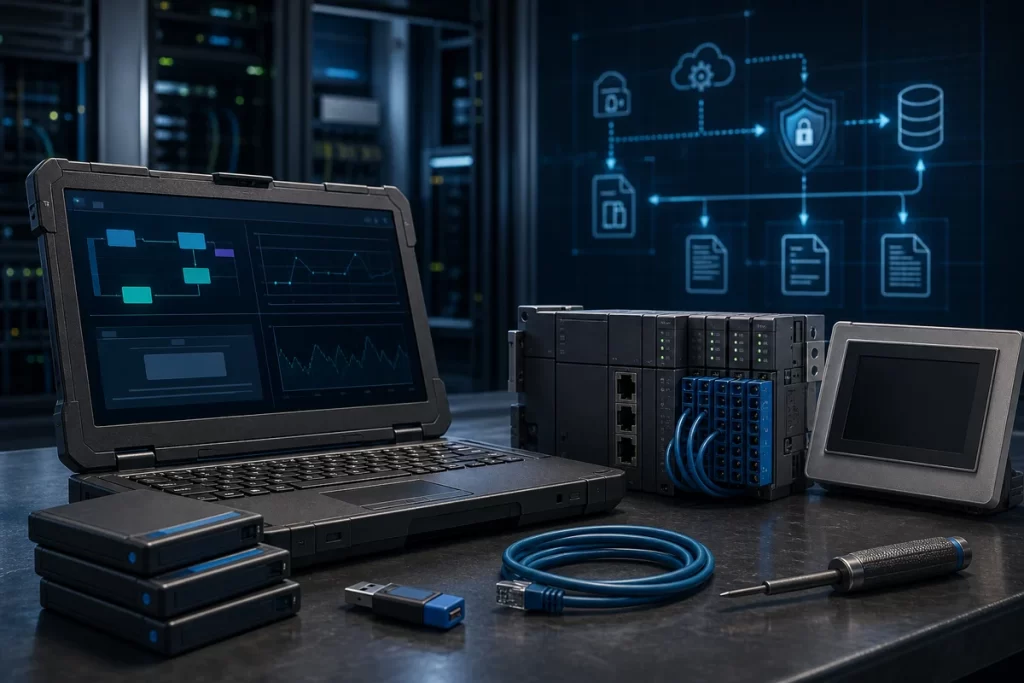
CISA’s June 30, 2026 advisory for Mitsubishi Electric MELSOFT Update Manager SW1DND-UDM-M is not a direct PLC hardware failure notice, but it belongs on the desk of anyone responsible for Mitsubishi PLC maintenance, engineering laptops, program backups, or spare commissioning. The advisory covers versions 1.000A through 1.014Q and references multiple vulnerabilities tied to the update manager and its included 7-Zip component. Successful exploitation could allow a local attacker to tamper with or destroy information, cause a denial-of-service condition, or execute arbitrary code when a specially crafted archive is decompressed by the affected product.
The practical lesson is straightforward: engineering software is part of the spare-parts workflow. A replacement PLC CPU, HMI panel, communication module, or servo controller can arrive in perfect physical condition and still create risk if the engineering PC used to prepare it is unmanaged, outdated, or fed untrusted update archives. The affected product is not remotely exploitable according to CISA, and no known public exploitation had been reported at publication time. That should keep the response measured, but it should not make the issue invisible.
Why engineering stations belong in a spare review
Factories often treat engineering workstations as tools rather than assets. They sit in maintenance offices, cabinet rooms, or contractor bags; they carry project files, programming software, drive tools, historical backups, and vendor update packages. When a spare has to be commissioned quickly, that workstation may become the path between a stored device and a live production line.
For plants using Mitsubishi Electric automation parts, the software environment matters. The exact hardware model is only one part of the request. The team should also know which engineering software is used, whether the project backup is current, where update files came from, who can log in remotely, and whether antivirus, firewall, and local access controls are in place. Those details do not replace part-number verification, but they reduce commissioning risk.
The archive problem in maintenance work
The advisory specifically mentions specially crafted archive files and the 7-Zip component included in MELSOFT Update Manager. In a factory maintenance environment, archives are common. Engineers exchange zipped PLC projects, HMI backups, screenshots, parameter exports, manuals, firmware packages, and vendor utilities. During a breakdown, a technician may open a file because the machine is down and the clock is running.
That is why archive handling should be part of a controlled workflow. Keep trusted update files separate from files received through email, messaging apps, or unmanaged USB drives. Record where a project archive came from before it is used to prepare a spare. If the source is unclear, scan it and open it in a controlled environment rather than on the primary engineering PC connected to production networks. This is basic discipline, but it is also where many plants are weakest.
What the advisory changes for PLC spare commissioning
Mitsubishi Electric is releasing fixed version 1.015R or later for MELSOFT Update Manager. For sites that cannot update immediately, the advisory points to controls such as using the affected PC inside a LAN, blocking remote logins from untrusted networks, allowing only trusted users through firewall or VPN controls, restricting physical access, avoiding untrusted email links and attachments, and using antivirus software.
For industrial PLC controller sourcing, these recommendations translate into specific RFQ and maintenance questions. Is the spare going to ship blank, preconfigured, or with configuration notes only? Who will load the project? Is the backup known-good? Does the engineering laptop have the current software baseline? Is remote support needed, and if so, is it through a controlled VPN rather than an open remote login? A spare plan that ignores the engineering station is incomplete.
HMI and panel work needs the same discipline
Many Mitsubishi PLC requests are not isolated CPU requests. They involve HMIs, operator terminals, drives, I/O, or gateway modules. A rushed HMI replacement may require transferring screen projects, communication settings, tag mappings, recipes, or alarm texts from old backups. If those files are stored as archives from unclear sources, the same update and decompression risk can enter the workflow.
When planning HMI and touch panel replacement, keep the project file history with the hardware evidence. Photograph the existing panel label, record software versions, identify connected PLC series, and note whether the replacement requires direct project transfer or a clean rebuild. That information helps procurement and engineering separate a simple hardware match from a commissioning task that needs software control.
Do not turn every advisory into a panic order
This advisory should not trigger random purchasing. It should trigger a review of engineering PCs, update paths, backup handling, and spare commissioning procedures. Plants should confirm which workstations run affected MELSOFT Update Manager versions, schedule update to the fixed release where possible, isolate engineering PCs from untrusted networks, and document who is allowed to introduce update packages or project archives.
If a spare is urgently needed, keep the technical request grounded: exact model, photos of labels, current program backup status, software environment, required destination, and downtime window. A controlled support RFQ workflow helps prevent a simple spare request from turning into a poorly documented software transfer under pressure.
FAQ
Does this advisory mean Mitsubishi PLC hardware is vulnerable?
No. The advisory is about MELSOFT Update Manager SW1DND-UDM-M on engineering PCs, not a direct PLC hardware vulnerability. The operational concern is that engineering software and update archives are part of the PLC spare commissioning path.
Which versions are affected?
CISA lists MELSOFT Update Manager SW1DND-UDM-M versions 1.000A through 1.014Q as affected. Mitsubishi Electric is releasing fixed version 1.015R or later.
What should maintenance teams check first?
Check which engineering PCs run MELSOFT Update Manager, whether the fixed version has been installed, where update archives and PLC project backups are stored, who can log in remotely, and whether untrusted email attachments or USB files are allowed into the workflow.
How does this affect spare PLC ordering?
The model number still matters, but the commissioning path matters too. When requesting a spare, include the project backup status, software environment, whether the unit must be preconfigured, and any time limits for production recovery.
Should archived project files be blocked completely?
No. Archives are normal in maintenance work. The key is to control their source, scan them, avoid opening untrusted files on production-connected engineering PCs, and keep clean backups available for verified spare commissioning.
Practical next step
If your plant is reviewing Mitsubishi PLC spares, HMI replacements, or engineering workstation readiness after this advisory, prepare the model evidence, software version, project backup status, update source, required quantity, destination, and downtime limit before sourcing. SmartNexMSK can help route the request as exact spare sourcing, configuration evidence review, or lifecycle replacement planning. Send details to [email protected] or WhatsApp/Phone +86 18259474341.
Source checked: CISA ICS Advisory ICSA-26-181-01, Mitsubishi Electric MELSOFT Update Manager SW1DND-UDM-M, June 30, 2026.
Route this topic into a sourcing request
Connect the article topic to a model number, category, brand, quantity, and destination before opening the RFQ.
Related Insights
Continue with sourcing and model matching guides
 Sep 8, 2026
SANYO DENKI QS1E Spares: Save Parameters First
When a SANMOTION Q axis stops, the purchasing request often becomes a model number: “Please quote QS1E01AA0H4A3P1T.” That is a useful starting point, but…
Read guide Sep 6, 2026
Yaskawa SGDH-05DE-OY Spares: Check the Servo Chain
A servo drive fault often produces a deceptively simple purchasing request: “Replace the SGDH-05DE-OY.” In a running machine, however, the amplifier is only one…
Read guide Sep 5, 2026
GE IS220PCLAH1A Spares: Check Mark VIe Fit
When a Mark VIe cabinet develops an intermittent control fault, the urgent request often becomes a single line: “Please quote IS220PCLAH1A.” That is understandable…
Read guide