
Omron NS Series HMI Spares: Plan Before 2029
Plan Omron NS Series HMI spares before support ends: preserve screen data, verify cables and PLC links, and evaluate replacement timing.
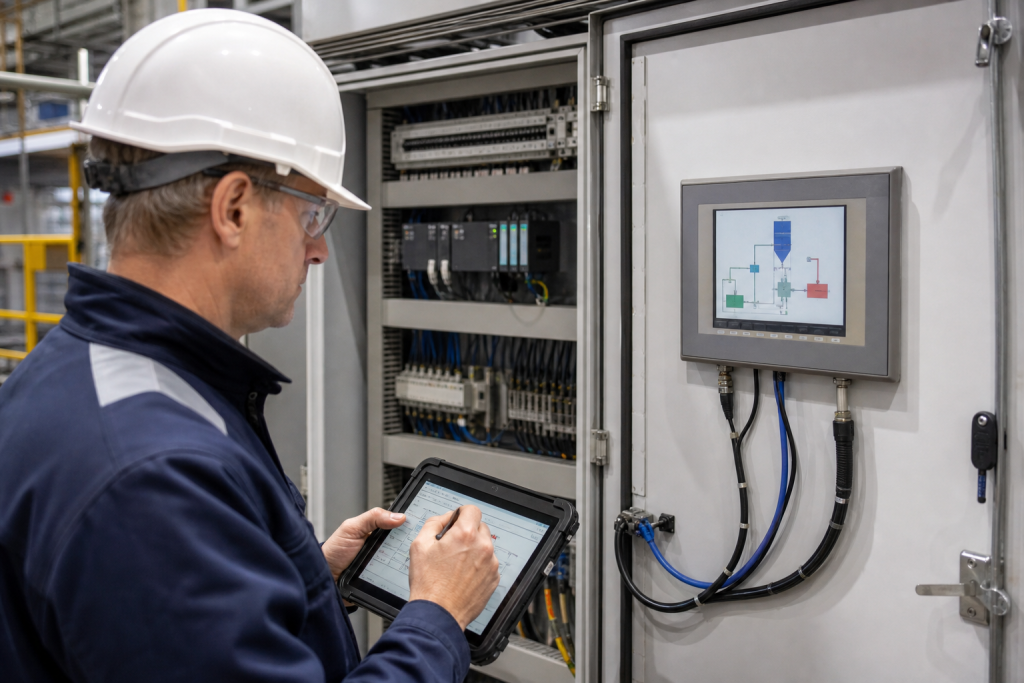
An Omron NS Series HMI can remain in daily service long after its last-order date, which creates a dangerous planning gap. The panel still runs, the screen project may be familiar to the maintenance team, and the cabinet may look stable. Then a failed touch layer, display, memory device, cable or communication port turns a routine spare request into a recovery problem.
Omron’s official NS Series page identifies the range as discontinued, with a last order date in March 2022, a last ship date in June 2023 and support listed through March 2029. That window is useful, but it should not be treated as a reason to wait. A practical HMI spare plan preserves the screen project, confirms the host connection, identifies the exact terminal variant and decides whether a like-for-like spare or a controlled replacement is the better risk response.
What the NS lifecycle notice means
“Discontinued” describes the commercial position of the series; it does not mean every installed panel stops working or that every support path ends on the same day. Omron’s page gives a support horizon, but availability and service decisions still depend on the exact model, region, condition and required work. Record the notice date in the asset file and set a review before the listed support end.
Do not combine all NS models into one stocking line. The NS family covers multiple screen sizes and variants, including NS5, NS8, NS10, NS12 and NS15. A replacement must match the installed model, electrical arrangement, project data, communication method, mounting dimensions and operator workflow. The Omron brand catalog is useful for locating published parts, while the final match depends on the nameplate and cabinet evidence.
Identify the panel before ordering
Photograph the complete front and rear of the HMI, the nameplate, connectors, memory-card area, mounting cutout and cabinet labels. Record the exact model suffix, display size, supply voltage, serial or revision information where visible, and whether the unit uses a standard or special environmental arrangement.
Then document the system around it. Identify the PLC or controller, communication protocol, port, cable and adapter, node or address settings, and the screen creation software used by the original project. Record whether the panel uses direct access, memory link or another host arrangement. A panel that fits the cutout can still fail to communicate if the cable, port mode or controller settings are different.
For a model-specific sourcing reference, the Omron NS5-MQ00-V2 HMI spare can be evaluated when the installed nameplate matches. The listing is not a universal replacement statement for every NS5 variant or every application.
Protect the screen project and system program
The physical HMI is only one part of the recovery package. Preserve the screen project, system program information, communication settings, alarm and recipe data where applicable, user or security settings, and the approved restore procedure. Store the files with the panel identity, host controller reference and software version so an engineer can tell which project belongs to which machine.
Omron’s support information notes that an NS-series system program can be reinstalled using a memory card and the appropriate support process. That detail matters during a spare evaluation: a powered panel with no usable project or system-program path is not a ready replacement. Confirm the required software, transfer cable, memory device and operator-authorized procedure before the outage.
Check the communication path, not only the display
Many NS recovery failures are caused by the connection between the terminal and the controller rather than by the display itself. Omron’s technical guidance describes communication settings, designated cables and RS-232C or RS-422 arrangements as part of the setup. A “Connecting…” message can therefore indicate a wiring, adapter, port or controller-setting problem.
Before removing a working panel, record the cable part number, connector pinout, adapter switches, termination, protocol settings and controller port configuration. Photograph both ends of the cable and label the cabinet side. If the original project changes communication settings when transferred, include that behavior in the approved recovery notes.
During a planned window, use the intended spare to test power-up, project transfer, screen navigation, alarm acknowledgement, data entry, PLC values, communication recovery and operator permissions. Validate the process response with the controls owner. A lit screen is not an acceptance test.
Like-for-like spare or replacement project?
A replacement project may be justified when the HMI is damaged beyond identification, the screen project cannot be recovered, the support horizon no longer fits the plant’s asset plan, or the panel depends on an unavailable software and transfer environment. Treat that as a controlled engineering project. Map every screen, alarm, recipe, user action, PLC address and interlock before selecting a new platform.
Do not promise a modern replacement from a display-size comparison alone. Communication drivers, data types, alarm history, scripts, fonts, user permissions and operator habits can all change the validation effort.
What to include in an Omron NS spare RFQ
Send the exact model and suffix, clear nameplate photos, quantity, destination, fault symptoms, urgency and required delivery date. Include the host PLC model, communication method, cable and adapter details, project software, memory-card information and whether the request is for a tested spare, a project recovery review or a migration assessment.
If the panel label is unreadable, provide photos of the cabinet cutout, connectors, cable labels, PLC rack and adjacent equipment. State whether the line is running, stopped or awaiting a replacement. This evidence lets the sourcing review separate a direct NS spare from a communication or project-recovery problem.
Frequently asked questions
Is the Omron NS Series still available to order?
Omron’s official NS Series page marks the range as discontinued and lists the last order date as March 2022. Existing support is listed through March 2029, but exact service and spare decisions depend on the model, region and condition.
Can any NS5 terminal replace another NS5 terminal?
No. Confirm the full model suffix, display and touch variant, supply, mounting, project data, communication path and software context. The NS5 family name alone is not sufficient evidence of a like-for-like replacement.
Is the HMI project stored in the panel?
The recovery plan should not assume that the panel is the only copy. Preserve the approved screen project and system-program information separately, with the host controller and software context. A spare without a verified project transfer path may not restore the machine.
What does “Connecting…” usually require me to check?
Check the designated cable, adapter, connector wiring, port mode, communication settings and controller configuration. Omron’s support guidance treats these as part of the connection procedure, so replacing the display alone may not remove the fault.
When should I consider a modern HMI migration?
Consider it when the exact NS model or software path cannot be secured, the screen project is unavailable, the support horizon no longer fits the asset plan, or the existing interface has critical undocumented dependencies. Map and validate the application before committing to a new platform.
Reference documents
- Omron NS Series Standard Programmable Terminal/HMI lifecycle page
- Omron FAQ02709: NS-series system program reinstall guidance
- Omron FAQ02515: NS-series communication and Connecting message guidance
For a model check, send the full reference, nameplate or cabinet photos, quantity, destination, any end-of-life replacement need and delivery requirement to [email protected] or WhatsApp/Phone +86 18259474341.
Route this topic into a sourcing request
Connect the article topic to a model number, category, brand, quantity, and destination before opening the RFQ.
Related Insights
Continue with sourcing and model matching guides
 Sep 8, 2026
SANYO DENKI QS1E Spares: Save Parameters First
When a SANMOTION Q axis stops, the purchasing request often becomes a model number: “Please quote QS1E01AA0H4A3P1T.” That is a useful starting point, but…
Read guide Sep 6, 2026
Yaskawa SGDH-05DE-OY Spares: Check the Servo Chain
A servo drive fault often produces a deceptively simple purchasing request: “Replace the SGDH-05DE-OY.” In a running machine, however, the amplifier is only one…
Read guide Sep 5, 2026
GE IS220PCLAH1A Spares: Check Mark VIe Fit
When a Mark VIe cabinet develops an intermittent control fault, the urgent request often becomes a single line: “Please quote IS220PCLAH1A.” That is understandable…
Read guide