
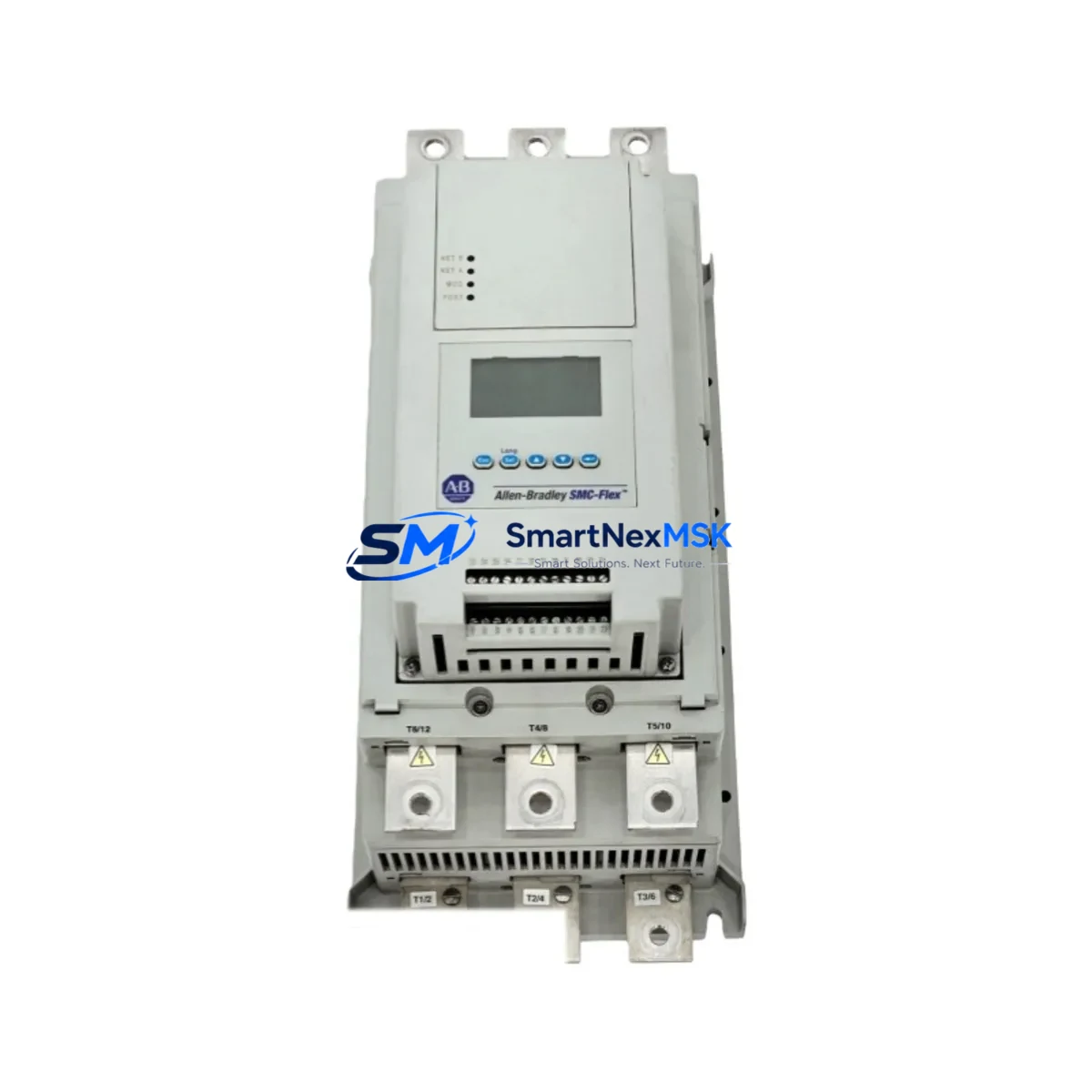
Allen-Bradley 150-F108NBD Spare for SMC-Flex Automation
The Allen-Bradley 150-F108NBD is a full-voltage, solid-state soft starter module within the SMC-Flex series, rated at 108A and 600V AC with integrated DeviceNet communication. In industrial facilities running Rockwell Automation control architectures, this controller is a critical component in motor branch circuits — managing ramp-up torque, reducing mechanical stress on driven equipment, and enabling network-level diagnostics. When this unit fails or reaches end-of-service, unplanned downtime in conveyor systems, pump stations, compressor banks, and HVAC drives can cascade rapidly. Stocking a verified original spare of the 150-F108NBD is a foundational element of any proactive maintenance strategy for SMC-Flex-based motor control centers (MCCs).
This unit is sourced as an original Allen-Bradley component, fully tested prior to shipment, and backed by a 12-month warranty. It is compatible with the SMC-Flex controller family and supports direct drop-in replacement in existing MCC buckets without requiring firmware reconfiguration when the DeviceNet node address and parameter settings are preserved from the outgoing unit.
Spare Maintenance Table
| Parameter | Specification |
|---|---|
| Part Number | 150-F108NBD |
| Brand / Manufacturer | Allen-Bradley / Rockwell Automation |
| Series | SMC-Flex |
| Product Type | Solid-State Soft Starter / Motor Controller |
| Rated Current | 108A |
| Rated Voltage | 600V AC (3-phase) |
| Communication | DeviceNet (integrated) |
| Control Voltage | 100–240V AC |
| Enclosure / Mounting | MCC bucket / panel mount |
| Protection Features | Overload, phase loss, stall, jam, undervoltage |
| Compatibility | SMC-Flex family; replaces 150-F108NBD directly |
| Application Environment | Industrial MCC, pump, conveyor, HVAC, compressor |
| Origin | USA |
| Condition | Original spare, pre-shipment tested |
| Warranty | 12 months from date of shipment |
Maintenance Planning for Continuous Operation
When a 150-F108NBD is scheduled for replacement — whether during a planned outage window or an emergency callout — maintenance engineers should treat the event as an opportunity to inspect the entire motor branch circuit. The SMC-Flex controller does not operate in isolation: its performance depends on the integrity of surrounding components, and a failure in any one of them can shorten the service life of a newly installed unit.
Begin with the 1492-SP series branch circuit protection fuses or circuit breakers upstream of the SMC-Flex. Verify that the fuse ratings match the 108A controller’s coordination requirements per the SMC-Flex wiring diagram. Next, inspect the 1492-W terminal blocks on the control wiring side — loose or corroded terminals are a common source of intermittent faults that are misdiagnosed as controller failures. Check the 1606-XLP or 1606-XLS series power supply feeding the DeviceNet network segment; a sagging 24VDC rail will cause erratic DeviceNet communication and false fault codes on the SMC-Flex.
On the DeviceNet network itself, inspect the 1788-DN2DN DeviceNet scanner or the relevant scanner card in the ControlLogix or CompactLogix chassis. Confirm that the node address on the replacement 150-F108NBD matches the outgoing unit before energizing. If the facility uses a 1756-DNB DeviceNet bridge module, verify that the EDS file and I/O mapping in RSLogix 5000 / Studio 5000 are consistent with the replacement unit’s firmware revision.
For facilities with aging SMC-Flex installations, it is also advisable to inspect the 150-SM2 or 150-SM3 parameter module if fitted — these retain parameter sets and can be transferred to the replacement controller, significantly reducing commissioning time. Check the 1492-CABLE series control wiring harnesses for insulation degradation, particularly in high-ambient-temperature MCC rooms. If the motor itself has been running under sustained overload conditions, review the overload relay settings and consider whether a 193-EC2 or 193-EECB electronic overload relay in the same MCC bucket requires recalibration or replacement.
Finally, for facilities running older Rockwell PLC platforms such as the SLC 500 or MicroLogix 1100 with DeviceNet I/O, confirm that the DeviceNet scanner’s configuration table is updated to reflect the replacement unit. Proactive inspection of these interconnected components — power supply, fusing, terminal blocks, network infrastructure, and parameter modules — ensures that the replacement 150-F108NBD delivers its full rated service life from day one.
Site Replacement Workflow
Step 1 — Isolation & Lockout/Tagout: De-energize the MCC bucket containing the 150-F108NBD. Apply LOTO per site procedures. Verify absence of voltage at the controller’s line and load terminals using a calibrated meter.
Step 2 — Parameter Backup: If a 150-SM2/SM3 parameter module is installed, remove it before extracting the controller — it stores all user-configured parameters and will be re-inserted into the replacement unit. If no parameter module is present, record all parameter values from the HIM (Human Interface Module) or from the RSLogix/Studio 5000 DeviceNet configuration before removal.
Step 3 — Removal: Disconnect control wiring from the terminal strip. Note wire labels and positions. Remove the controller from the MCC bucket per the SMC-Flex installation instructions (Pub. 150-IN009).
Step 4 — Inspection: Inspect the MCC bucket interior — check bus connections, fuse condition, contactor (if bypass-configured), and terminal block integrity before installing the replacement.
Step 5 — Installation: Mount the replacement 150-F108NBD. Reconnect control wiring. Re-insert the parameter module if applicable, or manually re-enter parameters. Set the DeviceNet node address to match the outgoing unit.
Step 6 — Commissioning: Re-energize and verify DeviceNet communication status on the network scanner. Perform a no-load test start, confirm ramp profile, and check for fault codes. Log the replacement in the site maintenance record.
This workflow minimizes downtime to under two hours for a prepared maintenance team and ensures full system compatibility without requiring PLC program changes.
Spare Parts Support FAQ
Q1: Is the 150-F108NBD still available as a new original spare, or only as a refurbished unit?
A: The 150-F108NBD is available as an original Allen-Bradley spare. Each unit is pre-shipment tested and ships with a 12-month warranty. We do not supply uncertified refurbished units.
Q2: How do I confirm compatibility with my existing SMC-Flex installation before ordering?
A: Confirm the catalog number on the nameplate of the outgoing unit matches 150-F108NBD. Verify the rated current (108A), voltage (600V), and communication option (DeviceNet suffix “BD”). If your installation uses a different communication option (e.g., Profibus or standalone), a different catalog suffix applies — contact us with your nameplate data for confirmation.
Q3: What is the recommended spare parts stocking strategy for SMC-Flex controllers?
A: For facilities with 5 or more SMC-Flex units of the same current rating, we recommend stocking a minimum of one spare controller per current tier (e.g., one 150-F108NBD for the 108A tier). For critical processes with no redundancy, consider a 1:3 or 1:5 ratio. Spare parameter modules (150-SM2/SM3) should also be stocked to enable rapid parameter transfer during emergency replacements.
Q4: What does the 12-month warranty cover, and what is the claims process?
A: The 12-month warranty covers manufacturing defects and functional failures under normal operating conditions. It does not cover damage from incorrect installation, overvoltage events, or physical mishandling. To initiate a warranty claim, contact [email protected] with the order number, installation date, and a description of the fault. Replacement units are dispatched after fault verification.
© 2026 SMARTNEXMSK. All rights reserved.
Original Source: https://smartnexmsk.com
Contact: [email protected] | +86 18259474341



