
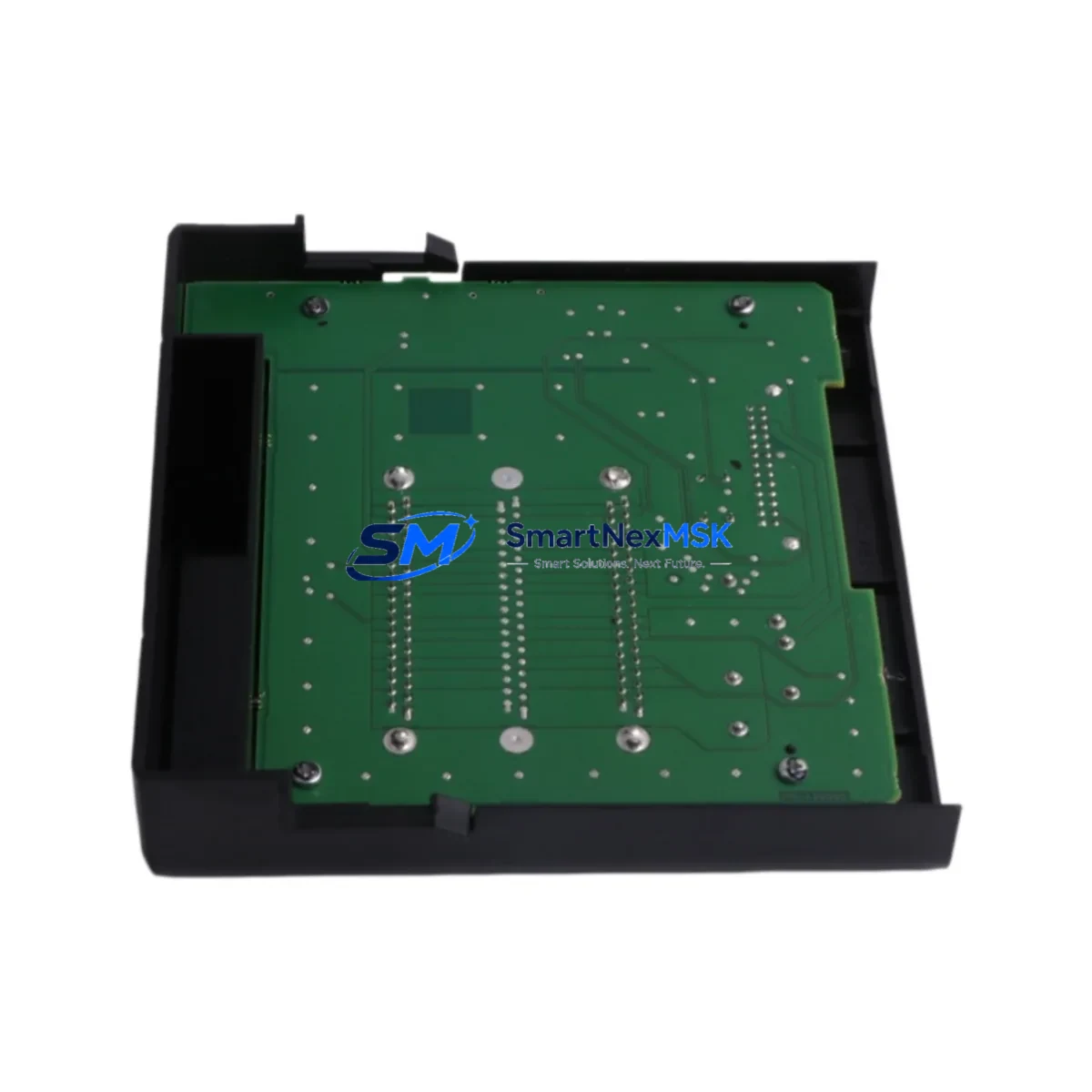
Allen-Bradley 1756-PSCA2 Retrofit-Ready Power Supply Adapter for ControlLogix Control Systems
The Allen-Bradley 1756-PSCA2 Power Supply Chassis Adapter is a critical retrofit component for engineers and maintenance teams managing aging ControlLogix 1756 platform installations. As legacy power supply modules reach end-of-life or become increasingly difficult to source, the 1756-PSCA2 provides a verified, drop-in compatible upgrade path that preserves existing backplane architecture, minimizes rewiring, and protects the integrity of your control program logic. Whether you are replacing a failed unit on an active production line or proactively upgrading a control cabinet ahead of a planned shutdown, the 1756-PSCA2 is engineered to restore system reliability with minimal disruption.
This adapter is designed to interface directly with the ControlLogix 1756 chassis backplane, supporting the full range of 1756-series I/O modules, communication modules, and controller slots. It is compatible with standard ControlLogix power supplies including the 1756-PA72, 1756-PB72, 1756-PA75, and 1756-PB75 series, allowing integrators to retain existing power supply hardware while upgrading the chassis adapter interface. Before installation, engineers should verify the power budget of the existing supply against the total current draw of all installed modules — including any 1756-EN2T Ethernet/IP communication modules, 1756-IB16 digital input modules, 1756-OB16E digital output modules, and any analog I/O cards such as the 1756-IF16 — to ensure the supply capacity is not exceeded after the retrofit.
Terminal wiring compatibility is a key consideration during any ControlLogix power supply adapter replacement. The 1756-PSCA2 retains the standard ControlLogix terminal block layout, which means field wiring connections to the power supply do not require modification in most retrofit scenarios. However, technicians should inspect the backplane connector pins and chassis slot alignment before seating the adapter, particularly in older 1756 chassis frames that may have accumulated mechanical wear. The module address and slot configuration stored in the Logix Designer project file should also be reviewed to confirm that the replacement adapter does not trigger a hardware mismatch fault in the 1756-L7x or 1756-L8x series ControlLogix controllers commonly paired with this chassis.
Upgrade Compatibility Table
| Parameter | Details |
|---|---|
| SKU / Part Number | 1756-PSCA2 |
| Compatible Platform | Allen-Bradley ControlLogix 1756 Series |
| Compatible Power Supplies | 1756-PA72, 1756-PB72, 1756-PA75, 1756-PB75 |
| Backplane Interface | ControlLogix 1756 standard backplane connector |
| Installation Type | Drop-in chassis slot replacement; no chassis modification required |
| Communication Compatibility | EtherNet/IP, ControlNet, DeviceNet (via installed comm modules) |
| Controller Compatibility | 1756-L6x, 1756-L7x, 1756-L8x ControlLogix controllers |
| Replacement Recommendation | Direct replacement for discontinued or failed 1756-PSCA2 units |
| Commissioning Notes | Verify power budget; confirm slot addressing in Logix Designer; check backplane seating |
| Warranty | 12-Month Warranty — tested and verified before shipment |
Retrofit Planning for Existing Automation Systems
Successful integration of the 1756-PSCA2 into an existing control system begins with a thorough pre-retrofit audit. Start by documenting the current chassis configuration: record the slot positions of all installed modules, including the primary controller (typically a 1756-L73 or 1756-L83E), any redundancy modules such as the 1756-RM2, communication bridges like the 1756-EN2TR for ring topology EtherNet/IP networks, and all I/O modules connected to the local or remote chassis. This documentation becomes the baseline for post-retrofit verification.
Power budget analysis is non-negotiable. Sum the backplane current draw of every installed module — the 1756-PSCA2 itself draws minimal current from the backplane, but the adapter must be accounted for in the total chassis load calculation. If the existing 1756-PA72 or 1756-PB72 power supply is already operating near its rated capacity, consider upgrading to a higher-capacity 1756-PA75 or 1756-PB75 simultaneously to provide headroom for future I/O expansion.
For systems using redundant power supply configurations, the 1756-PSCA2 supports dual-supply chassis adapter arrangements. Confirm that both the primary and secondary power supply connections are properly seated and that the redundancy switchover logic in the controller program has been tested before returning the system to production. In multi-chassis architectures connected via 1756-RM or 1756-SRM redundancy modules, the retrofit should be coordinated with the redundancy partner chassis to avoid unintended failover events during the maintenance window.
HMI screens connected to the ControlLogix system via RSLinx Classic or FactoryTalk View SE should be monitored during commissioning to confirm that all tag references remain valid after the adapter replacement. If the system uses a 1756-ENBT or older EtherNet/IP bridge module, verify that the module’s IP address and network path have not been disrupted by the chassis power cycle required during installation. Programming cables such as the 1756-CP3 or USB-to-serial adapters used for direct controller connection should be on hand during commissioning to allow rapid program download or online edits if a fault condition is detected.
Downtime Control During System Migration
Minimizing unplanned downtime is the primary operational concern when replacing a power supply adapter in a live ControlLogix system. The recommended approach is to schedule the replacement during a planned maintenance window and to prepare a complete system backup before any hardware is disturbed. Use Logix Designer to export the current controller project file, including all program routines, tag databases, and I/O configuration trees, to a secure offline location. If the system supports controller redundancy via a 1756-RM2 module, initiate a manual switchover to the secondary controller before beginning work on the primary chassis to maintain continuous process control throughout the replacement procedure.
For non-redundant systems, coordinate with the operations team to identify the shortest acceptable maintenance window. Pre-stage the replacement 1756-PSCA2 unit alongside any required tools — including a torque screwdriver for chassis screws, a multimeter for supply voltage verification, and the programming laptop with Logix Designer installed — so that the physical swap can be completed in the minimum possible time. After reseating the adapter and restoring power, monitor the controller status indicators and the I/O tree in Logix Designer for any module fault codes before releasing the system back to automatic operation. Confirm that all communication links — including EtherNet/IP connections to remote I/O adapters and any DeviceNet or ControlNet segments — have re-established correctly before clearing any inhibited tasks in the controller program.
Retrofit Support FAQ
Q: Is the 1756-PSCA2 a direct drop-in replacement for the original Allen-Bradley part?
A: Yes. The 1756-PSCA2 is manufactured to the original Allen-Bradley specification and is a direct mechanical and electrical replacement for the factory part. No chassis modification, wiring change, or program update is required in standard retrofit applications. Each unit is tested and verified prior to shipment under our 12-month warranty policy.
Q: What commissioning steps are required after installing the 1756-PSCA2?
A: After physical installation, restore power to the chassis and observe the controller and module status LEDs. Connect to the controller via Logix Designer and verify that all I/O modules are recognized without fault. Check the power supply status in the chassis properties dialog and confirm that the backplane current draw is within the rated capacity of the installed power supply. Clear any inhibited tasks and perform a controlled test of all I/O points before returning the system to production.
Q: Can the 1756-PSCA2 be used in a redundant power supply configuration?
A: Yes. The 1756-PSCA2 supports dual-supply chassis configurations standard to the ControlLogix 1756 platform. Both primary and secondary power supply connections should be verified for correct seating and voltage output after installation. Test the redundancy switchover function before returning the system to automatic operation.
Q: What warranty and pre-shipment testing does SMARTNEXMSK provide?
A: Every 1756-PSCA2 unit shipped by SMARTNEXMSK is covered by a 12-month warranty from the date of delivery. Prior to shipment, each unit undergoes functional verification testing to confirm backplane interface integrity and power supply compatibility. Detailed test records are available upon request for quality assurance documentation purposes.
© 2026 SMARTNEXMSK. All rights reserved.
Original Source: https://smartnexmsk.com
Contact: [email protected] | +86 18259474341



