
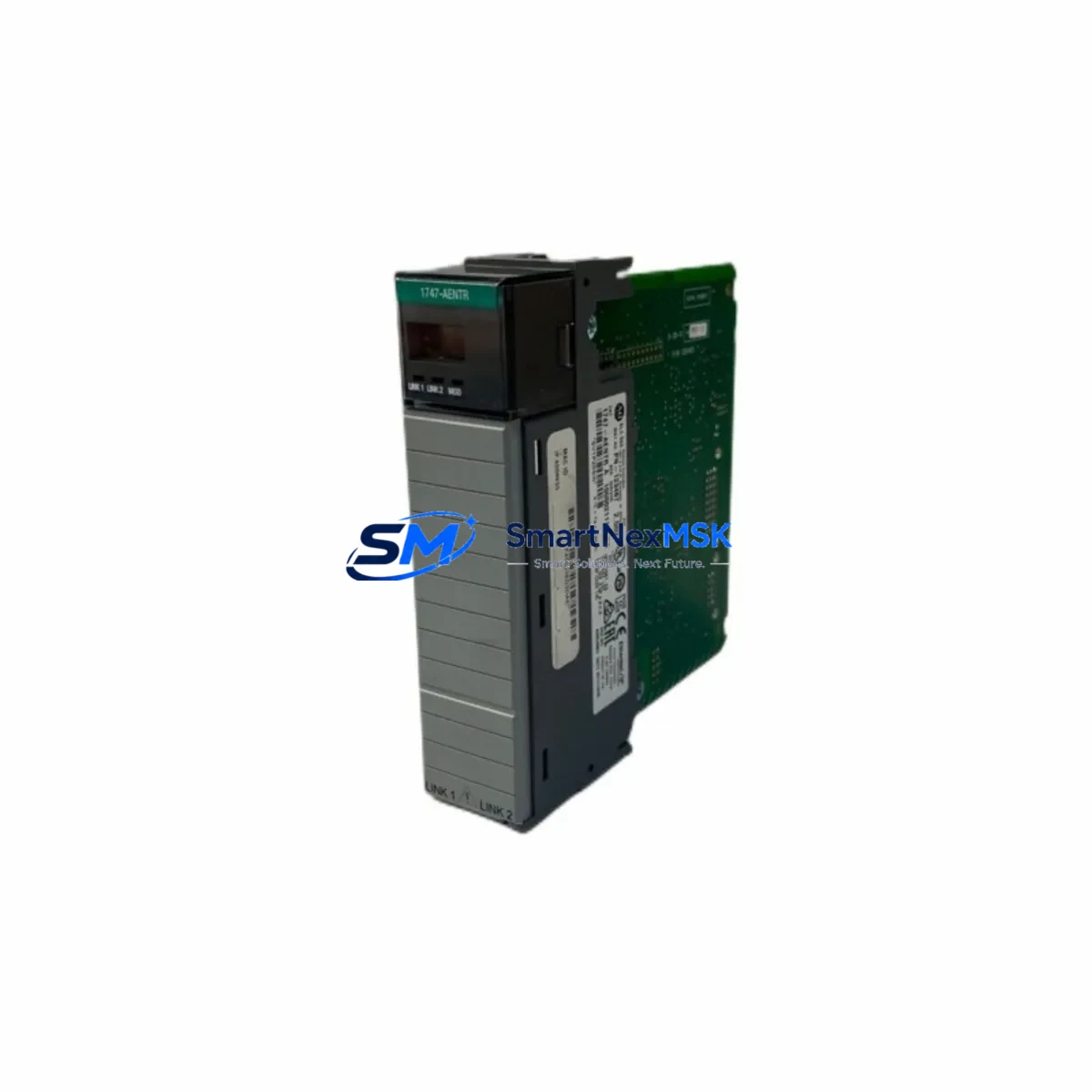
Allen-Bradley 1747-AENTR Retrofit-Ready EtherNet/IP Adapter for SLC 500 Control Systems
The Allen-Bradley 1747-AENTR is a dedicated EtherNet/IP adapter module engineered for the SLC 500 modular chassis platform. As legacy SLC 500 systems approach end-of-life and original spare parts become increasingly scarce, the 1747-AENTR remains one of the most critical interface components for plants seeking to extend the operational life of their existing control infrastructure without committing to a full ControlLogix or CompactLogix migration. This module enables SLC 500 I/O chassis to communicate over standard EtherNet/IP networks, bridging the gap between legacy serial-based control architectures and modern Ethernet-connected supervisory systems.
Our inventory of the 1747-AENTR is sourced from verified industrial channels, fully tested prior to shipment, and backed by a 12-month warranty. Each unit undergoes functional verification including power-up diagnostics, network enumeration, and I/O data exchange confirmation before dispatch. We maintain stock to support urgent replacement scenarios, planned retrofit projects, and long-term maintenance contracts for facilities operating SLC 500 platforms.
Upgrade Compatibility Table
| Parameter | Details |
|---|---|
| Compatible Chassis | SLC 500 modular chassis: 1746-A4, 1746-A7, 1746-A10, 1746-A13 |
| Slot Requirement | Occupies one I/O slot in the SLC 500 chassis; no dedicated adapter slot required |
| Communication Protocol | EtherNet/IP (CIP over TCP/IP); replaces legacy DH-485 or DH+ serial links |
| Network Interface | RJ-45 10/100 Mbps auto-negotiation; compatible with standard managed and unmanaged switches |
| Power Supply Compatibility | Draws backplane power from SLC 500 power supply (1746-P1, 1746-P2, 1746-P4); verify mA budget before installation |
| Replacement Candidates | Replaces 1747-AIC, 1747-KE, 1747-KFC15 in EtherNet/IP migration scenarios |
| Programming Software | RSLogix 500 / Studio 5000 Logix Designer (for scanner-side configuration); RSLinx Classic for driver setup |
| Commissioning Requirement | IP address assignment via BOOTP/DHCP or RSLinx; module address must match scanner connection path |
| Warranty | 12 months from date of shipment; covers manufacturing defects and functional failure under normal operating conditions |
Retrofit Planning for Existing Automation Systems
Integrating the 1747-AENTR into an existing SLC 500 system requires careful pre-installation planning to avoid disruption to ongoing production. The first step is a backplane current audit: the SLC 500 power supply — typically a 1746-P2 or 1746-P4 — must have sufficient milliamp capacity on the 5 VDC backplane bus to accommodate the adapter alongside existing I/O modules. Common slot neighbors include 1746-IB16 digital input modules, 1746-OB16 digital output modules, 1746-NI4 analog input modules, and 1746-NO4I analog output modules. Each of these draws backplane current, and the total must remain within the power supply’s rated output.
Once power budget is confirmed, the physical installation is straightforward: the 1747-AENTR slides into any available I/O slot in the 1746-A4, 1746-A7, 1746-A10, or 1746-A13 chassis. The module’s RJ-45 port connects to the plant Ethernet network — ideally through a managed switch that supports IGMP snooping to control EtherNet/IP multicast traffic. After physical installation, an IP address must be assigned using BOOTP/DHCP Server (included with RSLinx Classic) or a static address configured via the module’s web interface.
On the scanner side — typically a ControlLogix controller such as a 1756-L71 or 1756-L83 acting as an EtherNet/IP scanner, or a 1769-L30ER CompactLogix — a Generic Ethernet Module (GENIM) connection must be configured in Studio 5000 Logix Designer to establish the I/O connection to the 1747-AENTR. The connection parameters, including RPI (Requested Packet Interval), input and output assembly sizes, and configuration assembly, must match the adapter’s published specifications. Incorrect assembly sizes are the most common commissioning error and will result in a faulted connection.
For facilities migrating from a legacy DH+ or DH-485 network, the 1747-AENTR eliminates the need for 1784-PCMK or 1747-UIC serial interface cables and replaces the 1747-AIC isolated link coupler in point-to-point topologies. HMI systems — including PanelView Plus 6 or PanelView Plus 7 terminals — can be reconfigured to communicate with the SLC 500 processor via EtherNet/IP rather than DH-485, simplifying the network topology and improving data throughput. The SLC 5/05 processor (1747-L553) natively supports EtherNet/IP on its built-in port, but remote I/O chassis connected via the 1747-AENTR extend this capability to distributed rack locations without requiring a processor upgrade.
Tag mapping and program logic in RSLogix 500 do not require modification when adding the 1747-AENTR as a remote I/O adapter — the module presents I/O data to the scanner in standard CIP format, and the SLC 500 processor continues to execute its existing ladder logic program without alteration. This is a key advantage for retrofit projects where re-validation of control logic is costly or time-consuming.
Downtime Control During System Migration
Minimizing unplanned downtime is the primary concern for any SLC 500 retrofit involving the 1747-AENTR. The recommended approach is a staged cutover: install and configure the adapter module during a scheduled maintenance window, verify network connectivity and I/O data exchange in a bench-test environment before the production cutover, and prepare a rollback plan that preserves the original wiring and program backup.
Before beginning the cutover, upload and archive the existing SLC 500 program from the 1747-L553 or 1747-L552 processor using RSLogix 500. Store the .RSS file in a version-controlled location. Document all existing I/O wiring terminations on the 1746-series terminal modules — photographs of each terminal block and a printed I/O map are standard practice for industrial retrofit projects. If the existing network uses a 1747-KFC15 EtherNet/IP-to-DH-485 gateway, note all configured node addresses and connection parameters before decommissioning.
During the cutover window, the sequence is: power down the chassis, install the 1747-AENTR in the designated slot, restore power, assign the IP address, configure the scanner connection in Studio 5000, and verify I/O data exchange before resuming production. The entire process — for a single remote chassis — typically requires 2 to 4 hours for an experienced controls engineer. Having a pre-configured replacement unit on the shelf, with IP address pre-assigned and connection parameters documented, reduces this window to under 90 minutes in emergency replacement scenarios.
Post-cutover, monitor the module’s diagnostic LEDs (NET, MOD, and STS indicators) and verify that all I/O points are reading correctly in the HMI before releasing the line to production. RSLinx Classic’s RSWho browser can confirm that the module is visible on the network and that the EtherNet/IP connection is established and healthy.
Retrofit Support FAQ
Q: Can the 1747-AENTR directly replace a 1747-KFC15 in an existing SLC 500 system?
A: The 1747-AENTR and 1747-KFC15 serve different functions. The KFC15 is a gateway that bridges EtherNet/IP to DH-485, while the AENTR is a native EtherNet/IP adapter that presents the SLC 500 I/O chassis directly on an EtherNet/IP network. In a migration scenario, the AENTR replaces the KFC15 plus the DH-485 network segment, simplifying the topology. The scanner-side configuration must be updated to reflect the direct EtherNet/IP connection.
Q: What wiring changes are required when installing the 1747-AENTR?
A: The 1747-AENTR requires only a standard Cat5e or Cat6 Ethernet cable connection to the plant network switch. No field wiring to I/O terminals is affected. The module draws power from the SLC 500 backplane — no external 24 VDC power connection is required. Verify that the existing 1746-P2 or 1746-P4 power supply has sufficient backplane current capacity before installation.
Q: How is the module’s IP address configured, and can it be set to a static address?
A: The 1747-AENTR supports IP address assignment via BOOTP, DHCP, or static configuration. Static addresses can be set using the module’s built-in web server (accessed via a browser after initial BOOTP assignment) or via RSLinx Classic. For production environments, static IP addressing is strongly recommended to prevent address changes during network infrastructure maintenance.
Q: What does the 12-month warranty cover, and what is the process for warranty claims?
A: The 12-month warranty covers functional failure and manufacturing defects under normal operating conditions, including power supply within specified voltage tolerances and ambient temperature within the module’s rated range. To initiate a warranty claim, contact [email protected] with the order number, module serial number, and a description of the fault. We will arrange return shipping and provide a replacement or repaired unit within the agreed lead time.
© 2026 SMARTNEXMSK. All rights reserved.
Original Source: https://smartnexmsk.com
Contact: [email protected] | +86 18259474341



