
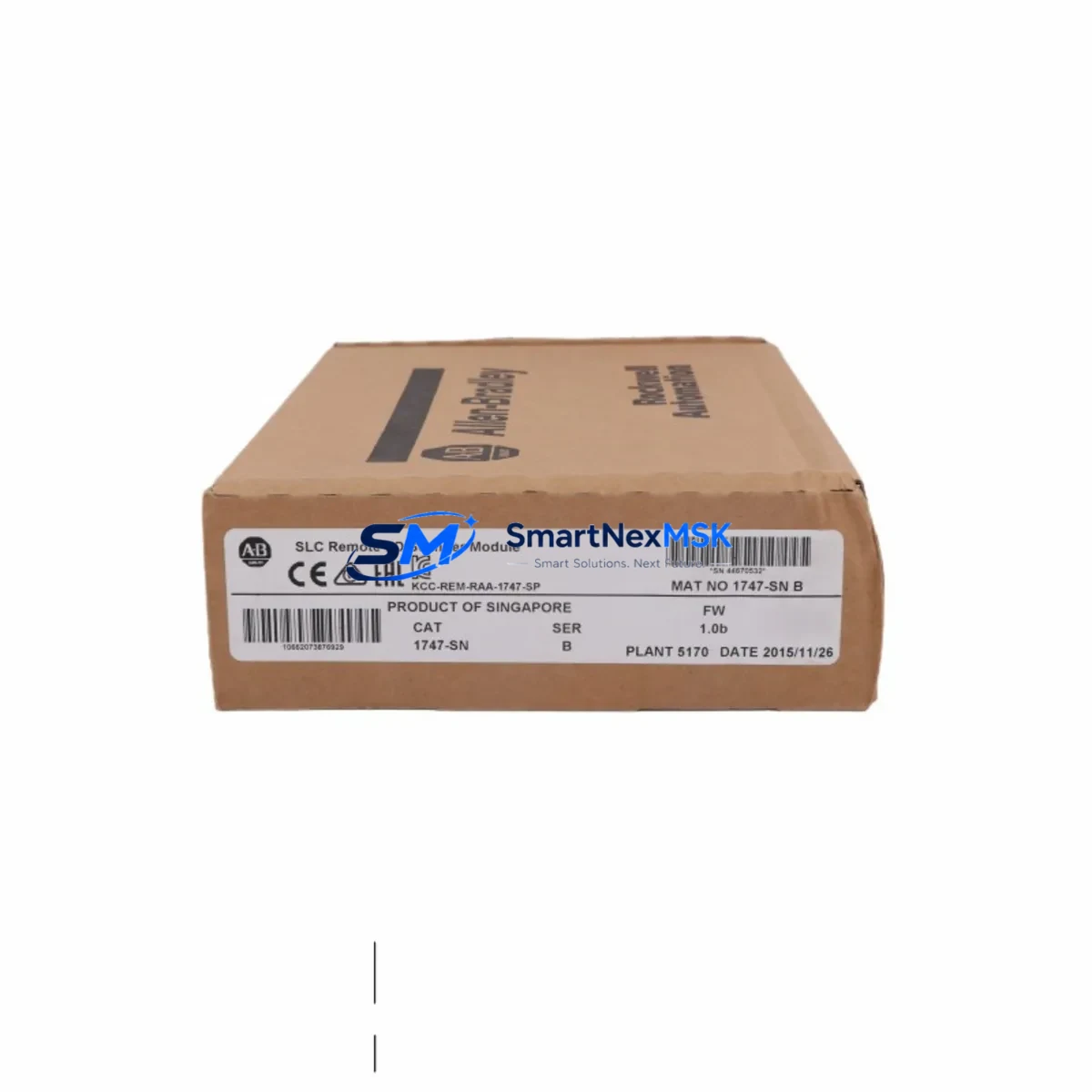
Allen-Bradley 1747-SN Spare for SLC 500 Automation: Spare Replacement & Downtime Risk Control
The Allen-Bradley 1747-SN is a DeviceNet Scanner Module designed for integration into the SLC 500 programmable controller platform. As a single-slot I/O module occupying one slot in the SLC 500 chassis, the 1747-SN serves as the master node on a DeviceNet network, enabling the SLC 500 CPU — such as the 1747-L532 or 1747-L543 — to communicate with distributed field devices including drives, sensors, valve manifolds, and remote I/O adapters. In industrial facilities where SLC 500 systems continue to manage conveyor lines, packaging equipment, material handling, and process control loops, maintaining a verified spare 1747-SN in the maintenance stockroom is a direct investment in uptime assurance.
When a 1747-SN fails in service, the entire DeviceNet network segment it manages goes offline. Field devices lose command signals, feedback loops break, and the SLC 500 CPU enters a fault state. Recovery time without a spare on hand typically ranges from several days to several weeks, depending on procurement lead times for legacy Allen-Bradley modules. Stocking an original, tested replacement unit eliminates this exposure and allows maintenance teams to restore full system operation within a single shift.
Spare Maintenance Table
| Parameter | Specification |
|---|---|
| Part Number / SKU | 1747-SN |
| Manufacturer | Allen-Bradley (Rockwell Automation) |
| Module Type | DeviceNet Scanner Module |
| Compatible Platform | SLC 500 (all chassis sizes: 1746-A4, 1746-A7, 1746-A10, 1746-A13) |
| Compatible CPUs | 1747-L511, 1747-L514, 1747-L524, 1747-L532, 1747-L541, 1747-L542, 1747-L543, 1747-L551, 1747-L552, 1747-L553 |
| Network Protocol | DeviceNet (CAN-based, ISO 11898) |
| Node Capacity | Up to 63 DeviceNet nodes |
| I/O Data Table | Up to 248 bytes input / 248 bytes output |
| Supply Voltage | Backplane powered via SLC 500 chassis (1746 series) |
| DeviceNet Supply | External 24 VDC DeviceNet network power required |
| Baud Rates | 125 kbps, 250 kbps, 500 kbps |
| Operating Temperature | 0 °C to 60 °C |
| Relative Humidity | 5% to 95% non-condensing |
| Certifications | UL, CE, CSA |
| Slot Requirement | 1 slot (any I/O slot in SLC 500 chassis) |
| Configuration Tool | RSNetWorx for DeviceNet; RSLogix 500 |
| Condition | Original, tested prior to shipment |
| Warranty | 12 Months |
| Lead Time | Ships within 1–3 business days |
Maintenance Planning for Continuous Operation
Replacing a 1747-SN in the field is rarely an isolated task. A thorough maintenance engineer will treat the module swap as an opportunity to inspect the broader SLC 500 control cabinet and DeviceNet network infrastructure. Before powering down the chassis, verify that the 1746-P4 or 1746-P7 power supply is delivering stable 5 VDC and 24 VDC backplane rails — a marginal power supply is a common root cause of intermittent scanner faults and should be replaced proactively if it shows signs of age or thermal stress.
Inspect the DeviceNet trunk cable and drop cables for insulation damage, connector corrosion, and proper termination resistors (121 Ω) at both ends of the network. A degraded network cable is frequently misdiagnosed as a scanner module failure. Check the DeviceNet network power supply (typically a dedicated 24 VDC, 4 A or 8 A unit) for correct voltage under load, as undervoltage conditions cause node dropouts that mimic scanner hardware faults.
While the chassis is de-energized, inspect all 1746-series I/O modules seated alongside the 1747-SN — particularly digital input modules such as the 1746-IB16 and digital output modules such as the 1746-OB16 — for blown fuses, burned terminals, or failed output transistors. These modules share the same backplane and power budget, and a shorted output module can cause backplane voltage sag that stresses the scanner.
For systems using relay-based interlocking, inspect the 1746-OW16 relay output module for contact wear, especially on high-cycle outputs controlling motor starters or solenoid valves. Relay contacts in industrial environments typically require inspection every 500,000 to 1,000,000 operations. If the SLC 500 system communicates upstream to a supervisory network, verify the 1747-KFC15 or 1761-NET-ENI Ethernet interface for firmware currency and network connectivity.
For facilities running mixed DeviceNet and ControlNet topologies, confirm that any 1747-SCNR ControlNet Scanner modules in adjacent slots are operating normally and that their network connections are intact. On the HMI side, verify that the PanelView 550 or PanelView 600 operator terminals connected to the SLC 500 via DH-485 or DF1 are communicating correctly after the scanner replacement, as a CPU fault state can leave HMI screens in an error display mode that requires a manual reset.
Finally, check all terminal blocks and wiring ferrules in the control cabinet for tightness and corrosion, particularly on the DeviceNet connector (Mini or Micro style) attached to the 1747-SN. Loose connections at the scanner’s network port are a leading cause of intermittent node communication errors that are difficult to diagnose without physical inspection.
Site Replacement Workflow
Step 1 — Pre-replacement documentation: Before removing the failed 1747-SN, use RSLogix 500 to upload and save the current SLC 500 program to a laptop. Record the scanner’s node address (set via rotary switches on the module face) and the DeviceNet network baud rate. Take a photograph of the module’s front panel switch settings for reference.
Step 2 — Safe de-energization: Follow your site’s lockout/tagout (LOTO) procedure. Remove the SLC 500 chassis power by switching off the 1746-P4/P7 power supply. Disconnect the DeviceNet network cable from the 1747-SN’s network port.
Step 3 — Module removal and inspection: Release the module locking tab and slide the 1747-SN out of the chassis slot. Inspect the backplane connector on the removed module and the chassis backplane socket for bent pins or contamination. Clean if necessary before installing the replacement.
Step 4 — Replacement module preparation: Set the node address rotary switches on the new 1747-SN to match the recorded settings. Verify the baud rate DIP switch configuration matches the network baud rate. Seat the module firmly into the same chassis slot until the locking tab engages.
Step 5 — Network reconnection and power-up: Reconnect the DeviceNet cable. Restore chassis power. Observe the 1747-SN status LEDs: the MODULE LED should illuminate solid green, and the NETWORK LED should cycle to solid green once all configured nodes are online. A flashing red NETWORK LED indicates a node communication fault requiring RSNetWorx for DeviceNet diagnostics.
Step 6 — Functional verification: Use RSLogix 500 to go online with the SLC 500 CPU and verify that the scanner’s input/output data table is updating correctly. Confirm that all DeviceNet field devices are reporting online status in RSNetWorx. Perform a controlled test cycle of the equipment before returning the system to production.
This workflow is compatible with all SLC 500 chassis configurations and supports direct replacement of aged or end-of-life 1747-SN units without requiring program modifications, provided the replacement module is configured identically to the original.
Spare Parts Support FAQ
Q1: Is this 1747-SN an original Allen-Bradley module or a third-party compatible?
This is an original Allen-Bradley 1747-SN DeviceNet Scanner Module sourced from authorized industrial supply channels. Each unit is inspected and functionally tested prior to shipment. We do not supply counterfeit, rebranded, or third-party compatible substitutes for this part number.
Q2: What is the recommended spare parts inventory strategy for the 1747-SN?
For facilities operating more than two SLC 500 systems with active DeviceNet networks, we recommend maintaining a minimum of one 1747-SN spare per site. For critical production lines where DeviceNet downtime directly impacts output, a two-unit buffer is advisable. Given that the SLC 500 platform is in a mature lifecycle phase, procurement lead times for new units can be unpredictable, making on-site stock the most reliable downtime mitigation strategy.
Q3: How is compatibility with my specific SLC 500 chassis and CPU verified before shipment?
The 1747-SN is compatible with all SLC 500 chassis (1746-A4 through 1746-A13) and all SLC 500 CPU series. Compatibility is determined by the SLC 500 platform standard, not by specific CPU firmware revision. If your system uses a non-standard DeviceNet configuration or a customized EDS file setup, please provide your system details at the time of order so our technical team can confirm suitability before dispatch.
Q4: What does the 12-month warranty cover, and what is the return process?
The 12-month warranty covers hardware defects and functional failures under normal operating conditions. It does not cover damage resulting from incorrect installation, overvoltage events, or physical mishandling. If a warranty claim is required, contact our support team with the order reference and a description of the fault. We will arrange return shipping and provide a replacement or full refund upon inspection confirmation of the defect.
© 2026 SMARTNEXMSK. All rights reserved.
Original Source: https://smartnexmsk.com
Contact: [email protected] | +86 18259474341



