
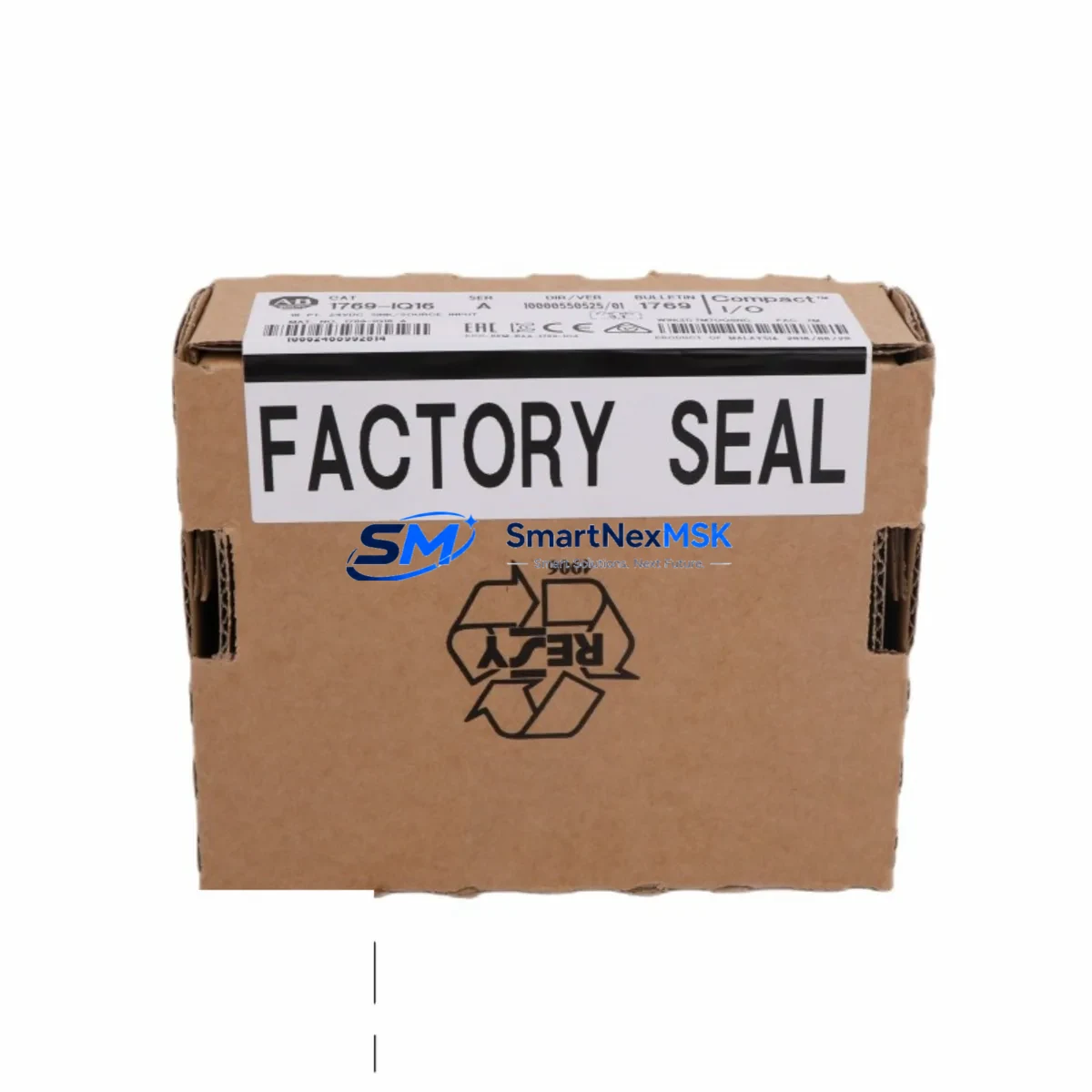
Allen-Bradley 1769-IQ16 Spare for CompactLogix Automation
The Allen-Bradley 1769-IQ16 is a 16-point, 24VDC DC sink/source digital input module designed for the CompactLogix 1769 series control platform. As a maintenance-ready original spare, the 1769-IQ16 is a critical component in minimizing unplanned downtime across discrete manufacturing, material handling, packaging, and process automation environments. Whether you are executing a planned shutdown inspection, responding to an emergency fault, or building a strategic spare parts inventory for aging CompactLogix systems, having a verified original 1769-IQ16 on hand is essential for rapid restoration of machine control.
Maintenance engineers and procurement teams working with Rockwell Automation CompactLogix architectures understand that a failed digital input module can halt an entire production line. The 1769-IQ16 interfaces directly with field sensors, proximity switches, push buttons, and limit switches, feeding real-time discrete signals into the 1769-L series processor. When this module fails or degrades, the controller loses visibility into field conditions — triggering faults, halting sequences, and requiring immediate replacement to restore operation.
Spare Maintenance Table
| Parameter | Specification |
|---|---|
| SKU / Part Number | 1769-IQ16 |
| Brand | Allen-Bradley (Rockwell Automation) |
| Series | CompactLogix 1769 |
| Module Type | 16-Point DC Digital Input |
| Input Voltage | 24VDC (Sink/Source) |
| Input Points | 16 (2 groups of 8) |
| Input Current (per point) | 6 mA @ 24VDC nominal |
| ON-State Voltage Range | 15–26.4 VDC |
| OFF-State Voltage Range | 0–5 VDC |
| Backplane Current Draw | 75 mA @ 5VDC |
| Isolation | Group isolated (500V AC, 1 min) |
| Compatibility | 1769-L16ER, 1769-L18ER, 1769-L24ER, 1769-L27ERM, 1769-L30ER, 1769-L33ER, 1769-L36ERM |
| Connector Type | Removable terminal block (RTB) |
| Operating Temperature | 0–60°C (32–140°F) |
| Mounting | DIN rail or panel mount via 1769 bus |
| Certifications | UL, CE, CSA, RCM |
| Condition | Original, New or Tested Surplus |
| Warranty | 12 Months |
| Pre-shipment Testing | Full functional and electrical test performed |
| Lead Time | In stock — ships within 1–3 business days |
Maintenance Planning for Continuous Operation
When replacing the 1769-IQ16 during a scheduled or emergency maintenance event, a thorough inspection of the surrounding control cabinet components is strongly recommended. Maintenance engineers should treat the module replacement as an opportunity to audit the full I/O subsystem and power distribution chain.
Begin by verifying the 1769-PA2 or 1769-PB2 power supply module — the CompactLogix local bus power supply that feeds the 1769 I/O bank. A degraded power supply can cause intermittent input faults that mimic module failure. Check output voltage stability under load before reinstalling the replacement 1769-IQ16.
Inspect the 1769-OB16 or 1769-OB32T digital output modules in the same chassis. Input and output modules in the same I/O bank share the backplane bus; a shorted output channel can introduce noise that affects input signal integrity. Verify all output channels are within specification.
Review the 1769-IF4 or 1769-IF8 analog input modules if the system also monitors analog process variables. Analog and digital modules coexist on the same 1769 backplane, and a failing analog module can cause bus communication errors that affect all modules in the bank.
Check the 1769-L series processor module (such as the 1769-L30ER or 1769-L33ER) firmware version and I/O configuration. After replacing the 1769-IQ16, confirm the module is correctly mapped in the controller’s I/O tree in Studio 5000 Logix Designer. Mismatched slot assignments will prevent the module from going online.
Inspect all field wiring and terminal connections at the removable terminal block (RTB). Loose or corroded terminals are a leading cause of intermittent input faults. Re-torque all terminals to specification (0.5–0.8 Nm) and verify wire ferrule integrity.
If the system uses a 1769-SDN DeviceNet Scanner or 1769-SM2 Serial Communication Module for distributed I/O or HMI communication, verify that the communication module is online and error-free after the input module replacement. A module swap can temporarily disrupt backplane communication.
For systems with safety relay modules or 1791DS-IB12 safety I/O in the same panel, confirm that safety circuit integrity is maintained after any wiring disturbance during the module swap. Safety relay reset procedures may be required.
Finally, inspect the 24VDC field power distribution fuses and terminal blocks (such as Phoenix Contact or Weidmuller fused terminal strips) supplying the sensor inputs. A blown fuse on the field power rail will cause all inputs in that group to read OFF, which can be misdiagnosed as a module failure.
Site Replacement Workflow
Step 1 — Isolate and document: Before removing the 1769-IQ16, capture the current I/O status in Studio 5000 or RSLogix 5000. Note any active faults and record the module’s slot position in the 1769 local I/O bank. Place the controller in Program mode to prevent unintended output activation during the swap.
Step 2 — Power down field devices: De-energize the 24VDC field power supply feeding the input module’s sensor circuits. Do not rely solely on the controller being in Program mode — physically isolate field power to prevent sensor signals from energizing the new module during installation.
Step 3 — Remove the RTB and module: Disconnect the removable terminal block (RTB) from the 1769-IQ16. The RTB retains all field wiring, allowing the module body to be swapped without disturbing sensor connections. Slide the module out of the 1769 bus connector.
Step 4 — Install the replacement 1769-IQ16: Slide the new module into the same slot position. Ensure the bus lever is fully engaged. Reconnect the RTB. The module is keyed to prevent incorrect installation.
Step 5 — Restore power and verify: Re-energize field power. Return the controller to Run mode. Verify all 16 input channels are reading correctly in the controller’s I/O status display. Confirm no module faults are present in the controller fault log.
Step 6 — Functional test: Actuate each connected field device (proximity switch, push button, limit switch) and confirm the corresponding input bit toggles correctly in the controller tag database. Document the replacement in the site maintenance log.
This workflow supports legacy system life extension for CompactLogix installations that may no longer be covered by Rockwell Automation’s standard product lifecycle support, ensuring continued operation without requiring a full system migration.
Spare Parts Support FAQ
Q1: Is the 1769-IQ16 still available as a new original part, or only as tested surplus?
We supply both new original and tested surplus 1769-IQ16 modules depending on current stock. All units — regardless of condition — undergo full functional and electrical testing prior to shipment. Each unit is covered by our 12-month warranty. Contact us to confirm current stock status and lead time.
Q2: How do I verify compatibility between the 1769-IQ16 and my specific CompactLogix processor?
The 1769-IQ16 is compatible with all 1769-L series CompactLogix processors that support the 1769 local I/O bank, including the 1769-L16ER, L18ER, L24ER, L27ERM, L30ER, L33ER, and L36ERM. Compatibility is also determined by the Studio 5000 / RSLogix 5000 project version. Provide your processor catalog number and firmware revision and we will confirm compatibility before shipment.
Q3: What pre-shipment testing is performed on each 1769-IQ16 unit?
Each 1769-IQ16 is tested for backplane communication integrity, all 16 input channel functionality, ON/OFF state voltage thresholds, and isolation resistance. Units that fail any test parameter are rejected. A test report is available upon request for quality-critical applications.
Q4: What is your recommended spare parts stocking strategy for CompactLogix 1769 systems?
For production-critical CompactLogix systems, we recommend maintaining at least one 1769-IQ16 per active chassis as a hot-swap spare, particularly for systems running 24/7 or in environments with high vibration, temperature cycling, or electrical noise. For multi-line facilities, a centralized spare parts cabinet with one unit per unique I/O module type — including digital input, digital output, and analog modules — reduces mean time to repair (MTTR) significantly. We offer long-term supply agreements to support ongoing spare parts programs.
© 2026 SMARTNEXMSK. All rights reserved.
Original Source: https://smartnexmsk.com
Contact: [email protected] | +86 18259474341



