
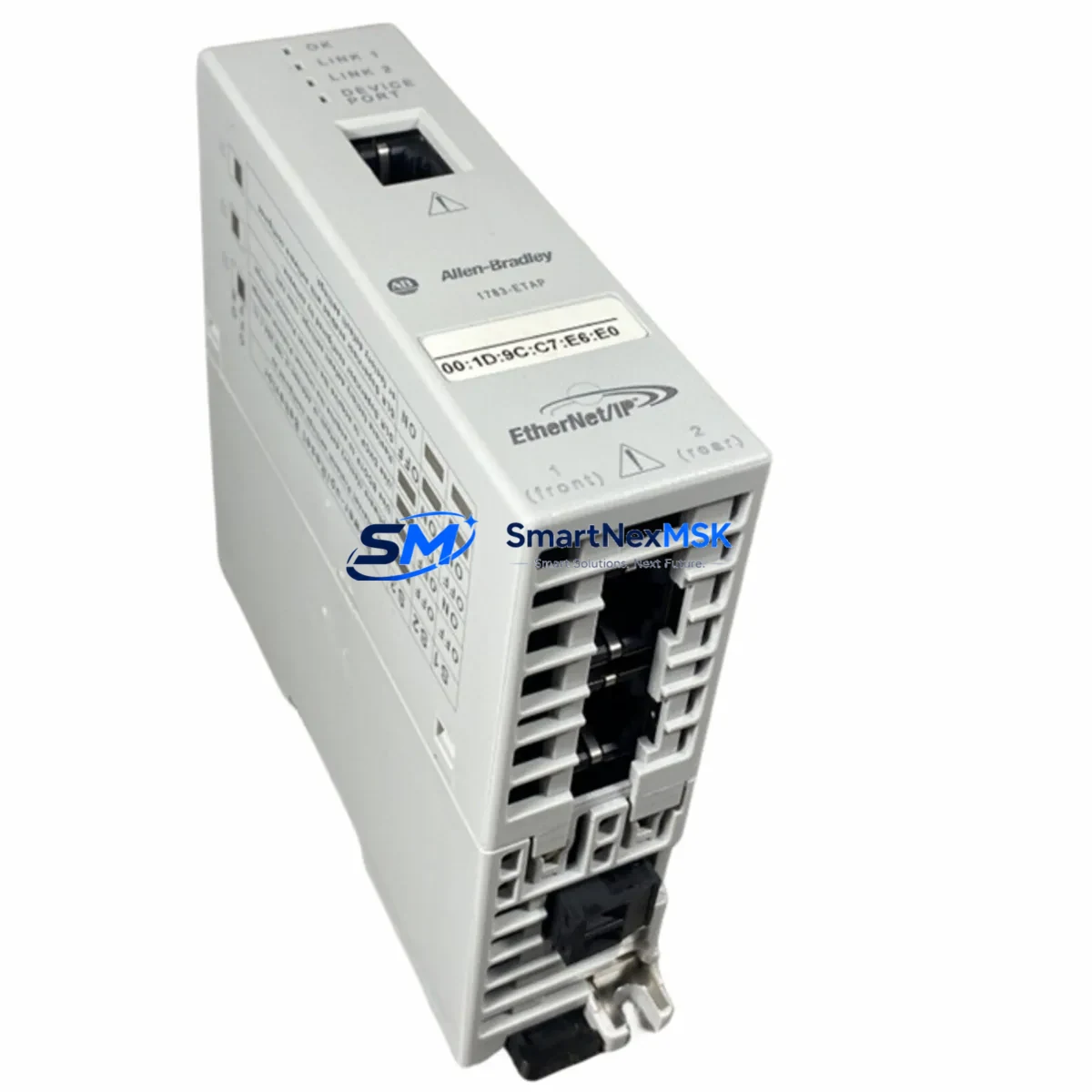
Allen-Bradley 1783-ETAP Spare for Stratix Automation: Spare Replacement & Industrial Downtime Risk Control
The Allen-Bradley 1783-ETAP is a passive EtherNet/IP Network Tap designed for non-intrusive traffic monitoring and network diagnostics within Rockwell Automation Stratix-based control architectures. As a maintenance-ready spare, the 1783-ETAP enables maintenance engineers to restore network visibility and diagnostic capability rapidly following tap failure, cable fault, or scheduled panel overhaul — without interrupting live production traffic on the monitored segment.
In industrial environments where EtherNet/IP backbones connect PLCs, drives, safety controllers, and HMI stations across a single managed switch fabric, the loss of a network tap can blind the engineering team to packet-level diagnostics precisely when they are needed most. Stocking a tested 1783-ETAP spare eliminates this blind spot and supports a proactive maintenance posture aligned with IEC 62443 asset management recommendations.
Spare Maintenance Table
| Parameter | Specification / Value |
|---|---|
| SKU / Part Number | 1783-ETAP |
| Brand | Allen-Bradley (Rockwell Automation) |
| Series | Stratix / ArmorStratix EtherNet/IP |
| Product Type | Passive EtherNet/IP Network Tap |
| Network Protocol | EtherNet/IP (IEEE 802.3) |
| Port Configuration | 2 × RJ-45 Monitor Ports + 2 × RJ-45 Network Ports |
| Speed Support | 10/100 Mbps Auto-negotiation |
| Power Supply | 24 VDC (external, via terminal block) |
| Operating Temperature | 0 °C to +60 °C |
| Enclosure / Protection | DIN-rail mount, IP20 |
| Compatibility | Stratix 5700, Stratix 5400, Stratix 8000, ArmorStratix 5700; Logix 5000 controllers |
| Typical Application | Passive traffic mirroring, SPAN-free diagnostics, network forensics in control panels |
| Origin | United States (Allen-Bradley / Rockwell Automation) |
| Condition | Original, factory-tested spare |
| Warranty | 12 Months |
| Shipping | Tested before dispatch; worldwide express available |
Maintenance Planning for Continuous Operation
When a 1783-ETAP replacement is scheduled or triggered by a fault condition, a disciplined maintenance engineer will treat the event as an opportunity to audit the surrounding network and power infrastructure. The tap sits inline between two EtherNet/IP segments, meaning its upstream and downstream connections — typically routed through a Stratix 5700 or Stratix 5400 managed switch — should be inspected for port health, STP topology changes, and IGMP snooping configuration before the new tap is commissioned.
Power integrity is equally critical. The 1783-ETAP draws 24 VDC from the panel power rail; verify that the supplying 1606-XLP power supply or equivalent 24 VDC SMPS is within voltage tolerance (±1%) and that the terminal block connections are torqued to specification. A marginal power supply that causes intermittent tap resets is a common misdiagnosis that leads to unnecessary spare consumption.
On the I/O and controller side, confirm that the 1756-EN2T or 1756-EN3TR EtherNet/IP communication module in the ControlLogix or CompactLogix chassis is not reporting connection timeouts that could be attributed to the tap rather than the module itself. Review the RSLinx or Studio 5000 Logix Designer connection diagnostics before and after tap replacement to establish a clean baseline.
For panels that include PowerFlex 525 or PowerFlex 755 drives on the same EtherNet/IP segment, verify drive adapter firmware compatibility and check that the tap’s monitor port is not inadvertently loading the segment. Passive taps are transparent by design, but damaged tap hardware can introduce latency or frame errors that manifest as drive fault codes.
Safety-rated segments using 1791DS or 1732DS ArmorBlock Guard I/O modules require particular care: confirm that CIP Safety connection integrity is maintained throughout the tap replacement procedure and that the safety controller does not enter a fault state due to connection interruption. Coordinate with the safety system engineer before breaking any live safety network connection.
Where the control panel includes a PanelView Plus 7 or PanelView 5510 HMI, verify that the HMI’s EtherNet/IP path to the controller is restored and that tag subscriptions resume correctly after tap reinsertion. HMI communication loss during tap replacement is a common source of nuisance alarms that can delay production restart.
Finally, inspect the 1783-RMS or 1783-NATR NAT router if present in the architecture, and confirm that port mirroring or SPAN sessions previously relying on the tap are reconfigured to the replacement unit. Document the tap’s MAC address and port assignments in the network asset register before closing the panel.
Site Replacement Workflow
Step 1 — Pre-replacement verification: Confirm the failed unit’s part number (1783-ETAP) against the panel BOM and the Rockwell Automation product catalog. Verify that the replacement spare carries the same hardware revision to ensure full compatibility with the installed Stratix switch firmware.
Step 2 — Safe isolation: Notify the control room of planned network maintenance. The 1783-ETAP is a passive device and does not interrupt live traffic when removed, but the monitor port connections to the diagnostic workstation or Wireshark capture station will be lost. Suspend any active packet capture sessions before removal.
Step 3 — Physical replacement: Remove the failed tap from the DIN rail. Transfer the RJ-45 network cables (ports A and B) and monitor cables (ports MA and MB) to the replacement unit in the same orientation. Reconnect the 24 VDC power terminal. Confirm the STATUS LED illuminates green within 10 seconds of power-up.
Step 4 — Functional verification: Resume the packet capture session on the monitor port and confirm that EtherNet/IP traffic is visible. Use Studio 5000 or FactoryTalk Network Manager to verify that all controller-to-device connections on the monitored segment are healthy and that no new faults have been introduced.
Step 5 — Documentation: Record the replacement date, new unit serial number, and hardware revision in the maintenance log. Update the spare parts inventory to trigger reorder of a replacement 1783-ETAP spare, maintaining a minimum stock level of one unit per monitored panel.
Spare Parts Support FAQ
Q1: Is the 1783-ETAP compatible with all Stratix switch generations?
The 1783-ETAP is compatible with the Stratix 5700, Stratix 5400, Stratix 8000, and ArmorStratix 5700 families. It operates as a passive Layer 1 device and is protocol-agnostic at the physical layer, making it compatible with any 10/100 Mbps EtherNet/IP segment regardless of the upstream switch generation. Confirm the cable type (Cat5e or Cat6) and port speed settings on the adjacent switch ports before installation.
Q2: What pre-shipment testing is performed on spare units?
Each 1783-ETAP spare is powered on and subjected to functional verification prior to dispatch, including LED status confirmation, port continuity check, and passive traffic pass-through validation. Units that do not pass functional testing are not shipped. A test report is available upon request for critical spare orders.
Q3: How should the 1783-ETAP be stored as a long-term spare?
Store the unit in its original anti-static packaging in a dry environment between -40 °C and +85 °C with relative humidity below 95% non-condensing. Avoid storage near strong electromagnetic fields. Inspect the unit annually for physical damage and re-verify functionality using a bench power supply and loopback test before placing it into service. Long-term storage does not affect the 12-month warranty, which begins from the date of shipment.
Q4: What is covered under the 12-month warranty?
The 12-month warranty covers manufacturing defects, component failure under normal operating conditions, and DOA (dead-on-arrival) units. It does not cover damage caused by incorrect wiring, overvoltage, physical impact, or installation outside the published environmental specifications. Warranty claims are processed within 5 business days of receipt of the returned unit, with replacement or repair at our discretion.
© 2026 SMARTNEXMSK. All rights reserved.
Original Source: https://smartnexmsk.com
Contact: [email protected] | +86 18259474341



