
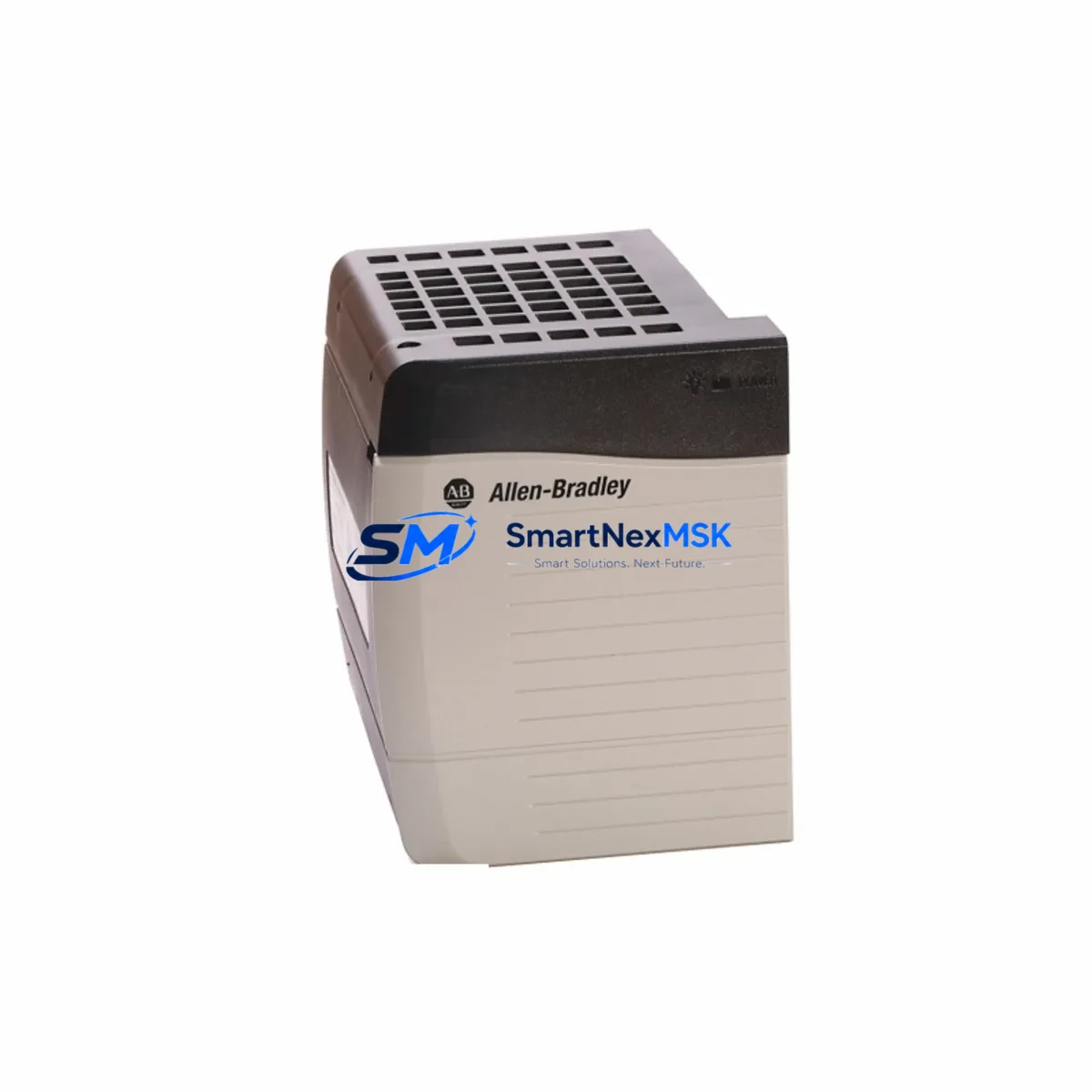
Allen-Bradley 1797-OB4D Retrofit-Ready Digital Output for FlexEx Control Systems: Compatible Upgrade for Legacy Automation
The Allen-Bradley 1797-OB4D is a 4-point intrinsically safe (IS) digital output module designed for the FlexEx I/O platform — a distributed I/O system widely deployed in hazardous-area process automation environments including oil & gas, chemical, and pharmaceutical facilities. As legacy FlexEx installations age and OEM support contracts expire, plant engineers and system integrators face increasing pressure to source verified replacement units, retrofit aging control cabinets, and migrate to supportable hardware without triggering full system redesigns.
SMARTNEXMSK supplies the 1797-OB4D as a retrofit-ready replacement module, fully tested prior to shipment, backed by a 12-month warranty, and available from in-stock inventory for rapid deployment. Whether you are replacing a failed unit on a live production line, building a spare-parts buffer for a critical process, or planning a phased upgrade of your FlexEx I/O rack, this module ships ready to install.
Upgrade Compatibility Table
| Parameter | 1797-OB4D Specification | Retrofit / Upgrade Notes |
|---|---|---|
| Module Type | 4-Point IS Digital Output | Direct slot-for-slot replacement in FlexEx I/O rack |
| Output Voltage | 24V DC | Verify field device supply voltage before swap |
| Output Current | Up to 100 mA per channel | Confirm load current of connected IS field devices |
| Backplane Interface | FlexEx backplane (1797-series) | Compatible with 1797-AENTR and 1797-SN adapter modules |
| Communication | Via FlexEx adapter (EtherNet/IP or DeviceNet) | Adapter firmware version must support module catalog number |
| Installation | DIN-rail mounted FlexEx rack | No rack modification required; confirm slot addressing in RSLogix/Studio 5000 |
| Hazardous Area Rating | Zone 1/2, Class I Div 1/2 | Verify local area classification documentation before installation |
| Replacement Path | 1797-OB4D (current) replaces earlier 1797-OB4D revisions | Check revision label; logic program changes typically not required |
| Commissioning | Module self-test on power-up | Verify I/O tree in Studio 5000 shows module online after swap |
| Warranty | 12 Months | Covered from date of shipment; includes DOA replacement |
Retrofit Planning for Existing Automation Systems
Replacing the 1797-OB4D in an operating plant requires careful pre-work to avoid extended downtime and to protect existing program logic. The FlexEx platform is typically integrated into a ControlLogix or CompactLogix controller via a 1797-AENTR EtherNet/IP adapter or a 1797-SN DeviceNet adapter. Before pulling the failed module, engineers should document the current I/O tree configuration in Studio 5000 Logix Designer, noting the module’s slot number, electronic keying setting, and any inhibit flags applied to the module.
On the power side, the FlexEx rack draws from a dedicated IS power supply — commonly a 1797-PS1E or equivalent intrinsically safe power conditioner. Confirm that the power budget of the existing supply can support the replacement module, particularly if the rack has been expanded since original commissioning. The 1797-OB4D draws power from the backplane; verify that the total rack current draw remains within the rated capacity of the 1797-PS1E or whichever supply is installed.
Terminal wiring for IS digital outputs must be routed through certified IS barriers or galvanic isolators. In many legacy installations, Zener barriers are used; however, modern retrofits increasingly use active galvanic isolators for improved diagnostics and reduced grounding complexity. When replacing the 1797-OB4D, inspect the field wiring terminations at the associated terminal block or marshalling cabinet. Confirm wire gauge, shielding continuity, and barrier model numbers are documented before disconnecting any field cables.
For systems communicating over DeviceNet via the 1797-SN adapter, confirm that the node address of the FlexEx adapter has not changed and that the DeviceNet scanner in the ControlLogix chassis — typically a 1756-DNB — still holds the correct scanlist entry. If the site has migrated or is planning to migrate from DeviceNet to EtherNet/IP, the 1797-AENTR adapter provides a direct upgrade path without requiring changes to the 1797-OB4D module itself, making the output module a stable element across the protocol migration.
In larger control cabinets where multiple FlexEx racks are installed, it is common to find a mix of 1797-IB4, 1797-IE8, and 1797-OB4D modules sharing a single rack. When planning a retrofit, take the opportunity to audit all modules in the rack for revision levels and firmware compatibility with the current adapter firmware. Modules with mismatched revisions can cause intermittent faults that are difficult to diagnose under production pressure. SMARTNEXMSK can supply matched sets of FlexEx I/O modules to support full-rack refreshes.
HMI screens tied to FlexEx output channels — whether running on a PanelView Plus terminal or a SCADA system via FactoryTalk View — should be reviewed to confirm that tag names and I/O addresses remain consistent after the module swap. In most cases, a direct replacement of the 1797-OB4D does not require HMI changes, but if the module was previously inhibited or had forced outputs active, those states must be cleared before returning the system to automatic control.
Downtime Control During System Migration
Minimizing unplanned downtime during a FlexEx module replacement begins with preparation. Before the maintenance window opens, the replacement 1797-OB4D should be on-site, inspected, and confirmed against the original module’s catalog number and revision. A pre-tested spare eliminates the risk of receiving a defective unit during a live outage.
During the swap, the ControlLogix or CompactLogix controller should be placed in Program mode rather than powered down entirely, preserving the program in memory and allowing a faster return to Run mode after the module is seated and the I/O tree confirms the module is online. If the system uses redundant controllers — a 1756-RM2 redundancy module pair, for example — the switchover to the secondary controller can be used to perform the module replacement on the primary chassis with zero process interruption.
After seating the replacement module, verify the module status LED sequence: the 1797-OB4D should cycle through its self-test and display a solid green status LED when communicating normally with the adapter. In Studio 5000, the module’s general fault bit should clear within one scan cycle. If the module enters a faulted state, check the electronic keying setting — if keying is set to “Exact Match,” a revision difference between the original and replacement module will prevent communication. Changing keying to “Compatible Keying” resolves most revision-mismatch faults without requiring a program download.
Field output verification should be performed channel by channel using the Studio 5000 I/O forcing function before returning the system to automatic. This confirms that each of the four IS output channels is driving its field device correctly and that no wiring errors were introduced during the terminal reconnection. Once all four channels are verified, remove all forces, return the controller to Run mode, and document the completed replacement in the site’s maintenance management system.
Retrofit Support FAQ
Q1: Is the 1797-OB4D a direct drop-in replacement for earlier revisions of the same catalog number?
In most cases, yes. The 1797-OB4D has maintained backward-compatible backplane pinout and electrical specifications across revisions. However, if your Studio 5000 project uses Exact Match electronic keying, you may need to update the module definition to match the replacement unit’s revision. Switching to Compatible Keying is the recommended approach for retrofit scenarios and does not require a full program download in most controller firmware versions.
Q2: What commissioning steps are required after installing the replacement module?
After seating the module, confirm the adapter (1797-AENTR or 1797-SN) recognizes the module in its I/O tree. In Studio 5000, go online with the controller and verify the module shows a green status with no general fault. Perform a channel-by-channel output force test to confirm field device response. Check that IS barrier or isolator wiring is correctly terminated and that field device current draw is within the 100 mA per channel limit. Clear all forces before returning to automatic operation.
Q3: Can the 1797-OB4D be used in a system that is migrating from DeviceNet to EtherNet/IP?
Yes. The 1797-OB4D module itself is adapter-agnostic — it communicates via the FlexEx backplane regardless of whether the adapter is a 1797-SN (DeviceNet) or 1797-AENTR (EtherNet/IP). Migrating the adapter does not require replacing the output module, making the 1797-OB4D a stable investment across protocol migration projects. Tag remapping in the controller program will be required when switching adapters, but the physical module and field wiring remain unchanged.
Q4: What does the 12-month warranty cover, and what is the process for a warranty claim?
The 12-month warranty covers manufacturing defects and DOA (dead on arrival) failures from the date of shipment. If a module fails within the warranty period under normal operating conditions, SMARTNEXMSK will provide a replacement unit. To initiate a claim, contact [email protected] with your order number, a description of the fault, and photos of the module and installation if available. Warranty does not cover damage caused by incorrect installation, overvoltage, or use outside the module’s rated environmental specifications.
© 2026 SMARTNEXMSK. All rights reserved.
Original Source: https://smartnexmsk.com
Contact: [email protected] | +86 18259474341



