
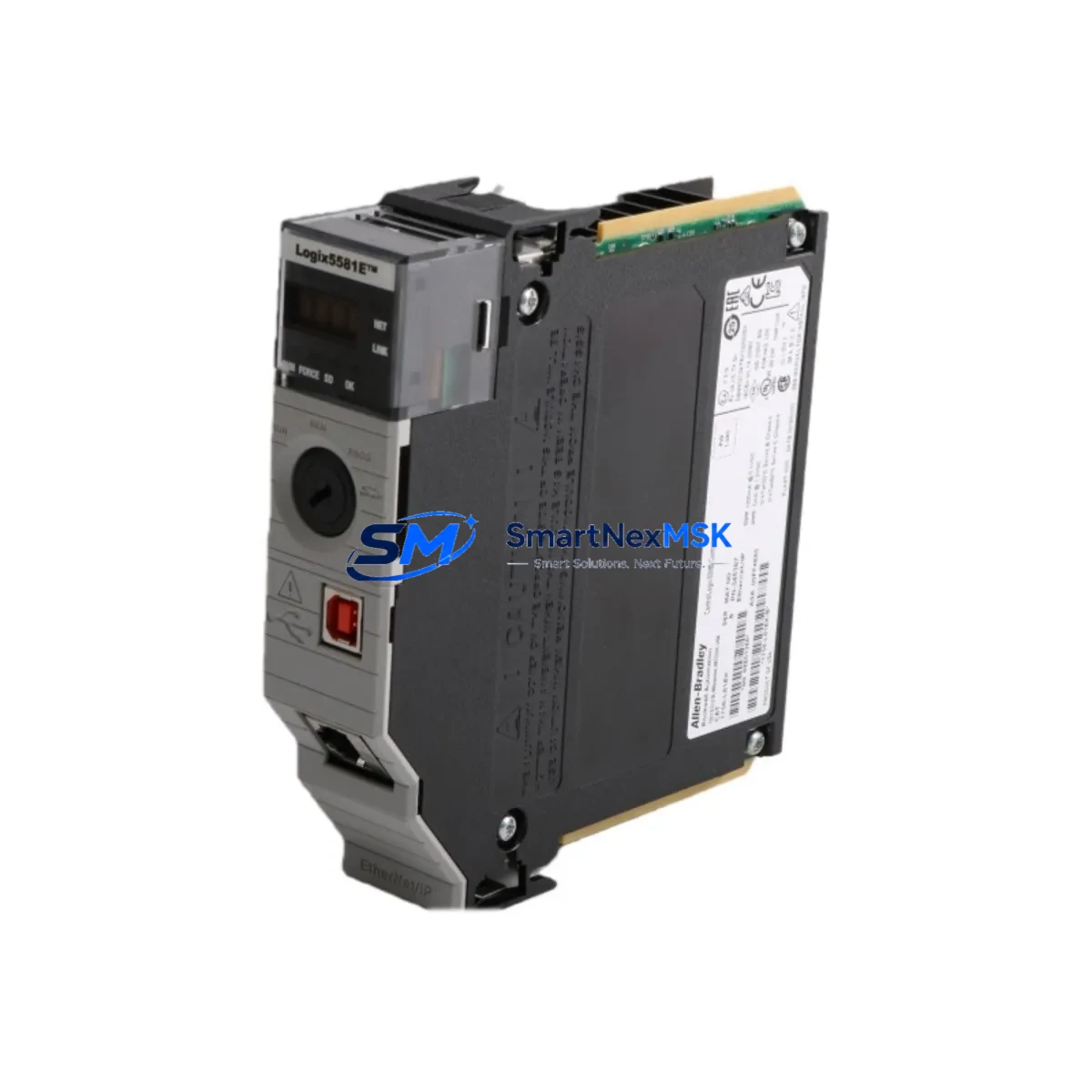
Allen-Bradley 1756-L81E Retrofit-Ready Controller for ControlLogix 5580: Seamless Compatibility and Legacy System Upgrade
The Allen-Bradley 1756-L81E is a high-performance ControlLogix 5580 series programmable logic controller designed to serve as a direct retrofit solution for aging or discontinued automation platforms. Whether you are replacing a failed 1756-L75 or 1756-L74 controller, migrating from an older ControlLogix 5570 platform, or upgrading a legacy SLC 500 or PLC-5 control cabinet to a modern EtherNet/IP architecture, the 1756-L81E delivers the processing power, memory capacity, and protocol compatibility required for a smooth, low-risk transition.
With 40 MB of user memory and a dual-core processor architecture, the 1756-L81E supports complex ladder logic, function block, structured text, and sequential function chart programs simultaneously. It installs directly into any standard 1756 ControlLogix chassis — including the 1756-A4, 1756-A7, 1756-A10, and 1756-A13 — without requiring chassis replacement or backplane rewiring, making it one of the most cost-effective upgrade paths available for existing ControlLogix installations.
Upgrade Compatibility Table
| Parameter | 1756-L81E (This Unit) | Typical Legacy Model (e.g. 1756-L75) |
|---|---|---|
| User Memory | 40 MB | 8 MB |
| Chassis Compatibility | 1756-A4 / A7 / A10 / A13 | 1756-A4 / A7 / A10 / A13 |
| Communication Protocol | EtherNet/IP (dual-port) | EtherNet/IP (single-port) |
| Programming Software | Studio 5000 Logix Designer v21+ | RSLogix 5000 v16+ |
| I/O Compatibility | Full 1756 I/O module range | Full 1756 I/O module range |
| Backplane Interface | Standard ControlLogix backplane | Standard ControlLogix backplane |
| Installation Requirement | Slot-in replacement, no rewiring | N/A (existing unit) |
| Firmware Upgrade Required | Yes — update via ControlFLASH | N/A |
| HMI Compatibility | PanelView Plus 6 / 7, FactoryTalk View | PanelView Plus 6 / 7, FactoryTalk View |
| Warranty | 12 Months | — |
Retrofit Planning for Existing Automation Systems
A successful 1756-L81E retrofit begins well before the physical swap. Engineers should start by auditing the existing control cabinet for power supply capacity. The 1756-PA75 or 1756-PB75 power supply must be verified to deliver sufficient wattage for the new controller alongside all installed 1756 I/O modules, communication modules, and any 1756-EN2T or 1756-EN3TR EtherNet/IP bridge modules already in the rack. Undersized power supplies are a leading cause of post-retrofit instability and must be addressed before commissioning.
Terminal wiring on existing 1756 digital and analog I/O modules — such as the 1756-IB16, 1756-OB16E, and 1756-IF8 — does not require modification when replacing the controller module alone. All field wiring remains intact, which significantly reduces downtime during the changeover. However, engineers should document all module slot assignments and verify that the new controller’s I/O tree in Studio 5000 Logix Designer matches the physical rack configuration exactly before going online.
For systems that include a 1756-DHRIO or 1756-DNB DeviceNet bridge module for legacy device communication, protocol migration planning is essential. If the retrofit scope includes transitioning remote I/O or DH+ devices to EtherNet/IP, the 1756-EN2T module can serve as the primary network bridge, and device-level EtherNet/IP adapters may be required at the field level. Communication module firmware should be updated in parallel with the controller firmware to avoid version mismatches that can prevent online connections.
HMI screens built in FactoryTalk View ME or SE linked to the existing controller via RSLinx Classic or FactoryTalk Linx should be tested in offline simulation mode against the updated program before live cutover. Tag name changes or address remapping introduced during the program upgrade must be reflected in all HMI display pages to prevent runtime faults. The 1756-L81E’s expanded memory allows engineers to retain legacy program logic while adding new diagnostic routines, alarm management blocks, and data logging tasks without memory constraints.
Downtime Control During System Migration
Minimizing production downtime is the primary concern in any ControlLogix retrofit project. The recommended approach is to prepare the replacement 1756-L81E offline, load the verified program image, configure the EtherNet/IP network parameters, and perform a full I/O simulation test before scheduling the physical swap. Using the Save and Load Project function in Studio 5000 Logix Designer, the complete program — including controller tags, task configuration, motion groups, and produced/consumed tag relationships — can be transferred to the new controller in minutes.
During the physical cutover, the existing 1756-L75 or equivalent controller is removed from the chassis slot, and the 1756-L81E is inserted in its place. The chassis backplane automatically recognizes the new module. After powering up, the engineer downloads the pre-tested program, verifies I/O module status LEDs, confirms communication link status on all 1756-EN2T or 1756-ENBT modules, and performs a controlled online-to-run transition. With proper pre-staging, total downtime for a single-controller swap can be reduced to under 30 minutes in most installations.
All units supplied by SMARTNEXMSK are pre-tested prior to shipment, with firmware verified and basic I/O diagnostics confirmed. Each 1756-L81E is covered by a 12-month warranty against manufacturing defects, with replacement or repair support available throughout the warranty period.
Retrofit Support FAQ
Q: Is the 1756-L81E a direct drop-in replacement for the 1756-L75?
A: Yes. The 1756-L81E occupies the same single chassis slot as the 1756-L75 and is compatible with all standard 1756 ControlLogix chassis. The existing program can be loaded directly after a firmware update via ControlFLASH. No backplane or wiring changes are required.
Q: What Studio 5000 version is required to program the 1756-L81E?
A: Studio 5000 Logix Designer version 21 or higher is required. If your existing program was developed in RSLogix 5000, it can be converted and opened in Studio 5000 without loss of logic, though tag and routine review is recommended after conversion.
Q: How is the unit tested before shipment?
A: Each 1756-L81E unit undergoes a pre-shipment functional test covering power-on self-test, backplane communication verification, and firmware integrity check. A test report is available upon request. The unit ships with a 12-month warranty covering all manufacturing defects.
Q: Can the 1756-L81E communicate with legacy DH+ or Remote I/O devices?
A: The 1756-L81E itself communicates via EtherNet/IP. For DH+ or Remote I/O connectivity, a 1756-DHRIO communication module must be installed in the same chassis. SMARTNEXMSK can supply the 1756-DHRIO and other required communication modules as part of a complete retrofit kit.
© 2026 SMARTNEXMSK. All rights reserved.
Original Source: https://smartnexmsk.com
Contact: [email protected] | +86 18259474341



