
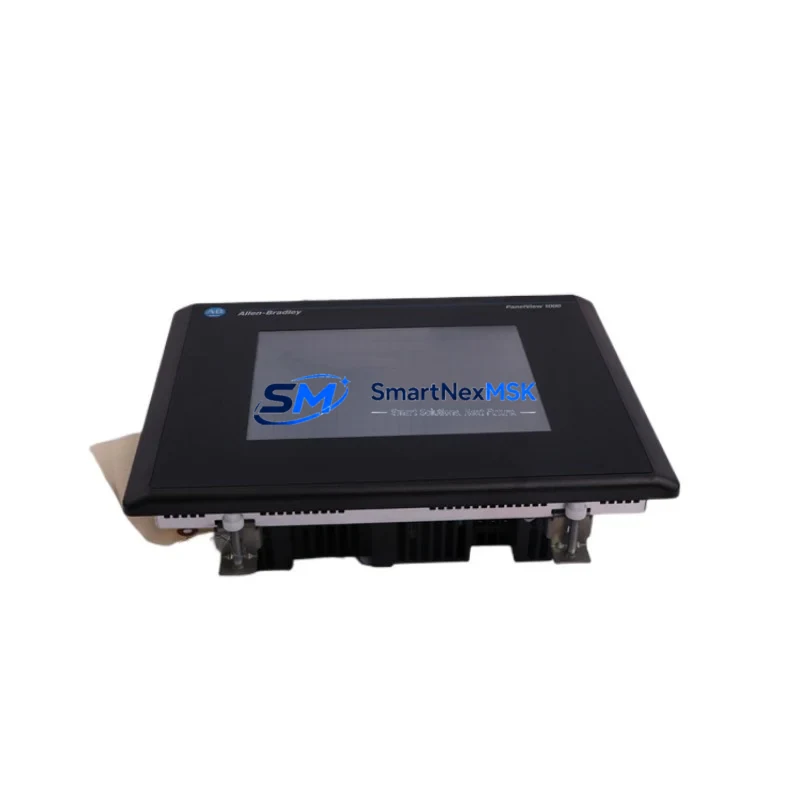
Allen-Bradley 2706-M1N1 Maintenance-Ready Spare for PanelView Automation
The Allen-Bradley 2706-M1N1 is a legacy PanelView operator interface terminal from Rockwell Automation, widely deployed across discrete manufacturing, process control, and material handling systems. As original equipment reaches end-of-life support cycles, maintaining a verified spare of the 2706-M1N1 is a critical element of any industrial maintenance strategy. Unplanned HMI failure at the operator station can halt an entire production line within minutes — a replacement unit sourced, tested, and ready to install is the fastest path to restoring system uptime.
This listing provides an original Allen-Bradley 2706-M1N1 spare part, sourced through verified industrial supply channels, function-tested prior to shipment, and backed by a 12-month warranty. Whether you are managing a planned overhaul, responding to an emergency breakdown, or building out your control cabinet spare parts inventory, this unit is prepared for immediate deployment.
Spare Maintenance Table
| Parameter | Specification / Detail |
|---|---|
| Part Number / SKU | 2706-M1N1 |
| Brand | Allen-Bradley (Rockwell Automation) |
| Series | PanelView Legacy HMI |
| Product Type | Operator Interface Terminal (HMI) |
| Display Type | Monochrome LCD / Keypad Interface |
| Communication Interface | DH-485 / RS-232 (series-dependent) |
| Power Supply Requirement | 24V DC (verify with panel drawing) |
| Mounting | Panel cutout, front-mount |
| Operating Temperature | 0°C to 55°C (standard industrial enclosure) |
| Compatibility | SLC 500, MicroLogix, PLC-5 series controllers |
| Application Environment | Discrete manufacturing, process lines, material handling |
| Condition | Original spare, function-tested before shipment |
| Warranty | 12 Months from date of shipment |
| Lead Time | In-stock; ships within 1–3 business days |
| Origin | United States (Rockwell Automation OEM) |
Maintenance Planning for Continuous Operation
When a 2706-M1N1 PanelView terminal fails or is scheduled for replacement during a planned shutdown, the maintenance scope should extend beyond the HMI unit itself. A thorough control cabinet inspection at the time of replacement significantly reduces the risk of secondary failures and repeat downtime events.
Begin by verifying the 24V DC power supply module feeding the HMI circuit — power supply degradation is a leading cause of intermittent HMI faults and display lockups. Inspect the DH-485 or RS-232 communication cable connecting the 2706-M1N1 to the host controller; cable insulation breakdown and connector corrosion are common in older installations. If the system uses an SLC 500 processor module (such as the 1747-L532 or 1747-L543), confirm firmware compatibility and check the processor battery status — a low battery can corrupt program memory and cause unexpected HMI communication loss.
Review the 1746-series I/O modules in the same rack. Digital input and output modules that share the same control cabinet often accumulate wear at the same rate as the HMI. Inspect terminal blocks and wiring ferrules on the I/O side for signs of heat discoloration or loose terminations. If the system includes relay output modules (such as the 1746-OW16), check contact resistance and coil integrity — relay wear is frequently overlooked during HMI-focused maintenance events.
For systems using DH-485 network topology, inspect the network termination resistors and verify that the 1747-AIC Advanced Interface Converter or equivalent link coupler is functioning correctly. A degraded AIC can cause intermittent communication faults that mimic HMI hardware failure. If the installation includes a 1747-KE or 1747-KFC15 communication module, verify its configuration has not drifted due to power cycling events.
Where the control system interfaces with upstream SCADA or DCS infrastructure, confirm that signal isolators on analog input channels remain within calibration tolerance. Aging fuse holders and miniature circuit breakers in the control cabinet should also be inspected — a nuisance trip on the HMI power circuit is often traced back to a degraded fuse element rather than the terminal itself.
Documenting all inspected components and their condition at the time of the 2706-M1N1 replacement creates a baseline for the next planned maintenance interval and supports a proactive spare parts stocking strategy.
Site Replacement Workflow
Step 1 — Isolation and Lockout/Tagout: De-energize the control cabinet and apply LOTO procedures before removing the existing 2706-M1N1 unit. Photograph the existing wiring and communication cable routing before disconnection.
Step 2 — Configuration Backup: If the existing unit is still partially functional, export or document the current application file. PanelView legacy terminals store application data in internal memory; confirm whether a backup copy exists on the host PLC or engineering workstation before proceeding.
Step 3 — Physical Replacement: Remove the failed unit from the panel cutout. Install the replacement 2706-M1N1, reconnecting power and communication cables per the original wiring diagram. Verify torque on all terminal connections.
Step 4 — Application Download: Using RSView or the appropriate legacy programming tool, download the application file to the replacement terminal. Confirm display initialization and verify that all configured screens and data tags are accessible.
Step 5 — Functional Verification: With the controller in run mode, confirm that the HMI correctly displays process values, responds to operator inputs, and communicates without fault codes. Log the replacement event in the site maintenance record.
This workflow minimizes total downtime to under two hours in most installations and ensures full system compatibility is maintained without requiring controller reprogramming or network reconfiguration.
Spare Parts Support FAQ
Q: Is the 2706-M1N1 still available as a new original part, or is this a refurbished unit?
A: This listing is for an original Allen-Bradley 2706-M1N1 spare sourced from verified industrial supply channels. Each unit undergoes functional testing prior to shipment. Given the legacy status of the PanelView series, availability is managed from existing stock. Contact us to confirm current inventory levels before placing a large-quantity order.
Q: What is the compatibility scope of the 2706-M1N1 with current Rockwell controllers?
A: The 2706-M1N1 is designed for use with Allen-Bradley SLC 500, MicroLogix, and PLC-5 series controllers via DH-485 or RS-232 communication. It is not natively compatible with ControlLogix or CompactLogix platforms without a protocol converter. For systems requiring migration to newer controllers, we recommend consulting your Rockwell distributor for gateway options.
Q: What testing is performed before shipment?
A: Each 2706-M1N1 unit is powered on and verified for display function, keypad response, and communication port integrity prior to packaging. Units that do not pass functional verification are not shipped. A test report summary is available upon request for critical maintenance applications.
Q: What does the 12-month warranty cover?
A: The 12-month warranty covers manufacturing defects and functional failures under normal operating conditions from the date of shipment. It does not cover damage resulting from incorrect installation, overvoltage events, or physical impact. Warranty claims are processed with priority turnaround to minimize site downtime.
© 2026 SMARTNEXMSK. All rights reserved.
Original Source: https://smartnexmsk.com
Contact: [email protected] | +86 18259474341



