
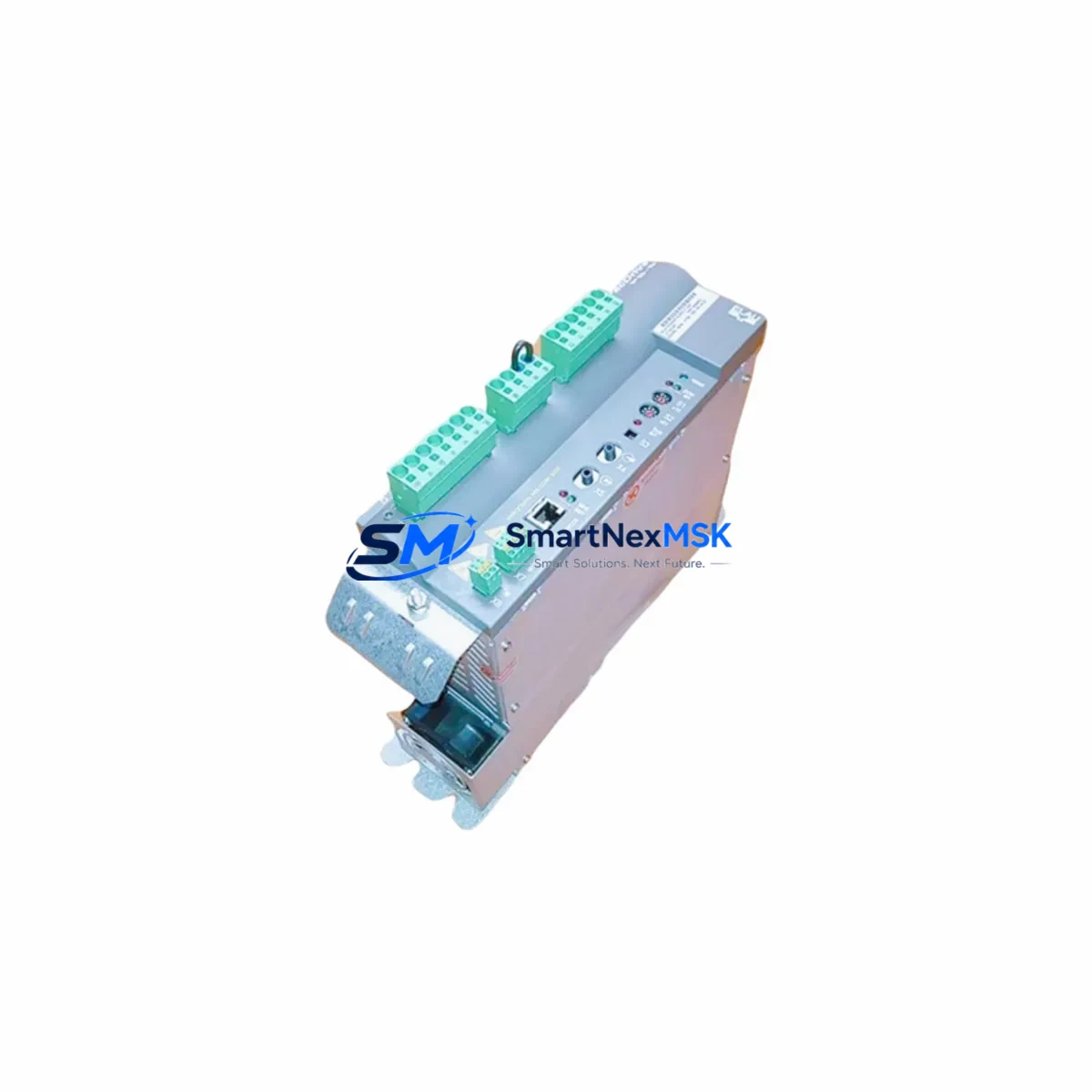
ELAU DRIVE PS-5 Retrofit-Ready Power Supply for PacDrive Control Systems
The ELAU DRIVE PS-5 is a proven, retrofit-ready power supply module engineered for seamless integration into legacy PacDrive automation platforms. As ELAU’s PacDrive product line transitions through end-of-life and discontinuation cycles, the DRIVE PS-5 remains one of the most sought-after replacement components for engineers tasked with modernizing aging packaging lines, motion control cabinets, and multi-axis servo systems without triggering a full platform overhaul.
Whether you are replacing a failed unit on a live production line, upgrading a control cabinet to extend its operational lifespan, or migrating from an earlier PacDrive generation to a more supportable architecture, the DRIVE PS-5 delivers the electrical stability and form-factor compatibility that retrofit projects demand. Each unit shipped by SMARTNEXMSK undergoes pre-shipment functional testing and is backed by a 12-month warranty.
Upgrade Compatibility Table
| Parameter | Details |
|---|---|
| Compatible Platform | ELAU PacDrive Series (PacDrive M, PacDrive C400, legacy PacDrive controllers) |
| Module Type | DC Power Supply / Drive Power Module |
| Rack / Backplane Interface | Standard PacDrive backplane connector; verify slot assignment against existing rack layout before installation |
| Terminal Wiring | Retain original terminal block wiring diagram; confirm DC bus voltage and ground continuity before energizing |
| Communication Compatibility | Compatible with SERCOS II motion bus used across PacDrive M and C400 controller families |
| Replacement Recommendation | Direct drop-in for failed or end-of-life DRIVE PS-5 units; cross-reference with ELAU part number documentation for variant confirmation |
| Commissioning Notes | Re-initialize module address in PacDrive programming environment (IEC 61131-3 based); verify HMI tag mapping post-swap |
| Warranty | 12 months from date of shipment — covers manufacturing defects and functional failure under normal operating conditions |
Retrofit Planning for Existing Automation Systems
A successful DRIVE PS-5 retrofit begins well before the module arrives on site. Engineers should start by auditing the existing control cabinet to confirm available DC bus capacity and verify that the PacDrive C400 controller or PacDrive M controller firmware version is compatible with the replacement module. In many retrofit scenarios, the ELAU MC-4 servo amplifier modules installed in adjacent rack slots must also be inspected for firmware alignment, since a power supply swap can expose latent version mismatches that were previously masked by the original hardware.
Terminal block wiring is a critical checkpoint. The DRIVE PS-5 uses a defined pin-out for DC power distribution to downstream servo axes. Before disconnecting the original unit, photograph and document all terminal connections, particularly the 24 VDC logic supply lines feeding the ELAU I/O expansion modules and any PacDrive digital input/output cards installed in the same rack. Mislabeled or undocumented wiring is one of the leading causes of extended downtime during power supply replacements.
Backplane slot addressing must be confirmed in the PacDrive programming software. The DRIVE PS-5 occupies a defined slot position that is referenced in the machine program. If the replacement module is installed in a different physical slot — even temporarily — the controller may generate a configuration fault on startup. Cross-reference the slot map in the PacDrive IEC 61131-3 project file before powering up. For systems that also include a ELAU SERCOS fiber optic ring connecting multiple drive nodes, verify that the ring topology remains intact after the module swap, as a broken SERCOS link will prevent all axes from initializing.
HMI screen updates are often overlooked in retrofit planning. If the original system uses a Schneider Electric Magelis HMI or a third-party panel connected via Modbus TCP or OPC-UA, confirm that the power supply status tags and alarm bits are correctly mapped to the new module’s diagnostic outputs. Some older PacDrive installations use hardwired status signals rather than fieldbus diagnostics, which simplifies the HMI update but requires physical relay wiring verification.
For sites running ELAU PacDrive programming cables (USB or serial variants) for on-site commissioning, ensure the engineering laptop has the correct version of the PacDrive Commissioning Tool installed. Firmware mismatches between the programming environment and the replacement module are a common source of commissioning delays that can be avoided with pre-shipment version confirmation.
Downtime Control During System Migration
Minimizing production downtime during a DRIVE PS-5 replacement requires a structured pre-outage preparation protocol. Begin by creating a full backup of the PacDrive project — including all motion profiles, cam tables, axis parameters, and I/O configurations — using the PacDrive Commissioning Tool’s project export function. Store this backup on an isolated engineering laptop and a secondary USB drive kept at the control cabinet. This ensures that if the replacement module requires a firmware update or parameter re-initialization, the original machine logic can be restored within minutes rather than hours.
During the physical swap, maintain power to the 24 VDC logic bus if the cabinet design permits it. Many PacDrive installations allow the logic supply to remain energized while the DC drive bus is de-energized, which keeps the PacDrive C400 controller and connected HMI panels live throughout the replacement. This approach preserves the active program in controller RAM and eliminates the cold-start initialization sequence that can add 10–20 minutes to the restart procedure.
After installing the DRIVE PS-5, perform a controlled power-up sequence: energize the logic supply first, confirm controller boot and SERCOS ring initialization, then enable the DC bus. Monitor the drive status LEDs and the PacDrive diagnostic screen for any configuration faults before enabling servo axes. A phased startup reduces the risk of cascading faults that can occur when all axes attempt to initialize simultaneously after an uncontrolled power cycle.
Document the completed replacement in the machine maintenance log, including the module serial number, installation date, firmware version, and the name of the commissioning engineer. This record supports future warranty claims and provides traceability for regulatory audits in food, pharmaceutical, and packaging environments where equipment change control is mandatory.
Retrofit Support FAQ
Q1: Is the DRIVE PS-5 a direct replacement for all PacDrive power supply variants?
The DRIVE PS-5 is designed for PacDrive M and C400 series racks. Before ordering, confirm the original module’s part number and rack slot designation. SMARTNEXMSK’s technical team can assist with cross-referencing if you provide the existing module label or cabinet drawing number.
Q2: What commissioning steps are required after installing the replacement module?
After physical installation, re-initialize the module address in the PacDrive programming environment, verify SERCOS ring continuity, restore the project backup, and perform a controlled axis enable sequence. A full functional test — including motion profile execution and I/O verification — should be completed before returning the line to production.
Q3: How do I verify wiring compatibility before the replacement module arrives?
Document all terminal connections on the existing DRIVE PS-5 using the original cabinet wiring diagram or as-built drawings. Confirm DC bus voltage levels, ground bonding points, and 24 VDC logic supply routing. If original drawings are unavailable, SMARTNEXMSK can provide a generic terminal reference based on the standard DRIVE PS-5 pin-out.
Q4: What does the 12-month warranty cover?
The 12-month warranty covers manufacturing defects and functional failure under normal operating conditions from the date of shipment. It does not cover damage resulting from incorrect installation, overvoltage events, or unauthorized modification. Warranty claims are processed directly through SMARTNEXMSK with a target response time of 2 business days.
© 2026 SMARTNEXMSK. All rights reserved.
Original Source: https://smartnexmsk.com
Contact: [email protected] | +86 18259474341