
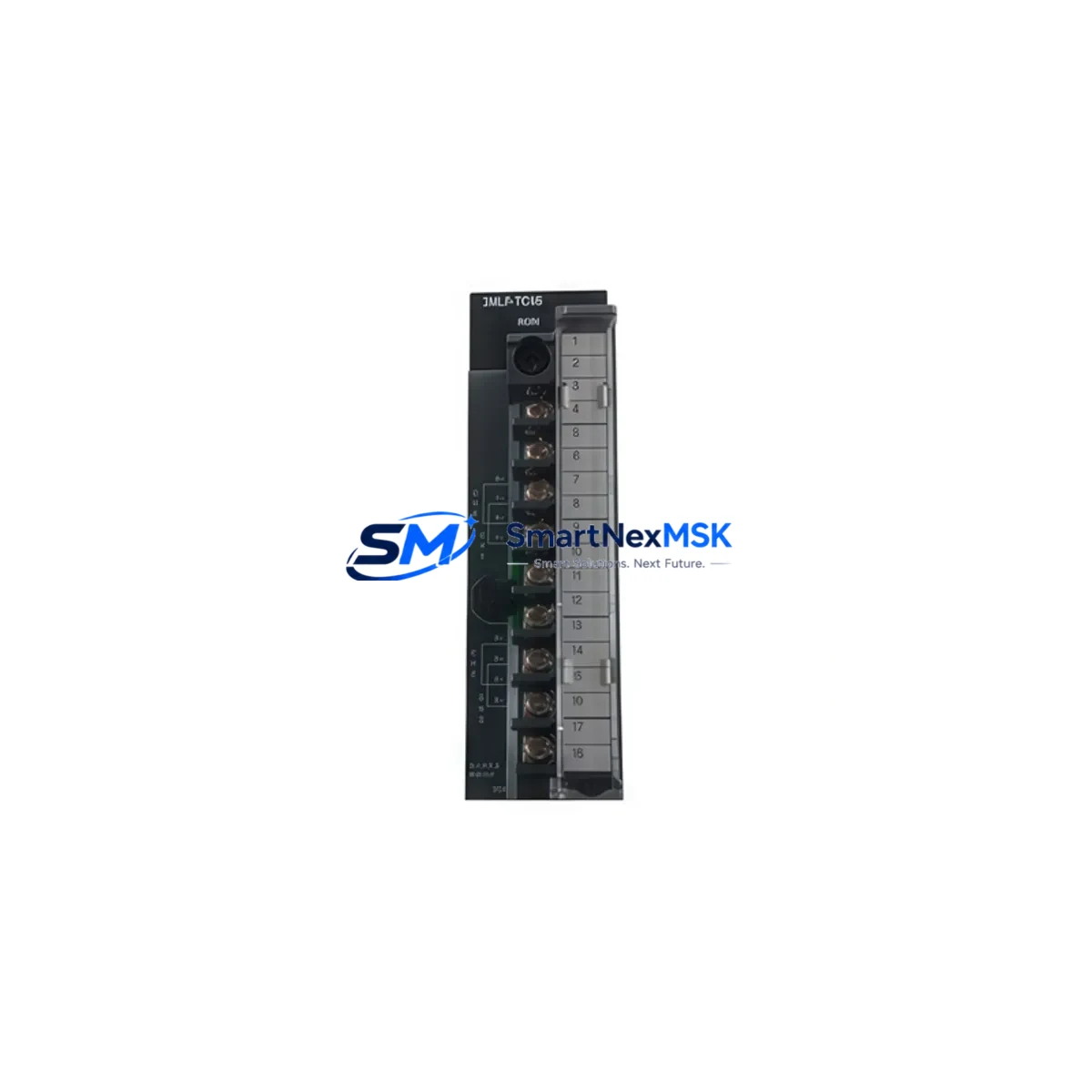
Honeywell 2MLF-TC4S Retrofit-Ready TC Input Module for HC900 Control Systems
The Honeywell 2MLF-TC4S is a 4-channel thermocouple input module designed for the HC900 Hybrid Controller platform — one of Honeywell’s most widely deployed distributed control systems in process industries including refining, chemical, power generation, and HVAC. As legacy HC900 installations age and original spare parts become increasingly difficult to source, the 2MLF-TC4S has become a critical retrofit component for engineers tasked with maintaining uptime on existing control infrastructure without committing to a full DCS migration.
SMARTNEXMSK maintains verified stock of the 2MLF-TC4S sourced from authorized distribution channels and decommissioned systems that have undergone full functional testing. Each unit ships with a 12-month warranty covering hardware defects and operational failures under normal industrial use conditions. Our pre-shipment test protocol validates thermocouple signal acquisition across all four channels, verifies backplane communication integrity, and confirms module addressing compatibility with HC900 controller firmware versions commonly found in the field.
Upgrade Compatibility Table
| Parameter | Details |
|---|---|
| Module SKU | 2MLF-TC4S |
| Compatible Platform | Honeywell HC900 Hybrid Controller Series |
| Input Channels | 4-Channel Thermocouple Input |
| TC Types Supported | J, K, T, E, R, S, B, N (field-configurable) |
| Backplane Interface | HC900 I/O rack backplane — direct slot insertion, no adapter required |
| Installation Requirement | HC900 I/O expansion rack; compatible with 4-slot and 12-slot rack configurations |
| Communication Compatibility | HC900 internal I/O bus; no separate fieldbus configuration required |
| Replacement Scope | Direct drop-in replacement for failed or discontinued 2MLF-TC4S units |
| Commissioning Notes | Verify module slot address in HC Designer; re-download configuration if slot reassigned |
| Firmware Compatibility | Compatible with HC900 controller firmware R4.x and above; verify with HC Designer version |
| Warranty | 12 months from shipment date — hardware defects and functional failures covered |
Retrofit Planning for Existing Automation Systems
When planning a retrofit around the 2MLF-TC4S, the scope of work typically extends well beyond swapping a single I/O module. A successful HC900 retrofit requires a systematic review of the entire control loop — from field wiring at the terminal block through the I/O rack, backplane, and controller to the operator interface.
Begin by auditing the HC900 I/O rack configuration. The 2MLF-TC4S occupies a single slot in the HC900 expansion rack. If the rack itself has suffered backplane damage or corrosion on the edge connectors, replacing the module alone will not restore signal integrity. In such cases, the rack assembly — including the HC900 I/O expansion rack chassis — may also need replacement. Confirm that the rack’s power supply module, such as the HC900 power supply unit, is delivering stable 24 VDC to the I/O bus before inserting the replacement 2MLF-TC4S.
Terminal wiring is the next critical checkpoint. The 2MLF-TC4S uses a removable terminal block for thermocouple field connections. When replacing a failed module, remove the terminal block from the old unit and transfer it directly to the new module — this preserves field wiring continuity and eliminates re-termination errors. Verify that thermocouple extension wire polarity is correct for each channel and that the wire type matches the configured TC type in the HC Designer software. Mismatched extension wire alloys are a common source of measurement error that only appears after the system is back online.
Module addressing must be confirmed in HC Designer, Honeywell’s configuration and programming environment for the HC900 platform. When a replacement module is inserted into the same physical slot, the controller typically recognizes it automatically on the next scan cycle. However, if the module is being installed in a different slot — for example, due to rack reconfiguration or slot damage — the I/O address map must be updated in HC Designer and the configuration re-downloaded to the HC900 controller CPU. Failure to update the address map will result in the controller reading from the wrong slot or generating a hardware fault alarm.
For sites running Modbus TCP or OPC DA/UA communication between the HC900 and upstream SCADA or historian systems, verify that the tag database reflects any slot or address changes. If the HC900 is integrated with a Honeywell Experion PKS or a third-party DCS via the HC900’s Ethernet port, the integration configuration may need to be refreshed after the module swap. Similarly, if an HMI panel — such as a Honeywell HMIWeb Display Builder screen or a third-party touchscreen — is displaying thermocouple values from the affected channels, confirm that the display tags are resolving correctly after the replacement is complete.
In multi-rack HC900 installations, also inspect the HC900 remote I/O communication module linking expansion racks to the primary controller rack. A degraded communication link between racks can cause intermittent module faults that mimic hardware failure. Replacing the 2MLF-TC4S without addressing a faulty rack communication link will result in recurring faults. Additionally, review the HC900 analog output modules on the same rack — if a power supply fault caused the original TC input module failure, adjacent output modules may have been affected as well.
Downtime Control During System Migration
Minimizing downtime during a 2MLF-TC4S replacement on a live HC900 system requires preparation before the maintenance window opens. The most effective approach is to pre-configure the replacement module offline using HC Designer, verify the configuration file matches the current controller build, and stage the module at the panel before the planned outage.
The HC900 controller supports hot-swap of I/O modules in most firmware versions — the controller continues executing the control program while the module is removed and reinserted, placing the affected channels in a fault state during the swap interval. This means the control loops associated with the four thermocouple channels will fall back to their configured fault-mode behavior (typically holding last value or switching to manual) during the swap. Operators should be briefed on this behavior and positioned to monitor affected loops manually during the exchange.
To protect the original program logic, export a backup of the HC900 configuration from HC Designer before beginning any hardware work. Store the backup file with a timestamped filename and confirm it opens correctly on a secondary engineering workstation. If the controller firmware version on the replacement unit differs from the installed base — which can occur with refurbished modules — a firmware update may be required before the configuration download will succeed. SMARTNEXMSK pre-tests all 2MLF-TC4S units against common HC900 firmware versions to reduce this risk, but engineers should confirm firmware compatibility as part of their pre-maintenance checklist.
After reinsertion, allow the HC900 controller one full scan cycle to recognize the new module and clear the hardware fault. Verify all four thermocouple channels are reading within expected range before returning the loops to automatic control. Document the replacement in the site’s maintenance log, including the module serial number, slot position, date, and technician name — this record supports future warranty claims and audit requirements.
Retrofit Support FAQ
Q: Is the 2MLF-TC4S a direct drop-in replacement for a failed unit in the same slot?
A: Yes. The 2MLF-TC4S is a direct slot-for-slot replacement within the HC900 I/O rack. Transfer the removable terminal block from the old module to the new one to preserve field wiring. No configuration changes are required if the module is installed in the same slot position. The HC900 controller will recognize the replacement on the next scan cycle.
Q: What commissioning steps are required after installing the replacement module?
A: After insertion, verify in HC Designer that the module is recognized in the correct slot. Confirm thermocouple type configuration for each channel matches the field instrument. Check that all four channels are reading within the expected engineering unit range. If any channel shows an open-circuit or out-of-range fault, verify terminal block seating, extension wire polarity, and TC type selection before concluding the module is faulty.
Q: Can the 2MLF-TC4S be used in a different slot than the original failed module?
A: Yes, but the I/O address map in HC Designer must be updated to reflect the new slot assignment, and the updated configuration must be downloaded to the HC900 controller CPU. All SCADA tags, historian mappings, and HMI display references that point to the original slot address must also be updated to avoid data gaps or incorrect readings.
Q: What does the 12-month warranty cover, and how is a warranty claim initiated?
A: The 12-month warranty covers hardware defects and functional failures under normal industrial operating conditions from the date of shipment. It does not cover damage resulting from incorrect installation, overvoltage, or physical impact. To initiate a warranty claim, contact SMARTNEXMSK at [email protected] with the order number, module serial number, and a description of the fault. Our technical team will respond within one business day to arrange inspection or replacement.
© 2026 SMARTNEXMSK. All rights reserved.
Original Source: https://smartnexmsk.com
Contact: [email protected] | +86 18259474341



