
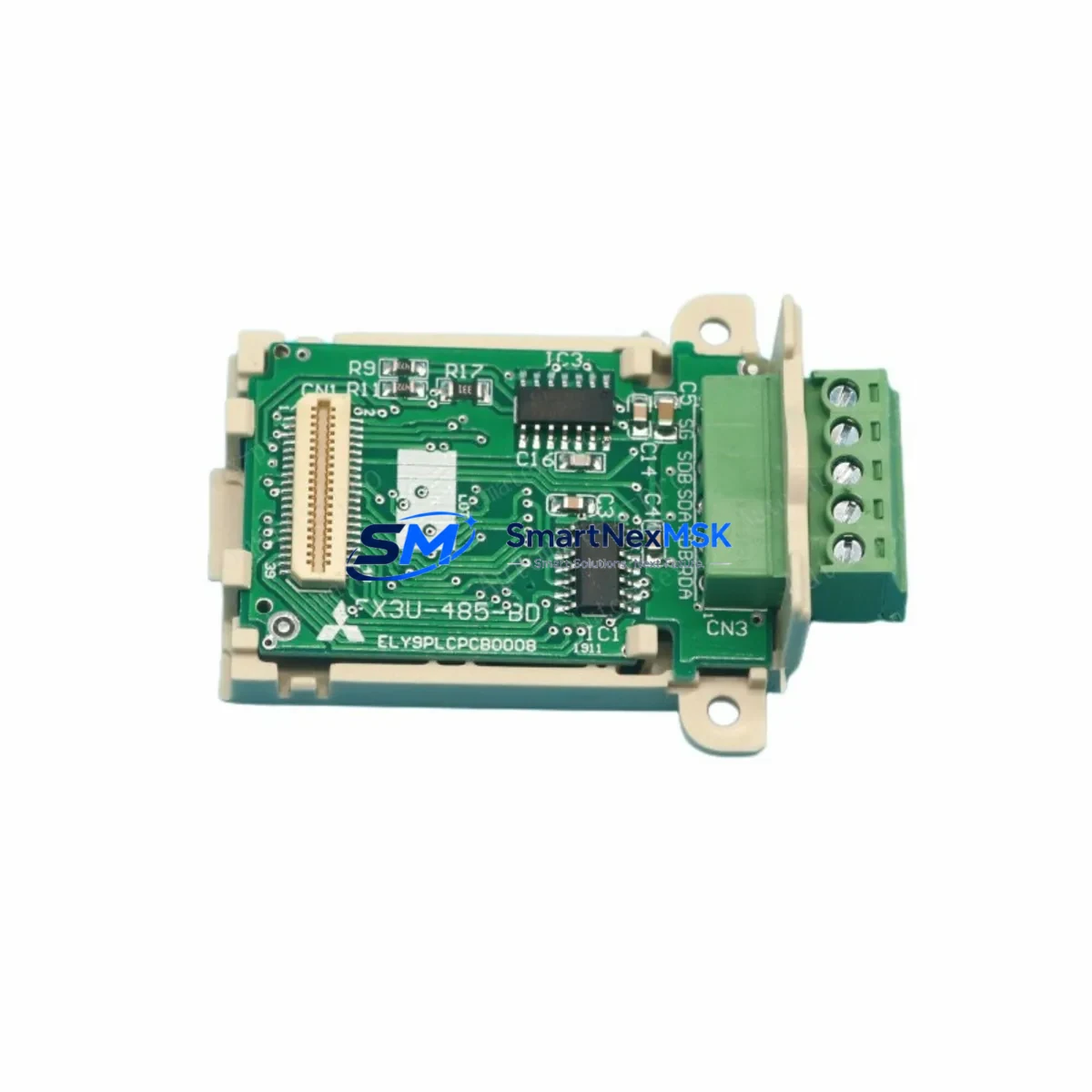
Mitsubishi D0AOM02 Retrofit-Ready Output Module for MELSEC-F Series Control Systems
The Mitsubishi Electric D0AOM02 is a digital output expansion module originally designed for the MELSEC-F Series programmable logic controller platform. As production lines built around the FX0, FX0S, FX0N, and early FX1S controller families reach end-of-life milestones, the D0AOM02 has become a critical retrofit component for engineers tasked with keeping legacy automation systems operational without a full platform migration. SMARTNEXMSK maintains verified stock of the D0AOM02 to support planned upgrades, emergency replacements, and phased modernization projects across manufacturing, packaging, material handling, and process control industries.
Whether you are replacing a failed unit on an active production line or executing a scheduled control cabinet upgrade, the D0AOM02 provides a direct-fit solution that preserves existing wiring layouts, terminal block assignments, and PLC program logic. Each unit shipped by SMARTNEXMSK undergoes pre-shipment functional testing and is covered by a 12-month warranty from the date of delivery.
Upgrade Compatibility Table
| Parameter | D0AOM02 Specification | Retrofit Notes |
|---|---|---|
| Compatible Controller Series | MELSEC-F Series (FX0, FX0S, FX0N, FX1S) | Verify base unit expansion connector type before installation |
| Output Type | Transistor (sink/source — confirm variant) | Match output polarity to existing field device wiring |
| Number of Output Points | 2 analog output channels | Confirm I/O address allocation in existing GX Developer or GX Works2 program |
| Power Supply Requirement | Supplied via expansion bus from base unit | Verify base unit power budget; add FX-PSU power supply unit if margin is insufficient |
| Backplane / Rack Interface | Direct expansion connector (no rack required) | Confirm connector pin alignment with adjacent FX-series expansion modules |
| Communication Protocol | Internal expansion bus (not networked) | No protocol migration required; CC-Link or MELSECNET modules unaffected |
| Module Address Assignment | Auto-assigned by base unit based on expansion order | Maintain original module sequence to preserve program I/O mapping |
| Mounting | DIN rail or direct panel mount | Reuse existing DIN rail; no new hardware required in most installations |
| Replacement for Discontinued Models | D0AOM02 (original); cross-reference FX0N-2AD if analog input is also required | Confirm output-only vs. combined I/O requirement before ordering |
| Commissioning Tool | GX Developer, GX Works2 | No program rewrite required if module address sequence is preserved |
| Warranty | 12 months from shipment date — covers manufacturing defects and functional failure under normal operating conditions | |
Retrofit Planning for Existing Automation Systems
Successful integration of the D0AOM02 into an existing MELSEC-F Series control system begins with a thorough pre-replacement audit. Before removing the failed or obsolete module, engineers should document the current terminal block wiring using the original electrical drawings or, where drawings are unavailable, by tracing field cables directly at the control cabinet. The D0AOM02 connects to the FX base unit — such as the FX0N-40MR or FX1S-30MT — via the right-side expansion connector, and the physical installation sequence of all expansion modules determines the I/O address map used in the PLC program.
When the control cabinet also houses an FX0N-8EX input expansion module or an FX0N-8EYR relay output module alongside the D0AOM02, the module order must be preserved exactly. Changing the sequence — even by one position — will shift all downstream I/O addresses and cause the existing ladder logic to reference incorrect output coils. If the original module sequence cannot be confirmed from documentation, use GX Developer or GX Works2 to read the current I/O configuration from the live base unit before powering down.
Power budget verification is a mandatory step in any MELSEC-F expansion retrofit. The FX0N and FX1S base units provide a limited 5 VDC internal bus supply, and adding or replacing expansion modules — including the D0AOM02, an FX0N-16EX input module, or an FX2N-4DA analog output module — can push the system close to or beyond its rated expansion current. If the power margin is insufficient, an FX-PSU auxiliary power supply unit must be added to the cabinet before commissioning the replacement module.
For systems that also include a communication module such as the FX0N-485ADP RS-485 adapter or an FX2N-32CCL CC-Link interface module, the communication link should be verified independently after the D0AOM02 is installed. These communication modules operate on separate signal paths and are not affected by the output module replacement, but a full system power cycle during the swap may cause the communication master to log a temporary fault that requires acknowledgment at the HMI or SCADA level.
HMI screens connected to the control system — whether a Mitsubishi GOT1000 series panel, a GOT2000 series display, or a third-party HMI using Mitsubishi protocol — should be reviewed to confirm that any output status indicators or manual override buttons mapped to the D0AOM02 output addresses remain valid after the replacement. In most cases, no HMI project changes are required, but screen simulation should be performed before returning the line to automatic mode.
Where the retrofit involves migrating from an older FX0 or FX0S base unit to a newer FX3G or FX3U platform, the D0AOM02 may not be directly compatible with the new base unit’s expansion bus. In such migration scenarios, the equivalent FX3U-4DA or FX3U-2HSY-ADP module should be evaluated as the target replacement, and a programming cable such as the FX-USB-AW or SC-09 RS-232 cable will be required to transfer and adapt the existing program to the new controller.
Downtime Control During System Migration
Minimizing unplanned downtime during a D0AOM02 replacement requires preparation that begins before the maintenance window opens. The most effective approach is to pre-stage the replacement module, verify its physical condition and labeling against the order documentation, and confirm that all required tools — including a flat-blade screwdriver for terminal block connections, a DIN rail clip tool, and a programming cable — are available at the work site before the line is stopped.
The existing PLC program should be backed up to a laptop running GX Developer or GX Works2 before any hardware is disturbed. This backup protects against accidental program loss during power cycling and provides a reference for verifying I/O address assignments after the new module is installed. If the base unit supports online program reading without stopping the CPU — as the FX3G and FX3U families do — the backup can be performed while the line is still running, further reducing the total maintenance window.
During the physical swap, field wiring connected to the D0AOM02 terminal block should be labeled or photographed before removal. The replacement module’s terminal block layout is identical to the original, so rewiring is straightforward, but confirmation against the original wiring diagram prevents transposition errors that could damage field devices or cause unexpected output activation on power-up.
After installation, the recommended commissioning sequence is: restore power to the base unit, confirm that the CPU LED returns to RUN state without error codes, force-test each output point individually using GX Developer’s device monitor function, and then release the line to automatic operation. This sequence typically takes 15 to 30 minutes for a single-module replacement and keeps total controlled downtime well within a standard planned maintenance window.
For sites where even brief downtime is critical, SMARTNEXMSK can support advance stock arrangements, ensuring that a verified D0AOM02 unit is held in reserve and available for same-day deployment when needed. All units are pre-tested before shipment and include a 12-month warranty, so the replacement module can be installed with confidence that it will perform to specification from the first power-up.
Retrofit Support FAQ
Q: Is the D0AOM02 a direct drop-in replacement for the original module without any program changes?
A: In most cases, yes. If the replacement module is installed in the same physical position in the expansion chain and the base unit is the same model (e.g., FX0N-40MR or FX1S-30MT), the I/O address mapping will be identical and no program modification is required. The existing ladder logic, output coil assignments, and HMI screen mappings will remain valid. Program changes are only necessary if the module position in the expansion sequence changes or if the base unit platform is being upgraded simultaneously.
Q: How do I verify wiring compatibility before installing the D0AOM02?
A: Compare the terminal block layout of the replacement D0AOM02 against the original wiring diagram or the labeled field cables at the cabinet. The output terminal assignments (COM, Y0, Y1, etc.) follow the standard MELSEC-F expansion module convention. Confirm the output polarity (sink or source) matches the field device requirements, and verify that the load current per output channel does not exceed the module’s rated capacity. If original drawings are unavailable, photograph the existing terminal connections before removal.
Q: What does the 12-month warranty cover, and how is a warranty claim processed?
A: The 12-month warranty covers manufacturing defects and functional failure under normal operating conditions from the date of shipment. It does not cover damage caused by incorrect installation, overvoltage, reverse polarity, or physical impact. To initiate a warranty claim, contact SMARTNEXMSK at [email protected] with the order number, a description of the fault, and any available diagnostic information from the PLC programming software. Replacement or repair will be arranged promptly, and return shipping instructions will be provided.
Q: Has the D0AOM02 been tested before shipment, and what documentation is included?
A: Yes. Every D0AOM02 unit shipped by SMARTNEXMSK undergoes pre-shipment functional testing to verify output channel operation and bus interface integrity. A test confirmation is included with the shipment. The unit is packaged in anti-static protective material suitable for industrial component handling. If a certificate of conformity or additional test documentation is required for your incoming inspection process, please request it at the time of order.
© 2026 SMARTNEXMSK. All rights reserved.
Original Source: https://smartnexmsk.com
Contact: [email protected] | +86 18259474341



