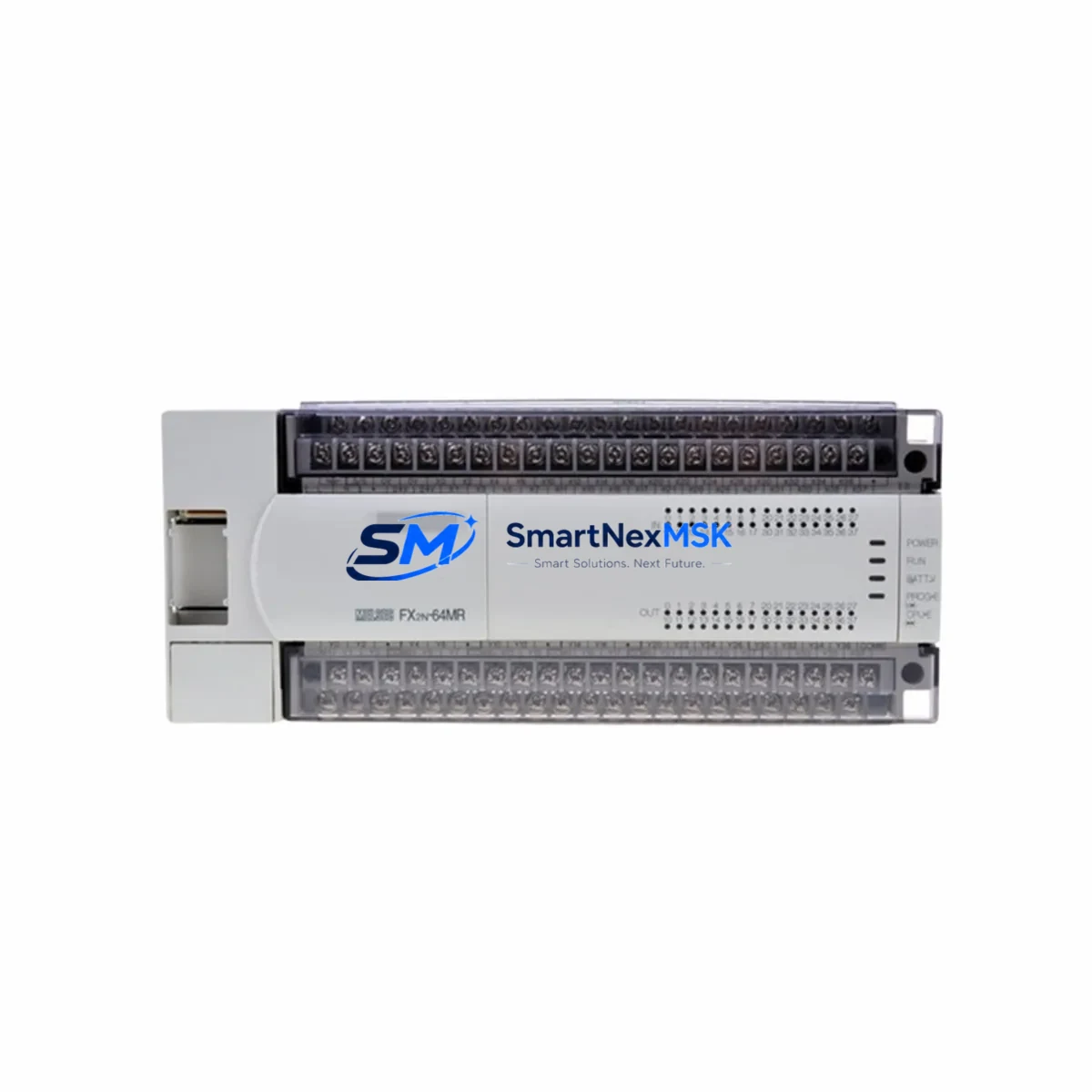
Mitsubishi FX2N-64MR-001 Retrofit-Ready PLC for FX2N Control Systems
The Mitsubishi FX2N-64MR-001 is a 64-point relay output programmable logic controller from Mitsubishi Electric’s FX2N Series — one of the most widely deployed compact PLC platforms in Asian and global manufacturing. As the FX2N Series approaches end-of-life and original units age out of service, the FX2N-64MR-001 has become a critical retrofit and replacement component for maintenance engineers managing legacy production lines, packaging machinery, material handling systems, and process control cabinets.
This unit provides 32 DC input points and 32 relay output points, supporting a broad range of discrete I/O applications. Its relay output architecture makes it compatible with AC and DC load circuits, simplifying wiring adaptation during panel upgrades. Whether you are replacing a failed unit on an emergency basis or executing a planned system modernization, the FX2N-64MR-001 offers a direct drop-in path with minimal program modification required.
Every unit supplied by SMARTNEXMSK is functionally tested prior to shipment and backed by a 12-month warranty, ensuring confidence for both emergency procurement and long-term spare parts inventory planning.
Upgrade Compatibility Table
| Parameter | Specification / Retrofit Note |
|---|---|
| Model | FX2N-64MR-001 |
| Brand / Series | Mitsubishi Electric / FX2N Series |
| I/O Configuration | 32 DC Inputs + 32 Relay Outputs (64 points total) |
| Output Type | Relay (AC/DC load compatible) |
| Power Supply | 100–240 VAC, 50/60 Hz (built-in) |
| Program Memory | 8,000 steps (expandable with memory cassette) |
| Communication Port | RS-422 (built-in); expandable via FX2N-232-BD, FX2N-485-BD |
| Expansion Interface | Compatible with FX2N expansion modules via right-side bus connector |
| Replacement Compatibility | Direct replacement for FX2N-64MR, FX2N-64MR-ES/UL; functional upgrade path from FX-64MR |
| Programming Software | GX Developer, GX Works2 (ladder/SFC/ST) |
| Installation | DIN rail or panel mount; same footprint as original FX2N-64MR |
| Operating Temperature | 0–55°C; 35–85% RH non-condensing |
| Origin | Japan |
| Warranty | 12 Months — tested before shipment |
Retrofit Planning for Existing Automation Systems
When replacing the FX2N-64MR-001 in an existing control cabinet, a systematic approach to compatibility verification is essential to minimize downtime and avoid commissioning errors. Begin by confirming the incoming power supply — the FX2N-64MR-001 accepts 100–240 VAC, so verify that the panel’s power distribution matches and that the existing circuit breaker or fuse rating is appropriate for the new unit’s inrush current profile.
Next, audit the expansion bus. The FX2N-64MR-001 supports right-side expansion via Mitsubishi’s FX2N expansion modules, including digital I/O blocks such as the FX2N-8EX (8-point input expansion) and FX2N-8EYR (8-point relay output expansion), as well as analog modules like the FX2N-4AD and FX2N-4DA for process signal handling. Confirm that all expansion modules are seated correctly and that the total I/O count does not exceed the FX2N Series expansion limit of 256 points.
Communication infrastructure requires careful attention during retrofit. The FX2N-64MR-001’s built-in RS-422 port is used for programming and HMI connection. If the existing system uses an FX2N-232-BD RS-232 communication board or an FX2N-485-BD RS-485 board for SCADA or inverter communication, verify that these boards are transferred to the replacement unit and that communication parameters (baud rate, station number, protocol) are re-confirmed after installation. For systems using Mitsubishi GOT1000 or GOT2000 series HMI panels, re-establish the HMI communication link and verify that all screen tags map correctly to the new unit’s device addresses.
Terminal wiring should be documented before removal of the old unit. The FX2N-64MR-001 uses standard screw terminal blocks; photograph or record all wiring connections, particularly the input commons (S/S terminal) and output commons (COM terminals), as incorrect common wiring is a frequent source of commissioning faults. If the original unit used an FX2N-CNV-BD or similar option board, confirm compatibility before reinstallation.
For sites running older FX Series PLCs such as the FX-64MR or FX2-64MR, the FX2N-64MR-001 provides a functional upgrade path. Program migration from FX/FX2 to FX2N format can be performed using GX Developer or GX Works2, with attention to any instruction set differences, particularly for high-speed counter (HSC) and interrupt routines. Retain the original program backup on a memory cassette or PC before beginning migration.
Finally, ensure that the control cabinet’s terminal blocks, DIN rail, and cable management are in good condition. Aging terminal strips, corroded wire ferrules, or undersized cable ducts can introduce faults that are incorrectly attributed to the new PLC. A cabinet inspection at the time of PLC replacement is an opportunity to address deferred maintenance across the entire panel.
Downtime Control During System Migration
Minimizing production downtime during FX2N-64MR-001 replacement requires preparation before the maintenance window begins. The most effective strategy is to pre-configure the replacement unit offline: load the verified program backup, set communication parameters, and confirm I/O mapping before the old unit is removed from service. This reduces the live swap time to physical installation, wiring reconnection, and a final functional test — typically achievable within two to four hours for an experienced maintenance team.
Preserve the original program logic by maintaining at least two backup copies: one on a PC running GX Developer or GX Works2, and one on an FX2N-ROM-E1 memory cassette if the system uses one. Before powering down, record the current state of all data registers (D devices), timers, and counters that hold process-critical values, as these will need to be restored after the replacement unit is initialized.
During the swap, use the existing terminal wiring documentation to reconnect inputs and outputs systematically, starting with power and commons before signal wires. After power-up, perform a forced I/O test to verify each input and output point before returning the system to automatic mode. For systems with safety interlocks or emergency stop circuits, verify these functions independently before resuming production.
Where a brief parallel operation period is feasible — for example, in systems with redundant control paths — consider running the replacement unit in monitor mode alongside the original before full cutover. This approach is particularly valuable in process industries where abrupt control transitions carry product quality or safety risks.
Retrofit Support FAQ
Q: Is the FX2N-64MR-001 a direct drop-in replacement for the FX2N-64MR?
A: Yes. The FX2N-64MR-001 is the standard international variant of the FX2N-64MR, sharing the same hardware architecture, I/O count, terminal layout, and expansion bus. Programs written for the FX2N-64MR run without modification on the FX2N-64MR-001. Confirm power supply voltage compatibility before installation.
Q: Can the FX2N-64MR-001 replace older FX or FX2 Series PLCs?
A: The FX2N-64MR-001 can functionally replace FX-64MR and FX2-64MR units with program migration. Instruction set differences between FX/FX2 and FX2N exist, particularly for high-speed counters and interrupt routines. Program review and testing in a non-production environment is recommended before live deployment.
Q: What testing is performed before shipment?
A: Each FX2N-64MR-001 unit undergoes functional power-on testing, I/O point verification, and communication port check prior to shipment. Units are supplied with a 12-month warranty covering hardware defects. Test records are available upon request for quality-critical procurement.
Q: How do you handle long-term supply for discontinued FX2N Series components?
A: SMARTNEXMSK maintains dedicated inventory of FX2N Series components to support customers managing legacy systems. We can provide scheduled delivery agreements and consignment stock arrangements for high-volume or time-critical maintenance programs. Contact our team to discuss supply continuity planning for your facility.
© 2026 SMARTNEXMSK. All rights reserved.
Original Source: https://smartnexmsk.com
Contact: [email protected] | +86 18259474341