
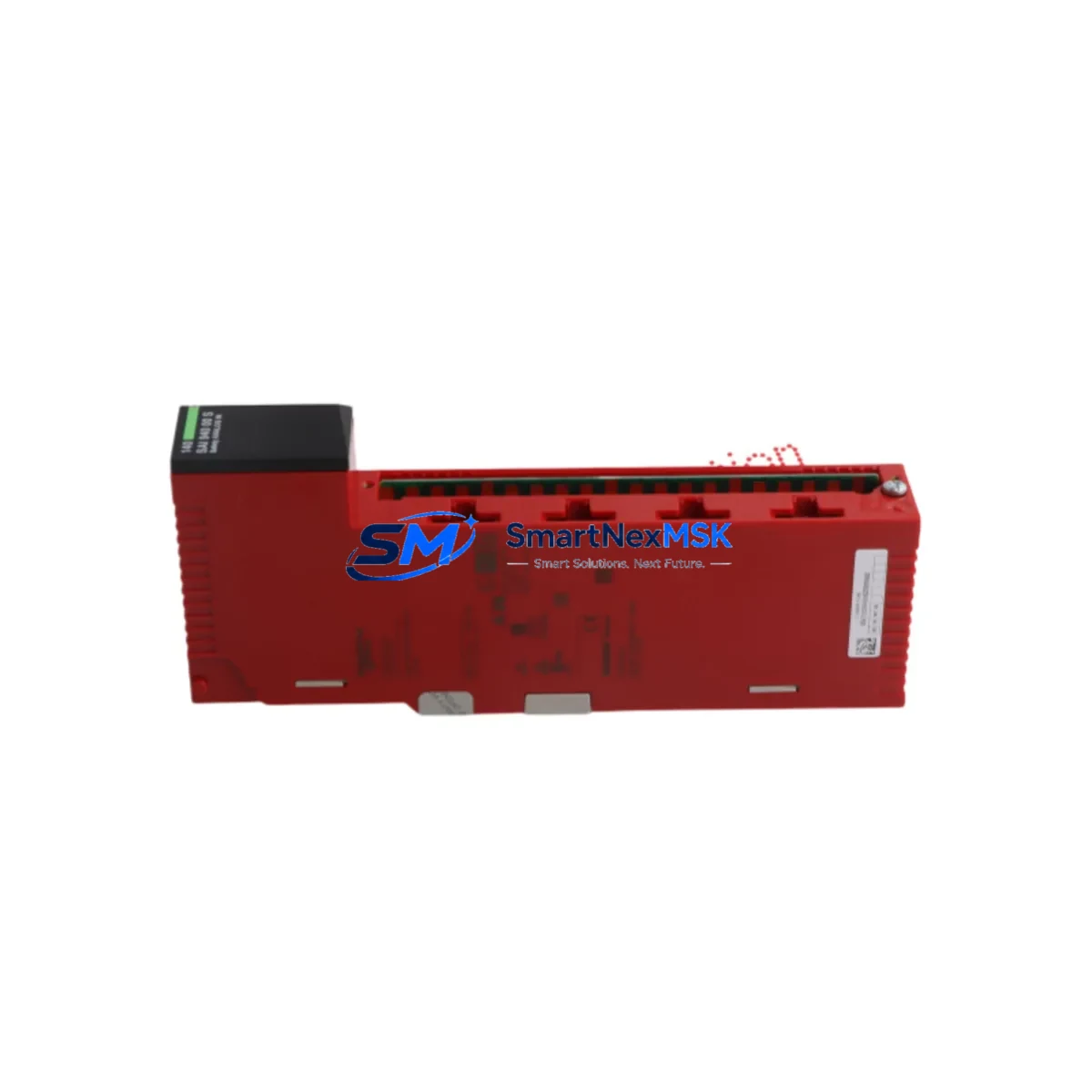
SCHNEIDER 140SAI94000S Retrofit-Ready Analog Safety Input for Modicon Quantum Control Systems
The SCHNEIDER 140SAI94000S is a SIL 2-rated analog safety input module engineered for the Modicon Quantum automation platform. As legacy Quantum systems approach end-of-life and spare parts become increasingly scarce, the 140SAI94000S remains one of the most sought-after retrofit components for engineers tasked with extending the operational life of existing safety-critical control architectures. Whether you are replacing a failed module in a running plant, upgrading a control cabinet to meet current functional safety standards, or migrating from an older Modicon 984 or Compact TSX platform, this module provides a direct, wiring-compatible upgrade path with minimal disruption to your existing program logic.
The 140SAI94000S occupies a standard Quantum backplane slot and interfaces directly with the 140CPU65150 or 140CPU67160 safety processors via the local or remote I/O bus. Its 16-channel analog input architecture supports 4–20 mA and 0–10 V field signals, making it fully compatible with most legacy transmitter wiring already installed in the field. Before installation, engineers should verify the power supply capacity of the existing 140CPS11420 or 140CPS21400 power supply module, as adding a safety I/O module to a partially loaded rack may require a power budget review. The module draws from the backplane 5 VDC rail, and total rack current consumption must remain within the rated limits of the installed power supply.
Terminal wiring on the 140SAI94000S follows the standard Quantum 40-pin connector layout. If the existing field wiring was terminated on a 140XTS00200 terminal strip or a third-party marshalling panel, the connector can typically be transferred directly to the replacement module without re-terminating individual conductors. This significantly reduces installation time and the risk of wiring errors during a live system changeover. Confirm that shield grounding practices comply with the original engineering drawings, particularly in environments with high electromagnetic interference from variable frequency drives or large motor starters sharing the same control cabinet.
Module addressing is configured through the Unity Pro XL or Concept programming environment. When replacing a failed 140SAI94000S, the module address assigned in the I/O map must match the slot position on the Quantum backplane — typically expressed as the rack number and slot number in the DROP configuration. If the replacement module is installed in the same physical slot, no address reconfiguration is required and the existing program logic, including safety function blocks and SIL 2 diagnostic routines, will resume without modification after a cold restart of the 140CPU safety processor. Engineers should confirm that the firmware revision of the replacement module is compatible with the installed CPU firmware to avoid diagnostic mismatch faults on the safety bus.
For sites migrating from the older Modicon Quantum Hot Standby architecture using a 140CPU67160 primary and standby pair, the 140SAI94000S is fully supported in redundant configurations. The module participates in the safety peer-to-peer communication managed by the 140NOM21200 or 140NOE77111 Ethernet communication modules, and its diagnostic data is accessible via Modbus TCP for integration with SCADA or DCS historian systems. If the site is also upgrading the HMI layer — for example, replacing a legacy Magelis XBTGT terminal with a newer Harmony GTO panel — the safety input status tags mapped in the Unity Pro project will transfer directly to the new HMI project without requiring tag remapping, provided the Modbus register addresses are preserved.
In control systems where the Quantum rack is being consolidated or where a 140XBP01600 or 140XBP00600 backplane is being replaced due to physical damage or corrosion, the 140SAI94000S can be re-seated into the new backplane after verifying that the backplane revision supports the safety I/O bus protocol. Older backplane revisions may require a firmware update to the 140CRP93200 remote I/O head adapter before the safety module will initialize correctly on the remote drop. This is a common oversight during rack replacement projects and can result in extended commissioning time if not identified during the pre-outage planning phase.
All units supplied by SMARTNEXMSK are subject to pre-shipment functional testing, including power-on self-test verification, channel continuity checks, and firmware revision confirmation. Each module ships with a 12-month warranty covering manufacturing defects and functional failures under normal operating conditions. Units are available from stock and can be dispatched within 24–48 hours of order confirmation, supporting urgent maintenance requirements and unplanned outage recovery scenarios.
Upgrade Compatibility Table
| Parameter | Detail |
|---|---|
| Module SKU | 140SAI94000S |
| Platform | Modicon Quantum |
| Safety Rating | SIL 2 (IEC 61508) |
| Input Channels | 16 Analog (4–20 mA / 0–10 V) |
| Backplane Interface | Quantum Local / Remote I/O Bus |
| Connector Type | 40-pin Quantum standard |
| Compatible CPUs | 140CPU65150, 140CPU67160 |
| Compatible Power Supplies | 140CPS11420, 140CPS21400 |
| Compatible Backplanes | 140XBP01600, 140XBP00600 |
| Programming Environment | Unity Pro XL, Concept |
| Communication | Modbus TCP via 140NOE77111 / 140NOM21200 |
| Replacement Compatibility | Direct drop-in for same-slot Quantum installations |
| Commissioning Note | Verify CPU firmware compatibility before installation |
| Warranty | 12 Months — Manufacturing Defects & Functional Failures |
Retrofit Planning for Existing Automation Systems
A successful retrofit begins with a thorough audit of the existing Quantum rack configuration. Document the current slot assignments for all installed modules — including the 140ACI04000 analog current input modules, 140DDI35300 discrete input modules, and 140DAO84000 analog output modules — before removing any hardware. This baseline record is essential for restoring the system to its original state if the retrofit encounters unexpected compatibility issues.
Power budget verification is the next critical step. Calculate the total current draw of all modules installed in the 140XBP01600 backplane, including the 140SAI94000S, and confirm that the installed 140CPS11420 power supply can support the load with adequate margin. If the power budget is tight, consider whether any legacy modules can be consolidated or replaced with higher-density equivalents to reduce slot count and power consumption.
For sites that include a 140CRP93200 remote I/O head adapter managing remote drops over the Quantum remote I/O coaxial cable network, confirm that the remote drop firmware is current before adding the 140SAI94000S to a remote rack. Outdated remote I/O head firmware is a common source of initialization failures when introducing safety-rated modules into an existing non-safety remote drop configuration.
If the retrofit scope includes upgrading the programming cable infrastructure — for example, replacing a legacy USB-to-serial Modbus programming cable with a direct Ethernet connection to the 140NOE77111 Ethernet module — ensure that the Unity Pro XL project is backed up and version-controlled before any online modifications are made. This protects the existing safety function block logic and prevents accidental overwrite of certified program versions.
Downtime Control During System Migration
Minimizing unplanned downtime during a Quantum safety I/O retrofit requires a structured pre-outage preparation process. Before the maintenance window opens, stage the replacement 140SAI94000S module alongside all required tools, including the 40-pin connector extraction tool, a calibrated multimeter for terminal verification, and a laptop with Unity Pro XL loaded with the current project backup.
Where the Quantum system supports Hot Standby operation via the 140CPU67160 redundant CPU pair, plan the module swap during a scheduled switchover to the standby CPU. This allows the primary rack to be de-energized for the module replacement while the standby CPU maintains process control continuity. After the replacement module is seated and the primary rack is re-energized, perform a controlled switchback and verify that the 140SAI94000S initializes without diagnostic faults before releasing the system to normal operation.
For non-redundant Quantum systems, coordinate the outage window with the operations team to align with a planned process shutdown or low-production period. Pre-configure the replacement module’s address and verify firmware compatibility offline using the Unity Pro XL hardware catalog before the outage begins. This reduces the in-outage commissioning time to the physical swap, connector transfer, and power-on verification — typically achievable within 30–60 minutes for an experienced automation engineer.
After the module is installed and the CPU has completed its restart sequence, verify all 16 analog input channels against known field signal values using the Unity Pro XL online diagnostics view. Confirm that safety function block inputs are reading correctly and that no SIL 2 diagnostic faults are present before returning the system to automatic control mode.
Retrofit Support FAQ
Q: Is the 140SAI94000S a direct replacement for a failed module in the same Quantum rack slot?
A: Yes. The 140SAI94000S is a direct slot-compatible replacement for existing Quantum safety analog input installations. Provided the replacement module is installed in the same backplane slot, no I/O map reconfiguration is required in Unity Pro XL or Concept. The existing program logic, safety function blocks, and Modbus register assignments will resume without modification after a CPU cold restart.
Q: What wiring checks should be performed before powering on the replacement module?
A: Before applying power, verify that the 40-pin field wiring connector is fully seated and that all terminal connections match the original engineering drawings. Check that shield grounds are correctly terminated and that no conductors are pinched or displaced during the connector transfer. Use a multimeter to confirm continuity on critical signal channels before energizing the rack.
Q: How do I confirm firmware compatibility between the 140SAI94000S and my installed CPU?
A: Open the Unity Pro XL hardware catalog and compare the firmware revision of the replacement module against the minimum firmware version required by your installed 140CPU65150 or 140CPU67160. If the module firmware is older than the CPU’s minimum requirement, contact your Schneider Electric support channel or SMARTNEXMSK for a firmware-updated unit before installation.
Q: Does the 140SAI94000S come with a warranty, and what does it cover?
A: All 140SAI94000S units supplied by SMARTNEXMSK include a 12-month warranty covering manufacturing defects and functional failures under normal operating conditions. Pre-shipment testing includes power-on self-test, channel continuity verification, and firmware revision confirmation. Warranty claims are processed directly through SMARTNEXMSK with a target response time of 2 business days.
© 2026 SMARTNEXMSK. All rights reserved.
Original Source: https://smartnexmsk.com
Contact: [email protected] | +86 18259474341