
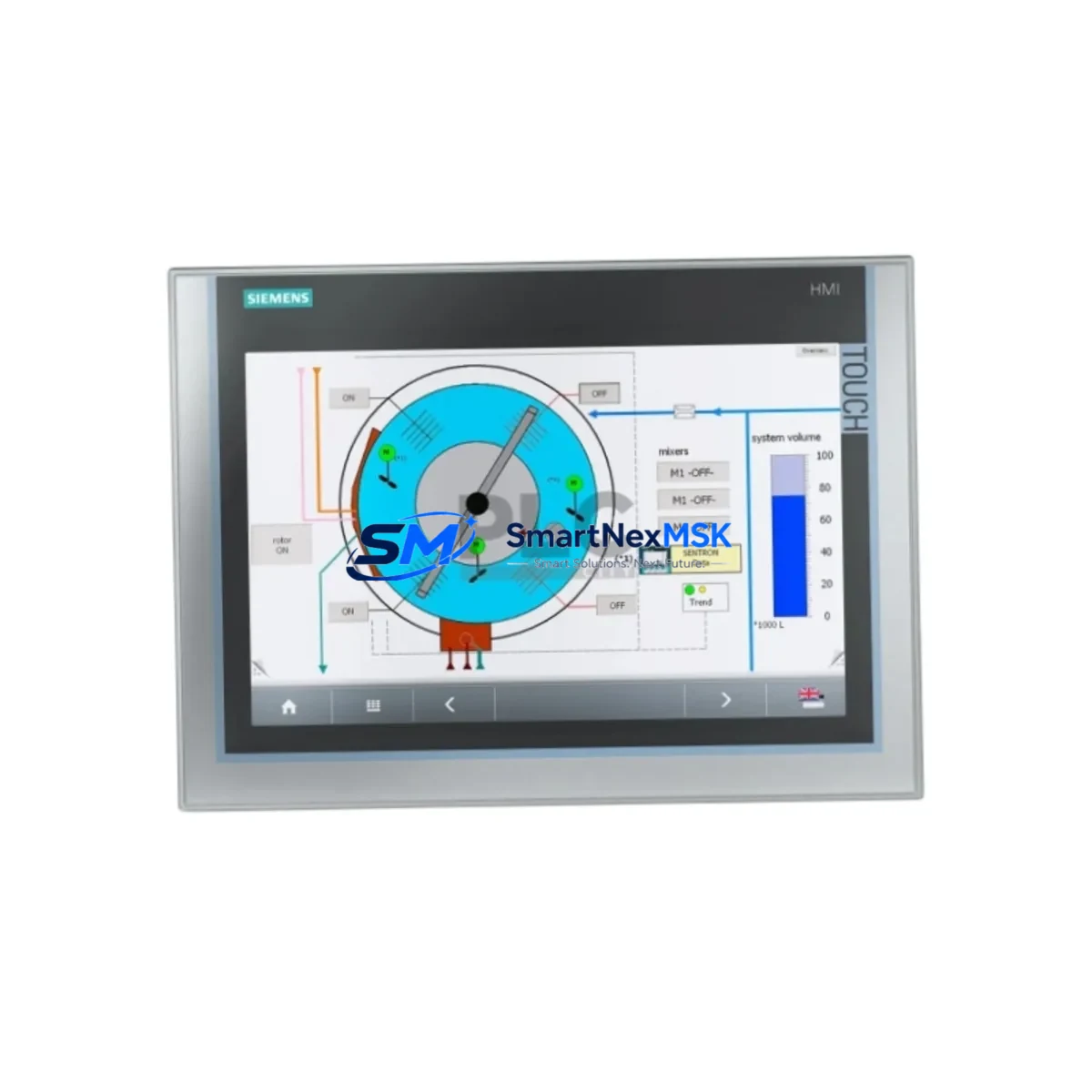
Siemens 6AG1124-0MC01-4AX0 SIPLUS TP1200 Comfort Spare: Ruggedized HMI Replacement for Industrial Downtime Control
The Siemens 6AG1124-0MC01-4AX0 is a SIPLUS-grade ruggedized variant of the SIMATIC HMI TP1200 Comfort 12″ touch panel, engineered for deployment in harsh industrial environments where standard panels cannot reliably operate. Designed to withstand extended temperature ranges, condensation, and corrosive atmospheres, this unit is a critical operator interface in process automation, machine control, and energy management systems. For maintenance engineers managing aging SIMATIC or SIPLUS-based control architectures, holding a verified spare of the 6AG1124-0MC01-4AX0 is a frontline strategy against unplanned downtime and extended mean-time-to-repair (MTTR).
Whether you are executing a planned panel swap during a scheduled maintenance window or responding to an emergency HMI failure on the production floor, this original Siemens spare ships tested and ready for immediate installation. Each unit is verified against Siemens factory specifications before dispatch, backed by a 12-month warranty, and supported by our long-term supply commitment for industrial automation customers.
Spare Maintenance Table
| Parameter | Specification |
|---|---|
| Part Number / SKU | 6AG1124-0MC01-4AX0 |
| Product Family | SIPLUS HMI TP1200 Comfort |
| Series | SIPLUS / SIMATIC HMI Comfort |
| Display Size | 12.1″ Widescreen TFT |
| Touch Technology | Resistive touch, single-touch |
| Supply Voltage | 24 V DC (19.2–28.8 V DC) |
| Power Consumption (typical) | Approx. 25 W |
| Operating Temperature | -20 °C to +60 °C (SIPLUS extended range) |
| Protection Rating | IP65 (front panel), IP20 (rear) |
| Communication Interfaces | PROFINET, MPI/PROFIBUS DP, USB, Ethernet |
| Memory | 12 MB user memory (project + runtime) |
| Compatibility | SIMATIC S7-300, S7-400, S7-1200, S7-1500, WinCC Comfort V13+ |
| Mounting | Panel cutout mounting, portrait or landscape |
| Weight | Approx. 3.6 kg |
| Origin | Germany |
| Condition | Original Siemens, new or refurbished-to-spec |
| Warranty | 12 Months |
| Application Environment | Harsh industrial: condensation, corrosion, extended temperature |
| Maintenance Recommendation | Inspect touchscreen calibration, backlight hours, and PROFINET link status at each scheduled PM cycle |
Maintenance Planning for Continuous Operation
When a 6AG1124-0MC01-4AX0 HMI panel fails or is flagged during a control cabinet inspection, the replacement process rarely ends with the panel alone. A thorough maintenance engineer will use the panel swap as an opportunity to audit the surrounding electrical and communication infrastructure to prevent cascading failures.
Start with the 24 V DC power supply feeding the HMI — units such as the Siemens SITOP PSU100S or equivalent 24 V regulated DIN-rail supplies should be load-tested and checked for output ripple before the new panel is energized. A degraded power supply is a common root cause of HMI resets and display artifacts that are often misdiagnosed as panel faults.
Next, inspect the PROFINET or MPI/PROFIBUS DP communication cable and connectors. Corroded or loose PROFIBUS connectors (such as the Siemens 6ES7972-0BA52-0XA0 bus connector) are a frequent source of intermittent communication faults that can damage HMI projects or corrupt runtime data. Replace any suspect cables and verify bus termination resistors are correctly set at both ends of the segment.
For cabinets running S7-300 or S7-400 PLCs, this is also the right moment to inspect the CPU module’s battery (e.g., the 6ES7971-1AA00-0AA0 backup battery) and the power supply module (such as the 6ES7307-1EA01-0AA0 PS307). A failing PLC power supply can cause the HMI to lose its PLC connection repeatedly, leading to nuisance alarms and operator confusion.
If the cabinet includes signal isolators or analog input modules, verify that 4–20 mA loop integrity is maintained after the panel replacement — particularly if the HMI was involved in any analog trend display or process value monitoring. Modules such as the Siemens SM331 analog input card should be checked for drift or channel faults during the same maintenance window.
For systems with PROFIBUS DP remote I/O (e.g., ET 200S or ET 200M distributed I/O stations), confirm that the DP master configuration in the PLC project still matches the physical hardware after any firmware or project download triggered by the HMI replacement. Mismatched GSD files or DP addresses are a common post-maintenance fault.
Finally, review the terminal blocks and grounding rail within the cabinet. Loose PE connections and corroded terminal blocks (such as Phoenix Contact or Weidmüller DIN-rail terminals) can introduce ground loops that manifest as HMI screen noise or erratic touch response — symptoms that are easily confused with a defective panel. A clean, low-impedance ground is essential for reliable HMI operation in industrial environments.
Procurement engineers should also consider stocking the 6AG1124-0MC01-4AX0 USB programming cable and a pre-loaded WinCC Comfort project backup on a dedicated USB drive, so that any field technician can restore the HMI to full operation without requiring remote engineering support.
Site Replacement Workflow
Step 1 — Isolate and document. Before removing the existing panel, capture a photo of the current screen, note the active alarms, and record the PROFINET device name and IP address assigned to the HMI. This information is critical for reconfiguring the replacement unit without requiring a PLC engineer on-site.
Step 2 — Power down safely. De-energize the 24 V DC supply to the HMI at the cabinet’s dedicated circuit breaker or fuse. Do not simply disconnect the HMI power connector while the supply is live — this can cause voltage spikes that damage the PROFINET switch or PLC communication card.
Step 3 — Remove and inspect. Unclip the panel from the cutout, disconnect all cables (power, PROFINET, USB), and inspect the cutout gasket for damage. A damaged gasket on a SIPLUS-rated installation compromises the IP65 seal and must be replaced before the new panel is fitted.
Step 4 — Configure the replacement. Using a PC with Siemens TIA Portal (V13 or later) and the saved project backup, restore the HMI project to the new 6AG1124-0MC01-4AX0 via USB or Ethernet download. Verify the PROFINET device name matches the original configuration before going online.
Step 5 — Commission and test. Re-energize the cabinet, confirm PROFINET link status (green LED), navigate through all HMI screens, test alarm acknowledgment, and verify all process values are displaying correctly. Log the replacement in the site maintenance record with the new unit’s serial number and the date of installation.
This workflow minimizes downtime to under two hours for a prepared maintenance team and eliminates the need for a Siemens service engineer visit in the majority of cases — a significant cost saving for facilities managing multiple SIPLUS HMI installations across their plant.
Spare Parts Support FAQ
Q1: Is the 6AG1124-0MC01-4AX0 a direct drop-in replacement for the standard 6AV2124-0MC01-4AX0 TP1200 Comfort?
Yes. The SIPLUS 6AG1124-0MC01-4AX0 is functionally identical to the standard SIMATIC HMI 6AV2124-0MC01-4AX0 and uses the same WinCC Comfort project files, PROFINET configuration, and mounting cutout dimensions. The SIPLUS variant adds extended environmental ratings (temperature, condensation, corrosion) without any change to the operator interface or PLC communication protocol. No project modification is required when substituting one for the other.
Q2: How do you verify compatibility before shipping?
Each unit undergoes a pre-shipment functional test covering power-on self-test, touchscreen calibration verification, PROFINET port link-up, and display uniformity check. Units that do not pass all test criteria are not dispatched. A test report is available upon request for quality-critical installations. Compatibility with S7-300, S7-400, S7-1200, and S7-1500 PLCs running WinCC Comfort V13 and above is confirmed prior to release.
Q3: What is your spare parts inventory strategy for long-term supply?
We maintain buffer stock of the 6AG1124-0MC01-4AX0 and related SIPLUS HMI variants to support customers with multi-year maintenance contracts and aging SIMATIC installations. For facilities managing 10 or more HMI panels of this type, we recommend a standing purchase order arrangement to guarantee allocation priority. Long-term supply agreements are available for OEMs and system integrators requiring guaranteed availability beyond standard catalog lead times.
Q4: What does the 12-month warranty cover, and what is the claims process?
The 12-month warranty covers all manufacturing defects, component failures under normal operating conditions, and any fault confirmed to be present at the time of shipment. It does not cover physical damage caused by incorrect installation, overvoltage events, or operation outside the specified environmental ratings. To initiate a warranty claim, contact our technical support team with the unit serial number, purchase order reference, and a description of the fault. Replacement units are dispatched within 3 business days of claim approval, and defective units are returned freight-prepaid using our provided shipping label.
© 2026 SMARTNEXMSK. All rights reserved.
Original Source: https://smartnexmsk.com
Contact: [email protected] | +86 18259474341



