
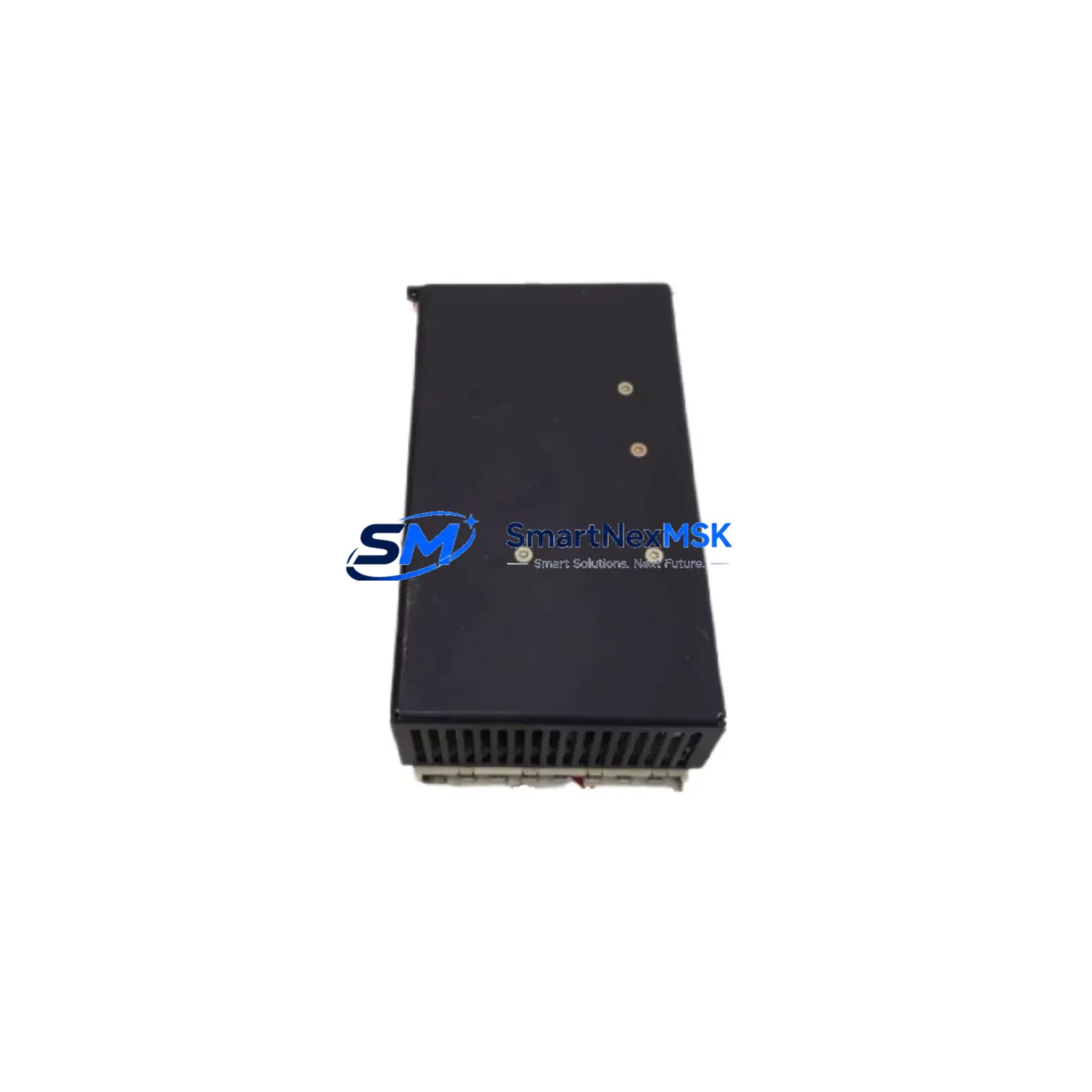
Siemens 6AR1306-0HA00-0AA1 Maintenance-Ready Spare SINUMERIK 840: Spare Replacement & Industrial Downtime Risk Control
The Siemens 6AR1306-0HA00-0AA1 is a CNC power supply module designed for the SINUMERIK 840 series CNC control platform — one of Siemens’ most widely deployed machine tool automation systems in precision manufacturing, heavy machining, and multi-axis turning and milling environments. As a maintenance-ready original spare, this module is sourced, inspected, and dispatched to support rapid field replacement, minimizing unplanned downtime and protecting production continuity.
For maintenance engineers managing aging SINUMERIK 840 installations, securing a verified replacement for the 6AR1306-0HA00-0AA1 is a critical step in any preventive maintenance plan. Power supply failures in CNC control cabinets are among the leading causes of unscheduled machine stops, and having a tested spare on the shelf eliminates the lead-time risk that comes with sourcing components reactively during a breakdown.
Spare Maintenance Table
| Parameter | Specification |
|---|---|
| Part Number / SKU | 6AR1306-0HA00-0AA1 |
| Brand | Siemens |
| Series | SINUMERIK 840 |
| Product Type | CNC Power Supply Module |
| Origin | Germany (DE) |
| Compatibility | SINUMERIK 840C / 840D CNC Control Systems |
| Application | Machine tool CNC control cabinet power distribution |
| Installation | DIN rail / backplane mount, standard SINUMERIK 840 rack |
| Operating Environment | Industrial control cabinet, IP20 enclosure minimum |
| Maintenance Recommendation | Inspect every 12–24 months; replace at first sign of output voltage drift or thermal alarm |
| Pre-shipment Testing | Functional power-on test performed before dispatch |
| Warranty | 12 Months |
| Weight | 410 g |
Maintenance Planning for Continuous Operation
When replacing the 6AR1306-0HA00-0AA1 power supply module in a SINUMERIK 840 control cabinet, a thorough maintenance engineer will not stop at the module itself. A power supply failure is frequently a symptom of broader electrical stress in the control system, and a complete inspection of the surrounding components is essential to prevent repeat failures and ensure stable resumed operation.
Begin by checking the 24 VDC bus distribution terminals and the associated terminal blocks and busbar connectors within the cabinet — loose or corroded connections are a common root cause of power supply overload. Inspect the input fuses and miniature circuit breakers feeding the module; a blown fuse upstream may indicate a transient fault that should be investigated before the new module is energized.
The SINUMERIK 840 NCU (Numerical Control Unit) and its associated drive interface boards should be checked for alarm history and fault logs. If the power supply failure coincided with axis faults or communication errors, the PROFIBUS DP communication module and its cable terminations deserve close attention. Similarly, inspect the I/O expansion modules connected to the NCU — any I/O module drawing excessive current can stress the power supply over time.
For systems using SIMODRIVE 611 or 611U servo drive modules in the same cabinet, verify that the DC link voltage is within specification after the power supply is replaced. The SIMODRIVE power section and control boards are sensitive to supply voltage deviations and should be confirmed stable before resuming production. If the machine uses a SINUMERIK operator panel (OP) or machine control panel (MCP), check the panel’s power feed and communication link to the NCU as part of the post-replacement verification.
Procurement engineers building a spare parts inventory for SINUMERIK 840 installations should consider stocking the 6AR1306-0HA00-0AA1 alongside complementary components such as SINUMERIK 840 memory modules, battery backup units for SRAM retention, and fan/filter units for the control cabinet enclosure. These items share the same replacement cycle and are frequently needed together during scheduled overhauls or emergency recovery.
Site Replacement Workflow
Step 1 — Isolation & Safety: De-energize the machine and lock out / tag out (LOTO) the main supply. Confirm zero voltage at the cabinet busbars before opening the module bay.
Step 2 — Documentation: Photograph the existing wiring, connector positions, and DIP switch or jumper settings on the 6AR1306-0HA00-0AA1 before removal. SINUMERIK 840 power supply modules may carry site-specific configuration settings that must be replicated on the replacement unit.
Step 3 — Module Removal: Disconnect all connectors in sequence. Release the module from the backplane or DIN rail mounting. Note the slot position — reinstallation in the correct slot is required for the NCU to recognize the module correctly.
Step 4 — Replacement Installation: Seat the new 6AR1306-0HA00-0AA1 in the same slot. Reconnect all connectors firmly. Verify that any configuration switches match the removed unit’s settings.
Step 5 — Power-On & Verification: Re-energize the cabinet in stages. Monitor the SINUMERIK 840 startup sequence for alarms. Confirm output voltages are within specification using a calibrated multimeter before releasing the machine to production.
Step 6 — System Compatibility Confirmation: The 6AR1306-0HA00-0AA1 is a direct OEM replacement for the SINUMERIK 840 platform. No firmware update or parameter re-entry is typically required for a like-for-like swap, but always verify against the machine’s electrical documentation and the Siemens SINUMERIK 840 hardware manual for your specific configuration.
This replacement workflow is designed to minimize downtime from fault detection to resumed production, supporting the goal of same-shift or next-shift recovery for most SINUMERIK 840 installations.
Spare Parts Support FAQ
Q1: Is the 6AR1306-0HA00-0AA1 compatible with both SINUMERIK 840C and 840D systems?
The 6AR1306-0HA00-0AA1 is a SINUMERIK 840 series power supply module. Compatibility with 840C versus 840D variants depends on the specific rack and backplane configuration of your installation. We recommend confirming the slot assignment and connector type against your machine’s electrical schematic before ordering. Our technical team can assist with compatibility verification based on your machine model and serial number.
Q2: How is the module tested before shipment?
Every 6AR1306-0HA00-0AA1 unit undergoes a functional power-on test prior to dispatch. Output voltage levels are verified against Siemens specifications. Units that do not pass testing are not shipped. A 12-month warranty is provided from the date of shipment, covering manufacturing defects and functional failures under normal operating conditions.
Q3: What is the recommended spare parts inventory strategy for SINUMERIK 840 installations?
For facilities operating multiple SINUMERIK 840-controlled machines, maintaining at least one 6AR1306-0HA00-0AA1 on the shelf is strongly recommended. Power supply modules are high-impact, single-point-of-failure components — a failed unit takes the entire CNC offline. Pair this with a battery backup module and a set of I/O fuses to cover the most common emergency replacement scenarios without waiting for procurement lead times.
Q4: Can this module replace an older or discontinued Siemens part number?
Siemens has periodically issued successor part numbers for SINUMERIK 840 components as part of product lifecycle management. If your existing module carries a different but related part number, contact us with your current part number and machine documentation. We will confirm whether the 6AR1306-0HA00-0AA1 is a validated replacement or identify the correct current equivalent for your application.
© 2026 SMARTNEXMSK. All rights reserved.
Original Source: https://smartnexmsk.com
Contact: [email protected] | +86 18259474341



