
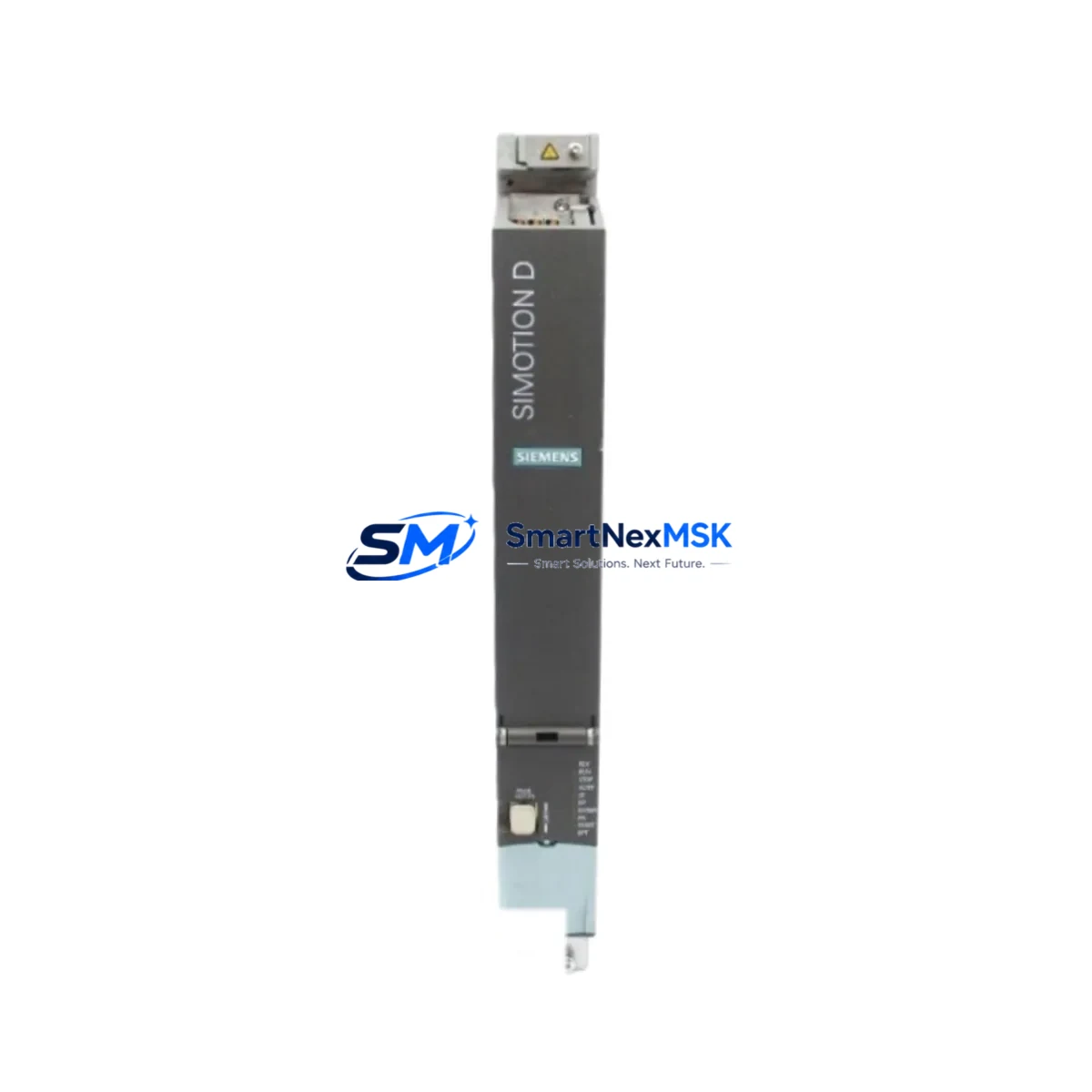
Siemens 6AU1435-2AD00-0AA0 Retrofit-Ready Motion Controller for SIMOTION D435-2 Control Systems
The Siemens 6AU1435-2AD00-0AA0 is a high-performance motion control unit from the SIMOTION D435-2 DP/PN series, designed for seamless integration into existing drive-based automation architectures. As legacy SIMOTION D4x5 platforms approach end-of-life and spare parts become increasingly scarce, the 6AU1435-2AD00-0AA0 serves as the definitive retrofit-ready replacement for discontinued predecessors such as the 6AU1435-2AD00-0AA0’s earlier D425 and D445 variants, enabling engineers to modernize control cabinets without redesigning the entire drive topology.
This module mounts directly onto compatible SINAMICS S120 drive units, sharing the same CU320-2 DP/PN communication infrastructure and DRIVE-CLiQ backbone. Engineers migrating from older SIMOTION D4x5 DP-only configurations will find that the integrated PROFINET IRT interface on the 6AU1435-2AD00-0AA0 opens a direct upgrade path to high-precision isochronous real-time communication, while retaining full backward compatibility with existing PROFIBUS DP field devices, distributed I/O racks, and legacy HMI panels running on SIMATIC WinCC or SIMOTION IT DIAG.
Upgrade Compatibility Table
| Parameter | Details |
|---|---|
| SKU / Part Number | 6AU1435-2AD00-0AA0 |
| Series | SIMOTION D435-2 DP/PN |
| Mounting Interface | Direct plug-in to SINAMICS S120 Motor Module / CX32-2 Controller Extension |
| Communication Protocols | PROFIBUS DP (Master/Slave), PROFINET IRT/RT, DRIVE-CLiQ, USS, Modbus TCP |
| Replaces / Compatible With | 6AU1435-2AD00-0AA0 predecessors; D425-2, D445-2 DP/PN variants; CU320-2 DP/PN |
| I/O Expansion | Via TB30 terminal board, CX32-2 controller extension, or TM31/TM41 terminal modules |
| Power Supply Requirement | 24 VDC via SINAMICS S120 booksize or chassis power section; verify ALM/SLM capacity |
| Programming Environment | SIMOTION SCOUT (V4.4 and above); project migration from D4x5 supported |
| HMI Compatibility | SIMATIC HMI TP/MP series, WinCC flexible, WinCC V7/Unified via PROFINET/Ethernet |
| Retrofit Recommendation | Direct replacement for D435-2 DP-only units; firmware update required for PROFINET IRT activation |
| Commissioning Tool | SIMOTION SCOUT, STARTER, or TIA Portal V16+ with SIMOTION add-in |
| Warranty | 12 Months — covers hardware defects, functional verification, and pre-shipment burn-in test |
Retrofit Planning for Existing Automation Systems
Successful integration of the 6AU1435-2AD00-0AA0 into a running production line begins with a thorough audit of the existing control cabinet. Engineers should first verify that the installed SINAMICS S120 booksize power section — typically an Active Line Module (ALM) or Smart Line Module (SLM) — provides sufficient DC-link capacity for the additional axis channels the D435-2 will manage. In multi-axis configurations, the CX32-2 Controller Extension can be daisy-chained via DRIVE-CLiQ to expand the axis count without replacing the main drive chassis.
Terminal wiring is a critical checkpoint. The TB30 terminal board mounted on the D435-2 provides 4 digital inputs, 4 digital outputs, 2 analog inputs, and 1 analog output — sufficient for most legacy I/O mappings previously handled by standalone TM31 or TM41 terminal modules. Where additional discrete I/O is required, TM15 or TM17 High Feature terminal modules can be integrated into the DRIVE-CLiQ chain without modifying the main backplane wiring.
For systems previously running PROFIBUS DP-only topologies, the migration to PROFINET IRT requires updating the GSD/GSDML device files for all field devices, reconfiguring the network topology in SIMOTION SCOUT’s hardware configuration editor, and verifying that existing ET 200S or ET 200SP distributed I/O stations support PROFINET. Where PROFIBUS field devices must be retained, a PN/DP coupler or IE/PB Link PN IO can bridge the two networks, preserving legacy sensor and actuator wiring while the controller communicates over PROFINET.
Program compatibility should be validated in offline simulation mode within SIMOTION SCOUT before any live commissioning. Motion tasks, cam tables, and technology object configurations from the predecessor D425-2 or D445-2 projects can typically be imported with minor adaptation. Pay particular attention to axis address assignments and drive object numbering, which may shift when the new module is assigned a different PROFIBUS node address or PROFINET device name. HMI screen variables linked to SIMOTION global device variables (GDVs) must be re-mapped if the project structure changes during migration.
Downtime Control During System Migration
Minimizing production downtime during a SIMOTION D435-2 retrofit requires a structured parallel commissioning approach. Before the scheduled maintenance window, prepare a complete backup of the existing SIMOTION project, including all axis parameters, cam data, and user program blocks, using SIMOTION SCOUT’s project archive function. Export the current drive parameter sets from all connected SINAMICS S120 Motor Modules using the parameter backup feature in STARTER or TIA Portal.
During the cutover window, the physical swap of the D435-2 module takes under 15 minutes — the unit slides directly onto the SINAMICS S120 chassis and locks via the integrated mounting lever, with DRIVE-CLiQ and PROFIBUS/PROFINET connectors keyed to prevent misconnection. After mechanical installation, restore the archived project to the new module, perform a drive parameter download to all Motor Modules, and execute a controlled ramp-up sequence axis by axis rather than enabling all drives simultaneously. This staged approach allows the safety functions — including STO (Safe Torque Off) and SS1 (Safe Stop 1) configured via the F-CPU or onboard PROFIsafe channel — to be verified independently before full production speed is restored.
Maintaining control continuity for peripheral systems such as SIMATIC S7-300/400 PLCs communicating with the SIMOTION controller over PROFIBUS or PROFINET requires pre-configuring the new D435-2 with the identical PROFIBUS node address or PROFINET device name as the replaced unit. This ensures that the upstream PLC program requires no modification and that HMI alarm and status screens remain fully functional from the first power-on after the swap.
Retrofit Support FAQ
Q1: Is the 6AU1435-2AD00-0AA0 a direct drop-in replacement for the earlier SIMOTION D435-2 DP (PROFIBUS-only) variant?
Yes. The 6AU1435-2AD00-0AA0 (DP/PN) is mechanically and electrically compatible with the D435-2 DP chassis slot. The additional PROFINET port is inactive by default and does not interfere with existing PROFIBUS wiring. A firmware update via SIMOTION SCOUT is required to activate PROFINET IRT functionality if needed.
Q2: What commissioning steps are required after physical installation?
After mounting, connect DRIVE-CLiQ, PROFIBUS/PROFINET, and 24 VDC supply. Restore the archived SIMOTION project, perform a drive topology scan in SIMOTION SCOUT to auto-detect all connected Motor Modules and terminal modules, download drive parameters, and execute a test run at reduced speed before returning to full production. Verify STO/SS1 safety function response before sign-off.
Q3: Can existing TM31, TM41, or ET 200S I/O wiring be reused without modification?
In most cases, yes. TM31 and TM41 terminal modules connect via DRIVE-CLiQ and retain their wiring. ET 200S stations on PROFIBUS DP are fully compatible; ET 200S stations on PROFINET require GSDML file updates in the hardware configuration. Physical terminal wiring to field sensors and actuators does not need to change.
Q4: What does the 12-month warranty cover, and what pre-shipment testing is performed?
Every 6AU1435-2AD00-0AA0 unit shipped by SMARTNEXMSK undergoes a pre-shipment functional verification including power-on self-test, DRIVE-CLiQ enumeration check, PROFIBUS/PROFINET communication validation, and firmware version confirmation. The 12-month warranty covers hardware defects and functional failures under normal operating conditions. Units are shipped with anti-static packaging and include a test report upon request.
© 2026 SMARTNEXMSK. All rights reserved.
Original Source: https://smartnexmsk.com
Contact: [email protected] | +86 18259474341



