
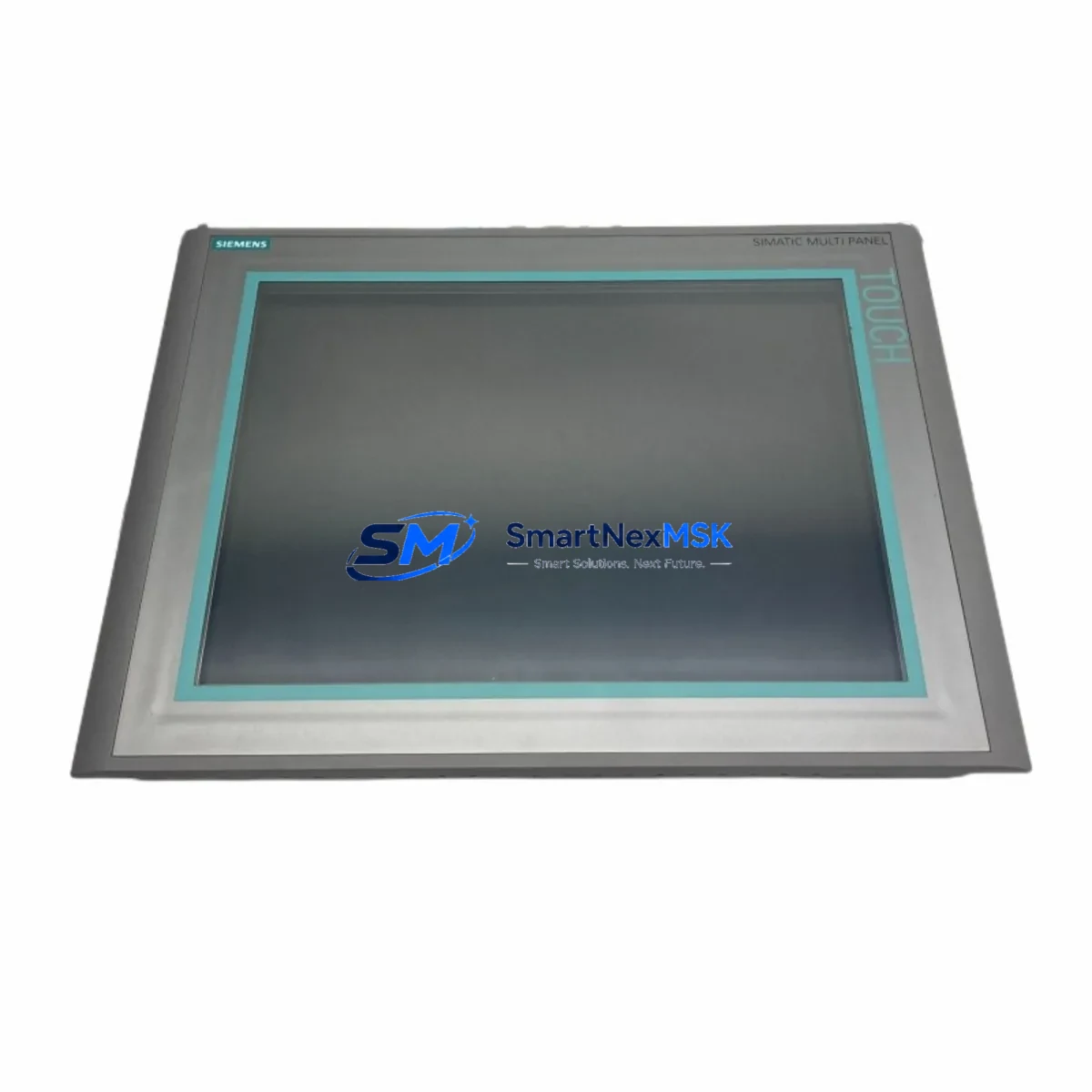
Siemens 6AV6644-0AB01-2AX0 Retrofit-Ready HMI for MP 377 Control Systems
The Siemens 6AV6644-0AB01-2AX0 is a 15-inch widescreen touch panel from the SIMATIC MP 377 series, engineered for demanding industrial environments where legacy HMI infrastructure must be modernized without disrupting ongoing production. As a direct retrofit solution for aging MP 277, TP 277, and earlier MP 370 installations, this unit delivers a seamless upgrade path that preserves existing PROFIBUS DP and Industrial Ethernet wiring topologies, minimizes re-engineering effort, and eliminates the need for full control cabinet redesign.
For system integrators and maintenance engineers managing older SIMATIC S7-300 or S7-400 control platforms, the 6AV6644-0AB01-2AX0 represents a validated replacement that maintains compatibility with WinCC flexible runtime projects. Existing HMI screens, tag mappings, alarm configurations, and trend displays can be migrated with minimal rework using the SIMATIC WinCC flexible migration wizard, significantly reducing commissioning time on the plant floor.
Upgrade Compatibility Table
| Parameter | Details |
|---|---|
| SKU / Order Number | 6AV6644-0AB01-2AX0 |
| Series | SIMATIC MP 377 |
| Display | 15″ TFT Widescreen Touch, 1024×768 |
| Replaces | MP 370 15″, TP 270 10″, MP 277 10″, OP 277 |
| Communication Interfaces | PROFIBUS DP (RS-485), Industrial Ethernet (RJ45 ×2), USB ×2, CF Card Slot |
| Compatible Controllers | SIMATIC S7-300, S7-400, S7-1200 (via Ethernet), WinAC |
| Software Compatibility | WinCC flexible 2008 SP3+, TIA Portal V13+ (migration) |
| Mounting | Panel cutout 398×305 mm; fits standard MP 370 15″ cutout with adapter frame |
| Power Supply | 24 V DC (20.4–28.8 V), max. 65 W |
| Commissioning Focus | Tag re-mapping, PROFIBUS address verification, screen resolution scaling |
| Warranty | 12 Months — covers hardware defects, display, and interface ports |
Retrofit Planning for Existing Automation Systems
A successful retrofit of the 6AV6644-0AB01-2AX0 into an existing control cabinet begins well before the panel is physically installed. Engineers should first audit the existing 24 V DC power supply capacity — the MP 377 15″ draws up to 65 W at full backlight, and older SITOP PSU100S or SITOP modular 20A units may require load recalculation if the cabinet also powers a CP 343-1 Ethernet module, a SM 321 digital input module, or an IM 153-2 interface module for distributed ET 200M I/O.
Terminal wiring for the PROFIBUS DP connector (9-pin Sub-D) should be inspected for correct bus termination resistors, particularly if the MP 377 is positioned at either end of the PROFIBUS segment. The MPI/PROFIBUS address must be set to match the address previously assigned to the legacy panel — typically configured via the HMI’s startup dialog or the STEP 7 hardware configuration. Failure to match the address will prevent the S7-300 CPU from establishing communication with the new panel during initial power-up.
For sites running Industrial Ethernet, the 6AV6644-0AB01-2AX0 supports two RJ45 ports with integrated switch functionality, enabling daisy-chain topologies without an external CSM 377 compact switch module. IP address assignment should be documented from the legacy panel’s configuration before decommissioning, and the new panel should be pre-configured offline using WinCC flexible before installation to avoid extended downtime.
The CF card slot on the 6AV6644-0AB01-2AX0 allows the runtime project to be loaded directly from a CompactFlash card, which is particularly useful when replacing panels in remote substations or field cabinets where a programming laptop connection is impractical. Engineers should verify that the project compiled on WinCC flexible 2008 SP3 or later, as earlier versions may produce runtime errors on the MP 377 hardware revision.
When the retrofit also involves upgrading the PLC from a legacy S7-300 CPU 315-2 DP to a newer S7-1500 CPU 1515-2 PN, the HMI communication driver must be updated from PROFIBUS to PROFINET. In this scenario, the 6AV6644-0AB01-2AX0’s Ethernet port connects directly to the S7-1500’s integrated PROFINET interface, and the project must be re-compiled in TIA Portal V15 or later using the WinCC flexible migration tool. I/O tag addresses may shift if the S7-1500 uses optimized block access, requiring a full tag review before go-live.
Backplane and rack considerations are equally important. If the existing S7-300 rack uses a UR2 universal rack with a PS 307 5A power supply module, the rack itself does not need replacement — only the CPU and potentially the CP module require updating. However, if the site is migrating to an ET 200SP distributed I/O architecture, the IM 155-6 PN ST interface module and associated BaseUnit modules must be pre-wired and tested before the HMI cutover to ensure I/O continuity.
Downtime Control During System Migration
Minimizing production downtime during an HMI retrofit requires a structured cutover plan. The recommended approach is to pre-load the WinCC flexible project onto the 6AV6644-0AB01-2AX0 using a CF card or USB transfer cable (PC Adapter USB A2) before the maintenance window begins. This eliminates the project download step from the critical path and reduces the live cutover to physical panel swap, cable reconnection, and communication verification — typically achievable within 30 to 60 minutes for a single-panel replacement.
Before powering down the legacy MP 370 or MP 277 panel, engineers should capture screenshots of all active HMI screens, document current alarm states, and note any active setpoints or recipe values that operators rely on. The S7-300 or S7-400 CPU should remain in RUN mode throughout the panel swap if the process allows, as the PLC program logic continues to execute independently of HMI availability. This preserves field control continuity and prevents unintended process shutdowns caused by watchdog timers or interlock logic that monitors HMI heartbeat signals.
After the 6AV6644-0AB01-2AX0 is installed and powered, the first verification step is confirming PROFIBUS or Ethernet communication status via the panel’s diagnostic screen. The connection status to the S7 CPU should show “Online” within 30 seconds of startup. If communication fails, the most common causes are incorrect PROFIBUS address, mismatched IP subnet, or a missing bus terminator on the PROFIBUS segment — all of which can be resolved without tools in under five minutes by an experienced technician.
All units supplied by SMARTNEXMSK undergo pre-shipment functional testing, including power-on verification, touchscreen calibration check, and communication port continuity test. Each 6AV6644-0AB01-2AX0 ships with a 12-month warranty covering hardware defects, display integrity, and interface port functionality, giving maintenance teams confidence that the replacement unit will perform reliably from day one of installation.
Retrofit Support FAQ
Q1: Is the 6AV6644-0AB01-2AX0 a direct drop-in replacement for the MP 370 15″?
The panel cutout dimensions are compatible with the MP 370 15″ when using the standard adapter frame. The PROFIBUS DP and Ethernet wiring connectors are identical in pinout. The WinCC flexible project from the MP 370 can be migrated using the built-in migration wizard, though screen layouts may require minor scaling adjustments due to the widescreen aspect ratio of the MP 377 display.
Q2: What commissioning steps are required after installation?
After physical installation, verify the PROFIBUS DP address or Ethernet IP address matches the legacy panel configuration. Download or transfer the WinCC flexible runtime project via CF card or USB. Confirm communication status with the S7 CPU on the diagnostic screen. Perform a full touchscreen calibration and verify all critical HMI screens display correct tag values before returning the system to operator control.
Q3: Can this panel communicate with both S7-300 via PROFIBUS and S7-1200 via Ethernet simultaneously?
Yes. The 6AV6644-0AB01-2AX0 supports multi-controller communication within a single WinCC flexible project. PROFIBUS DP and Industrial Ethernet connections can be active simultaneously, allowing the HMI to display data from multiple PLCs — for example, an S7-300 controlling the main process and an S7-1200 managing auxiliary equipment — on the same operator interface.
Q4: What does the 12-month warranty cover, and how is it handled?
The 12-month warranty covers all hardware defects including display failure, touchscreen malfunction, and interface port damage under normal operating conditions. In the event of a warranty claim, SMARTNEXMSK provides a replacement unit or repair service with a target response time of 5 business days. Units must be returned in original packaging with a fault description. Warranty does not cover damage caused by incorrect wiring, overvoltage, or physical impact.
© 2026 SMARTNEXMSK. All rights reserved.
Original Source: https://smartnexmsk.com
Contact: [email protected] | +86 18259474341



