
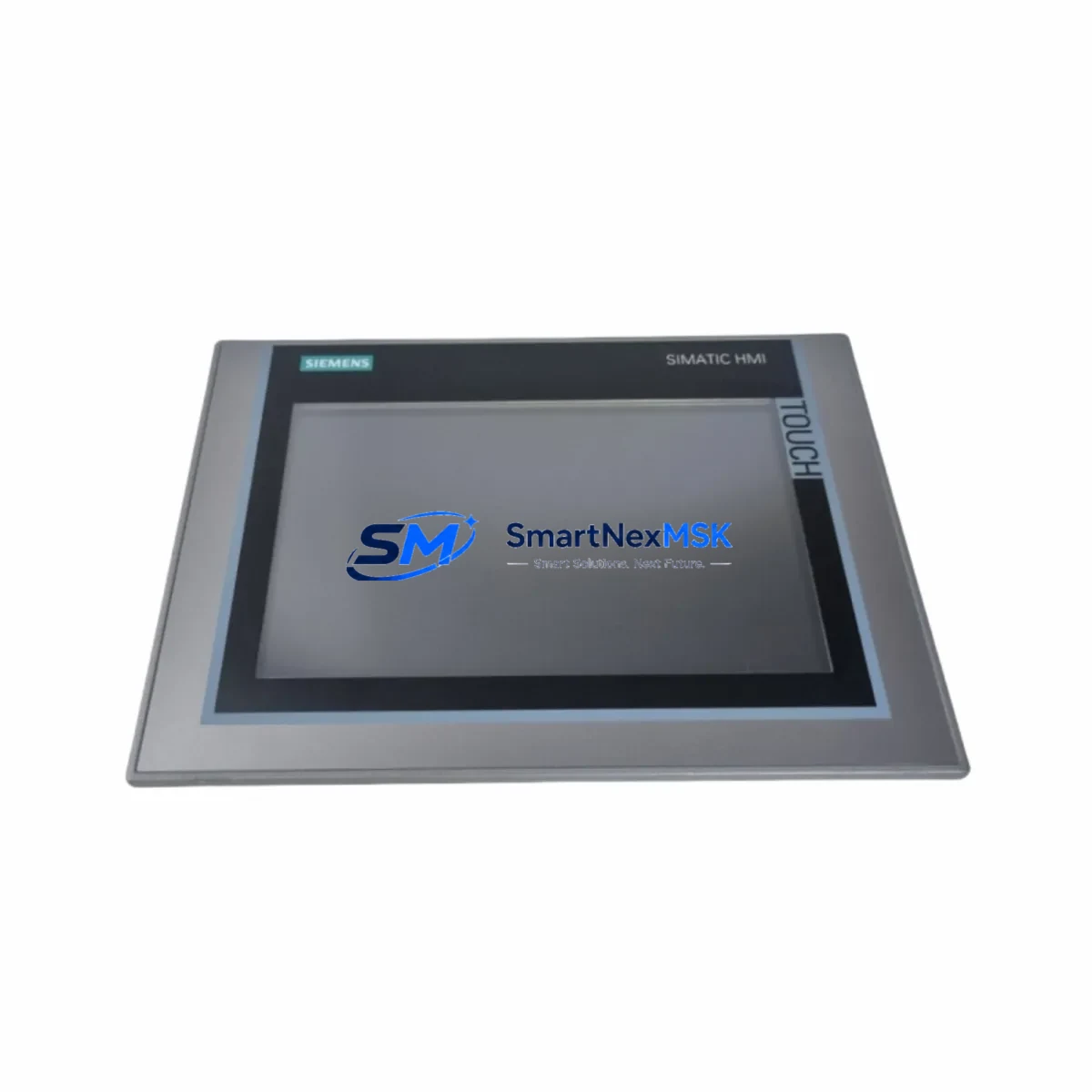
Siemens 6AV7721-1AA10-0AD0 Retrofit-Ready HMI for SIMATIC Panel PC 670: Seamless Legacy System Upgrade
The Siemens 6AV7721-1AA10-0AD0 is a high-performance industrial HMI Panel PC designed for integration into SIMATIC Panel PC 670 control architectures. As legacy automation systems face end-of-life support cycles, this unit serves as a verified retrofit-ready replacement for facilities operating aging SIMATIC PC 670 platforms. Whether you are managing a phased modernization of a production line, upgrading a control cabinet, or recovering from an unplanned hardware failure, the 6AV7721-1AA10-0AD0 provides a reliable, specification-matched solution that minimizes engineering rework and reduces total downtime exposure.
This unit is sourced, inspected, and dispatch-tested prior to shipment. Each order is covered by a 12-month warranty, and stock availability is maintained to support both planned retrofit projects and emergency replacement scenarios. Origin: Germany. Vendor: Siemens.
Upgrade Compatibility Table
| Parameter | Details |
|---|---|
| SKU / Part Number | 6AV7721-1AA10-0AD0 |
| Series | SIMATIC Panel PC 670 |
| Form Factor | 19″ rack-mount industrial panel PC |
| Interface Compatibility | MPI, PROFIBUS DP, Ethernet (RJ45), USB, COM ports |
| Backplane / Rack Fit | Compatible with standard SIMATIC PC 670 rack mounting |
| OS Support | Windows XP Embedded / Windows CE (legacy); verify with site IT before migration |
| HMI Software | WinCC flexible, SIMATIC WinCC V6/V7 (confirm project version) |
| Power Supply Requirement | 24 VDC nominal; verify existing PSU capacity before installation |
| Replacement Recommendation | Direct drop-in for 6AV7721-1AA10-0AD0; confirm BIOS and driver versions |
| Commissioning Note | Re-import WinCC project archive; verify tag bindings and alarm configurations |
| Warranty | 12 Months — covers hardware defects under normal operating conditions |
Retrofit Planning for Existing Automation Systems
Replacing the 6AV7721-1AA10-0AD0 within an active production environment requires careful pre-migration planning. Before removing the existing panel PC, engineers should document the current WinCC project version, export all tag databases, and back up the runtime configuration to a portable storage device. The replacement unit must be verified against the existing SIMATIC S7-300 or S7-400 controller communication settings — particularly MPI node addresses and PROFIBUS DP baud rates — to ensure uninterrupted PLC-HMI communication after swap-out.
Power supply compatibility is a critical checkpoint. The existing SITOP PSU 24V DC module in the control cabinet must be confirmed to deliver sufficient current capacity for the replacement panel PC, especially if additional I/O expansion modules such as ET 200S distributed I/O or SM 321/SM 322 digital I/O modules have been added to the rack since the original installation. Terminal wiring on the rear I/O panel should be photographed and labeled before disconnection.
For facilities running PROFIBUS DP networks, the CP 5611 or CP 5613 communication processor card configuration must be preserved or re-flashed on the replacement unit. If the site has migrated or is planning to migrate to PROFINET, an additional CP 1616 or CP 343-1 module may be required at the controller level. Communication link integrity should be verified using SIMATIC NET diagnostic tools before returning the system to production.
Control cabinet upgrades often involve simultaneous replacement of adjacent components. It is common during a Panel PC 670 retrofit to also address the SIMATIC S7-400 CPU module, the IM 460 interface module for multi-rack configurations, or the PS 407 power supply module if the cabinet has not been serviced recently. Technicians should also inspect the PROFIBUS cable termination resistors and bus connectors, as degraded connectors are a frequent source of intermittent communication faults in aging installations.
If the site uses a SIMATIC MP 377 or TP 1500 Comfort Panel as a secondary operator interface, HMI screen layouts and faceplates should be reviewed for tag name consistency with the restored WinCC project. Any custom scripts or VB macros embedded in the WinCC project must be tested in a simulation environment before live deployment. Programming cables such as the PC Adapter USB A2 or MPI/DP adapter should be on-site during commissioning to allow direct S7 program verification via STEP 7 or TIA Portal.
Downtime Control During System Migration
Minimizing production downtime during a Panel PC 670 replacement requires a structured hot-swap preparation protocol. The recommended approach is to pre-configure the replacement 6AV7721-1AA10-0AD0 unit off-line: install the correct OS image, load the WinCC runtime, import the project archive, and verify all tag communications against a test PLC or simulator before the scheduled maintenance window begins.
During the physical swap, the S7-300 or S7-400 PLC should remain in RUN mode where process safety permits, with the CPU operating in its last valid program state. This preserves output states and prevents uncontrolled actuator movement during the HMI transition. Once the replacement panel PC is physically installed and powered, the WinCC runtime should be started in offline mode first to confirm project integrity before enabling live PLC communication.
After communication is re-established, verify all alarm groups, trend archives, and recipe data are loading correctly. Confirm that the PROFIBUS DP or MPI network diagnostics show no bus errors and that all slave devices — including remote I/O stations and variable-speed drives connected via the network — are responding normally. A full functional test of critical control loops should be completed before releasing the system to operators. Target total swap time with pre-configured hardware is typically under two hours for a single-panel replacement.
Retrofit Support FAQ
Q1: Is the 6AV7721-1AA10-0AD0 a direct replacement for my existing SIMATIC Panel PC 670 unit?
Yes. The 6AV7721-1AA10-0AD0 is specification-matched for direct installation into SIMATIC Panel PC 670 rack positions. Physical mounting dimensions, rear I/O connector layout, and power input requirements are identical to the original. You should verify the BIOS version and confirm driver compatibility with your installed communication cards before final commissioning.
Q2: What commissioning steps are required after installation?
After physical installation, restore the WinCC project archive from your backup, verify MPI or PROFIBUS DP node address settings, and confirm communication with the S7 PLC using SIMATIC NET or STEP 7 hardware diagnostics. Test all HMI screens, alarm triggers, and data logging functions before returning the system to production. If the site uses OPC DA or OPC UA data exchange, re-register the OPC server and verify client connections.
Q3: How do I verify wiring compatibility before installation?
Document all existing terminal connections on the rear I/O panel of the outgoing unit using photographs and a wiring diagram. The 6AV7721-1AA10-0AD0 uses standard D-Sub and RJ45 connectors for serial and Ethernet interfaces. Confirm that the 24 VDC power feed from the SITOP or equivalent PSU is within the specified voltage tolerance range (20.4–28.8 VDC) before powering the replacement unit.
Q4: What does the 12-month warranty cover?
The 12-month warranty covers hardware defects arising under normal industrial operating conditions, including PCB-level component failures, display faults, and interface port failures. Each unit undergoes a pre-shipment functional test covering power-on, display output, and communication port verification. Warranty claims are processed via [email protected] with a fault description and order reference. Physical damage caused by incorrect installation, overvoltage, or environmental exposure is excluded.
© 2026 SMARTNEXMSK. All rights reserved.
Original Source: https://smartnexmsk.com
Contact: [email protected] | +86 18259474341



