
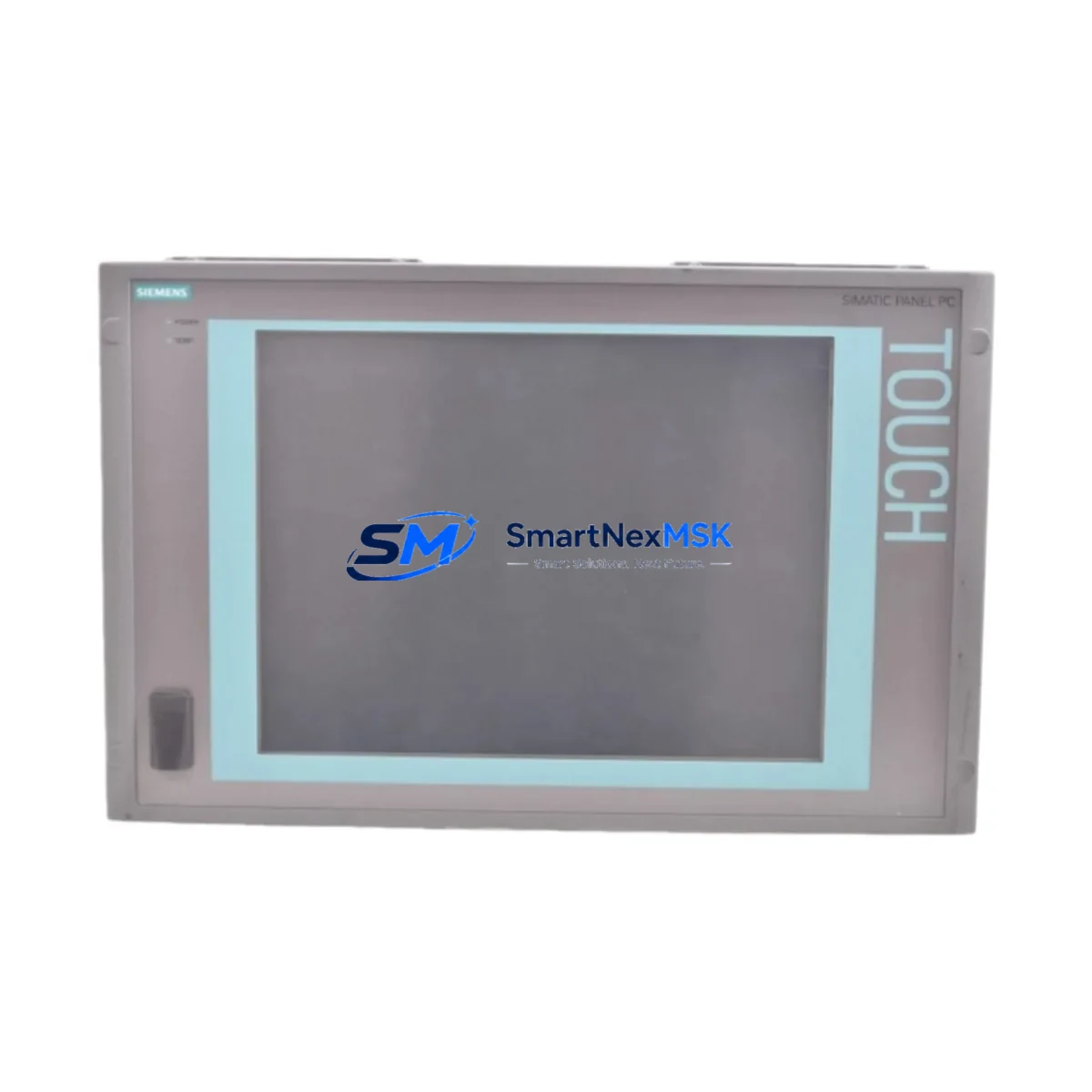
Siemens 6AV7892-0AB32-0AC0 Spare for IPC477E Automation: Spare Replacement & Industrial Downtime Risk Control
The Siemens 6AV7892-0AB32-0AC0 is an original SIMATIC IPC477E 15-inch industrial panel PC designed for demanding automation environments. As a maintenance-ready spare, this unit supports rapid replacement in SCADA visualization stations, MES terminals, and machine-level HMI applications across manufacturing, process, and energy sectors. Stocking this spare directly reduces unplanned downtime risk and supports continuity of production operations where legacy SIMATIC IPC477E systems remain in active service.
For maintenance engineers managing aging control infrastructure, the 6AV7892-0AB32-0AC0 represents a critical node in the visualization layer. Its 15-inch widescreen display, fanless or fan-cooled variants, and robust IP65-rated front panel make it a preferred choice for control cabinet integration and panel-mount installations. When this unit fails or degrades, the entire operator interface for a production line or process cell may be lost — making a pre-stocked spare essential for any serious maintenance strategy.
Procurement engineers sourcing this spare should verify compatibility with the existing SIMATIC IPC477E mounting cutout, power supply specification (24 VDC or 120/230 VAC depending on variant), and the installed operating system image. Units are tested prior to shipment and supplied with a 12-month warranty covering hardware defects under normal operating conditions.
Spare Maintenance Table
| Parameter | Specification |
|---|---|
| Part Number / SKU | 6AV7892-0AB32-0AC0 |
| Product Family | SIMATIC IPC477E |
| Display Size | 15″ Widescreen TFT |
| Resolution | 1024 × 768 (XGA) |
| Front Panel Protection | IP65 (front), IP20 (rear) |
| Power Supply | 24 VDC (typical variant) |
| Operating Temperature | 0 °C to +50 °C |
| Storage Temperature | -20 °C to +60 °C |
| Mounting Type | Panel-mount / Control cabinet |
| Origin | Germany (DE) |
| Compatibility | SIMATIC IPC477E series; WinCC, TIA Portal visualization |
| Application Environment | Manufacturing, Process, Energy, Automotive |
| Maintenance Recommendation | Inspect display, touchscreen calibration, and power input annually |
| Warranty | 12 Months — hardware defects under normal operating conditions |
| Pre-shipment Testing | Power-on, display, and I/O functional verification |
Maintenance Planning for Continuous Operation
When replacing the 6AV7892-0AB32-0AC0 in a live production environment, maintenance engineers should treat the event as a full control cabinet inspection opportunity. The IPC477E panel PC does not operate in isolation — it interfaces with multiple upstream and downstream components whose condition directly affects post-replacement system stability.
Begin by inspecting the 24 VDC power supply module feeding the panel PC. Aging SITOP PSU8200 or equivalent power supplies may exhibit voltage ripple or output instability that can damage a newly installed IPC unit. Replace or test the power supply before commissioning the spare. Check the terminal blocks and wiring harness at the rear I/O panel — corroded or loose connections on the USB, DVI, or Ethernet ports are a common cause of intermittent faults that are often misattributed to the panel PC itself.
The IPC477E communicates with the PLC layer via Industrial Ethernet (PROFINET) or serial interfaces. Verify that the PROFINET switch or managed Ethernet switch in the cabinet is functioning correctly and that port assignments match the restored configuration. If the system uses a SIMATIC S7-300 or S7-1500 CPU module as the primary controller, confirm that the HMI project loaded on the replacement IPC is version-compatible with the PLC firmware currently running.
For systems using CP 343-1 or CP 443-1 communication processors, re-validate the network topology after IPC replacement to ensure no IP conflicts or routing issues have been introduced. If the cabinet includes signal isolators or analog input modules (such as SIMATIC ET 200SP AI modules), verify that process value displays on the restored HMI match field instrument readings — this confirms end-to-end signal integrity.
Inspect the UPS module (if installed) that protects the IPC from power interruptions. A degraded UPS battery will not protect the new spare during a power event, potentially causing OS corruption. Also check any relay output modules or digital output cards connected to the IPC’s control outputs — worn relay contacts can cause false command signals during the first hours of operation after a panel replacement.
Finally, if the system includes a SIMATIC HMI TP1500 or OP1500 operator panel as a secondary interface, ensure that its project is synchronized with the IPC477E project to prevent operator confusion during the transition period. Document all configuration parameters, IP addresses, and project versions before and after replacement to support future maintenance cycles.
Site Replacement Workflow
Step 1 — Pre-replacement preparation: Download and archive the current WinCC or TIA Portal HMI project from the existing IPC477E unit. Record all network settings, IP address, subnet mask, gateway, and PROFINET device name. Photograph the rear I/O wiring before disconnection.
Step 2 — Safe isolation: Follow site LOTO (Lockout/Tagout) procedures. Isolate the 24 VDC supply to the panel PC. Do not power down the PLC or field devices unless the process permits a full shutdown — in many facilities, the IPC can be replaced while the PLC continues to run in automatic mode.
Step 3 — Physical replacement: Remove the panel PC from the mounting cutout. The 6AV7892-0AB32-0AC0 uses a standard IPC477E panel-mount frame — the replacement unit fits the same cutout without modification. Transfer the rear connector harness to the new unit. Verify that the power connector polarity is correct before energizing.
Step 4 — Software restoration: Boot the replacement IPC and load the archived HMI project. Restore network settings. Confirm PROFINET communication with the PLC. Run a full I/O tag check to verify that all process values are displaying correctly.
Step 5 — Commissioning verification: Operate the system in manual mode for a minimum of 30 minutes before returning to automatic. Monitor the IPC for display artifacts, touchscreen response issues, or communication alarms. Log the replacement in the site maintenance record with the new unit’s serial number and warranty start date.
This workflow minimizes downtime to typically under 2 hours for a prepared maintenance team, compared to 24–72 hours if the spare must be sourced reactively after a failure.
Spare Parts Support FAQ
Q1: Is the 6AV7892-0AB32-0AC0 a direct drop-in replacement for all IPC477E variants?
The 6AV7892-0AB32-0AC0 is a specific IPC477E configuration. Verify the mounting cutout dimensions, power supply type, and installed OS image match your existing unit before installation. Minor variant differences (e.g., Core i5 vs. Core i7 processor) do not affect HMI project compatibility but may affect performance under high-load visualization tasks.
Q2: What does the 12-month warranty cover, and how is a claim initiated?
The 12-month warranty covers hardware defects arising under normal operating conditions, including display failure, power board faults, and I/O port defects. It does not cover physical damage, incorrect installation, or voltage surge damage. To initiate a claim, contact [email protected] with the unit serial number, fault description, and proof of purchase. Replacement or repair is coordinated within 5 business days of claim approval.
Q3: How should this spare be stored if not immediately installed?
Store the unit in its original anti-static packaging in a dry environment between -20 °C and +60 °C with relative humidity below 95% (non-condensing). Avoid storing near strong magnetic fields or in environments with corrosive gases. Perform a power-on test every 12 months during long-term storage to verify functionality before the unit is needed for emergency deployment.
Q4: Can compatibility be verified before shipment?
Yes. Provide your existing IPC477E part number, installed OS version, and WinCC/TIA Portal project version to [email protected] prior to ordering. Our technical team will confirm hardware and software compatibility. All units undergo power-on and functional I/O testing before dispatch, and a test report is available upon request.
© 2026 SMARTNEXMSK. All rights reserved.
Original Source: https://smartnexmsk.com
Contact: [email protected] | +86 18259474341



