
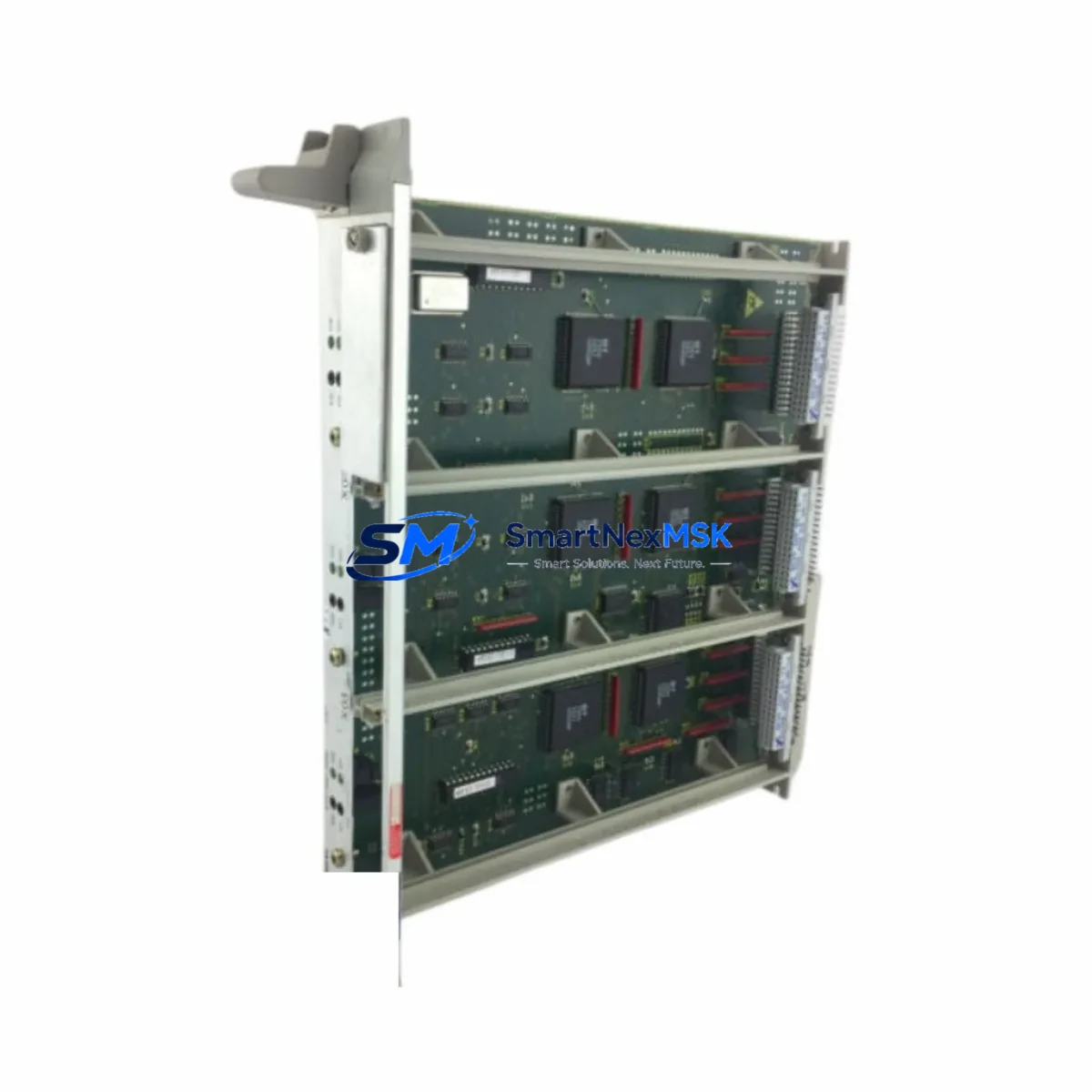
SIEMENS 6DD1662-0AB0 Spare for SIMADYN D Automation: Spare Replacement & Industrial Downtime Risk Control
The SIEMENS 6DD1662-0AB0 is a CS7 Communications Module designed for the SIMADYN D distributed control system — a platform widely deployed in power generation, heavy industry, and process automation environments. As SIMADYN D systems age, the 6DD1662-0AB0 becomes a critical spare: its failure directly disrupts inter-rack communication, halts coordinated drive control, and can trigger unplanned shutdowns across entire production lines. Sourcing a verified, original replacement unit before failure occurs is the single most effective strategy for protecting system uptime.
At SMARTNEXMSK, every 6DD1662-0AB0 unit is sourced from authorized channels, inspected against OEM specifications, and function-tested prior to dispatch. We maintain standing stock to support emergency replacement orders with same-day or next-business-day shipping. Each unit ships with a 12-month warranty covering manufacturing defects and functional performance, giving maintenance engineers and procurement teams confidence in long-term spare parts planning.
Spare Maintenance Table
| Parameter | Specification |
|---|---|
| Part Number / SKU | 6DD1662-0AB0 |
| Manufacturer | SIEMENS |
| Series / Platform | SIMADYN D — CS7 Rack |
| Module Type | CS7 Communications Module |
| Primary Function | Inter-rack communication, coordinated drive/process control data exchange |
| Communication Interface | SIMADYN D internal bus (CS7 backplane) |
| Supply Voltage | 24 V DC (via CS7 backplane) |
| Operating Temperature | 0 °C to +55 °C |
| Storage Temperature | -40 °C to +70 °C |
| Mounting | CS7 rack slot (DIN rail compatible enclosure) |
| Country of Origin | Germany |
| Weight | Approx. 420 g |
| Compatibility | SIMADYN D CS7 rack systems; compatible with SIEMENS MASTERDRIVES, SIMOREG DC-MASTER, and coordinated multi-drive configurations |
| Condition | Original / New-surplus / Refurbished (tested to OEM spec) |
| Warranty | 12 Months — covers functional performance and manufacturing defects |
| Lead Time | In-stock: same-day or next-business-day dispatch |
| Application Environment | Power plants, steel mills, paper mills, chemical process, heavy manufacturing |
| Maintenance Recommendation | Inspect backplane connectors and bus termination annually; replace proactively at first sign of communication fault codes |
Maintenance Planning for Continuous Operation
When a 6DD1662-0AB0 CS7 Communications Module is flagged for replacement during a planned outage or emergency callout, experienced maintenance engineers treat the event as a trigger for a broader control cabinet inspection. The CS7 rack’s health depends on the integrity of every component sharing its backplane and power bus.
Begin by verifying the CS7 rack power supply module (such as the 6DD1660-0AH0 or equivalent PS7 unit) — a degraded power supply is a common root cause of intermittent communication faults that are misdiagnosed as module failures. Check output voltage stability under load before installing the replacement 6DD1662-0AB0.
Inspect the CS7 backplane bus connectors for oxidation, bent pins, or contamination. A faulty backplane connection will cause the new module to exhibit the same fault codes as the failed unit, leading to unnecessary repeat replacements. Clean contacts with approved contact cleaner and verify seating torque on all rack-mounted modules.
Review the SIMADYN D processor modules (PM5, PM6, or PM7 series) installed in adjacent slots. Communications faults on the 6DD1662-0AB0 are sometimes symptomatic of processor module firmware incompatibility or memory corruption — confirm firmware revision alignment across all rack modules after replacement.
For systems interfacing with SIEMENS MASTERDRIVES MC or VC units, verify the fiber-optic or copper communication cables connecting the CS7 rack to the drive inverter cabinets. Damaged or aged SIMOLINK or CBP2 communication boards within the drive units can generate upstream communication errors that appear as CS7 module faults.
Check all 24 V DC auxiliary power fuses and miniature circuit breakers supplying the CS7 rack. A partial power loss — even momentary — can corrupt module initialization and produce persistent fault states. Replace any fuse showing signs of thermal stress or discoloration.
If the SIMADYN D system includes analog or digital I/O expansion modules (such as the AM6 or DM6 series), inspect their terminal blocks and field wiring for loose connections. I/O wiring faults generate noise on the backplane bus that accelerates communications module wear.
For installations with PROFIBUS DP communication cards linking the SIMADYN D system to a higher-level SIMATIC S7 PLC or DCS, verify bus termination resistors and cable shielding integrity. Improper PROFIBUS termination is a frequent cause of cyclic communication errors that stress the 6DD1662-0AB0 module.
Finally, update the site’s spare parts register to include a second 6DD1662-0AB0 unit as a cold standby. For aging SIMADYN D installations where OEM support has been discontinued, maintaining at least one verified spare on-site eliminates the lead-time risk associated with emergency procurement and protects against extended unplanned downtime.
Site Replacement Workflow
Step 1 — Fault Confirmation: Retrieve active fault codes from the SIMADYN D operator panel or connected HMI (e.g., SIEMENS OP7, OP17, or SIMATIC HMI TP series). Document all active and pending alarms before de-energizing the rack. Photograph the existing module’s DIP switch and jumper settings if accessible.
Step 2 — Safe Isolation: Follow site LOTO (Lockout/Tagout) procedures. De-energize the CS7 rack via the main cabinet isolator. Verify zero-voltage state on the rack power supply output terminals before handling any module.
Step 3 — Module Extraction: Release the module retention latch and extract the 6DD1662-0AB0 carefully from its rack slot. Avoid flexing the backplane connector. Place the removed module in an ESD-protective bag for return or failure analysis.
Step 4 — Replacement Installation: Confirm the replacement 6DD1662-0AB0 matches the original part number and hardware revision. Set DIP switches and jumpers to match the documented configuration. Seat the module firmly into the rack slot until the retention latch engages.
Step 5 — Power-Up and Verification: Re-energize the rack and monitor the module’s status LEDs during initialization. Clear fault memory on the SIMADYN D system and perform a communication test cycle. Verify that all connected drives and I/O nodes resume normal operation before returning the system to production.
Step 6 — Documentation: Record the replacement in the site maintenance log, including the new module’s serial number, installation date, and post-replacement test results. Update the spare parts inventory to reflect the consumed unit and initiate a replenishment order to restore cold-standby stock.
Spare Parts Support FAQ
Q1: Is the 6DD1662-0AB0 still available as a new original part, or only as refurbished stock?
SIEMENS has discontinued active production of many SIMADYN D series components. SMARTNEXMSK sources 6DD1662-0AB0 units from authorized surplus channels and verified refurbishment partners. All refurbished units are tested to OEM functional specifications and carry the same 12-month warranty as new-surplus stock. Unit condition is clearly stated on each order confirmation.
Q2: How do I verify compatibility before ordering?
Confirm the rack type (CS7), the SIMADYN D system generation, and the existing module’s hardware revision marking (visible on the module label). Share your system’s rack configuration or existing module label photo with our technical team at [email protected] — we will confirm compatibility before processing your order.
Q3: What pre-shipment testing is performed on each unit?
Every 6DD1662-0AB0 undergoes power-on functional testing, backplane communication verification, and visual inspection for connector integrity and component condition. A test report is available upon request. Units failing any test criterion are quarantined and not dispatched.
Q4: What is the warranty coverage and claim process?
All units carry a 12-month warranty from the date of delivery, covering functional failure under normal operating conditions. To initiate a warranty claim, contact [email protected] with your order number, fault description, and site fault log if available. We will arrange return shipping and provide a replacement or full refund within the warranty period.
© 2026 SMARTNEXMSK. All rights reserved.
Original Source: https://smartnexmsk.com
Contact: [email protected] | +86 18259474341



