
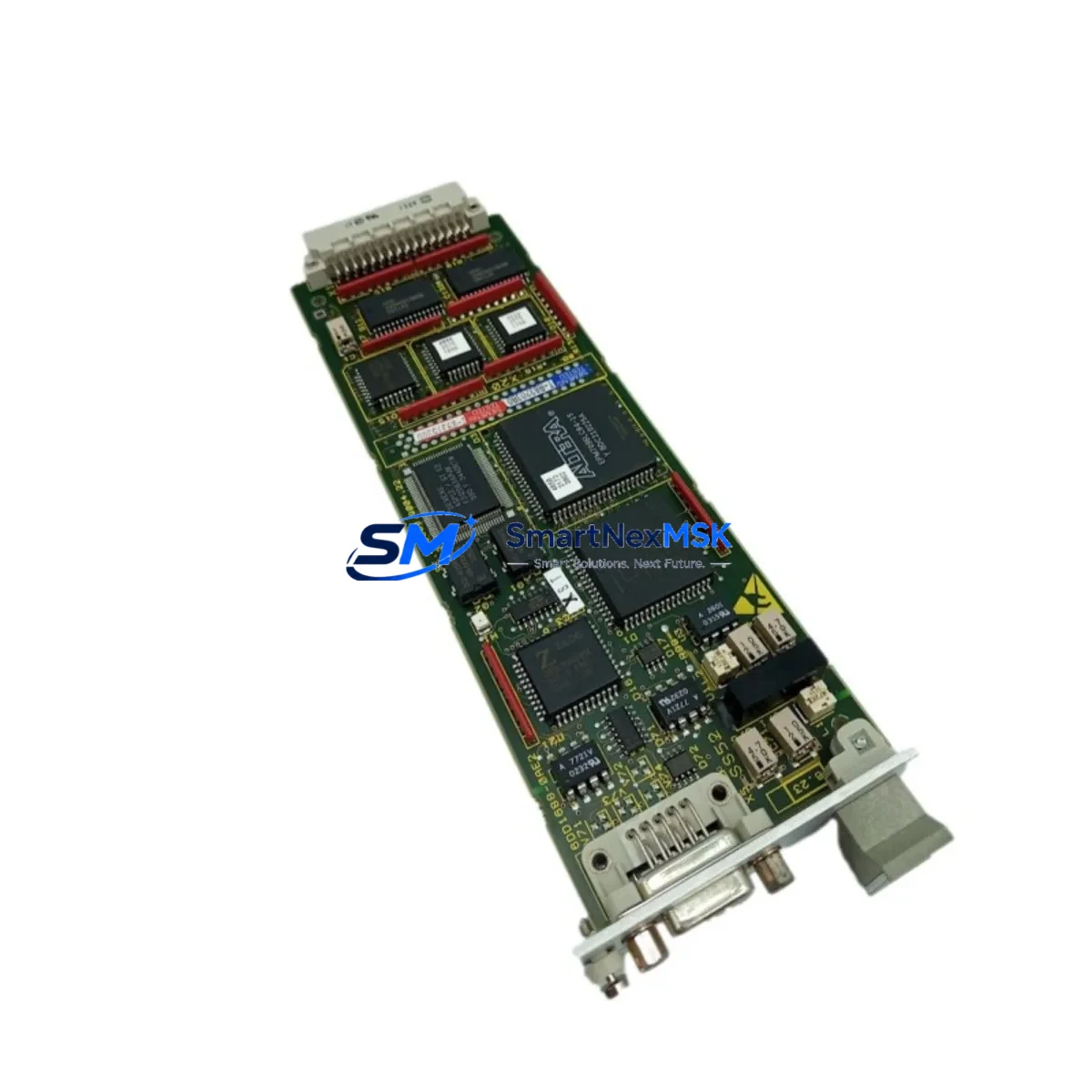
Siemens 6DD1688-0AE2 Spare for SIMATIC TDC Automation: Spare Replacement & Downtime Risk Control
The Siemens 6DD1688-0AE2 is the SS52 PROFIBUS-DP/MPI Interface Module designed for the SIMATIC TDC (Technology and Drive Control) platform — a high-performance, multi-processor automation system widely deployed in steel mills, rolling lines, paper machines, and heavy-process industries. When this module fails or degrades, the entire PROFIBUS-DP communication backbone of the TDC rack is compromised, leading to immediate loss of field device communication, drive coordination failures, and unplanned production shutdowns.
Maintaining a verified spare of the 6DD1688-0AE2 in your on-site parts inventory is not optional for critical process lines — it is a fundamental element of any serious maintenance strategy. This listing provides an original, tested, and warranty-backed unit ready for immediate dispatch to support your planned maintenance cycles, emergency replacements, and long-term system life extension programs.
Spare Maintenance Table
| Parameter | Specification / Detail |
|---|---|
| Part Number (SKU) | 6DD1688-0AE2 |
| Module Designation | SS52 PROFIBUS-DP/MPI Interface Module |
| Compatible Platform | Siemens SIMATIC TDC (Technology & Drive Control) |
| Communication Interface | PROFIBUS-DP, MPI |
| Rack Compatibility | SIMATIC TDC UR5216 / UR5217 backplane racks |
| Slot Type | Standard TDC module slot (SS-series) |
| Supply Voltage | DC 5 V via backplane (rack-supplied) |
| Operating Temperature | 0 °C to +60 °C |
| Storage Temperature | -40 °C to +70 °C |
| Country of Origin | Germany |
| Application Environment | Industrial process control, heavy manufacturing, drive coordination |
| Maintenance Recommendation | Inspect PROFIBUS connectors and termination resistors at each planned shutdown; verify DP address configuration after replacement |
| Warranty | 12 Months — covers manufacturing defects and functional failure under normal operating conditions |
| Condition | Original, tested before shipment |
| Lead Time | In-stock units ship within 1–3 business days |
Maintenance Planning for Continuous Operation
When a maintenance or procurement engineer schedules replacement of the 6DD1688-0AE2, the scope of inspection should extend well beyond the module itself. The SS52 interface module sits at the heart of the SIMATIC TDC communication architecture, and its failure is rarely isolated. A thorough site inspection during the replacement window should include the following associated components and subsystems:
Backplane and Rack Integrity: The UR5216 or UR5217 TDC backplane rack should be inspected for oxidized bus connectors, loose module retention clips, and any signs of thermal stress. A degraded backplane can cause intermittent communication faults that mimic module failure and will recur even after a new 6DD1688-0AE2 is installed.
Power Supply Modules: The 6DD1600-0AE0 or equivalent TDC power supply module feeding the rack should be load-tested. Voltage ripple or marginal 5 V DC output is a common root cause of PROFIBUS interface instability. Replace or cross-check with a known-good unit before closing the cabinet.
CPU and Co-Processor Modules: The 6DD1607-0AA0 (CP51M1) or 6DD1606-0AA0 (CP50M1) processor modules sharing the same TDC rack should be checked for firmware version compatibility with the replacement SS52 module. Mismatched firmware revisions can prevent the PROFIBUS interface from initializing correctly after swap.
PROFIBUS Cable and Connectors: Inspect all PROFIBUS-DP bus connectors (6ES7972-0BA52-0XA0 or equivalent) at both ends of the segment. Damaged termination resistors, bent pins, or cracked connector housings are a leading cause of bus faults that are incorrectly attributed to the interface module. Replace any suspect connectors during the same maintenance window.
I/O and Signal Modules: Downstream ET 200M or ET 200S distributed I/O stations connected via the PROFIBUS-DP segment should be polled for diagnostic alarms after the replacement. Any station that fails to re-establish communication after the new module is online should be individually inspected for internal faults or address conflicts.
Signal Isolators and Barriers: In process environments where the PROFIBUS segment crosses hazardous area boundaries, PROFIBUS repeaters or signal isolators (such as the Siemens 6ES7972-0AA02-0XA0 DP/PA coupler or equivalent) should be tested for signal integrity. A failing isolator will cause intermittent slave dropouts that are difficult to distinguish from interface module faults.
Drive Communication Interfaces: If the TDC system is coordinating Siemens SINAMICS or MASTERDRIVES via PROFIBUS, the CBP2 communication boards installed in those drives should be inspected for firmware compatibility and connector seating. A drive that loses its PROFIBUS slave address after a master interface replacement will cause immediate fault trips on the production line.
HMI and SCADA Connectivity: Any SIMATIC HMI panel (TP or OP series) or SCADA workstation connected to the MPI port of the 6DD1688-0AE2 should be re-commissioned after replacement to verify that the MPI address and baud rate settings are correctly recognized by the new module.
Fusing and Protection: Cabinet-level fusing for the TDC rack supply rail should be inspected and replaced if there is any evidence of thermal discoloration. A marginal fuse that has not yet blown can cause intermittent supply interruptions that accelerate module wear.
Site Replacement Workflow
Step 1 — Pre-Replacement Documentation: Before powering down, capture the current PROFIBUS configuration using STEP 7 or TIA Portal. Export the hardware configuration and note the DP master address, baud rate (typically 1.5 Mbit/s or 12 Mbit/s), and all slave addresses on the segment. This documentation is essential for rapid recommissioning.
Step 2 — Safe Shutdown: Follow the SIMATIC TDC system shutdown procedure. Do not hot-swap the SS52 module — the 6DD1688-0AE2 requires a powered-down rack for safe extraction. Failure to observe this will risk damage to the backplane bus connectors and adjacent modules.
Step 3 — Module Extraction and Inspection: Remove the faulty 6DD1688-0AE2 and inspect the slot connector on the backplane for bent pins or contamination. Clean with dry compressed air if necessary. Retain the faulty module for failure analysis before disposal.
Step 4 — Replacement Installation: Seat the new 6DD1688-0AE2 firmly into the slot. Verify that the module locking lever is fully engaged. Reconnect the PROFIBUS-DP bus connector, ensuring the termination resistor is correctly set (ON at both physical ends of the segment, OFF at all intermediate nodes).
Step 5 — Power-Up and Diagnostics: Restore rack power and observe the module status LEDs. A solid green BF LED indicates successful PROFIBUS initialization. Use STEP 7 online diagnostics to verify all slaves are communicating. Address any remaining faults before returning the system to production.
Step 6 — Functional Test: Run a controlled production cycle or simulation to confirm that all drive coordination, I/O responses, and HMI displays are operating correctly. Document the replacement in the site maintenance log with the new module serial number and date.
Spare Parts Support FAQ
Q1: What is the expected service life of the 6DD1688-0AE2, and when should I plan for proactive replacement?
The SS52 module is a mature product in the SIMATIC TDC lifecycle. Siemens has transitioned TDC to limited support status, meaning new production of original modules is constrained. For systems with more than 8–10 years of continuous operation, proactive replacement during a planned shutdown — rather than waiting for failure — is strongly recommended. Maintaining at least one verified spare per TDC rack is best practice for any critical process line.
Q2: How do I verify compatibility before installation?
Confirm the hardware revision of your existing 6DD1688-0AE2 (printed on the module label) and cross-reference with the firmware version of your TDC CPU module. Our team can assist with compatibility verification prior to shipment. All units are tested against standard TDC rack configurations before dispatch.
Q3: What does the 12-month warranty cover, and what is the return process?
The 12-month warranty covers manufacturing defects and functional failure under normal operating conditions. It does not cover damage resulting from incorrect installation, overvoltage events, or physical impact. To initiate a warranty claim, contact [email protected] with the order number, fault description, and site photos. Replacement units are dispatched within 3 business days of claim approval.
Q4: Can this module replace older or alternate revision variants of the 6DD1688-0AE2?
In most cases, yes — later hardware revisions of the 6DD1688-0AE2 are backward compatible within the SS52 designation. However, if your TDC system is running a very early firmware baseline, a firmware update on the CPU module may be required. We recommend confirming the installed TDC system firmware version before ordering if your installation predates 2005.
© 2026 SMARTNEXMSK. All rights reserved.
Original Source: https://smartnexmsk.com
Contact: [email protected] | +86 18259474341



