
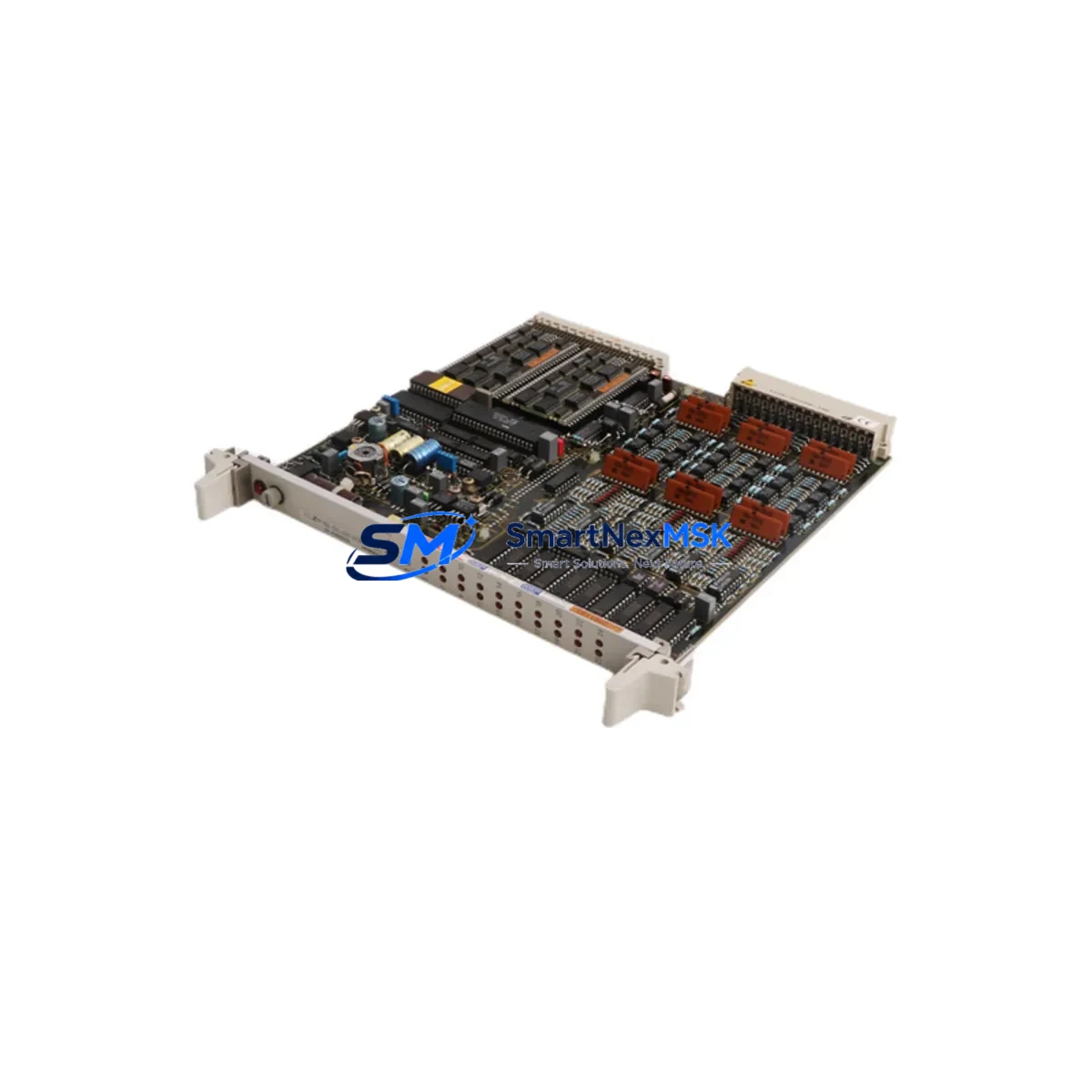
SIEMENS 6DP1360-8BA Retrofit-Ready Function Module for TELEPERM M Control Systems
The SIEMENS 6DP1360-8BA, also designated as the FUM360 Function Module, is a critical process control component engineered for the TELEPERM M Distributed Control System (DCS) platform. As legacy TELEPERM M installations continue to operate across petrochemical, power generation, and heavy industrial facilities worldwide, the 6DP1360-8BA remains one of the most sought-after retrofit and replacement modules for engineers tasked with sustaining aging control infrastructure without full system migration. This module provides reliable analog and digital function processing within the TELEPERM M rack architecture, maintaining full compatibility with the original backplane bus, terminal wiring conventions, and process signal conditioning requirements.
Whether you are replacing a failed unit on an active production line, building a spare-parts inventory for a critical DCS installation, or executing a phased modernization of a TELEPERM M control cabinet, the 6DP1360-8BA is available as a tested, verified, and warranted replacement. All units supplied by SMARTNEXMSK undergo pre-shipment functional verification and are covered by a 12-month warranty from the date of delivery.
Upgrade Compatibility Table
| Parameter | Details |
|---|---|
| Part Number | 6DP1360-8BA (FUM360) |
| Platform Compatibility | SIEMENS TELEPERM M DCS |
| Backplane Interface | TELEPERM M standard rack bus (compatible with AS230, AS235, AS388 automation stations) |
| Installation Requirement | Direct slot insertion into TELEPERM M rack; no mechanical modification required |
| Terminal Wiring | Retains original TELEPERM M terminal block pinout; no rewiring required for like-for-like replacement |
| Communication Compatibility | Compatible with TELEPERM M internal bus; supports integration with SINEC H1 and CS275 communication links |
| Replacement Recommendation | Direct drop-in replacement for failed or end-of-life FUM360 units; verify module address assignment in AS configuration tool before insertion |
| Commissioning Notes | Confirm module address via PROGRAF AP or equivalent TELEPERM M engineering tool; validate process signal scaling and alarm limits post-installation |
| Warranty | 12 months from date of delivery; covers manufacturing defects and functional failure under normal operating conditions |
Retrofit Planning for Existing Automation Systems
Successful integration of the 6DP1360-8BA into an existing TELEPERM M installation requires systematic pre-installation planning. Engineers should begin by auditing the target rack’s power budget. The TELEPERM M rack power supply — typically a 6DP1612-8AA or equivalent PS module — must have sufficient residual capacity to support the FUM360’s operating current draw alongside all co-installed modules. Overloaded rack power supplies are a common cause of intermittent module faults in aging DCS installations and should be load-tested before any new module is inserted.
Terminal block wiring should be documented and photographed before the defective module is removed. The TELEPERM M system uses a standardized sub-rack terminal assignment, but field modifications made over decades of operation may have introduced non-standard wiring. Confirm each signal channel’s source, range (4–20 mA, 0–10 V, thermocouple, RTD), and associated marshalling cabinet connection before powering the replacement module.
The backplane slot address of the 6DP1360-8BA must match the address configured in the TELEPERM M automation station — typically an AS230, AS235, or AS388 controller. Use the PROGRAF AP engineering software or the legacy TELEPERM M configuration database to verify the module’s logical address. Mismatched addresses will result in the automation station failing to recognize the module, triggering a system fault without any process impact — but this must be resolved before returning the loop to automatic control.
Where the retrofit involves migrating from an older FUM variant to the 6DP1360-8BA, engineers should also review the associated HMI faceplates configured in the TELEPERM M operator station (OS). Signal tag names, engineering unit scaling, and alarm setpoints are stored in the OS database and must be validated against the replacement module’s channel configuration. In installations where the OS has been upgraded to a SIMATIC PCS 7 or WinCC-based interface, additional tag mapping may be required to maintain display continuity.
Communication link integrity is another key consideration. TELEPERM M installations frequently use CS275 bus couplers and SINEC H1 Ethernet gateways to connect the DCS to supervisory systems. When replacing a function module, verify that the CS275 bus coupler — often a 6DP1612-8BA or similar — continues to report the module’s process values correctly to the supervisory layer. Any interruption in the CS275 data link during module replacement should be coordinated with the control room to prevent spurious alarms.
For installations that include I/O expansion via additional IM (Interface Module) racks, confirm that the 6DP1360-8BA’s channel assignments do not conflict with I/O addresses allocated to expansion modules. TELEPERM M I/O expansion racks connected via IM153 or equivalent interface modules share a common address space with the main rack, and address conflicts can cause unpredictable control behavior.
Finally, where the control cabinet houses a mix of TELEPERM M modules and newer SIMATIC S7 or ET 200 components as part of a hybrid modernization, ensure that the 6DP1360-8BA’s analog signal conditioning is compatible with the signal conditioning expectations of any downstream SIMATIC CPU or CP communication processor. Programming cables such as the PC Adapter USB or MPI/PROFIBUS adapter may be required for online diagnostics during commissioning.
Downtime Control During System Migration
Minimizing unplanned downtime is the primary operational constraint when replacing a 6DP1360-8BA in a live TELEPERM M installation. The recommended approach is a hot-standby swap procedure where the process loop is placed in manual control at the operator station before the module is physically removed. This preserves the last known output value at the final control element — typically a control valve or variable speed drive — and prevents process upsets during the module exchange.
Before removing the defective module, export the current automation station configuration from PROGRAF AP and save a timestamped backup. This ensures that if the replacement module requires re-addressing or if the AS configuration is inadvertently altered during the swap, the original program logic can be restored without re-engineering. The TELEPERM M function block library — including PID controllers, signal selectors, and limit monitors — stores its parameterization in the AS memory, not in the module itself, so program logic is preserved across module replacements as long as the AS remains powered.
After inserting the 6DP1360-8BA, perform a channel-by-channel signal verification before returning the loop to automatic. Compare live process values displayed on the operator station against independent field measurements (handheld HART communicator, clamp meter, or loop calibrator) to confirm signal integrity. Only after all channels are verified should the loop be transferred from manual to automatic control.
For critical loops where even brief manual operation is unacceptable, consider pre-staging the replacement 6DP1360-8BA in a test rack with a simulated signal source to verify module functionality before the scheduled maintenance window. This approach, combined with a pre-written commissioning checklist, can reduce the actual in-cabinet swap time to under 15 minutes for an experienced controls engineer.
Retrofit Support FAQ
Q1: Is the 6DP1360-8BA a direct replacement for all FUM360 variants in the TELEPERM M system?
The 6DP1360-8BA (FUM360) is the standard function module for the TELEPERM M platform and is compatible with all standard TELEPERM M rack configurations using AS230, AS235, and AS388 automation stations. If your installation uses a non-standard rack configuration or a modified backplane, contact our technical team with your system’s rack layout and AS configuration file for confirmation before ordering.
Q2: What commissioning steps are required after installing the replacement module?
After physical installation, verify the module’s slot address in PROGRAF AP, confirm all process signal channels are reading correctly at the operator station, validate alarm setpoints and engineering unit scaling, and perform a bumpless transfer from manual to automatic control on all affected loops. Document the commissioning results and retain a copy with the plant’s maintenance records.
Q3: Can the 6DP1360-8BA be used in a hybrid TELEPERM M / SIMATIC PCS 7 migration environment?
Yes. The 6DP1360-8BA can continue to operate within the TELEPERM M rack while a parallel SIMATIC PCS 7 or S7-400 system is being commissioned. Signal handover between the two platforms is typically managed via hardwired cross-connections or a CS275/PROFIBUS gateway. Confirm signal routing and tag mapping with your migration project engineer before cutover.
Q4: What does the 12-month warranty cover, and what is the return process?
All 6DP1360-8BA units supplied by SMARTNEXMSK are covered by a 12-month warranty from the date of delivery. The warranty covers functional failure and manufacturing defects under normal operating conditions. Units that fail within the warranty period should be returned with a completed fault report. Replacement or repair will be processed within 5–10 business days of receipt. Contact [email protected] to initiate a warranty claim.
© 2026 SMARTNEXMSK. All rights reserved.
Original Source: https://smartnexmsk.com
Contact: [email protected] | +86 18259474341



